[Plugin][$] Curviloft 2.0a - 31 Mar 24 (Loft & Skinning)


-
@gus r said:
I can't seem to be able to Loft by Spline between two simple arcs. What could I be doing wrong?
It suddenly started working again.

-
@gus r said:
I can't seem to be able to Loft by Spline between two simple arcs.
It works for me in SU2022. Share your .skp file so we can see what you have set up.
-
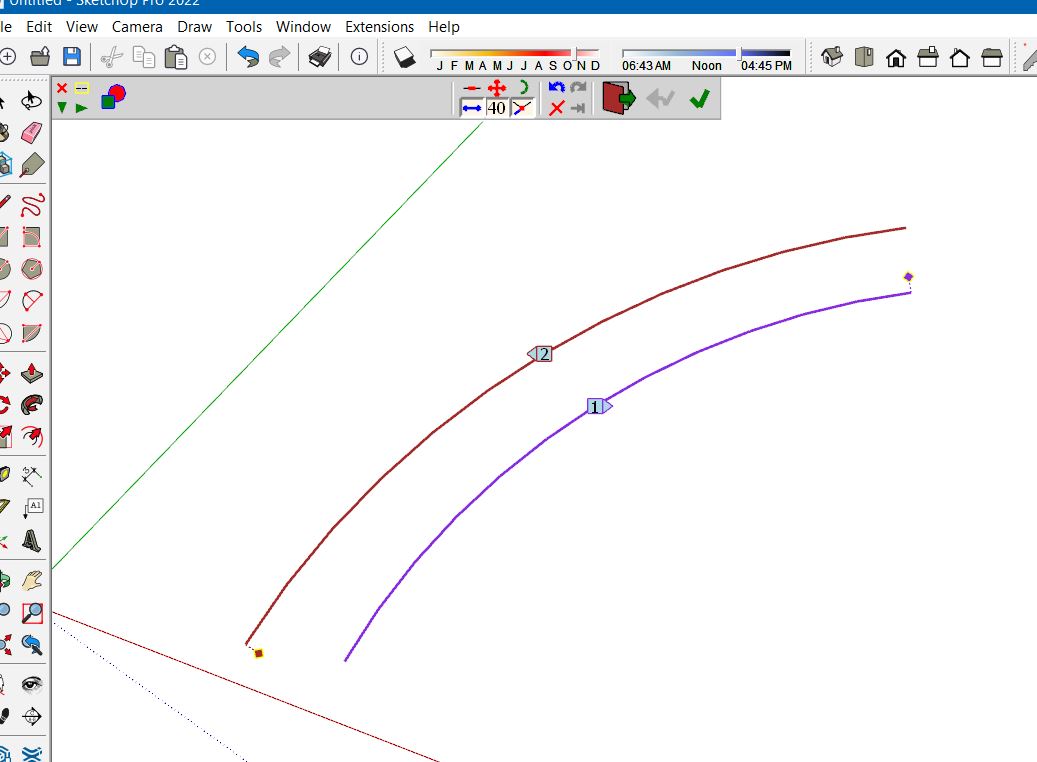
Thanks Dave. I don't know what happened. Was working in the past but then this morning it wasn't working. I cleared my temp directory and then it started working right again. Was just between to simple arcs for a brick arch texture set-up. This is what it looked like when it wasn't working. Between Windows and potential plug-in conflicts there's no telling what could have caused it.
-
@gus r said:
Thanks Dave. I don't know what happened. Was working in the past but then this morning it wasn't working. I cleared my temp directory and then it started working right again. Was just between to simple arcs for a brick arch texture set-up. This is what it looked like when it wasn't working. Between Windows and potential plug-in conflicts there's no telling what could have caused it.
Could you upgrade to LibFredo6 v13.6a. It should solve the problem.
-
@fredo6 said:
@gus r said:
Thanks Dave. I don't know what happened. Was working in the past but then this morning it wasn't working. I cleared my temp directory and then it started working right again. Was just between to simple arcs for a brick arch texture set-up. This is what it looked like when it wasn't working. Between Windows and potential plug-in conflicts there's no telling what could have caused it.
Could you upgrade to LibFredo6 v13.6a. It should solve the problem.
I got it up and running again but suddenly it stopped working today. I uninstalled LibFredo and reinstalled it but it still won't work. I tested it with a simple default arc that I offset and it won't work.
-
This is from the Ruby Console.
Coord pt ( --2147483648', --2147483648', --2147483648') = nil Error: #<NoMethodError: undefined methodz=' for nil:NilClass>
c:/users/z590-e/appdata/roaming/sketchup/sketchup 2022/sketchup/plugins/fredo6_curviloft/curviloftalgo.rbe:1476:incoords_2d' c:/users/z590-e/appdata/roaming/sketchup/sketchup 2022/sketchup/plugins/fredo6_curviloft/curviloftalgo.rbe:1322:inblock (2 levels) in link_compute_2D_footprint'
c:/users/z590-e/appdata/roaming/sketchup/sketchup 2022/sketchup/plugins/fredo6_curviloft/curviloftalgo.rbe:1322:incollect' c:/users/z590-e/appdata/roaming/sketchup/sketchup 2022/sketchup/plugins/fredo6_curviloft/curviloftalgo.rbe:1322:inblock in link_compute_2D_footprint'
c:/users/z590-e/appdata/roaming/sketchup/sketchup 2022/sketchup/plugins/fredo6_curviloft/curviloftalgo.rbe:1322:incollect' c:/users/z590-e/appdata/roaming/sketchup/sketchup 2022/sketchup/plugins/fredo6_curviloft/curviloftalgo.rbe:1322:inlink_compute_2D_footprint'
c:/users/z590-e/appdata/roaming/sketchup/sketchup 2022/sketchup/plugins/fredo6_curviloft/curviloftalgo.rbe:1262:inlink_compute_polygons' c:/users/z590-e/appdata/roaming/sketchup/sketchup 2022/sketchup/plugins/fredo6_curviloft/curviloftalgo.rbe:1424:injunction_construct'
c:/users/z590-e/appdata/roaming/sketchup/sketchup 2022/sketchup/plugins/fredo6_curviloft/curviloftalgo.rbe:407:inblock in link_construct_all' c:/users/z590-e/appdata/roaming/sketchup/sketchup 2022/sketchup/plugins/fredo6_curviloft/curviloftalgo.rbe:407:ineach'
c:/users/z590-e/appdata/roaming/sketchup/sketchup 2022/sketchup/plugins/fredo6_curviloft/curviloftalgo.rbe:407:inlink_construct_all' c:/users/z590-e/appdata/roaming/sketchup/sketchup 2022/sketchup/plugins/fredo6_curviloft/curviloftalgo.rbe:396:inlink_calculate_all'
c:/users/z590-e/appdata/roaming/sketchup/sketchup 2022/sketchup/plugins/fredo6_curviloft/curviloftalgo.rbe:369:inprepare_all' c:/users/z590-e/appdata/roaming/sketchup/sketchup 2022/sketchup/plugins/fredo6_curviloft/curviloftalgo.rbe:362:inproceed'
c:/users/z590-e/appdata/roaming/sketchup/sketchup 2022/sketchup/plugins/fredo6_curviloft/curvilofttool.rbe:641:intransition_to_loft' c:/users/z590-e/appdata/roaming/sketchup/sketchup 2022/sketchup/plugins/fredo6_curviloft/curvilofttool.rbe:334:inactivate'
c:/users/z590-e/appdata/roaming/sketchup/sketchup 2022/sketchup/plugins/fredo6_curviloft/curvilofttool.rbe:67:inselect_tool' c:/users/z590-e/appdata/roaming/sketchup/sketchup 2022/sketchup/plugins/fredo6_curviloft/curvilofttool.rbe:67:inlaunch_loft'
c:/users/z590-e/appdata/roaming/sketchup/sketchup 2022/sketchup/plugins/fredo6_curviloft/curvilofttool.rbe:53:inaction__mapping' C:/Users/Z590-E/AppData/Local/Temp/Fredo6_LibFredo6_TemporaryFiles/data6.rb:65:incall'` -
It's just doing it with arcs. Otherwise, Curviloft is still working.
-
It is ost likely related to the zooming. Part of the profile and surface is probably outside of the visible viewport.
-
It just stopped working again.
-
i need help about license reply back if you seen.
file:///C:/Users/GF63/OneDrive/%E0%B8%A3%E0%B8%B9%E0%B8%9B%E0%B8%A0%E0%B8%B2%E0%B8%9E/%E0%B8%A0%E0%B8%B2%E0%B8%9E%E0%B8%AB%E0%B8%99%E0%B9%89%E0%B8%B2%E0%B8%88%E0%B8%AD/2022-12-30.png
-
hello Sir. Please is it still possible somewhere to download Curviloft that work with Sketchup 2016? thanks 1.9a isnt working for my 2016 with libfredo prioe_su2017
thanks -
@deniscopak said:
Please is it still possible somewhere to download Curviloft that work with Sketchup 2016?
This version will work with any version of SketchUp but you'll need the legacy version of LibFredo 6.
-
Hi,
I also have a rather disconcerting and random issue with this plugin on SketchUp Make 2017.
This happens most often in the simplest and yet most useful case, that of creating a mesh between 2 contours.Thank you for finding a solution because I obviously have a user license and it is a plugin that I use frequently for the realization of artistic sketches and i really need it !
(just in case, windows 10 64 is up to date, as well as the graphics card (nvidia) drivers and of course the latest LibFredo6)
Error: #<NoMethodError: undefined methodplates' for nil:NilClass>
c:/users/alexandre/appdata/roaming/sketchup/sketchup 2017/sketchup/plugins/fredo6_curviloft/curviloftspline.rbe:478:inspline_simple_construct' c:/users/alexandre/appdata/roaming/sketchup/sketchup 2017/sketchup/plugins/fredo6_curviloft/curviloftspline.rbe:247:inspline_junction_construct'
c:/users/alexandre/appdata/roaming/sketchup/sketchup 2017/sketchup/plugins/fredo6_curviloft/curviloftalgo.rbe:497:ingeneric_junction_construct' c:/users/alexandre/appdata/roaming/sketchup/sketchup 2017/sketchup/plugins/fredo6_curviloft/curviloftalgo.rbe:1418:injunction_construct'
c:/users/alexandre/appdata/roaming/sketchup/sketchup 2017/sketchup/plugins/fredo6_curviloft/curviloftalgo.rbe:407:inblock in link_construct_all' c:/users/alexandre/appdata/roaming/sketchup/sketchup 2017/sketchup/plugins/fredo6_curviloft/curviloftalgo.rbe:407:ineach'
c:/users/alexandre/appdata/roaming/sketchup/sketchup 2017/sketchup/plugins/fredo6_curviloft/curviloftalgo.rbe:407:inlink_construct_all' c:/users/alexandre/appdata/roaming/sketchup/sketchup 2017/sketchup/plugins/fredo6_curviloft/curviloftalgo.rbe:396:inlink_calculate_all'
c:/users/alexandre/appdata/roaming/sketchup/sketchup 2017/sketchup/plugins/fredo6_curviloft/curviloftalgo.rbe:369:inprepare_all' c:/users/alexandre/appdata/roaming/sketchup/sketchup 2017/sketchup/plugins/fredo6_curviloft/curviloftalgo.rbe:362:inproceed'
c:/users/alexandre/appdata/roaming/sketchup/sketchup 2017/sketchup/plugins/fredo6_curviloft/curvilofttool.rbe:641:intransition_to_loft' c:/users/alexandre/appdata/roaming/sketchup/sketchup 2017/sketchup/plugins/fredo6_curviloft/curvilofttool.rbe:334:inactivate'
c:/users/alexandre/appdata/roaming/sketchup/sketchup 2017/sketchup/plugins/fredo6_curviloft/curvilofttool.rbe:67:inselect_tool' c:/users/alexandre/appdata/roaming/sketchup/sketchup 2017/sketchup/plugins/fredo6_curviloft/curvilofttool.rbe:67:inlaunch_loft'
c:/users/alexandre/appdata/roaming/sketchup/sketchup 2017/sketchup/plugins/fredo6_curviloft/curvilofttool.rbe:53:inaction__mapping' C:/Users/Alexandre/AppData/Local/Temp/Fredo6_LibFredo6_TemporaryFiles/data6.rb:65:incall'
C:/Users/Alexandre/AppData/Local/Temp/Fredo6_LibFredo6_TemporaryFiles/data6.rb:65:inlaunch_action' c:/users/alexandre/appdata/roaming/sketchup/sketchup 2017/sketchup/plugins/fredo6_!libfredo6/lib6plugin.rbe:240:inlaunch_action'
c:/users/alexandre/appdata/roaming/sketchup/sketchup 2017/sketchup/plugins/fredo6_curviloft/bootstrap_curviloft.rbe:76:inlaunch_action' c:/users/alexandre/appdata/roaming/sketchup/sketchup 2017/sketchup/plugins/fredo6_curviloft/bootstrap_curviloft.rbe:91:inblock in startup'
...
Error: #<NoMethodError: undefined methodplates' for nil:NilClass> c:/users/alexandre/appdata/roaming/sketchup/sketchup 2017/sketchup/plugins/fredo6_curviloft/curviloftspline.rbe:478:inspline_simple_construct'
c:/users/alexandre/appdata/roaming/sketchup/sketchup 2017/sketchup/plugins/fredo6_curviloft/curviloftspline.rbe:247:inspline_junction_construct' c:/users/alexandre/appdata/roaming/sketchup/sketchup 2017/sketchup/plugins/fredo6_curviloft/curviloftalgo.rbe:497:ingeneric_junction_construct'
c:/users/alexandre/appdata/roaming/sketchup/sketchup 2017/sketchup/plugins/fredo6_curviloft/curviloftalgo.rbe:1418:injunction_construct' c:/users/alexandre/appdata/roaming/sketchup/sketchup 2017/sketchup/plugins/fredo6_curviloft/curviloftalgo.rbe:407:inblock in link_construct_all'
c:/users/alexandre/appdata/roaming/sketchup/sketchup 2017/sketchup/plugins/fredo6_curviloft/curviloftalgo.rbe:407:ineach' c:/users/alexandre/appdata/roaming/sketchup/sketchup 2017/sketchup/plugins/fredo6_curviloft/curviloftalgo.rbe:407:inlink_construct_all'
c:/users/alexandre/appdata/roaming/sketchup/sketchup 2017/sketchup/plugins/fredo6_curviloft/curviloftalgo.rbe:396:inlink_calculate_all' c:/users/alexandre/appdata/roaming/sketchup/sketchup 2017/sketchup/plugins/fredo6_curviloft/curviloftalgo.rbe:369:inprepare_all'
c:/users/alexandre/appdata/roaming/sketchup/sketchup 2017/sketchup/plugins/fredo6_curviloft/curviloftalgo.rbe:362:inproceed' c:/users/alexandre/appdata/roaming/sketchup/sketchup 2017/sketchup/plugins/fredo6_curviloft/curvilofttool.rbe:641:intransition_to_loft'
c:/users/alexandre/appdata/roaming/sketchup/sketchup 2017/sketchup/plugins/fredo6_curviloft/curvilofttool.rbe:617:innotify_edge_picked' c:/users/alexandre/appdata/roaming/sketchup/sketchup 2017/sketchup/plugins/fredo6_!libfredo6/body_lib6edgepicker.rbe:539:incall'
c:/users/alexandre/appdata/roaming/sketchup/sketchup 2017/sketchup/plugins/fredo6_!libfredo6/body_lib6edgepicker.rbe:539:innotify_action' c:/users/alexandre/appdata/roaming/sketchup/sketchup 2017/sketchup/plugins/fredo6_!libfredo6/body_lib6edgepicker.rbe:582:interminate_current_selection'
c:/users/alexandre/appdata/roaming/sketchup/sketchup 2017/sketchup/plugins/fredo6_curviloft/curvilofttool.rbe:279:inexecute_validate' c:/users/alexandre/appdata/roaming/sketchup/sketchup 2017/sketchup/plugins/fredo6_curviloft/curvilofttool.rbe:269:inexecute_from_palette'
c:/users/alexandre/appdata/roaming/sketchup/sketchup 2017/sketchup/plugins/fredo6_curviloft/curvilofttool.rbe:217:innotify_from_palette' c:/users/alexandre/appdata/roaming/sketchup/sketchup 2017/sketchup/plugins/fredo6_curviloft/curviloftpalette.rbe:529:incall'
c:/users/alexandre/appdata/roaming/sketchup/sketchup 2017/sketchup/plugins/fredo6_curviloft/curviloftpalette.rbe:529:inblock in init_palette' ... -
NEW RELEASE: Curviloft v1.9b - 21 Apr 23
Curviloft 1.9b is a maintenance release which fixes a potential issue whereby Curviloft will be in error due to previous parameters and would not allow to change the parameters (so ending by blocking Curviloft, as reported in the post just above).
See Plugin Page of Curviloft for Download (or use the Sketchup PluginStore plugin for auto-installation.
Fredo
-
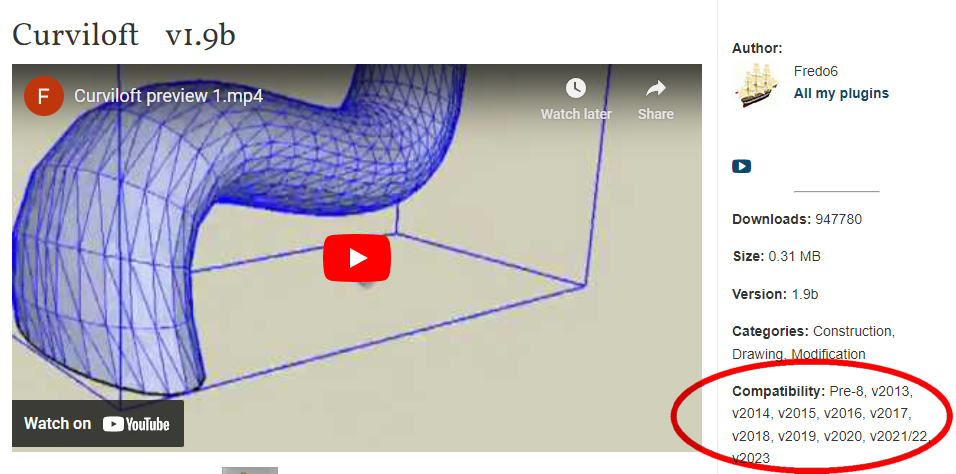
The compatibility section needs to be updated. It claims compatibility with Sketchup version 2014 which is not true unless there's some place I haven't found where old versions can be downloaded.
-
@akavit said:
The compatibility section needs to be updated. It claims compatibility with Sketchup version 2014 which is not true unless there's some place I haven't found where old versions can be downloaded.
The compatibility section for the main page for Curviloft shows compatibility with SU2014. You need to use the right version of LibFredo6, though.
While on the topic of updating, please update your forum profile.

-
Purchased license, but now getting failed to install
Running 2020
-
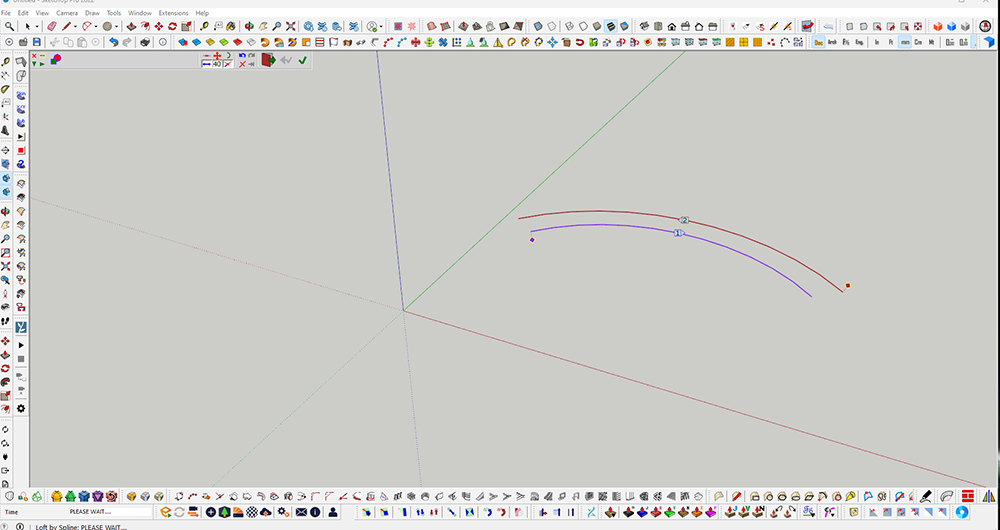
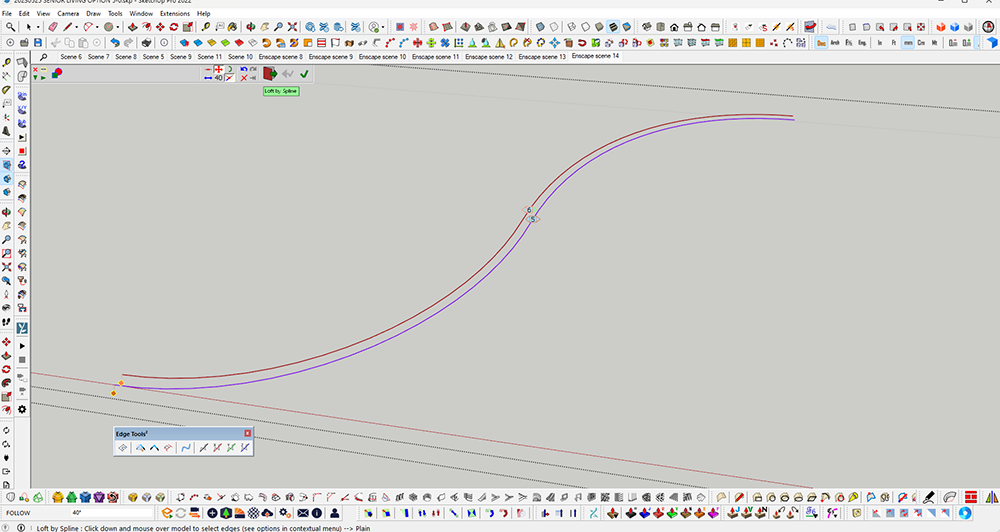
Hi, I'm using the paid version of Curviloft. I'm puzzled why sometimes (most of the time) it failed to generate the surfaces? It failed on a simple task like on the offset double arc lines. What is the FOLLOW 40° for. There is PLEASE WAIT... but it doesn't do anything.
-
Are you using Loft by Spline?
Share an .skp file in which is fails.
-
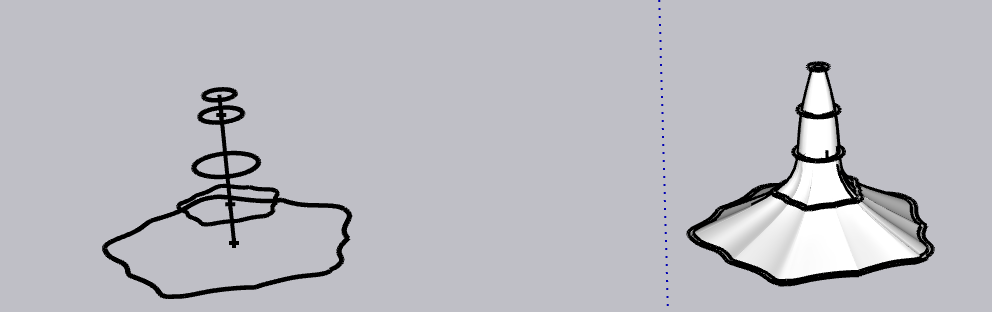
Hi! I recently used Loft By Spline to loft a series of complex curves and it worked beautifully, I came back to the project after a few weeks and am suddenly unable to complete the action. I get the error message "Error in the construction of the Junctions - Try to change the parameters" instead. Has there been an update or something? In the attached file, the image of the object I successfully lofted is next to the one I'm trying to loft. I can upload the actual .skp file if need be.



Hello! It looks like you're interested in this conversation, but you don't have an account yet.
Getting fed up of having to scroll through the same posts each visit? When you register for an account, you'll always come back to exactly where you were before, and choose to be notified of new replies (either via email, or push notification). You'll also be able to save bookmarks and upvote posts to show your appreciation to other community members.
With your input, this post could be even better 💗
Register Login


Advertisement