sketchucation logo sketchucation
    • Anmelden
    Oops, your profile's looking a bit empty! To help us tailor your experience, please fill in key details like your SketchUp version, skill level, operating system, and more. Update and save your info on your profile page today!
    ⚠️ Important | Libfredo 15.6b introduces important bugfixes for Fredo's Extensions Update

    [Plugin] Extrude Edges by Rails to Lattice

    Geplant Angeheftet Gesperrt Verschoben Plugins
    73 Beiträge 25 Kommentatoren 96.0k Aufrufe 25 Watching
    Lade mehr Beiträge
    • Älteste zuerst
    • Neuste zuerst
    • Meiste Stimmen
    Antworten
    • In einem neuen Thema antworten
    Anmelden zum Antworten
    Dieses Thema wurde gelöscht. Nur Nutzer mit entsprechenden Rechten können es sehen.
    • majidM Offline
      majid
      zuletzt editiert von

      it is greeeeaaaaattttt TIG. you are killing me slowly 👍 👍 👍 grrreaaat. thanx 👍

      My inspiring A, B, Sketches book: https://sketchucation.com/shop/books/intermediate/2612-alphabet-inspired-sketches--inspiring-drills-for-architects--3d-artists-and-designers-

      1 Antwort Letzte Antwort Antworten Zitieren 0
      • simon le bonS Offline
        simon le bon
        zuletzt editiert von

        @unknownuser said:

        @unknownuser said:

        I don't see how I could do the same with else tools

        Maybe 2 faces + path + FFD(or fredoscale) 😉

        Hi Pilou 😉

        First, using "Extrude Edges by Rails to Lattice"

        1. I had kept the perfect control on the general shape ( I think it's not possible at such degree with FFD or even with Fredoscale )
          2)I had presently used a simple grid of rails, so I could do it by hand (erasing unwanted in the skinned shape). I can't imagine to achieve the same on a real large number of curves without the help of EEbRtL ..

        Secondly, you are right for Kirill "2 faces + path" which plays in the same playground with "ExtrudeEdgesByFaces"

        *simon

        1 Antwort Letzte Antwort Antworten Zitieren 0
        • simon le bonS Offline
          simon le bon
          zuletzt editiert von

          @tig said:

          Here's an update http://forums.sketchucation.com/viewtopic.php?p=242239#p242239
          It now has 'Diagonals' as an option.

          This new tool is already but still growing an absolute "must have". Thank you so much Tig!

          @unknownuser said:

          Reversing the order of picking the Rails swaps the direction of the diagonals.
          very elegant solution indeed 😉
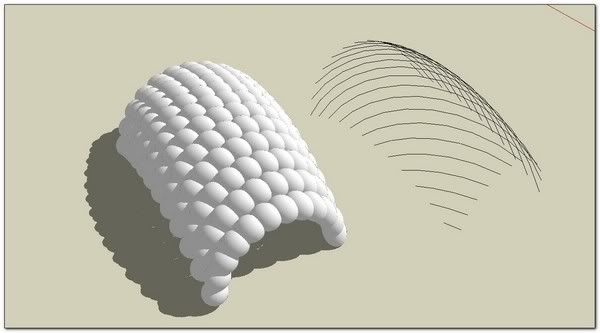

          http://i274.photobucket.com/albums/jj245/Spendauballet/SketchUp/EEbRtL_017_th.jpg

          +++simon

          1 Antwort Letzte Antwort Antworten Zitieren 0
          • pilouP Offline
            pilou
            zuletzt editiert von

            IF I well understand "diagonals" is only for wire 😉
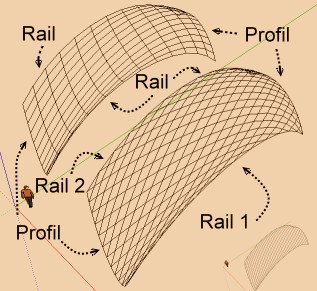
            diagonales.jpg

            Frenchy Pilou
            Is beautiful that please without concept!
            My Little site :)

            1 Antwort Letzte Antwort Antworten Zitieren 0
            • R Offline
              robert111
              zuletzt editiert von

              simn le bon , very nice job , how did you do to have this form plz
              can you make tutto ?

              1 Antwort Letzte Antwort Antworten Zitieren 0
              • TIGT Offline
                TIG Moderator
                zuletzt editiert von

                There's a new version of EEbyRailsToLattice in the zipped set.
                The change is to the way the Line only versions are Grouped...
                http://forums.sketchucation.com/viewtopic.php?p=242239#p242239

                TIG

                1 Antwort Letzte Antwort Antworten Zitieren 0
                • N Offline
                  numerobis
                  zuletzt editiert von

                  AWESOME!!! Thank You very much for ANOTHER very helpful tool!!!

                  1 Antwort Letzte Antwort Antworten Zitieren 0
                  • simon le bonS Offline
                    simon le bon
                    zuletzt editiert von

                    @robert111 said:

                    simn le bon , very nice job , how did you do to have this form plz
                    can you make tutto ?

                    http://i274.photobucket.com/albums/jj245/Spendauballet/SketchUp/EEbRtL_017_th.jpg

                    Thank you Robert,
                    very simple.

                    http://i274.photobucket.com/albums/jj245/Spendauballet/SketchUp/EEbRtL_018_th.jpg

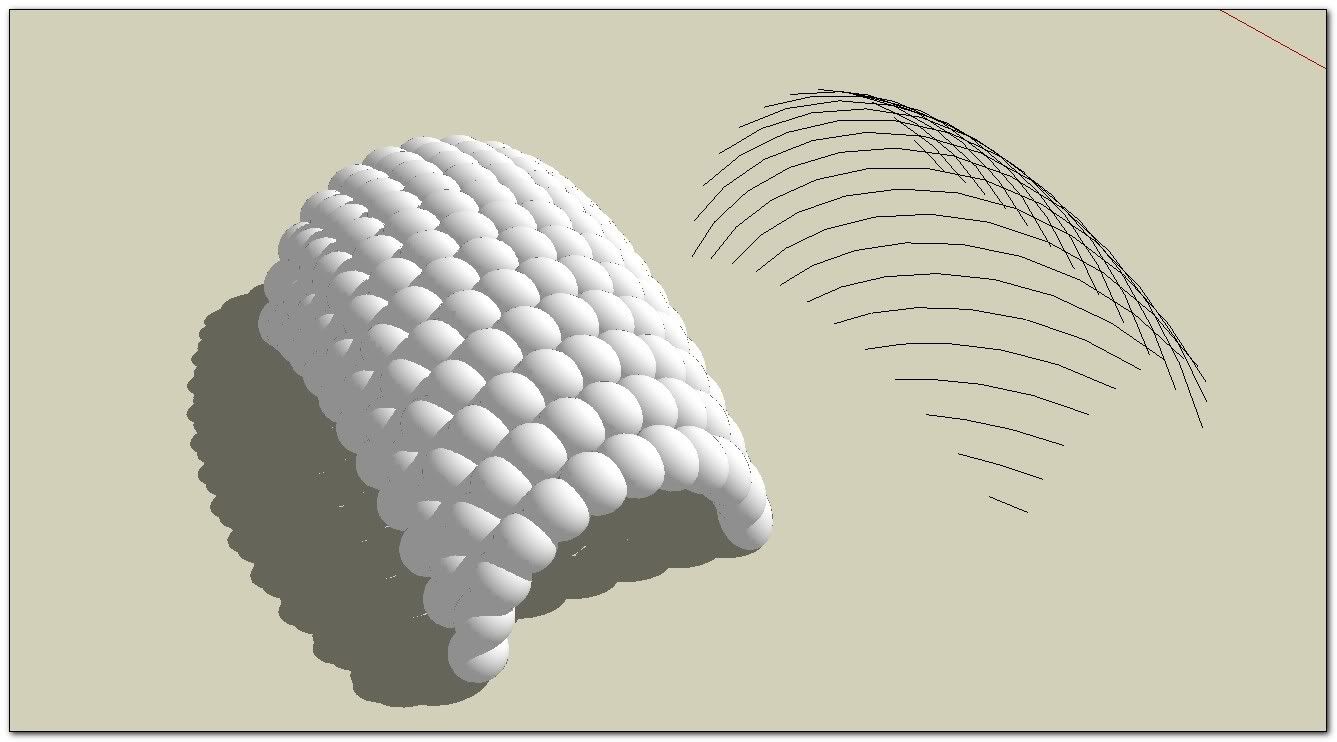
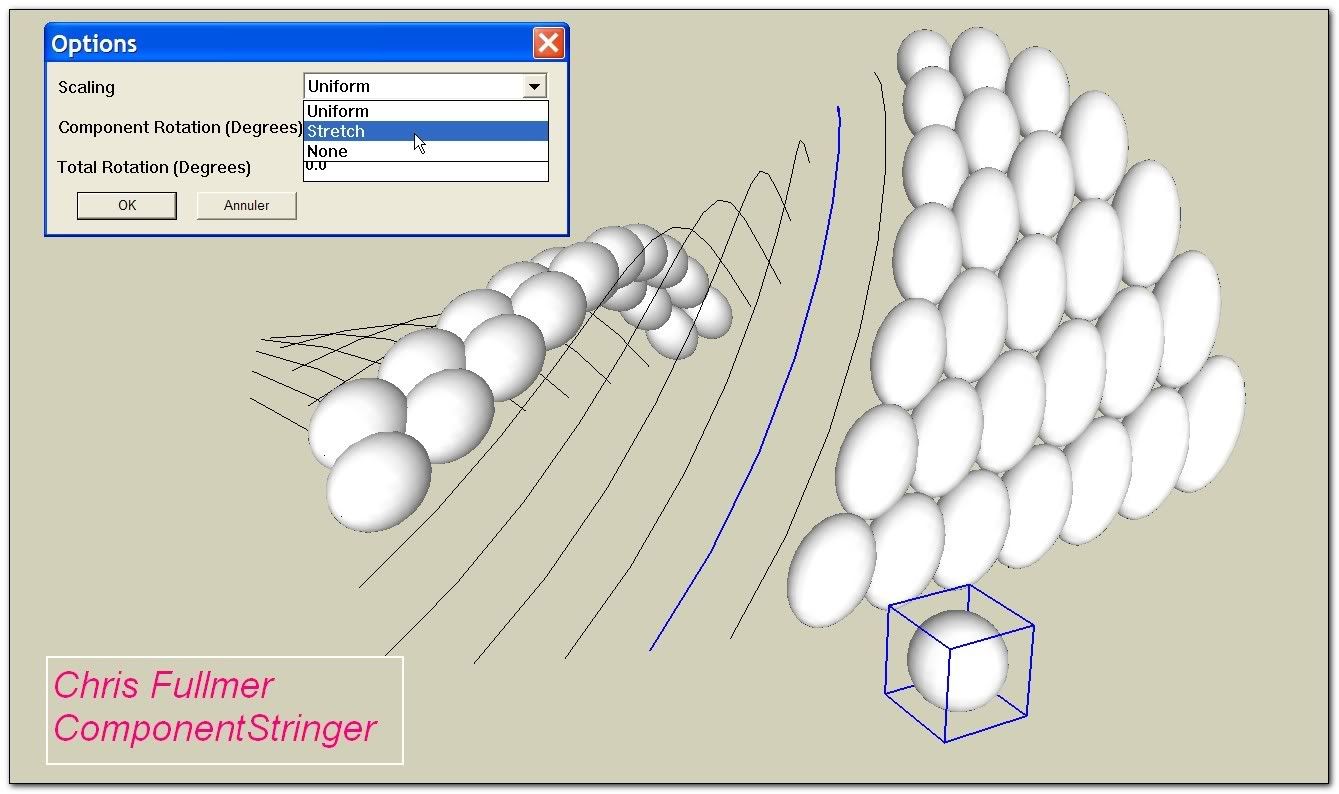
                    RE: take care to carefully place the component axis (the blue axis is going to follow the curves)

                    Then You will need Component Stringer from (our wellknown very nice fellow) Chris Fullmer

                    It is recommended to apply a shortcut to this plugin :_ Window/ Preferences/ Shortcuts: for example Alt+c
                    Because we have now to apply it one by one to each diagonal curve.
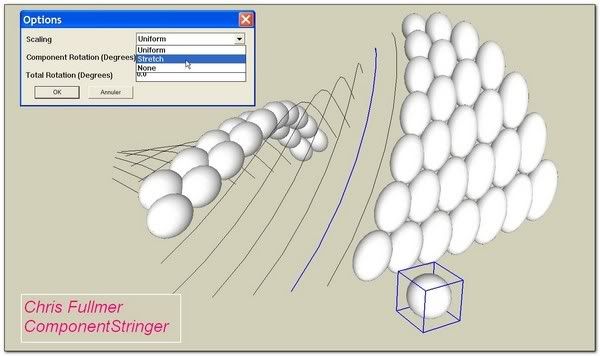
                    http://i274.photobucket.com/albums/jj245/Spendauballet/SketchUp/EEbRtL_019_th.jpg

                    that's it!

                    😉 simon

                    1 Antwort Letzte Antwort Antworten Zitieren 0
                    • pilouP Offline
                      pilou
                      zuletzt editiert von

                      Have you some easy trick for make faces with the 2 diagonals lattices?

                      Frenchy Pilou
                      Is beautiful that please without concept!
                      My Little site :)

                      1 Antwort Letzte Antwort Antworten Zitieren 0
                      • TIGT Offline
                        TIG Moderator
                        zuletzt editiert von

                        If the profiles and rails are parallel [copied etc] the diagonal lines are not needed for face forming - hence the prompt to remove them.
                        BUT if you make a lattice of the two sets of diagonals [regrouped and exploded], then they do not make coplanar quads and so they can't take faces - of course by adding a diagonal to a quad it will face, but then you have then gone 'full circle' and might as well have used plain EEbyRails in the first place !
                        So diagonal 'diamond' lattices won't take faces.
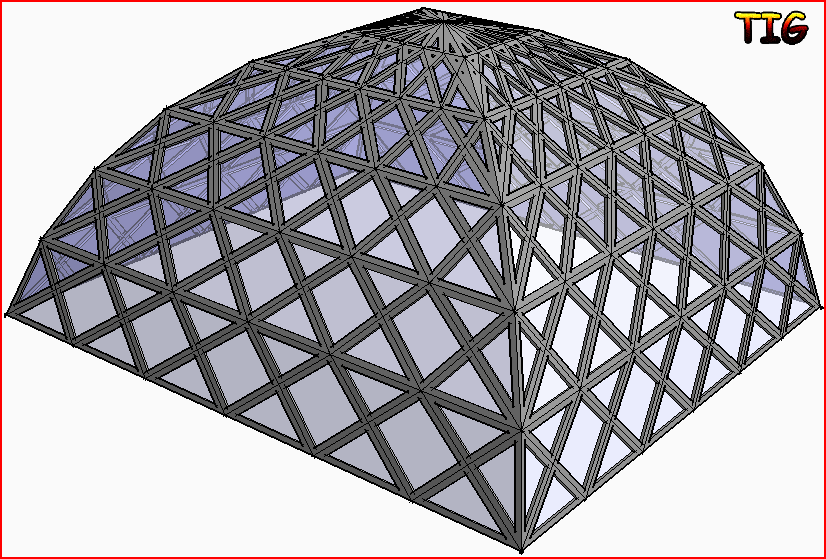
                        This is about as near as you can get - make a quarter using EEbyRails, copy the mesh to one side, Scale -1 to mirror the diagonals and overlay the two so the 'diamonds' form, then manually erase the unneeded orthogonal lines to get the diagonal lattice - note it must have some horizontals to let it 'bend' over. Rotate-Copy x3 to form the whole. Now use Windowizer to add the frames/panes ?Capture.PNG
                        TIG

                        1 Antwort Letzte Antwort Antworten Zitieren 0
                        • E Offline
                          eddy
                          zuletzt editiert von

                          cool plugin
                          thanks, thanks,thanks. 👍 👍

                          @ ++ Eddy

                          1 Antwort Letzte Antwort Antworten Zitieren 0
                          • pilouP Offline
                            pilou
                            zuletzt editiert von

                            @TIG : THX for the precision! 😎
                            But for this sort of thing prefer this maybe more easy 😉
                            I have used Windowiser by Rick Wilson and this little useful plug of Multiple face Offset by Remus, Selection Toy by Thomthom and of course your Inverse Selection! 👍

                            http://forums.polyloop.net/picture.php?albumid=23&pictureid=655

                            Frenchy Pilou
                            Is beautiful that please without concept!
                            My Little site :)

                            1 Antwort Letzte Antwort Antworten Zitieren 0
                            • TIGT Offline
                              TIG Moderator
                              zuletzt editiert von

                              There's an updated zipped set available http://forums.sketchucation.com/viewtopic.php?p=242239#p242239
                              All lingvo files have been updated.

                              TIG

                              1 Antwort Letzte Antwort Antworten Zitieren 0
                              • M Offline
                                maximas
                                zuletzt editiert von

                                please i would like to cretae an effect like this on my facade how can i do this.??

                                http://img.archiexpo.fr/images_ae/photo-g/mur-rideau-en-panneaux-aluminium-et-verre-129841.jpg

                                can u do an small tutorial of the use of the plugin??? thanks

                                1 Antwort Letzte Antwort Antworten Zitieren 0
                                • G Offline
                                  goldenma
                                  zuletzt editiert von

                                  Thanks TIG, truly marvelous tool!!
                                  one question, though - is there a function to generate 3d geometries on the diagonals? the same effect of "extrude edges by rail by face" but for diagonals.
                                  right now i can get the diagonal lines using "extrude---to lattice", but i'll have to "follow me" each line with a profile.
                                  thanks a lot!

                                  1 Antwort Letzte Antwort Antworten Zitieren 0
                                  • TIGT Offline
                                    TIG Moderator
                                    zuletzt editiert von

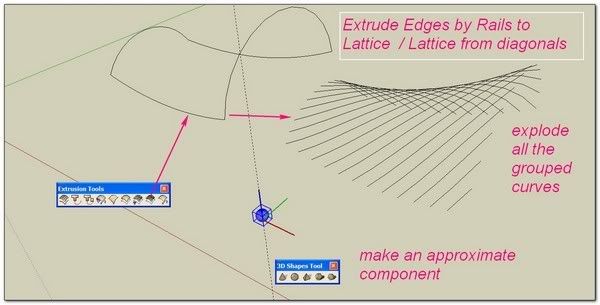
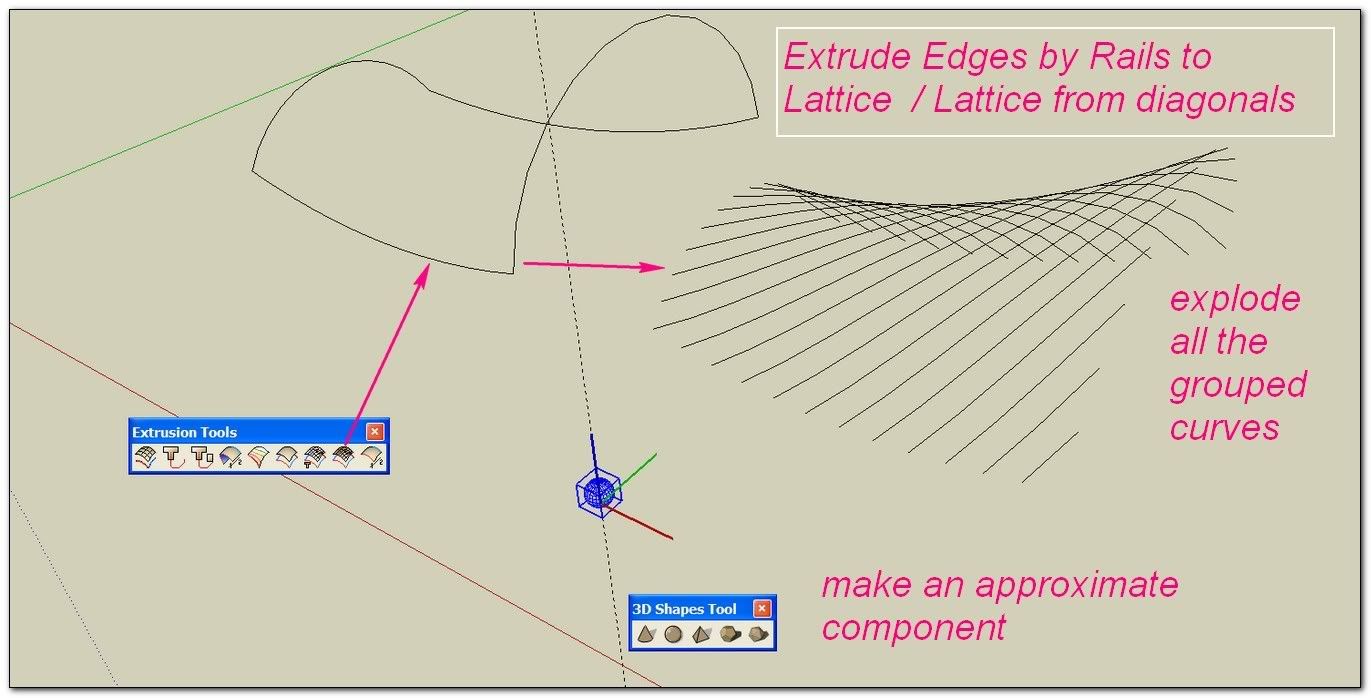
                                    Use the EEby lattice tool to make a mesh of only the diagonals as lines - one of the options [no 3D yet].
                                    Now you have a set of grouped curves == the diagonals.
                                    You might want to do a bit of un-grouping/regrouping now...
                                    We'll now use EEbyFace...
                                    Draw a face as a profile on the 'flat', in the same entities set as these curves [remember the face's Y=up when extruded].
                                    Use the preselected face and curves with EEbyFace - you should get the face used to form an extrusion with each of the diagonal curve's as a path, in turn...

                                    TIG

                                    1 Antwort Letzte Antwort Antworten Zitieren 0
                                    • G Offline
                                      goldenma
                                      zuletzt editiert von

                                      Thanks TIG! that's a great tool that i overlooked. it's a lot better than doing follow me on every curve. 😍

                                      1 Antwort Letzte Antwort Antworten Zitieren 0
                                      • C Offline
                                        Crevard
                                        zuletzt editiert von

                                        i was just wondering how i could make a lattice dome with this plugin 😒 and btw thx for these awesome plugins !!!!!!

                                        1 Antwort Letzte Antwort Antworten Zitieren 0
                                        • TIGT Offline
                                          TIG Moderator
                                          zuletzt editiert von

                                          @crevard said:

                                          i was just wondering how i could make a lattice dome with this plugin 😒 and btw thx for these awesome plugins !!!!!!

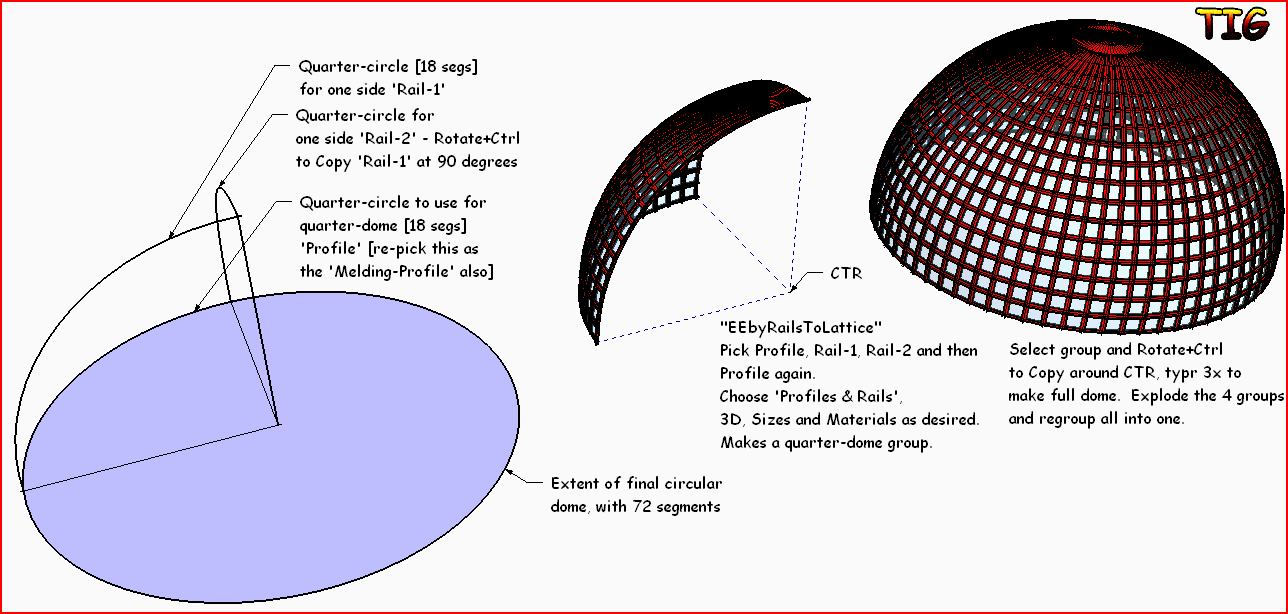
                                          Make a quarter of the dome and then Polar-Array Copy it with Rotate+Ctrl, explode the 4 groups and regroup as 1 etc... See this quick example:EEbyRailsToLattice Example.PNG

                                          TIG

                                          1 Antwort Letzte Antwort Antworten Zitieren 0
                                          • C Offline
                                            Crevard
                                            zuletzt editiert von

                                            yes ! this will be really handy in future with my studies ! 😄 that's really cool now i begin to understand the concept , thanks to you ( RESPEEEECT !!!! )

                                            1 Antwort Letzte Antwort Antworten Zitieren 0
                                            • 1
                                            • 2
                                            • 3
                                            • 4
                                            • 3 / 4
                                            • Erster Beitrag
                                              Letzter Beitrag
                                            Buy SketchPlus
                                            Buy SUbD
                                            Buy WrapR
                                            Buy eBook
                                            Buy Modelur
                                            Buy Vertex Tools
                                            Buy SketchCuisine
                                            Buy FormFonts

                                            Advertisement