sketchucation logo sketchucation
    • 登入
    Oops, your profile's looking a bit empty! To help us tailor your experience, please fill in key details like your SketchUp version, skill level, operating system, and more. Update and save your info on your profile page today!
    🔌 Smart Spline | Fluid way to handle splines for furniture design and complex structures. Download

    [Plugin] Extrude Edges by Rails

    已排程 已置頂 已鎖定 已移動 Plugins
    381 貼文 71 Posters 354.1k 瀏覽 71 Watching
    正在載入更多貼文
    • 從舊到新
    • 從新到舊
    • 最多點贊
    回覆
    • 在新貼文中回覆
    登入後回覆
    此主題已被刪除。只有擁有主題管理權限的使用者可以查看。
    • TIGT 離線
      TIG Moderator
      最後由 編輯

      Sometimes curves are 'muddled' in the database and then exploding and remaking them, or cutting and paste_in_place or grouping and exploding them fixes this type of bug.
      However, I tried exploding the curves and remade them with little improvement - same or very similar problems.
      It seems to be a shortcoming of the script.
      At least you know how to work around it - just pick different pairs of profiles and rails to get what you want.
      I can't immediately see what's causing the problem - the algorithm for working out which end is next to which is quite convoluted as there are many permutations...
      BUT it's puzzling as seems to work initially whichever order you pick in, but falls apart in some case at some points along the curve ???
      The spiraling helix must make a few of the points rotated by 180 degrees too much/little in certain locations around the rails - It's probably fixable, but so rare it's not been reported before...
      I'll look at it...
      😒 😕

      TIG

      1 條回覆 最後回覆 回覆 引用 0
      • TIGT 離線
        TIG Moderator
        最後由 編輯

        A new version is now available here http://forums.sketchucation.com/viewtopic.php?p=217663#p217663 which fixes the helical rail glitch that was reported...

        TIG

        1 條回覆 最後回覆 回覆 引用 0
        • DareDevilD 離線
          DareDevil
          最後由 編輯

          😍 It's working ! Thanks you TIG !

          1 條回覆 最後回覆 回覆 引用 0
          • TIGT 離線
            TIG Moderator
            最後由 編輯

            Tool has been updated
            2.9 20100220 Color coding of picked curves added.
            Profile=Cyan
            Rail1=Magenta
            Rail2=DarkVioletRed
            MeldingProfile=DarkCyan
            See here for download link http://forums.sketchucation.com/viewtopic.php?p=201286#p201286

            TIG

            1 條回覆 最後回覆 回覆 引用 0
            • S 離線
              stefx
              最後由 編輯

              Hi,
              I have missed the website for a bit and I see this wonderful plugin!
              I was waiting for that since long time....for many shapes i was still using rhino's tool:sweep2rails.
              I am going to play with that but I want to ask:
              I create due rails e my curve profile and it works well, but if I would like just a line rather than a curve....it looks like an error.
              Sorry probably i have to read better, anyone has a simple answer?

              thank you.

              1 條回覆 最後回覆 回覆 引用 0
              • S 離線
                stefx
                最後由 編輯

                I am still trying...but not results... 😞
                When i try to select a simple line rather than a curve (just the first step before the selection of the 2 rails), it is impossible to select anything, but if i draw a curve it wors immediately.
                It looks like strange!
                I know....it is a stupid error by me!

                1 條回覆 最後回覆 回覆 引用 0
                • pilouP 離線
                  pilou
                  最後由 編輯

                  I calll the plug then click a "line" first: no problem ☀

                  Sure! you have not divided it!!! 😉 'see my previous post! 🤓
                  A simple line not divided can't be selected !

                  line2.png

                  Frenchy Pilou
                  Is beautiful that please without concept!
                  My Little site :)

                  1 條回覆 最後回覆 回覆 引用 0
                  • X 離線
                    xrok1
                    最後由 編輯

                    i've even downloaded the example file and the latest .zip and i still can't get this to work. the lines change colors, i get all the dialog boxes reverse...etc, but no result. 😢

                    “There are three classes of people: those who see. Those who see when they are shown. Those who do not see.”

                    http://www.Twilightrender.com try it!

                    1 條回覆 最後回覆 回覆 引用 0
                    • S 離線
                      stefx
                      最後由 編輯

                      Thank you very much Pilou!
                      Job Done!
                      I needed so much that script working well because i need to create something like that:

                      http://img403.imageshack.us/img403/1400/catturaspirale.jpg

                      I have seen something similar in this topic.
                      I need 2 different spiral curve and then a surface that run through the 2 spirals.
                      Any tips?

                      1 條回覆 最後回覆 回覆 引用 0
                      • pilouP 離線
                        pilou
                        最後由 編輯

                        No problem
                        Draw your 2 helix curves and just one "divided line"
                        Call the plug, CLick the line, CLick curve rail 1, click curve rail 2, click again the line!

                        I suggest you to draw just one module then make a group or a component then copy past it!

                        Frenchy Pilou
                        Is beautiful that please without concept!
                        My Little site :)

                        1 條回覆 最後回覆 回覆 引用 0
                        • S 離線
                          stefx
                          最後由 編輯

                          Job done!
                          Thank you!
                          Quick and without problems!
                          I have tried to download the plugin "curvemaker" from the website http://www.drawmetal.com but the website doesn't work. Any info about that?
                          I think that could be a good plugin.

                          thanks a lot!

                          1 條回覆 最後回覆 回覆 引用 0
                          • pilouP 離線
                            pilou
                            最後由 編輯

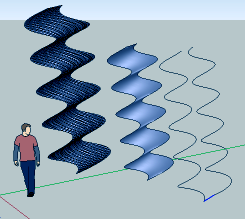
                            Seems their addresses are changed! (expire in april)
                            so you must use another plug or draw your module curves by hand 😉
                            line3.png

                            Frenchy Pilou
                            Is beautiful that please without concept!
                            My Little site :)

                            1 條回覆 最後回覆 回覆 引用 0
                            • pilouP 離線
                              pilou
                              最後由 編輯

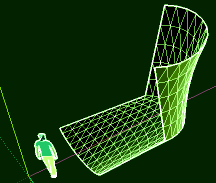
                              Right click : divide your line ? 😉
                              And weld them in any case or if you have several in connection! ☀

                              lines.png

                              Frenchy Pilou
                              Is beautiful that please without concept!
                              My Little site :)

                              1 條回覆 最後回覆 回覆 引用 0
                              • X 離線
                                xrok1
                                最後由 編輯

                                @xrok1 said:

                                i've even downloaded the example file and the latest .zip and i still can't get this to work. the lines change colors, i get all the dialog boxes reverse...etc, but no result. 😢

                                does everyone have me on ignore? 😆 this is the second time i've reported this. once a version or 2 back and it has never worked. 😢

                                “There are three classes of people: those who see. Those who see when they are shown. Those who do not see.”

                                http://www.Twilightrender.com try it!

                                1 條回覆 最後回覆 回覆 引用 0
                                • pilouP 離線
                                  pilou
                                  最後由 編輯

                                  Can you post your own file who don't work?

                                  Frenchy Pilou
                                  Is beautiful that please without concept!
                                  My Little site :)

                                  1 條回覆 最後回覆 回覆 引用 0
                                  • S 離線
                                    stefx
                                    最後由 編輯

                                    Thank you Pilou!
                                    😄

                                    1 條回覆 最後回覆 回覆 引用 0
                                    • pilouP 離線
                                      pilou
                                      最後由 編輯

                                      it's a pleasure 😄
                                      line4.png

                                      Frenchy Pilou
                                      Is beautiful that please without concept!
                                      My Little site :)

                                      1 條回覆 最後回覆 回覆 引用 0
                                      • X 離線
                                        xrok1
                                        最後由 編輯

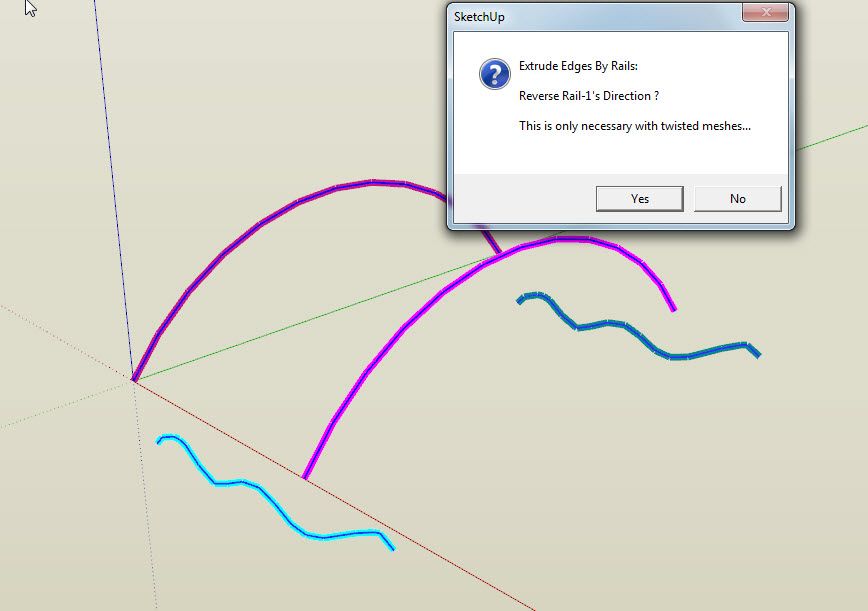
                                        even tried tig's example file from the second page of this post so i don't think its the files. maybe i'm missing some other file that's needed. like progress bar or something although i know its not that.

                                        Capture1.JPG

                                        “There are three classes of people: those who see. Those who see when they are shown. Those who do not see.”

                                        http://www.Twilightrender.com try it!

                                        1 條回覆 最後回覆 回覆 引用 0
                                        • Rich O BrienR 離線
                                          Rich O Brien Moderator
                                          最後由 編輯

                                          Hi Rocky,

                                          Works perfect for me? Here's a snapshot of my plugin folder if you wanna see how it compares to yours?
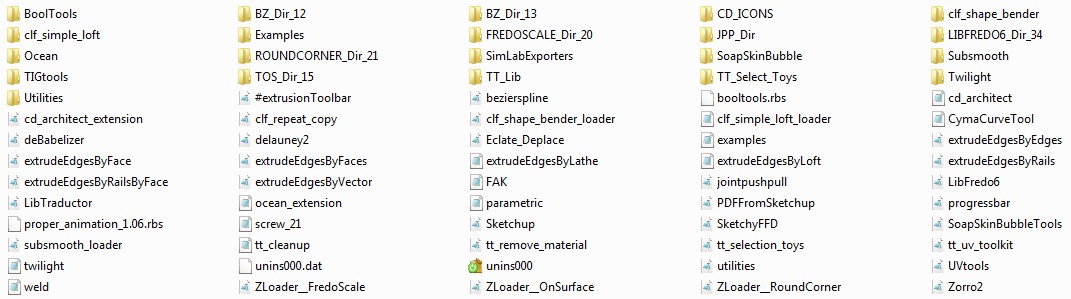
                                          Click to expand

                                          Maybe something will standout?

                                          Download the free D'oh Book for SketchUp 📖

                                          1 條回覆 最後回覆 回覆 引用 0
                                          • X 離線
                                            xrok1
                                            最後由 編輯

                                            mines bigger 😆 thanks for the post. i don't see anything unusual.
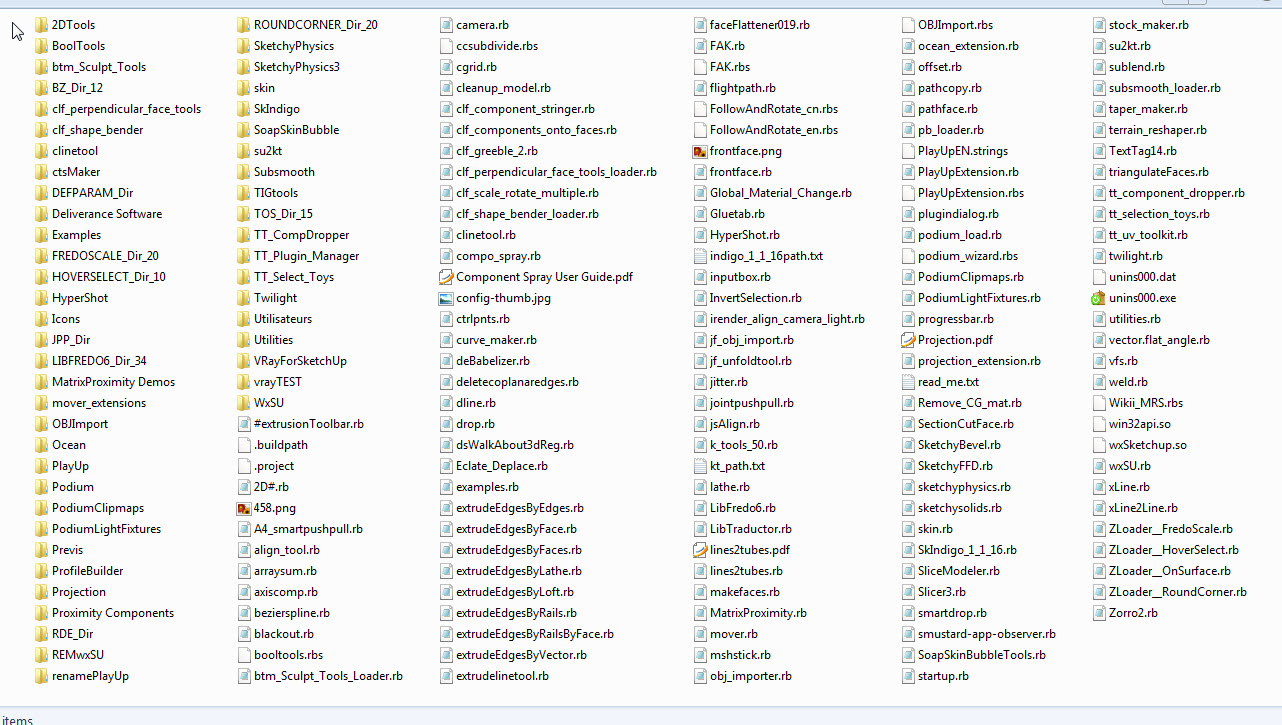

                                            Capture1.JPG

                                            “There are three classes of people: those who see. Those who see when they are shown. Those who do not see.”

                                            http://www.Twilightrender.com try it!

                                            1 條回覆 最後回覆 回覆 引用 0
                                            • 1
                                            • 2
                                            • 14
                                            • 15
                                            • 16
                                            • 17
                                            • 18
                                            • 19
                                            • 20
                                            • 16 / 20
                                            • 第一個貼文
                                              最後的貼文
                                            Buy SketchPlus
                                            Buy SUbD
                                            Buy WrapR
                                            Buy eBook
                                            Buy Modelur
                                            Buy Vertex Tools
                                            Buy SketchCuisine
                                            Buy FormFonts

                                            Advertisement