Sketchup 7.1 bugs
-
- Sometimes its impossible to change the focal lenght while working in perspective vieuw.
No matter what you fill in the focal length remains the same. Have not found a solution yet. In the file I am working in now I can only go back to certian scenes to get the focal lenght I had in there. Adjusting it by typing in different lengths no longer works.
Francois
OSX 10.5.8
SU 7.1
Macpro 8 core. - Sometimes its impossible to change the focal lenght while working in perspective vieuw.
-
you can work around this bu that has already been reported here and there.
Type a valua for an other tool and then go back to the tool that would not pick up the values. For me after this I can move on. It seems SKetchup 7.1 is a bit confused with the measurements or focal lengths when typed in at the lower right corner. -
- (I put this in the main forum and realised it ought to go here, so here it is)
I'm seeing some annoying behaviour when zooming/orbiting. Sometimes the textures and dimension layer(s) are not displayed whilst moving the model and sometimes they are. If they are not displayed, there is a really annoying wait after stopping moving before they re-appear. Clearly, since the system is quite capable of displaying the full picture there is no performance reason to delay the re-display and there must be some timer/flag/whatever that is set to 'annoy user maximally'.
It's the inconsistency that will drive people nuts.
- (I put this in the main forum and realised it ought to go here, so here it is)
-
Tim, its a 'feature'. SU drops some details when the frame rate drops below a certain level so you can still orbit smoothly.
You can change the delay on how long SU waits before redrawing the model through ruby, which i wrote this little script for. [/blatant self promotion]
-
@remus said:
[/blatant self promotion]
Not even 2 days and your taking advantage of the system...

For free.

 the script!
-
@remus said:
Tim, its a 'feature'. SU drops some details when the frame rate drops below a certain level so you can still orbit smoothly.
Glad you put quotes around that. What really bugs me (and would typically bug most people) is the inconsistency. We can handle apparently slow actions if they're consistently slow, and sometimes you ought to put in delays for cases where the job finishes 'too soon' in order to keep a consistent response time.
@remus said:
You can change the delay on how long SU waits before redrawing the model through ruby, which i wrote this little script for. [/blatant self promotion]
Interesting. I'll give it a try, though oddly enough I hardly saw the effect at all during this afternoon's work.
-
So, I have found a bug in this new version of SketchUp. It happens with the Section tool when it is placed on a face. In the past, SketchUp would cut a section on that face, the edges (cuts) would be bold.
The new release SketchUp is having some type of display/section cut/geometry issue.
When placing a section cut on an angled face that is not square the section cut reveals (cuts) geometry on the face, triangulating it. My first thought was that I must have made a modeling mistake and that I had hidden geometry on the face causing the extra lines/geometry. But, there are no extra faces/lines when hidden geometry is turned on (the face is solid).
Is it possible that this is related to Collada? I thought that is triangulated surfaces when exporting to something like Google Earth. I don't see how it would affect my view in SketchUp but its the only thing I can think of.
The section tool is also having an error when the model is viewed in Wireframe. The bold edges where the section cut occurs disappear.
Please see the attached model to view the problems.
Thanks,
-
Hi Everyone,
@tim said:
there is a really annoying wait after stopping moving before they re-appear.
It sounds like folks have pretty much explained this behavior. We knew questions about this functionality would come up, so we wrote a Help Center article to help explain what's going on:
Hi berling,
I wasn't able to reproduce this issue with a new file, but I'll download the file you provided and take a look.
Regards,
SGTUPDATE:
Hi berling,
Strange indeed. When I switch the camera mode to Perspective, the issue goes away. When I go back to Parallel Projection, the issue is still gone.
I'm not sure what's going on, but at least there's a workaround.
-
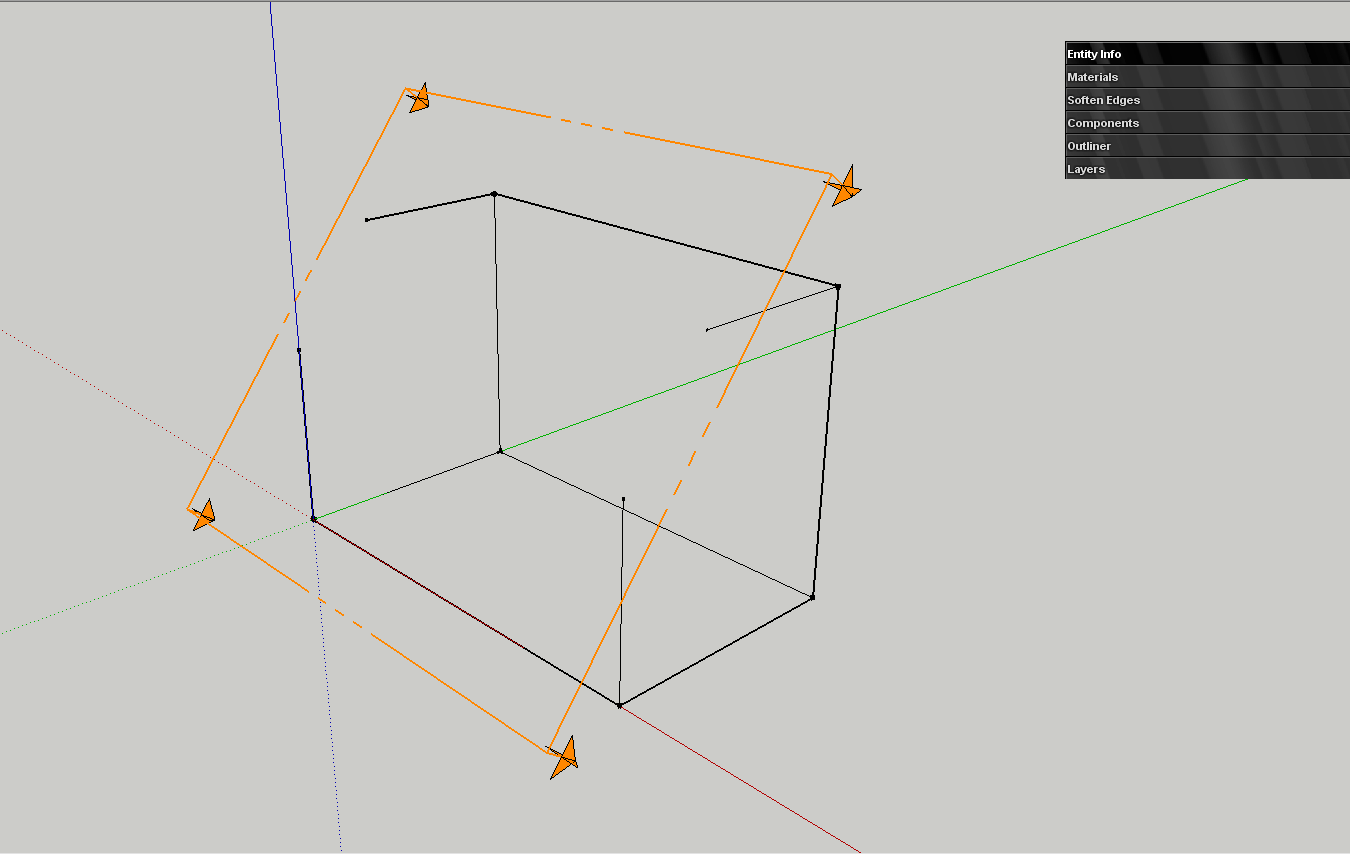
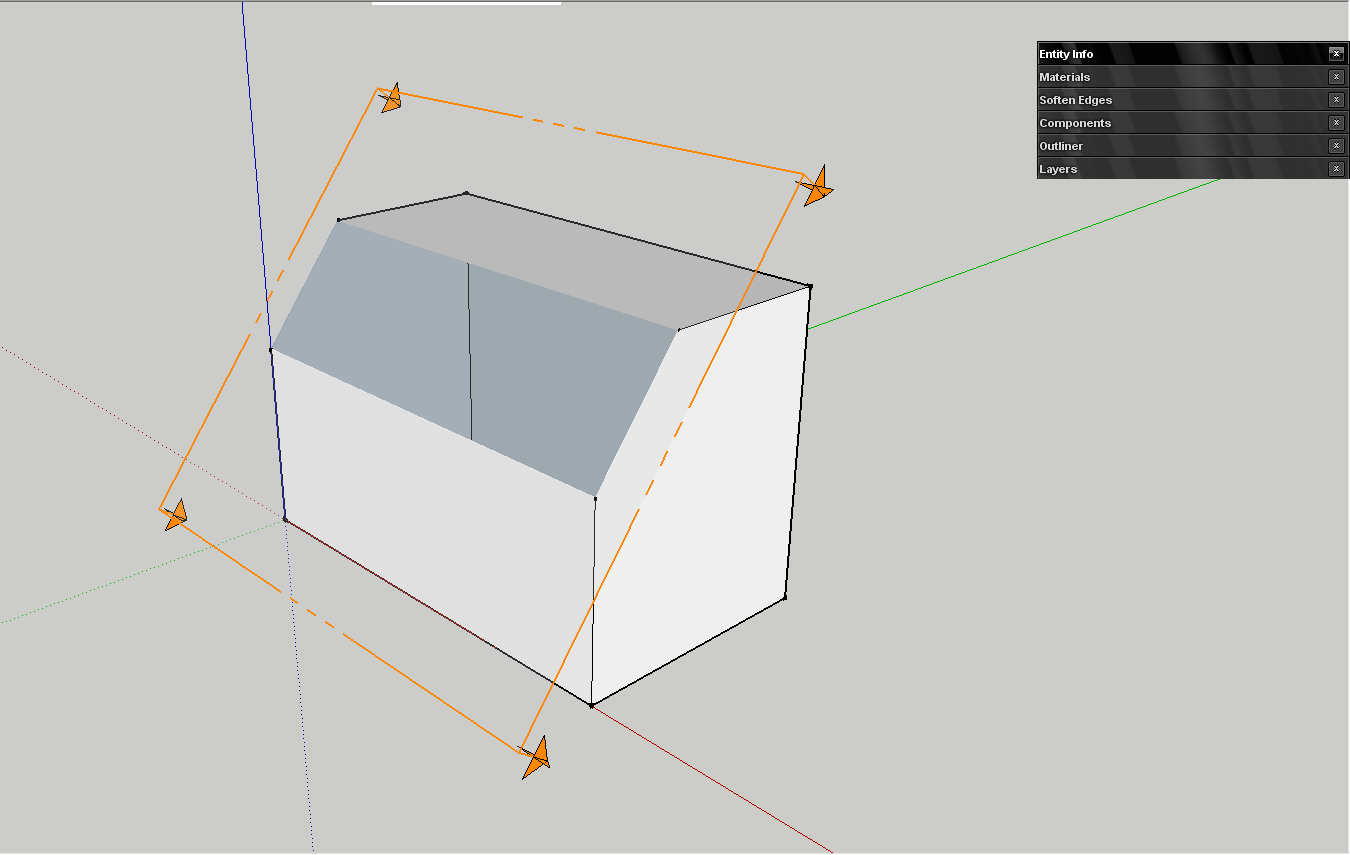
I tested berling's file too and on the original file the face was partially triangulated, but after I redrawn the face, things came bac to normal... until I switched to wireframe
 Than, when I moved the section plane, the section cut edge disappeared. Indeed, there is a kind of bug! I suspect the kitchen bug
-
I was still seeing it after switching to perspective, so dont know how reliably that works for fixing the issue.
-
The wireframe remains without section edges if I move the plane, but the shaded version regains its edges if I focus on a face or I move the section plane.
-
I get a bugsplat when trying to export a jpg at 9000x5700, shadows on, anti-alias off
I recall exporting large resolution images has been a problem for a while, has the reason for this error ever been formally addressed? It also seems to be sporadic.
-
I have the impression that it's similar to z-fighting: the section cut is in plane to the roofing face.
-
@aerilius said:
I have the impression that it's similar to z-fighting: the section cut is in plane to the roofing face.
But it's not happening on vertical or horizontan plane, only on slope.
-
Regarding the section cut bug.
I am finding that the perspective has no affect section cut bug.
But one thing about z-fighting, it is a rendering problem of having two faces on top of each other. This section cut bug is clearly triangulating the faces with what appears to be hidden geometry.
Also, the problem is even worse if you have more geometry on the surface (see attached model).
Do other users have this problem from a fresh model? I would hate to reinstall as a test if I don't have to.
Also,
MacBook Pro, 10.5.8 w/ 2.4 GHz Intel Core 2 Duo, 2 GB SDRAM
-
Oops. It looks like a missed a step:
- Go into Perspective mode.
- Move the section plane further into the model so it goes past the roof surface.
- Move the section plane back to the starting position. The triangulation should be gone.
- Go back to Parallel Projection.
Sorry about that

-
Scrolling in component browser and material browser doesn't work.
-
At least in the component browser, as far as I can remember, it has never worked. If only it did, of course.
-
It works, but only in list view.
-
Had two bugsplats simply running Firefox with only SU 7.1 opened and minimized.





Advertisement