SketchUp 7.1?
-
Interesting: My both CPUs behave the same when I rotate and stop rotating my 300000 polygon model. Maybe someone knows how to get more info about cpu usage.
I think the gain of speed is also due to the fact that during orbiting, SU turns off additional effects (inference engine, profiles, textures, shadows, bounding boxes instead of components...) as much as necessary for smooth orbiting.
Great performance, but a bit disappointing is that I see the same bugs as before. Most suggestions for improvement in the Sketchup Group have been forgotten. I speak little easy-to-realize improvements, not about complex feature requests. Although for the first impression, there are not really features, we have to appreciate that they spent much time of this year for a completly new development of important parts of Sketchup:
- 3d-pipeline in 3d-warehouse
- new rendering engine of Sketchup
- the new collada exporter which is better than both the versions of SU6 and SU7
-
ok moving round a large model and monitoring both cores I am seeing distrubtion on both cores over 50% on each (more in the 75%-85% range on both at once!) it looks promising.....
confirmed. just saw 85% on both cores at once from Sketchup.exe.
(to be clear, on a normal SU 7 or non threaded app, I'll see 50% tops on both from Windows doing the sharing)
edit it is uneven tho.... maybe I'm wrong shrug
-
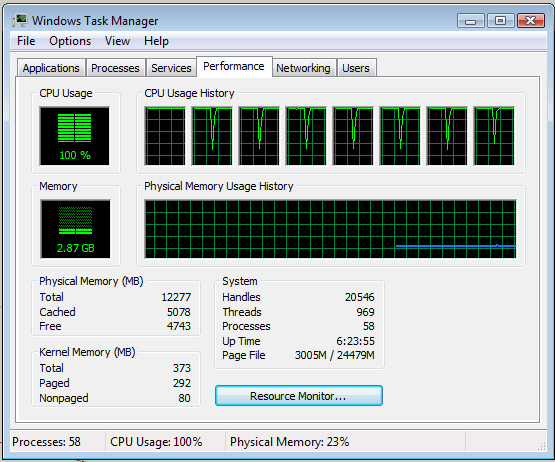
Personally I doubt SU uses more than the primary core, however I have internet explorer open, SU 7.1 and rendering a heavy scene with Twilight and my resources look like the primary core is at full speed (I have turbo on in i7 setup) yet other 7 threads all seem to have jumped into full swing as soon as I hit render, hmm, so I dunno.
940 i7, 12gb ddr3, 64bit
-
Good news. A faster sketchup!
Exactly what I need. Will be trying it out at the office today.
This could be the reason to finally upgrade to 7.....@solo: Yes, that looks like multicore hasn't been implemented yet. But seeing current speed improvement, we could still expect a hugh performance jump when Google decides to support it. Exciting times ahead.
-
Well it looks like Google was listening to its user base, as well as making SU into whatever their vision for the product is. Whenever I see another pretty face, I always think about SU's user base, and all the wonderful people here who add so much to the program.
As for DXF in SU v8.0+, $500 a seat is a lot to pay for a translator so unless Google changes their mind, I better learn to benefit from layout, dynamic components, and programming in ruby.
-
The Collada exporter works well; with the KMZ > ZIP > folder method, I noticed textures wouldn't always work properly. Now they do, and it seems to separate into objects by material, like kerkythea seems to do with it's exporter.
One issue I noticed with the new exporter, at least when I import into Blender, is that the size of the model is gigantic, and has to be scaled considerably ( a minor nuisance).

-
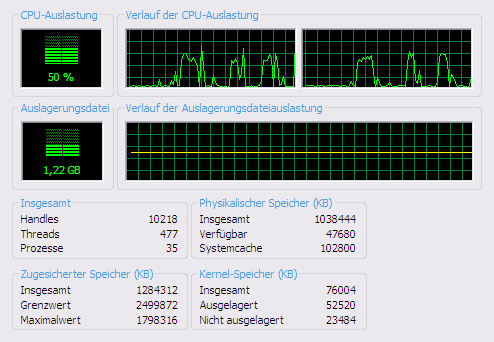
I myself don't believe in multi core, but this is what happens when I rotate and stop rotating my model 3 times.
From reading between the lines, I know for some months that the SU team was working on a new rendering engine. They are so proud of it, I can not believe they would keep multi core still secret. -
i hope i never have to pick my toolbars off the floor again!
 any news if THAT issue has been fixed.
-
That has not been fixed. But there is a UI reset button. I tihnk it mostly helps if you lose a toolbar on a 2nd monitor that is no longer plugged in though... So probably no help for the real toolbar issue.
Chris
-
--
-


-
My toolbars seem perfectly stable now; they stick exactly where I place them. I'm on Windows XP SP2.
-
We'll be upgrading our licenses from v.6 to v.7 now.
Thank you Google!A faster SU (could still improve a lot though), much better Layout, UI reset, etc.... Very good!
Now let's hope GSU team can continue on the same pace for next release.
I have the feeling they are on the right track now. -
I agree Kwist, finally a reason to pay for upgrading from pro 6.
-
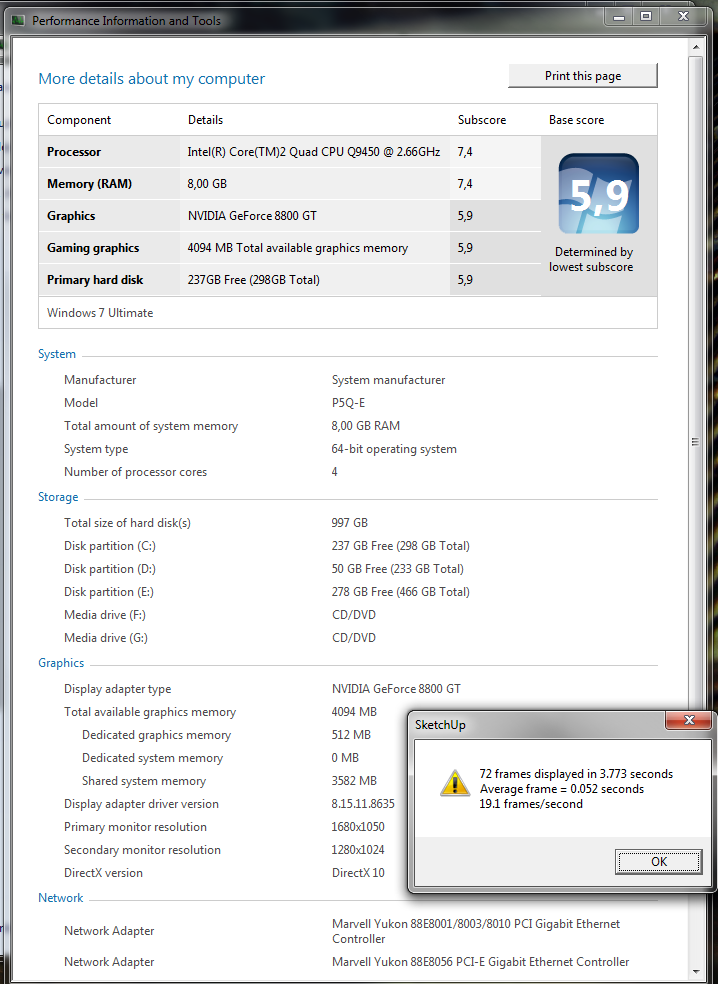
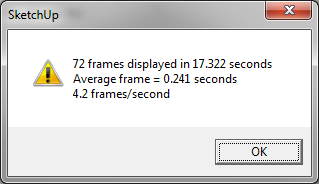
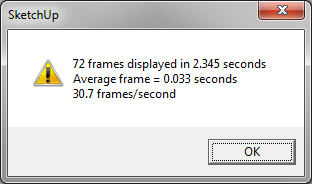
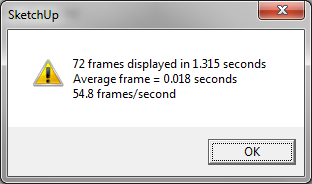
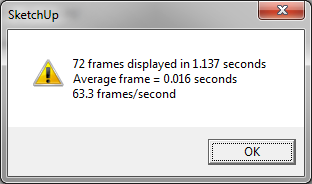
did some tests with the Speed Test model:
-
Version 7.1 sounds worth the upgrade, and I did try to update my Pro on Vista this morning. But the update failed. I'll try again when I get back to my office this evening and post details of the error if it re-occurs, but has anyone else had problems with the upgrade?
-
Did you try an automatic update from SU or a straight download of the exe file from the SU site first?
-
@gaieus said:
Did you try an automatic update from SU or a straight download of the exe file from the SU site first?
I used the automatic update link, but this just downloaded the EXE any way. I used Run as Administrator on the downloaded file.
-
very nice update ¡
in both,
SketchUp and LayOut
did not even think about the possibility of this gift.
so, many thanks to whom corresponds

-
@john.warburton said:
I used the automatic update link, but this just downloaded the EXE any way. I used Run as Administrator on the downloaded file.
Hm. I don't know what the issue can be - true that I am on an XP (hopefully someone using Vista can chime in).
If it fails again, can you report it in the Bug Reports subforum? I believe "Googlers" will be monitoring that department more frequently in the near future.





Hello! It looks like you're interested in this conversation, but you don't have an account yet.
Getting fed up of having to scroll through the same posts each visit? When you register for an account, you'll always come back to exactly where you were before, and choose to be notified of new replies (either via email, or push notification). You'll also be able to save bookmarks and upvote posts to show your appreciation to other community members.
With your input, this post could be even better 💗
Register Login


Advertisement