Hello all complete newb here needing help creating a 2d arch
-
Hello all,
Im sure this is one of the most basic things that can be done on sketchup. I am building an entertainment wall in my home with an arch on top of the center pier. All I am trying to do is find a way to create this arch and have it printed so I can make a template. I can use sketchup to draw an arc, but I want to pick 2 points on each side of the arc to "stretch it" and make it more eliptical than circular. I have tried for hours to figure this out. I would also like instruction on how to save the file so I can take it to a drafting printer and have it print out the pattern to the real dimensions (54" Long x 9 1/4" High).
Any help here is greatly appreciated. Oh and treat me like a 1st grader in the reply as I know next to nothing about using this program.
-
Hi Fastmerc. I can probably help you but I'd like to see your file first so I give you decent advice. Drop me a PM and I'll give you my e-mail address. I can probably show you 'live' how to adjust the arch and also set it up for printing.
-
Thank u Dave. I dont have a file as of yet. All I have done is use the arc tool and make the length 54" and the height (bulge) to 9 1/4". I then tried to play around with it but couldnt get it to do what I wanted. Im sure I could make the arc again and save it to a file.
-
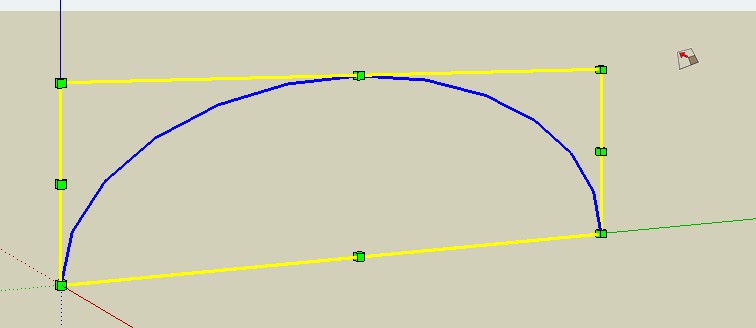
Hi Fastmerc, if you want to make something like this, draw the arc and then use the scale tool.
-
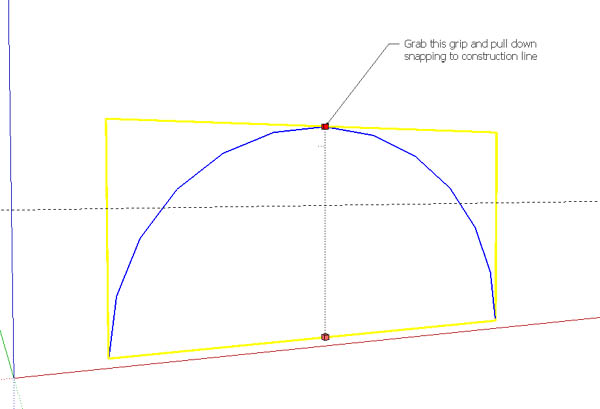
As mentioned use the Scale Tool on the Arc you create.
It will be a good idea to use a Construction Line at the height you require, to snap to when scaling.
-
@unknownuser said:
As mentioned use the Scale Tool on the Arc you create.
It will be a good idea to use a Construction Line at the height you require, to snap to when scaling.BTY if you want some depth draw the cord to form a face then extrude that to depth you want
-
Would one of these curves be closer to what you're looking for?
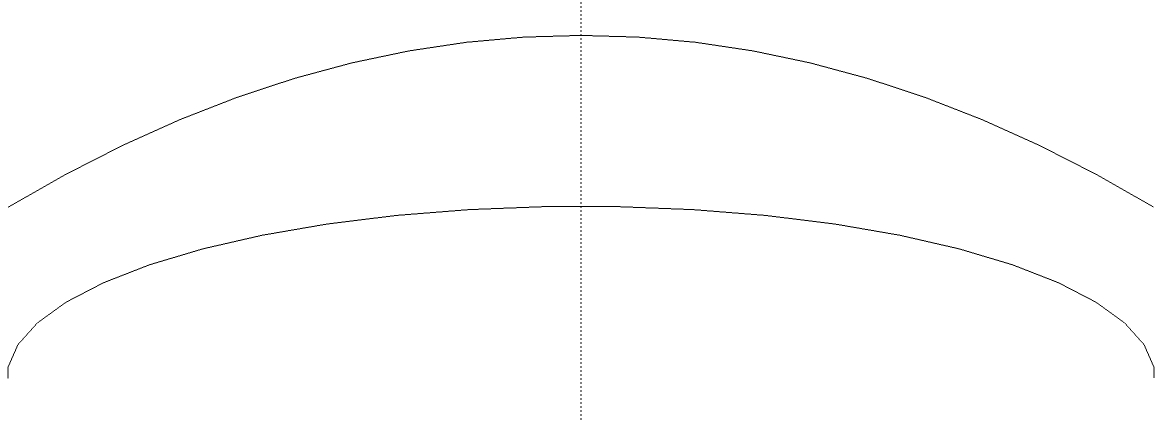
Neither was done using the Arc tool.


Hello! It looks like you're interested in this conversation, but you don't have an account yet.
Getting fed up of having to scroll through the same posts each visit? When you register for an account, you'll always come back to exactly where you were before, and choose to be notified of new replies (either via email, or push notification). You'll also be able to save bookmarks and upvote posts to show your appreciation to other community members.
With your input, this post could be even better 💗
Register Login


Advertisement