sketchucation logo sketchucation
    • 登入
    Oops, your profile's looking a bit empty! To help us tailor your experience, please fill in key details like your SketchUp version, skill level, operating system, and more. Update and save your info on your profile page today!
    🔌 Smart Spline | Fluid way to handle splines for furniture design and complex structures. Download

    [Plugin] SectionCutFace

    已排程 已置頂 已鎖定 已移動 Plugins
    565 貼文 170 Posters 375.1k 瀏覽 169 Watching
    正在載入更多貼文
    • 從舊到新
    • 從新到舊
    • 最多點贊
    回覆
    • 在新貼文中回覆
    登入後回覆
    此主題已被刪除。只有擁有主題管理權限的使用者可以查看。
    • F 離線
      fajards2011 @TIG
      最後由 編輯

      @TIG sir, can you provide me download link, section cut face plugin for sketchup 8 please?

      1 條回覆 最後回覆 回覆 引用 0
      • TIGT 線上
        TIG Moderator
        最後由 編輯

        It works best with >=v2014
        This is the oldest version I have...
        SectionCutFace+_v2.6.rbz
        or try this...
        SectionCutFace_v6.2.rbz

        TIG

        F 1 條回覆 最後回覆 回覆 引用 1
        • F 離線
          fajards2011 @TIG
          最後由 編輯

          @TIG thank you,

          1 條回覆 最後回覆 回覆 引用 0
          • C 離線
            charliemortenson55 Newcomers
            最後由 編輯

            Hello!

            I was hoping that this plugin might allow me to color the section fill within a certain group while leaving other section fill to the default style setting. The use case is for the demo sheet in arch drawings –– ideally I could show the section fill of the walls/objects to remain (in group ‘EXISTING’) in grey, and the section fill of walls/objects to be demoed in orange (in group ‘DEMO’, which is within group ‘EXISTING’). I tried to accomplish this by having a universal section plane with a grey section fill, and adding a second section plane in the ‘DEMO’ group that is an inch lower than universal section plane and using the plug in to create a section cut face that is orange. So far, each time I try this it removes the section fill from the universal section plane. Strange.

            No doubt there’s further troubleshooting I could do, but wanted to check if this is a use case that other people have been able to execute, of if the mods/TIG might know whether or not executing this use case is within the plugin/SU's capabilities.

            Thank you!!

            Dave RD 1 條回覆 最後回覆 回覆 引用 0
            • Dave RD 離線
              Dave R @charliemortenson55
              最後由 編輯

              @charliemortenson55 said in [Plugin] SectionCutFace:

              Hello!

              I was hoping that this plugin might allow me to color the section fill within a certain group while leaving other section fill to the default style setting.

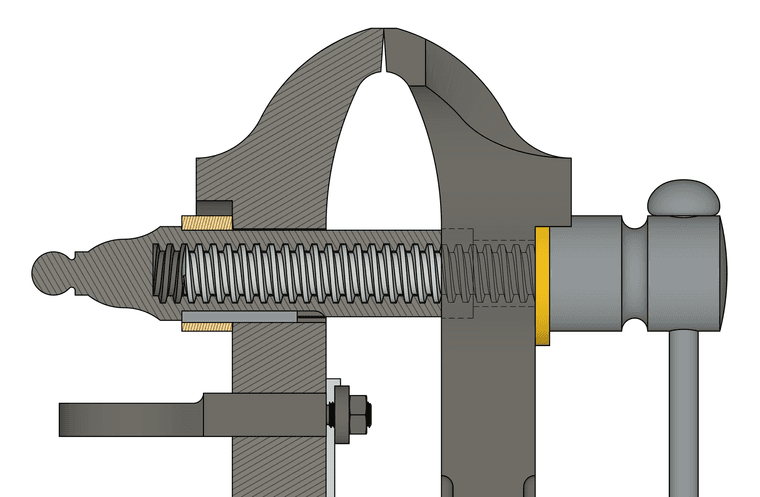
              You could have a color/material In Model that is the same as your default fill color and then after creating the section cut face, edit the resulting group and with Hidden Geometry displayed. paint the faces you wish to have a different color or fill. I frequently use a section cut face with different materials applied to different faces and this works perfectly.

              Alternatively you can use multiple section cuts through different objects and apply different materials to each section cut face.

              This uses one section cut face and two different hatch pattern materials. Some faces with a different rotation and scale for the material, though.
              vise.png

              Etaoin Shrdlu

              %

              (THERE'S NO PLACE LIKE)

              G28 X0.0 Y0.0 Z0.0

              M30

              %

              1 條回覆 最後回覆 回覆 引用 1
              • J 離線
                Joel3dm Newcomers
                最後由 編輯

                TIG, I need section cuts to be colored (blue for the water) in one group and black on all other sections. Will SectionCutFace do the trick?
                Joel

                TIGT 1 條回覆 最後回覆 回覆 引用 1
                • TIGT 線上
                  TIG Moderator @Joel3dm
                  最後由 編輯

                  @Joel3dm
                  Yes.
                  Make the non-auto-updating SectionCutFace unLocked and choose a material/color that's already used in the model [from a list].
                  A SCF's material applies to all faces, but you can edit the group and apply any material to any face etc...

                  TIG

                  1 條回覆 最後回覆 回覆 引用 2
                  • M 離線
                    MShah313 Newcomers
                    最後由 編輯

                    hi there i downloaded the plugin but when installing it from extension manager nothing happens

                    1 條回覆 最後回覆 回覆 引用 0
                    • TIGT 線上
                      TIG Moderator
                      最後由 編輯

                      Please read its usage notes.
                      You must have just one section-plane selected.
                      The right-click menu then offers you the tool with options as appropriate.
                      It does not appear in any other menus or have a toolbar...
                      You need to read its usage notes to understand how it works and to get the results that suit you...

                      TIG

                      1 條回覆 最後回覆 回覆 引用 0
                      • V 離線
                        vasia7777
                        最後由 vasia7777 編輯

                        Hi, TIG.
                        This SectionCutFace_v8.0.rbz plugin does not work in WinXPSP3 with SU 14.
                        Got a mistake see the pic pls.
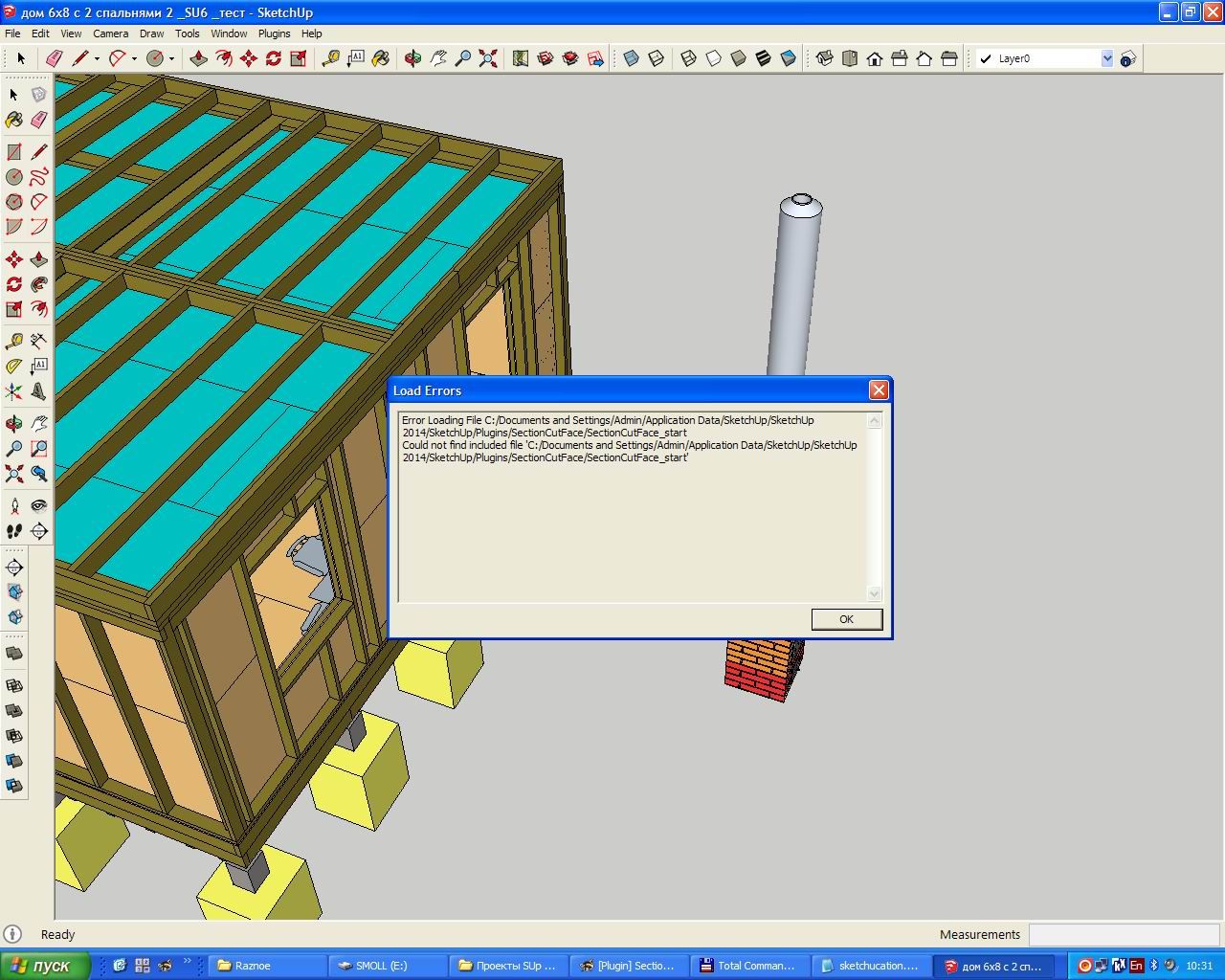
                        Clip.jpg

                        Is there possible to run plugin v.8.0 on WinXPSP3 + SU14 ?
                        PS Version 6.2 works well.

                        1 條回覆 最後回覆 回覆 引用 0
                        • TIGT 線上
                          TIG Moderator
                          最後由 TIG 編輯

                          Sorry, it's best with v2017 or newer...

                          TIG

                          V 1 條回覆 最後回覆 回覆 引用 0
                          • V 離線
                            vasia7777 @TIG
                            最後由 編輯

                            @TIG

                            But plugin's description says:
                            "Compatibility: v2014, v2015, v2016, v2017, v2018, v2019, v2020, v2021/22, v2023, v2024, v2025
                            Dependencies: Best in >= v2014 - PM TIG for earlier version fixes..."
                            Is it wrong ?

                            1 條回覆 最後回覆 回覆 引用 0
                            • TIGT 線上
                              TIG Moderator
                              最後由 編輯

                              Whilst it is best with >=v2017 it can still work in earlier versions.

                              But your error message suggest that it hasn't even been installed properly.
                              It is a 'load error' saying it can't find SectionCutFace_start.rb in its subfolder.
                              For each extension, in your Plugins folder you should have a loader file, say 'xxxx.rb', and a subfolder with a matching name, say 'xxxx'.
                              In that subfolder there should be the main code file(s) [RB or RBE] and any other files needed by the tool.
                              Check your Plugins folder and try reinstalling the whole set of files/subfolder...

                              TIG

                              V 1 條回覆 最後回覆 回覆 引用 0
                              • V 離線
                                vasia7777 @TIG
                                最後由 vasia7777 編輯

                                @TIG
                                Yes, it is clear.
                                Plugin was reinstalled twice.
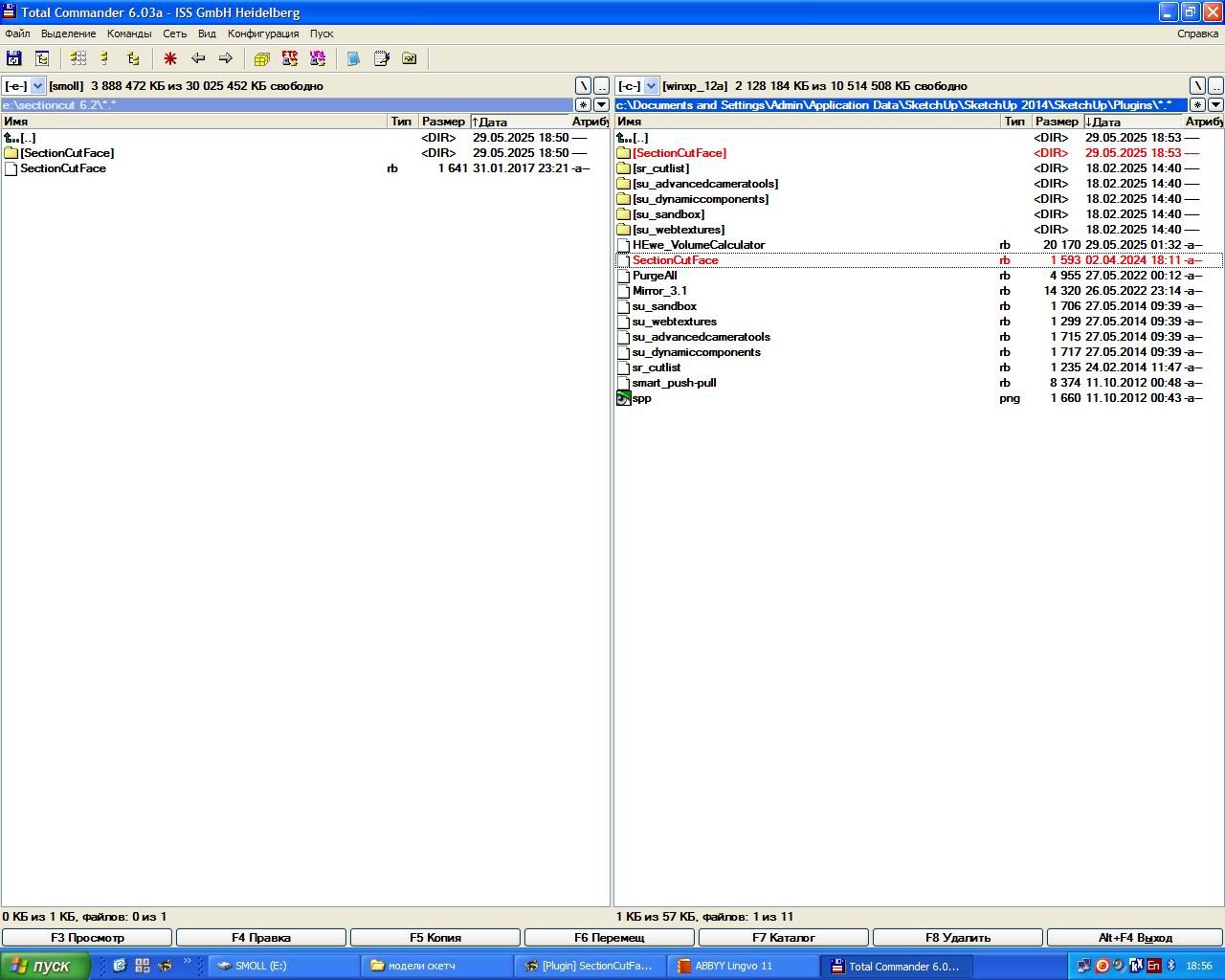
                                Plugin folder has SectionCutFace.rb
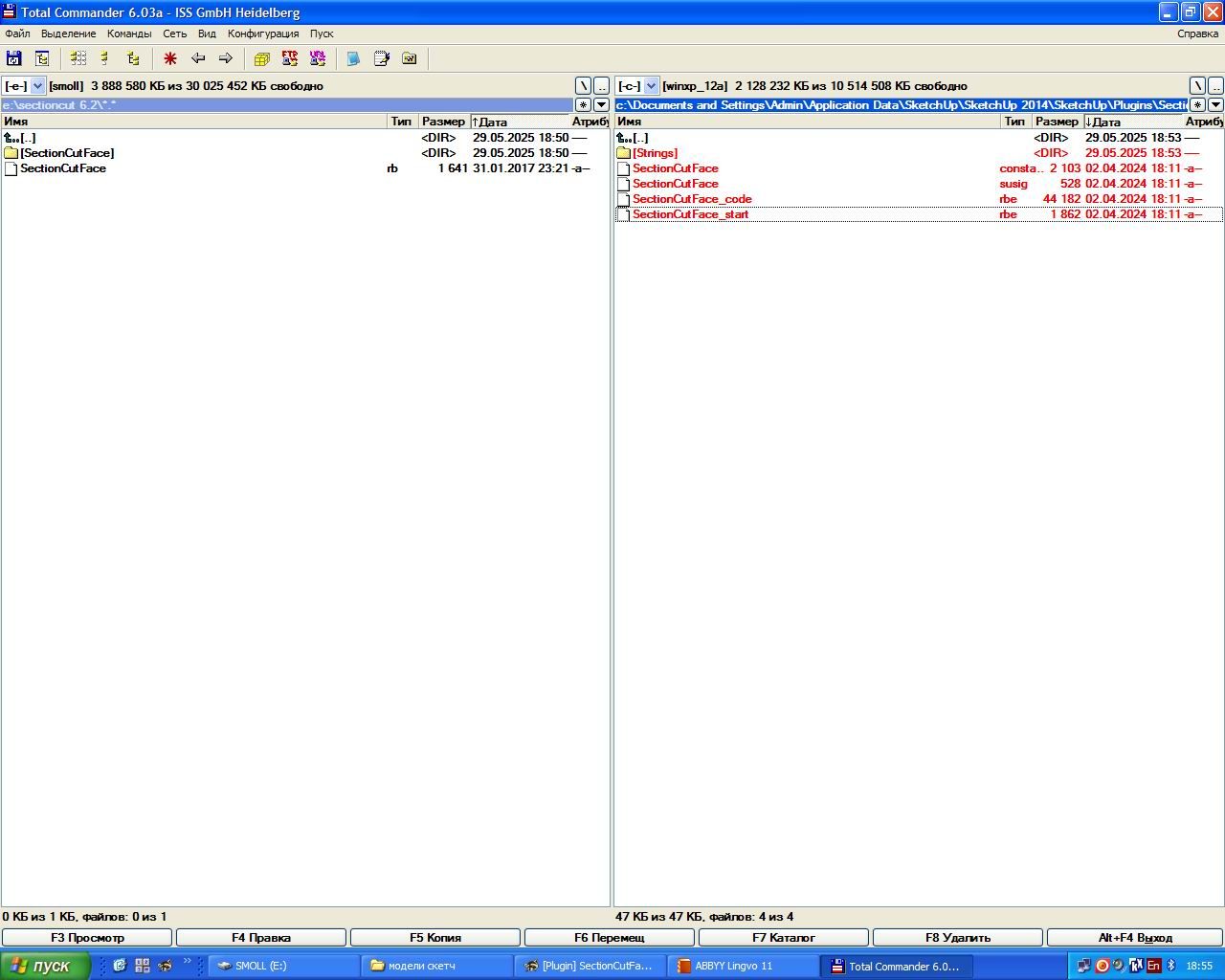
                                Subfolder SectionCutFace plugin has SectionCutFace_start.rbe file.
                                Everything have made as you said but the same error gotten.

                                Pls see pics:

                                What is wrong pls ?!

                                Clip.jpg

                                Clip_2.jpg

                                Clip_3.jpg

                                1 條回覆 最後回覆 回覆 引用 0
                                • B 離線
                                  Bob_CP
                                  最後由 編輯

                                  I've used this for years on multiple versions of SU. All of a sudden, it crashes SU 2023 Pro. Yesterday it worked, today it's causing SU to hang

                                  1 條回覆 最後回覆 回覆 引用 0
                                  • TIGT 線上
                                    TIG Moderator
                                    最後由 編輯

                                    Everything you have set up looks correct.
                                    Try reverting to an earlier version.
                                    It has changed from RBS to RBE filetypes which might be causing the heartache...
                                    SectionCutFace_v6.2.rbz

                                    TIG

                                    1 條回覆 最後回覆 回覆 引用 0
                                    • A 離線
                                      alskaro
                                      最後由 編輯

                                      Hello! Love this extension thank you ! Do you think it would be possible to be able to change the fill individually after the cut ? (like when you cut trough multiple materials) or simply having a color style that would color the face in the same material as the cut object ? That would be dope, especially with the 2025 "patterns" material!
                                      Thank you ! Have a nice day ! 🙂

                                      TIGT Dave RD 2 條回覆 最後回覆 回覆 引用 0
                                      • TIGT 線上
                                        TIG Moderator @alskaro
                                        最後由 TIG 編輯

                                        @alskaro
                                        You can already do that to a section cut face group.
                                        Unlock it [if needed], then edit the group, and apply the different materials you want to the faces.
                                        If you regenerate the section cut face then those changes are lost.

                                        TIG

                                        1 條回覆 最後回覆 回覆 引用 0
                                        • Dave RD 離線
                                          Dave R @alskaro
                                          最後由 編輯

                                          @alskaro do you mean something like this? As TIG says, apply whatever materials you want to the various faces in the SectionCut Face.
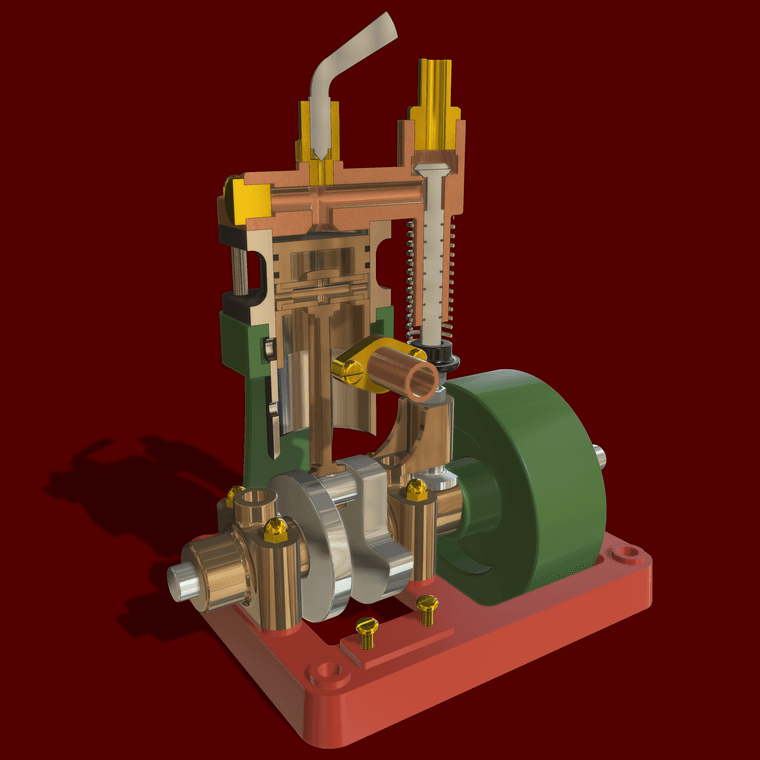

                                          Uniflow Steam Engine Cut away Small.png

                                          Etaoin Shrdlu

                                          %

                                          (THERE'S NO PLACE LIKE)

                                          G28 X0.0 Y0.0 Z0.0

                                          M30

                                          %

                                          1 條回覆 最後回覆 回覆 引用 1
                                          • 1
                                          • 2
                                          • 5
                                          • 6
                                          • 7
                                          • 8
                                          • 9
                                          • 28
                                          • 29
                                          • 7 / 29
                                          • 第一個貼文
                                            最後的貼文
                                          Buy SketchPlus
                                          Buy SUbD
                                          Buy WrapR
                                          Buy eBook
                                          Buy Modelur
                                          Buy Vertex Tools
                                          Buy SketchCuisine
                                          Buy FormFonts

                                          Advertisement