[Plugin][$] RoundCorner - v3.4a - 31 Mar 24




-
im on a mac. i put it into the plugins folder also downloaded the Libfredo but still didnt have the panels even in s7 or s8.
pls help, where is the problem?
thx -
@tituskraken said:
im on a mac. i put it into the plugins folder also downloaded the Libfredo but still didnt have the panels even in s7 or s8.
pls help, where is the problem?
thxsame issue for me on skp pro 6 & 7... any solutions ?
-
finally worked for me. I unzipped files in the wrong folder
@unknownuser said:
Unzip the folder you downloaded.
Move both things inside that folder (another folder called ROUNDCORNER_Dir_xx and a file called ZLoader_Roundcorner.rb) into your Plugins folder.
Make sure you have the latest version of LibFredo6 installed, too (there should be a link to it on the same download page.) It contains things that all of Fredo6’s scripts need to work. Download and unzip it, then move its contents (a folder called LIBFREDO6_Dir_xx and a file called LibFredo6.rb) into your Plugins folder. -
How can i see the lines after rounding edges? Here in the pic i've rounded the circle edge but can't see the lines so i have no orientation.

-
These edges get automatically softened. You can see (and manipulate) softened (and hidden) edges if you turn on hidden geometry under the View menu.
-
Thanks a lot

Really an excellent plugin!
-
HI! I recently downloaded your plugin but cant seem to get it to work. the icons show in the menu and i can click them but i get an error in the ruby console. I have windows and sketchup 8.3117. I made sure i put the folders where they belong as I have with other plugins. is their a compatability issue? thanks!
Error: #<NoMethodError: undefined method
+' for nil:NilClass> C:/PROGRA~2/Google/GOOGLE~2/Plugins/MatchboxPlugin/Population.rb:174:in+'
C:/PROGRA~2/Google/GOOGLE~2/Plugins/LIBFREDO6_Dir_43/Lib6Config.rb:148:inselected_folders' C:/PROGRA~2/Google/GOOGLE~2/Plugins/LIBFREDO6_Dir_43/Lib6Plugin.rb:432:inpicture_selected_folders'
C:/PROGRA~2/Google/GOOGLE~2/Plugins/LIBFREDO6_Dir_43/Lib6Plugin.rb:1095:increate_cursor' C:/PROGRA~2/Google/GOOGLE~2/Plugins/ROUNDCORNER_Dir_23/RoundCorner_Tool.rb:66:ininitialize'
C:/PROGRA~2/Google/GOOGLE~2/Plugins/ROUNDCORNER_Dir_23/RoundCorner_Tool.rb:42:innew' C:/PROGRA~2/Google/GOOGLE~2/Plugins/ROUNDCORNER_Dir_23/RoundCorner_Tool.rb:42:inlaunch'
C:/PROGRA~2/Google/GOOGLE~2/Plugins/ROUNDCORNER_Dir_23/RoundCorner_Tool.rb:33:inaction__mapping' C:/PROGRA~2/Google/GOOGLE~2/Plugins/LIBFREDO6_Dir_43/Lib6Plugin.rb:132:incall'
C:/PROGRA~2/Google/GOOGLE~2/Plugins/LIBFREDO6_Dir_43/Lib6Plugin.rb:132:inlaunch_action' C:/PROGRA~2/Google/GOOGLE~2/Plugins/ROUNDCORNER_Dir_23/bootstrap_RoundCorner.rb:143:inlaunch_action'
C:/PROGRA~2/Google/GOOGLE~2/Plugins/ROUNDCORNER_Dir_23/bootstrap_RoundCorner.rb:159:instartup' C:/PROGRA~2/Google/GOOGLE~2/Plugins/LIBFREDO6_Dir_43/Lib6Plugin.rb:973:incall'
C:/PROGRA~2/Google/GOOGLE~2/Plugins/LIBFREDO6_Dir_43/Lib6Plugin.rb:973:incommand_invoke' C:/PROGRA~2/Google/GOOGLE~2/Plugins/LIBFREDO6_Dir_43/Lib6Plugin.rb:955:inbuild_config_commands'
C:/PROGRA~2/Google/GOOGLE~2/Plugins/LIBFREDO6_Dir_43/Lib6Traductor.rb:948:incall' C:/PROGRA~2/Google/GOOGLE~2/Plugins/LIBFREDO6_Dir_43/Lib6Traductor.rb:948:inadd_command'
C:/PROGRA~2/Google/GOOGLE~2/Plugins/MatchboxPlugin/Population.rb:174:in `call'
C:/PROGRA~2/Google/GOOGLE~2/Plugins/MatchboxPlugin/Population.rb:174 -
There is a known conflict between Matchbox and other plugins (among which mine), because Matchbox redefines some basic Ruby classes.
There may be a version of Matchbox correcting this issue.Fredo
-
Hi there. I installed what I believe to be the most up to date version of the plugin. I'm using Sketchup 8 pro on a Mac Lion. I tried the plugin on what something that had around 50 edges. Sketchup froze. Tried it a few times actually and every time, it would get to a different point. 90%, 10%, 40% complete. I then tried it on a simple cube. Same problem. I then tried it on one face. 4 edges. same problem. sketch up freezes. does any one have any idea what the problem is and how i can fix it? thanks in advance?
-
What version of LibFredo6 are you running?
In which folders have you installed the plugin and library? -
I have the same problem with crash issue. I use Win XP SP 3 with skethup 8. I'm using 2 GB RAM. everytime I applied round corners, my sketchup always crash and shut down. I've tried every setting, it didn't work. Is there any way to solve this problem? I'm totaly confused, whether my XP had something wrong or my Sketchup? thanx for respond.
Jeem
-
@kubusipit said:
I have the same problem with crash issue. I use Win XP SP 3 with skethup 8. I'm using 2 GB RAM. everytime I applied round corners, my sketchup always crash and shut down. I've tried every setting, it didn't work. Is there any way to solve this problem? I'm totaly confused, whether my XP had something wrong or my Sketchup? thanx for respond.
Jeem
Just happen to see this in passing:
- The way the windows 32 bit memory manager works it splits the memory somewhat equally between the kernel and the program. In addition any device memory ( graphics etc) gets mapped into that a subtracts form the usable memory. Check you task manager and think you will find low memory. Check what you have set for the paging file size and the memory manager will use the hard disk to help that problem but then the PC slows down because of the slower disk. IMO you should install more RAM if possible and is not hard to do just make sure you use an anti static strap.
-
@kubusipit said:
I have the same problem with crash issue. I use Win XP SP 3 with skethup 8. I'm using 2 GB RAM. everytime I applied round corners, my sketchup always crash and shut down. I've tried every setting, it didn't work. Is there any way to solve this problem? I'm totaly confused, whether my XP had something wrong or my Sketchup? thanx for respond.
Jeem
Just in case, could you open the Ruby console in case messages are displayed when running RoundCorner.
There are a few plugins that create incompatibility problems (for instance some versions of Matchhbox and SunPosition). This may also be a source of problem.
Fredo
-
I too have this problem. Lion 10.7.3 - SU v8. Latest Plugins too. Please help

-
only one thing: thank you
its amazing -
-
Hello, I have a problem.
Does the corner have to be at a 90 degree angle, or can it be any angle? Because when I try to do it at a non-90 degree angle it goes crazy and does this:
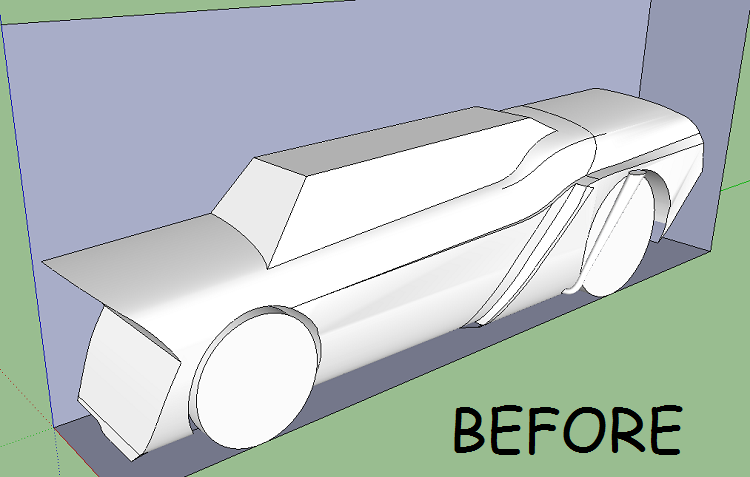
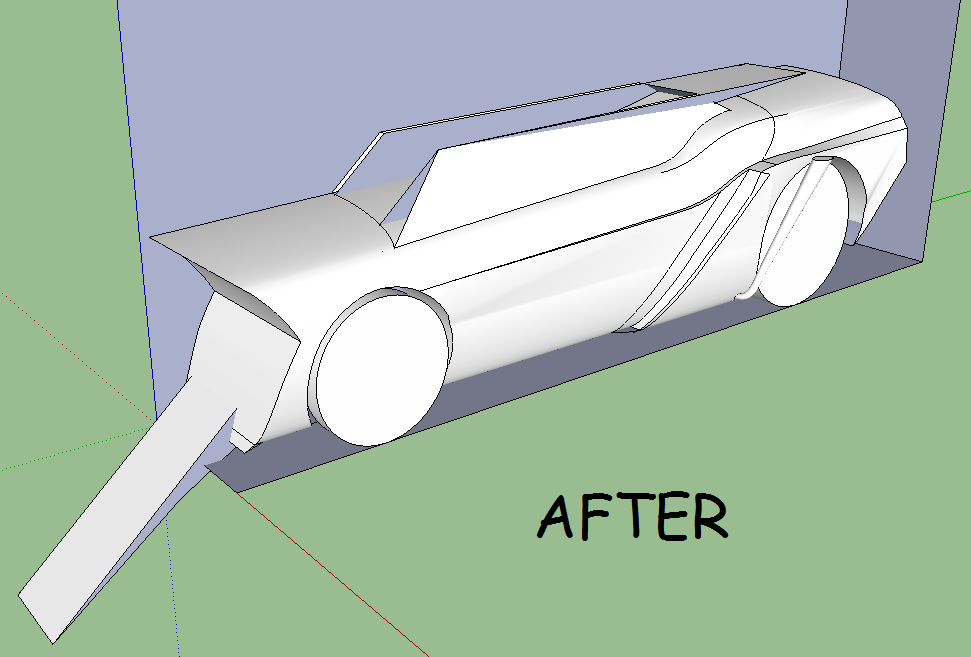
I am running windows 7, 32bit. I have 2048mb RAM. All help is appreciated -
Hello Everybody
I tried that tool on my model but it doest work correctly, does anybody have an idea what should i do to make all edges and corners smooth ? Help please

-
@maciejs said:
Hello Everybody
I tried that tool on my model but it doest work correctly, does anybody have an idea what should i do to make all edges and corners smooth ? Help please
Could you post the model, so that we can find out.
I guess this could be done piece by piece (plus duplication x6, as the wheel is symmetrical)Fredo
-
Yes, all parts of the model are symmetrical. All i need is to smooth every edge and make smooth transitions between parts.
here is a link: http://www.sendspace.com/file/1s2pol





Advertisement