[Plugin][$] RoundCorner - v3.4a - 31 Mar 24




-
He comprado una licencia para este plugins y no se instalarla, si alguien me puede ayudar, gracias
-
@unknownuser said:
I bought a license for this plugin and I can't install it, if someone can help me, thanks
You save the license file to somewhere logical on your computer.
Then you open the submenu License... item in the Tools > Fredo6Collection > RoundCorner submenu.
In its dialog there's an 'activate' button, use that and navigate to the saved license file.
It should then be permanently activate the license for that extension on your computer...Guarde el archivo de licencia en algún lugar lógico de su computadora.
A continuación, abra el elemento del submenú Licencia... en el submenú Herramientas > Fredo6Collection > RoundCorner.
En su cuadro de diálogo hay un botón 'activar', utilícelo y navegue hasta el archivo de licencia guardado.
Entonces debería activarse permanentemente la licencia para esa extensión en su computadora... -
Hello; I am writing you from turkey. 3 days ago, I had a friend from Spain buy this plugin for me. because there is no pay pal in turkey. but still no mail. The payment was taken but the mail did not come. Could you help?
-
@mervali said:
Hello; I am writing you from turkey. 3 days ago, I had a friend from Spain buy this plugin for me. because there is no pay pal in turkey. but still no mail. The payment was taken but the mail did not come. Could you help?
You can check and download the license files at the MyLicenses page on Sketchucation.
For the sign in you need to use the credentials that were used for the purchase of the license, however.
-
Hi,
problems with the licenses of Fredo6:All Licensesfiles are gone and I do not understand why.
I found this on sketchucation:Fredo6 Plugins Information on 2023-03-11 14:47:47 +0100
- Platform: x64-mswin64_140 - Ruby: 2.7.2
- Sketchup: 21.1.332
- LibFredo6: v13.8a
- Sketchucation ExtensionStore: 4.3.0
- SCFLicense: v6.0e - 72
- Fredo6 Plugins
Animator v3.8a
Curviloft v1.9a - licensed FULL
Curvizard v2.4b
FredoScale v3.5a
FredoSketch v1.2a
FredoTools v4.3a
JointPushPull v4.6a
MoveAlignMe v1.2a
MrHide v1.6a
RoundCorner v3.3a
Souvenir v2.1a
TopoShaper v2.6a
VisuHole v1.4b - SCFLicense directory present
Signature File: 2022-05-14 16:28:40 +0200
Curviloft: 2023-03-11 12:07:01 +0100
PieBeta: 2022-05-15 12:45:17 +0200
I just downloaded the missing Licenses once again and put them in my empty folder:
C:\Users\fjSchüssler\AppData\Local\SCFName Änderungsdatum Typ Größe
Psets 15.05.2022 13:43 Dateiordner
Temporary 11.03.2023 12:07 Dateiordner
H cookie 24.11.2022 11:23 DAT-Datei 1 KB
device 01.05.2022 11:45 DAT-Datei 1 KB- j events 09.03.2023 11:09 DAT-Datei 14 KB
D SCF_Purchased_License_Curviloft_NORMA... 11.03.2023 12:00 SCFLICENSE-Datei 1 KB
Q SCF_Purchased_License_Curvizard_NORM... 11.03.2023 12:00 SCFLICENSE-Datei 1 KB
D SCF_Purchased_License_FredoScale_NOR... 11.03.2023 12:00 SCFLICENSE-Datei 1 KB
D SCF_Purchased_License_JointPushPull_NO... 11.03.2023 12:00 SCFLICENSE-Datei 1 KB
D SCF_Purchased_License_PieBeta_FREE_20... 11.03.2023 11:59 SCFLICENSE-Datei 1 KB
Q SCF_Purchased_License_RoundCorner_NO... 11.03.2023 12:00 SCFLICENSE-Datei 1 KB
Q SCF_Purchased_License_ToolsOnSurface_... 11.03.2023 12:00 SCFLICENSE-Datei 1 KB
Q SCF_Purchased_License_TopoShaper_NO... 11.03.2023 12:00 SCFLICENSE-Datei 1 KB
D SCF_Purchased_License_VisuHole_NORM... 11.03.2023 12:00 SCFLICENSE-Datei 1 KB
(Look at Date and time)
After downloading the missing licenses, I put them into the folder above.
Then I renewed the 'Curviloft' License in Sketchup but lost one 'Curviloft'-seat.
Renewing the other Licenses will surely end up the same way.I suppose, that shoud not happen.
In Sketchucation you may see my bought plugins (Fredo bundel..)By the way: "I love your Plugins Fredo!!!!!"
What can be done?
What happened? -
@fjsgruppe said:
Hi,
problems with the licenses of Fredo6:All Licensesfiles are gone and I do not understand why.
What happened?Did you change or reformat your computer (or hardware changes)?
Do not copy license files. Instead, validate the licenses from the dialog box with the purchased license files that were sent to you after purchase.
Also, it would be safer to upgrade to LibFredo6 v13.9a.
-
One other thought...
You Windows user-name is fjSchüssler
Which contains an umlaut.
This naming is against the Windows recommendations which say you should use A-Za-z0-9 and a few simple punctuation characters.
Perhaps this is interfering with reading of certain files...
If you rename your use say fjSchussler or fjSceussler does it help ?? -
Thank's for the advice!
I'll try it out nect weak,as soon, as possible.
fjs -
Hi,
I just found my old scf-license-files, and could now do the licensing process once again,
if I hadn’t made a blunder:I usually put a copy of my invoices in to my note programme.
That time, I put the license-files in there. You should never do that!!!
I looked for my files in downloads- and SU-folders, but the files seemed to have vanished.Today I realised, that my note programme: ‘AllMyNotes’ stored them in its ddb-file.
SU can not extract data from there and I can not convert them either.I can read the data with an editor, but I can’t do anything with it.
Greetings from Germany! -
You can always download your license files again from SketchUcation.
Use the last item in the SketchUp... Extensions > SketchUcation submenu... MyLicenses...
You need to be logged in to SketchUcation to see/use that list...Also remember that you need the newest versions installing for the extension, any associated Lib file and the SketchUcation toolset [for the licensing], and SketchUp to restart to sync everything...
-
Greetings...
I Want to buy this plugin but when i try to buy my country pakistan name is not showing there plz tell me how to solve this problem
Trying to Purchase with Visa Gold Card (Pakistan ) -
Hello
I can't buy your plugins. In my country we can't use Paypal. Can I buy plugins with credit card?
Thank you.
-
dude can you make this free to use again? for such a limited software like sketchup, an extension as important as this is pretty much an essential. It used to be free to use but now we gotta pay for the license? come on man. make this free to use again please
-
@muhammad qasim said:
Greetings...
I Want to buy this plugin but when i try to buy my country pakistan name is not showing there plz tell me how to solve this problem
Trying to Purchase with Visa Gold Card (Pakistan )If the country dropdown is not listing countries or payment buttons are missing try using a different browser.
-
@ben98 said:
...for such a limited software like sketchup, an extension as important as this is pretty much an essential. ...
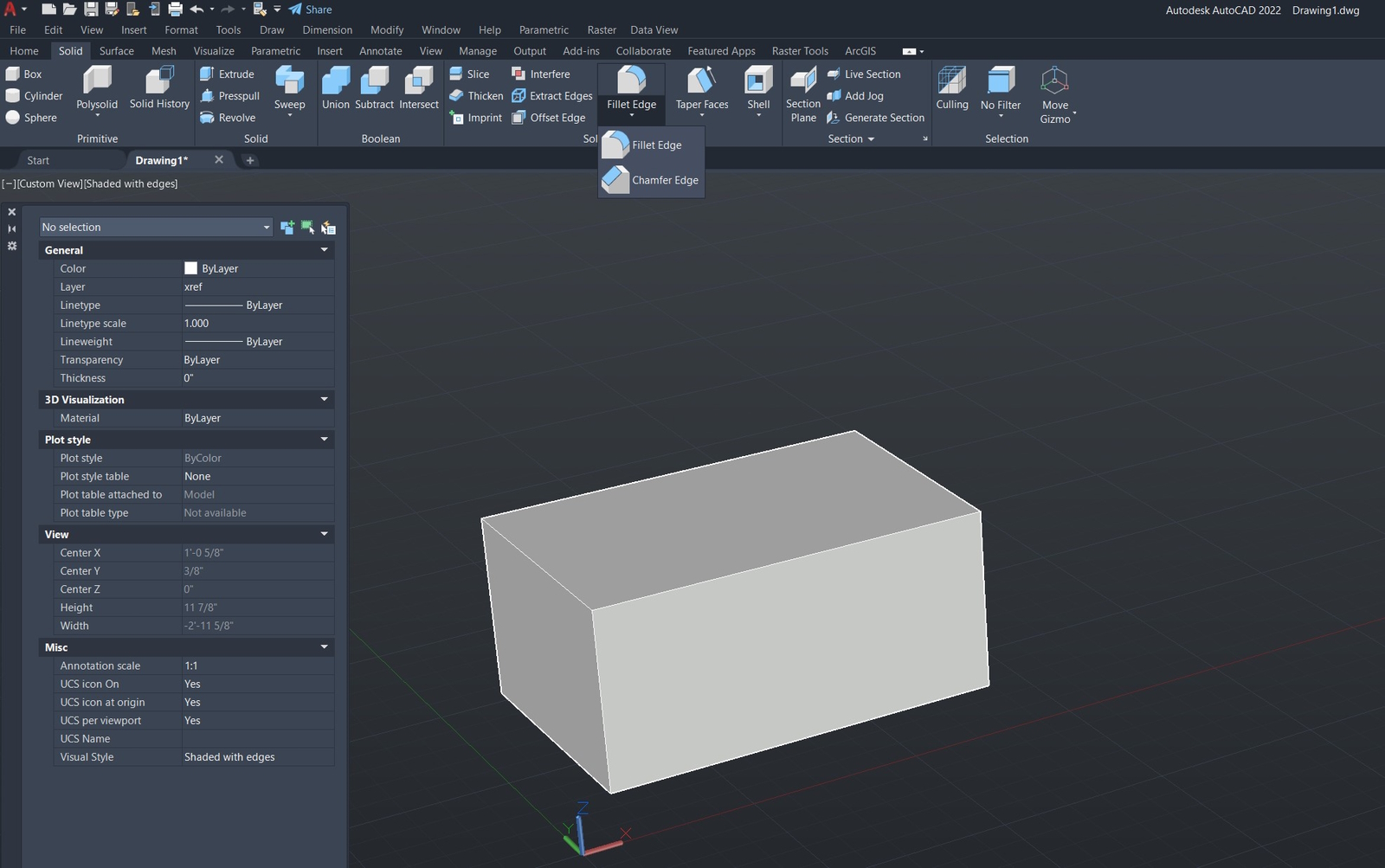
No, SketchUp SHOULD have these tools included in the base program.
Even "Dinosaurs" have these basic 3D tools included.
-
Is this plugin no longer free??? It says "license expired" and wants me to purchase one now.
-
@dentice said:
Is this plugin no longer free???
No. It is no longer free. This change occurred more than a year ago.
See: https://sketchucation.com/forums/viewtopic.php?f=323&t=74668
-
Problem is I purchased a license, but when I follow the steps to activate in Sketchup I click on "manage license" of the roundcorner and it locks up SketchUp.
-
@bpflum said:
Problem is I purchased a license, but when I follow the steps to activate in Sketchup I click on "manage license" of the roundcorner and it locks up SketchUp.
The first step is to ensure that you have updated plugins
-




Hello! It looks like you're interested in this conversation, but you don't have an account yet.
Getting fed up of having to scroll through the same posts each visit? When you register for an account, you'll always come back to exactly where you were before, and choose to be notified of new replies (either via email, or push notification). You'll also be able to save bookmarks and upvote posts to show your appreciation to other community members.
With your input, this post could be even better 💗
Register Login


Advertisement