[Plugin][$] RoundCorner - v3.4a - 31 Mar 24




-
@bpflum said:
Problem is I purchased a license, but when I follow the steps to activate in Sketchup I click on "manage license" of the roundcorner and it locks up SketchUp.
The first step is to ensure that you have updated plugins
-
-
Correct. Running:
- Sketchup Pro 2017 Version 17.0.18899 64 Bit
- LibFredo6 v13.9a
- SketchUcationTools v4.3.1
-
Trying to purchase round corner, but phone number is not being recognised, location Albania
-
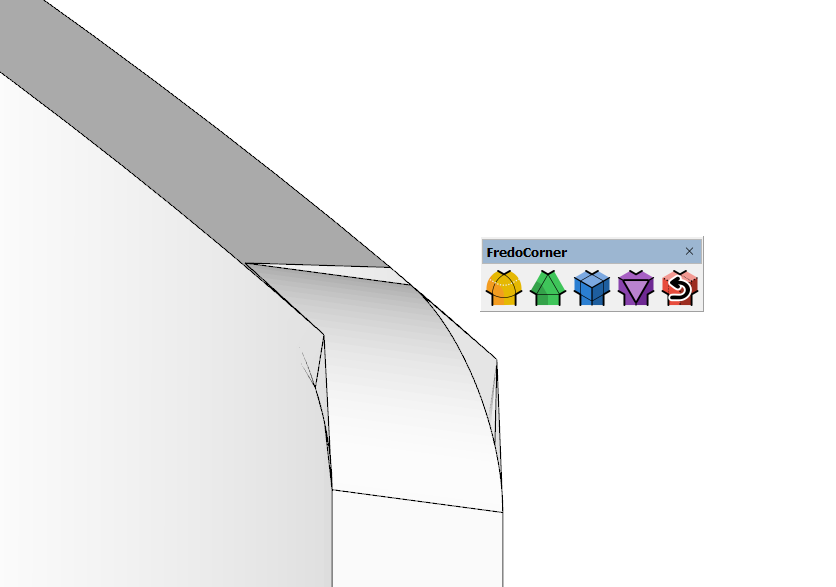
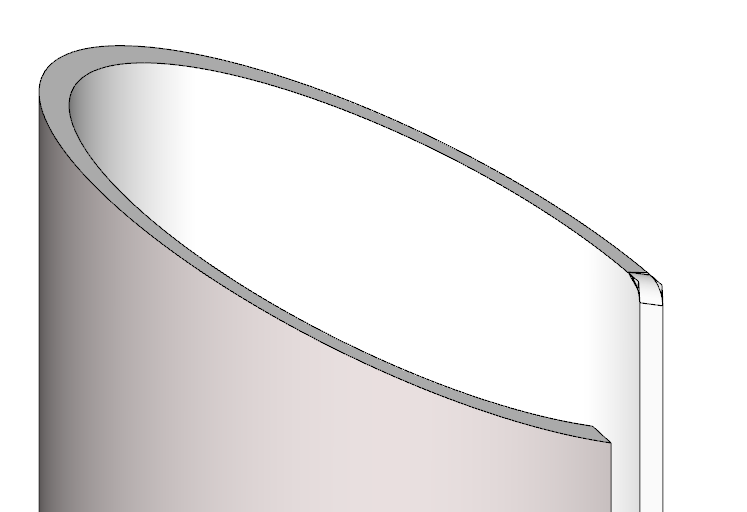
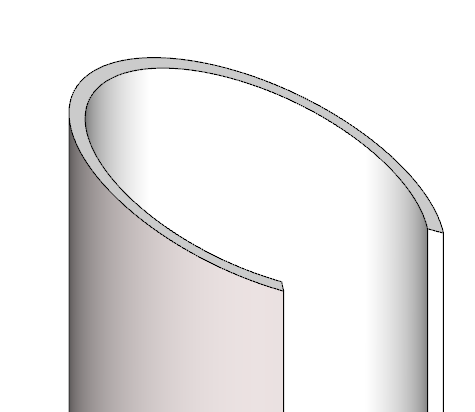
Problem with making fillets on complex geometry.
Any suggestions on how to do it ...?
-
First, thank you for such great plugins. Question: Can we build real arcs instead of simulating them with segments? I see that roundcorner and fredocorner build arcs with just segments, not "arc". Why is this so?
-
@kostiaarh said:
I see that roundcorner and fredocorner build arcs with just segments, not "arc". Why is this so?
This isn't a Round Corner thing. It's the way SketchUp represents arcs and curves.
-
@dave r said:
@kostiaarh said:
I see that roundcorner and fredocorner build arcs with just segments, not "arc". Why is this so?
This isn't a Round Corner thing. It's the way SketchUp represents arcs and curves. You've been using SketchUp long enough that you would know this.
Yes, I know about it.) Perhaps it is the difficulty of translation). The question was more about whether we could have a plugin from Fredo in the future that would create a "arc/curve" instead of individual segments.
-
@kostiaarh said:
The question was more about whether we could have a plugin from Fredo in the future that would create a "arc/curve" instead of individual segments.
Do you mean having the series of straight edges welded together so they are recognized by Sketch as arcs or curves? If so, that could be very useful. Currently I make that happen by runing Eneroth Auto Weld after using Round Corner or Fredo Corner.
-
@dave r said:
Do you mean having the series of straight edges welded together so they are recognized by Sketch as arcs or curves? If so, that could be very useful. Currently I make that happen by runing Eneroth Auto Weld after using Round Corner or Fredo Corner.
Exactly

-
Hi there Fredo6! I just downloaded your Round Corner plugin and I'm running into an issue trying to get the menu bar to show up on SketchUp. I know that it doesn't appear right away when you install it and that you need to restart SketchUp. However, when I close and open up SketchUp again, the menu bar still isn't there.
It's still somewhat functional as I am able to access some of the features by going to Tools/Fredo6 Collection/Round Corner in the menu bar at the top of SketchUp, but that's about it.
I'm running a Windows 11 computer, running SketchUp Pro 2023, and did a fresh install of the SketchUcation plugin manager. I downloaded LibFredo6, closed and reopened it, then downloaded Round Corner, closed and reopened it and nothing shows up. There were no error messages in the download of LibFredo6 and Round Corner so I'm really at a loss for what I did wrong here.
Thank you very much!
-
@gracemien said:
I'm running a Windows 11 computer, running SketchUp Pro 2023, and did a fresh install of the SketchUcation plugin manager.
Did you install SkeetchUp correctly? That requires right clicking on the installer file in your Downloads folder and choosing Run as administrator. If you didn't do that, repair the installation. Close SketchUp, find the installer in your Downloads folder, right click on it, choose Run as administrator, and when prompted, choose Repair.
-
@dave r said:
@gracemien said:
I'm running a Windows 11 computer, running SketchUp Pro 2023, and did a fresh install of the SketchUcation plugin manager.
Did you install SkeetchUp correctly? That requires right clicking on the installer file in your Downloads folder and choosing Run as administrator. If you didn't do that, repair the installation. Close SketchUp, find the installer in your Downloads folder, right click on it, choose Run as administrator, and when prompted, choose Repair.
Hi there Dave! Thank you for your offer of help! I gave that a try with no results so then I tried completely uninstalling then reinstalling SketchUp as an administrator and the toolbar still wasn't there. I did notice that the SketchUcation add-on manager was still installed with the program, so perhaps the uninstall didn't actually remove all of the files of it in my computer. Either way, now I've got a secondary issue of V-ray's toolbars also not showing (I'll reach out to them about this issue). But yeah, I'm not sure what to think of this situation.
-
This is Korea, and I'm Korean.
I may be a bit poor at English. Please understand.
With the account "byeogdu@hanmail.net", I bought the product "74-Fredo6Bundle2022".
I'm using SketchUp2023 Pro.
The following error occurred when registering the license.Error inthe License Validation
Request to Sketchucation: ERROR_A04
Wrong Signature File - You may have changed the computer name
It is advised to erase the Signature file and revalidate
Do you want to open the folder ontainingthe Signature file?What am I supposed to do?
-
Open the folder, close SketchUp, delete the the signature and restart SketchUp.
A new signature file will be created and you can activate the license.
Make sure you are using Sketchucation Tools 4.3.1 and Libfredo 14.1a
https://sketchucation.com/plugin/696-sketchucationtools
https://sketchucation.com/pluginstore?pln=LibFredo6 -
Well, that's not right. I fear I bought the wrong extension.... I'm trying to do a round over on hole in a handle (OK, a fillet, for those who are persnickety) This shows the general 'before' situation:
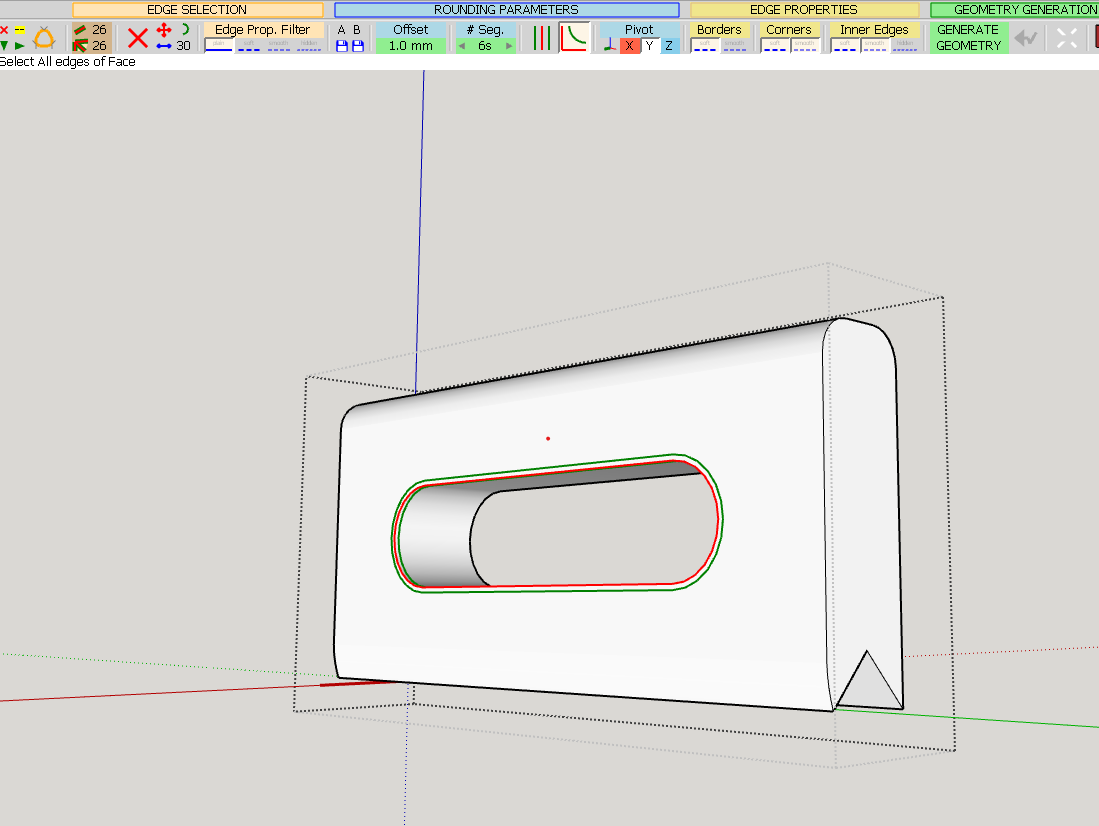
And after hitting the magic 'go' button, I get this:
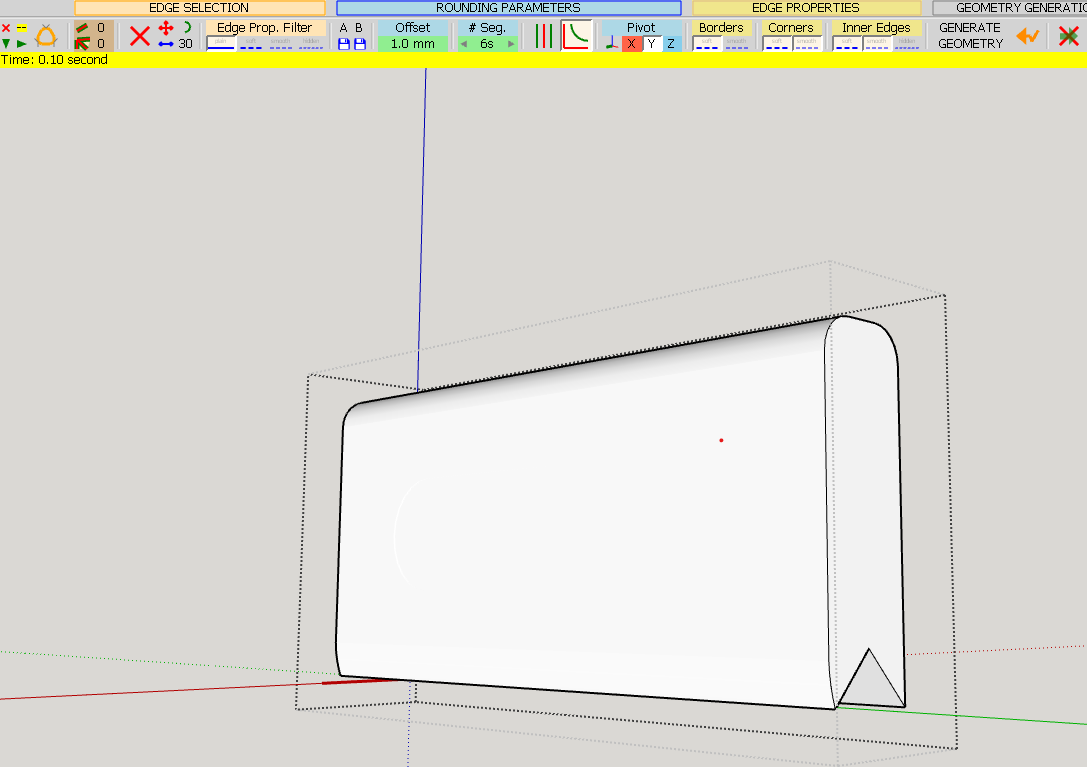
No, not quite right. Any tips and or suggestions on how to get this done?
Cheers
PS Using Sketchup 23 on Win10
-
Just click on where the hole is supposed to be. You'll see the corresponding face. Delete it.
-
@fredo6 said:
Just click on where the hole is supposed to be. You'll see the corresponding face. Delete it.
Sigh. Thank you. I wasn't born an idiot, it's taken years of training to get here...
-
Hi. I am thinking of buying the whole package, but I have a question. I bought a corel draw plugin in this way before. I had a problem with my computer for a while and I had to deal with installing a new windows almost every day and trying to solve my problem. The plugin for corel draw asked for a new register code every time. The manufacturer of the plugin finally told me that he would not send me the code. From his side maybe he was right. I could have been lying to install this plugin on other computers, but I wasn't and I was right. Now I can't use the plugin that I bought for a lifetime fee. I don't have a problem with my computer right now. However, if such a misfortune happens to me again, I wonder what your solution is for this situation. Because I have learned by experience; I may encounter such a problem again. Do I have to contact you again every time I install windows or change the name of my computer or change one of the basic parts of my computer? Or what is your solution? What will happen?
-
Hi. I am thinking of buying the whole package, but I have a question. I bought a corel draw plugin in this way before. I had a problem with my computer for a while and I had to deal with installing a new windows almost every day and trying to solve my problem. The plugin for corel draw asked for a new register code every time. The manufacturer of the plugin finally told me that he would not send me the code. From his side maybe he was right. I could have been lying to install this plugin on other computers, but I wasn't and I was right. Now I can't use the plugin that I bought for a lifetime fee. I don't have a problem with my computer right now. However, if such a misfortune happens to me again, I wonder what your solution is for this situation. Because I have learned by experience; I may encounter such a problem again. Do I have to contact you again every time I install windows or change the name of my computer or change one of the basic parts of my computer? Or what is your solution? What will happen?






Advertisement