sketchucation logo sketchucation
    • 登入
    Oops, your profile's looking a bit empty! To help us tailor your experience, please fill in key details like your SketchUp version, skill level, operating system, and more. Update and save your info on your profile page today!
    🔌 Smart Spline | Fluid way to handle splines for furniture design and complex structures. Download

    [Plugin][$] RoundCorner - v3.4a - 31 Mar 24


    已排程 已置頂 已鎖定 已移動 Plugins
    1.5k 貼文 473 Posters 3.4m 瀏覽 472 Watching
    正在載入更多貼文
    • 從舊到新
    • 從新到舊
    • 最多點贊
    回覆
    • 在新貼文中回覆
    登入後回覆
    此主題已被刪除。只有擁有主題管理權限的使用者可以查看。
    • Dave RD 離線
      Dave R
      最後由 編輯

      @dentice said:

      Is this plugin no longer free???

      No. It is no longer free. This change occurred more than a year ago.

      See: https://sketchucation.com/forums/viewtopic.php?f=323&t=74668

      Etaoin Shrdlu

      %

      (THERE'S NO PLACE LIKE)

      G28 X0.0 Y0.0 Z0.0

      M30

      %

      1 條回覆 最後回覆 回覆 引用 0
      • B 離線
        bpflum
        最後由 編輯

        Problem is I purchased a license, but when I follow the steps to activate in Sketchup I click on "manage license" of the roundcorner and it locks up SketchUp.

        1 條回覆 最後回覆 回覆 引用 0
        • fredo6F 離線
          fredo6
          最後由 編輯

          @bpflum said:

          Problem is I purchased a license, but when I follow the steps to activate in Sketchup I click on "manage license" of the roundcorner and it locks up SketchUp.

          The first step is to ensure that you have updated plugins

          • LibFredo6 v13.9
          • Sketchucation ExtensionStore v4.3.1
          1 條回覆 最後回覆 回覆 引用 0
          • Dave RD 離線
            Dave R
            最後由 編輯

            @bpflum said:

            ... and it locks up SketchUp.

            That's SketchUp 2017 as indicated in your profile?

            Etaoin Shrdlu

            %

            (THERE'S NO PLACE LIKE)

            G28 X0.0 Y0.0 Z0.0

            M30

            %

            1 條回覆 最後回覆 回覆 引用 0
            • B 離線
              bpflum
              最後由 編輯

              Correct. Running:

              • Sketchup Pro 2017 Version 17.0.18899 64 Bit
              • LibFredo6 v13.9a
              • SketchUcationTools v4.3.1
              1 條回覆 最後回覆 回覆 引用 0
              • T 離線
                Triumfi
                最後由 編輯

                Trying to purchase round corner, but phone number is not being recognised, location Albania

                1 條回覆 最後回覆 回覆 引用 0
                • ipsketchpiI 離線
                  ipsketchpi
                  最後由 編輯

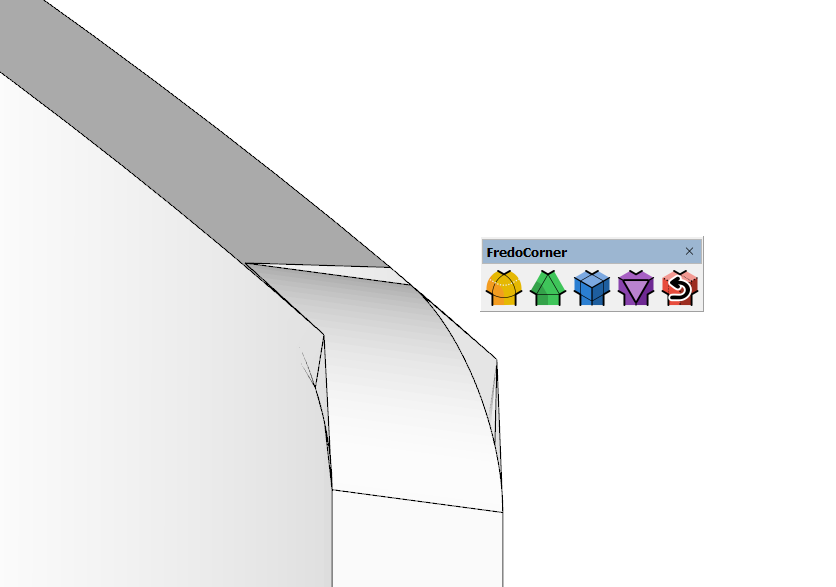
                  Problem with making fillets on complex geometry.
                  Any suggestions on how to do it ...?

                  Ekrānuzņēmums 2023-07-01 091500.png


                  Ekrānuzņēmums 2023-07-01 091442.png


                  Ekrānuzņēmums 2023-07-01 091425.png

                  /IP

                  1 條回覆 最後回覆 回覆 引用 0
                  • K 離線
                    kostiaarh
                    最後由 編輯

                    First, thank you for such great plugins. Question: Can we build real arcs instead of simulating them with segments? I see that roundcorner and fredocorner build arcs with just segments, not "arc". Why is this so?

                    1 條回覆 最後回覆 回覆 引用 0
                    • Dave RD 離線
                      Dave R
                      最後由 編輯

                      @kostiaarh said:

                      I see that roundcorner and fredocorner build arcs with just segments, not "arc". Why is this so?

                      This isn't a Round Corner thing. It's the way SketchUp represents arcs and curves.

                      Etaoin Shrdlu

                      %

                      (THERE'S NO PLACE LIKE)

                      G28 X0.0 Y0.0 Z0.0

                      M30

                      %

                      1 條回覆 最後回覆 回覆 引用 0
                      • K 離線
                        kostiaarh
                        最後由 編輯

                        @dave r said:

                        @kostiaarh said:

                        I see that roundcorner and fredocorner build arcs with just segments, not "arc". Why is this so?

                        This isn't a Round Corner thing. It's the way SketchUp represents arcs and curves. You've been using SketchUp long enough that you would know this.

                        Yes, I know about it.) Perhaps it is the difficulty of translation). The question was more about whether we could have a plugin from Fredo in the future that would create a "arc/curve" instead of individual segments.

                        1 條回覆 最後回覆 回覆 引用 0
                        • Dave RD 離線
                          Dave R
                          最後由 編輯

                          @kostiaarh said:

                          The question was more about whether we could have a plugin from Fredo in the future that would create a "arc/curve" instead of individual segments.

                          Do you mean having the series of straight edges welded together so they are recognized by Sketch as arcs or curves? If so, that could be very useful. Currently I make that happen by runing Eneroth Auto Weld after using Round Corner or Fredo Corner.

                          Etaoin Shrdlu

                          %

                          (THERE'S NO PLACE LIKE)

                          G28 X0.0 Y0.0 Z0.0

                          M30

                          %

                          1 條回覆 最後回覆 回覆 引用 0
                          • K 離線
                            kostiaarh
                            最後由 編輯

                            @dave r said:

                            Do you mean having the series of straight edges welded together so they are recognized by Sketch as arcs or curves? If so, that could be very useful. Currently I make that happen by runing Eneroth Auto Weld after using Round Corner or Fredo Corner.

                            Exactly 👍

                            1 條回覆 最後回覆 回覆 引用 0
                            • G 離線
                              GraceMien Newcomers
                              最後由 編輯

                              Hi there Fredo6! I just downloaded your Round Corner plugin and I'm running into an issue trying to get the menu bar to show up on SketchUp. I know that it doesn't appear right away when you install it and that you need to restart SketchUp. However, when I close and open up SketchUp again, the menu bar still isn't there.

                              It's still somewhat functional as I am able to access some of the features by going to Tools/Fredo6 Collection/Round Corner in the menu bar at the top of SketchUp, but that's about it.

                              I'm running a Windows 11 computer, running SketchUp Pro 2023, and did a fresh install of the SketchUcation plugin manager. I downloaded LibFredo6, closed and reopened it, then downloaded Round Corner, closed and reopened it and nothing shows up. There were no error messages in the download of LibFredo6 and Round Corner so I'm really at a loss for what I did wrong here.

                              Thank you very much!

                              1 條回覆 最後回覆 回覆 引用 0
                              • Dave RD 離線
                                Dave R
                                最後由 編輯

                                @gracemien said:

                                I'm running a Windows 11 computer, running SketchUp Pro 2023, and did a fresh install of the SketchUcation plugin manager.

                                Did you install SkeetchUp correctly? That requires right clicking on the installer file in your Downloads folder and choosing Run as administrator. If you didn't do that, repair the installation. Close SketchUp, find the installer in your Downloads folder, right click on it, choose Run as administrator, and when prompted, choose Repair.

                                Etaoin Shrdlu

                                %

                                (THERE'S NO PLACE LIKE)

                                G28 X0.0 Y0.0 Z0.0

                                M30

                                %

                                1 條回覆 最後回覆 回覆 引用 0
                                • G 離線
                                  GraceMien Newcomers
                                  最後由 編輯

                                  @dave r said:

                                  @gracemien said:

                                  I'm running a Windows 11 computer, running SketchUp Pro 2023, and did a fresh install of the SketchUcation plugin manager.

                                  Did you install SkeetchUp correctly? That requires right clicking on the installer file in your Downloads folder and choosing Run as administrator. If you didn't do that, repair the installation. Close SketchUp, find the installer in your Downloads folder, right click on it, choose Run as administrator, and when prompted, choose Repair.

                                  Hi there Dave! Thank you for your offer of help! I gave that a try with no results so then I tried completely uninstalling then reinstalling SketchUp as an administrator and the toolbar still wasn't there. I did notice that the SketchUcation add-on manager was still installed with the program, so perhaps the uninstall didn't actually remove all of the files of it in my computer. Either way, now I've got a secondary issue of V-ray's toolbars also not showing (I'll reach out to them about this issue). But yeah, I'm not sure what to think of this situation.

                                  1 條回覆 最後回覆 回覆 引用 0
                                  • B 離線
                                    byeogdu
                                    最後由 編輯

                                    This is Korea, and I'm Korean.
                                    I may be a bit poor at English. Please understand.
                                    With the account "byeogdu@hanmail.net", I bought the product "74-Fredo6Bundle2022".
                                    I'm using SketchUp2023 Pro.
                                    The following error occurred when registering the license.

                                    Error inthe License Validation
                                    Request to Sketchucation: ERROR_A04
                                    Wrong Signature File - You may have changed the computer name
                                    It is advised to erase the Signature file and revalidate
                                    Do you want to open the folder ontainingthe Signature file?

                                    What am I supposed to do?

                                    1 條回覆 最後回覆 回覆 引用 0
                                    • Rich O BrienR 離線
                                      Rich O Brien Moderator
                                      最後由 編輯

                                      Open the folder, close SketchUp, delete the the signature and restart SketchUp.

                                      A new signature file will be created and you can activate the license.

                                      Make sure you are using Sketchucation Tools 4.3.1 and Libfredo 14.1a

                                      https://sketchucation.com/plugin/696-sketchucationtools
                                      https://sketchucation.com/pluginstore?pln=LibFredo6

                                      Download the free D'oh Book for SketchUp 📖

                                      1 條回覆 最後回覆 回覆 引用 0
                                      • B 離線
                                        B2Pi
                                        最後由 編輯

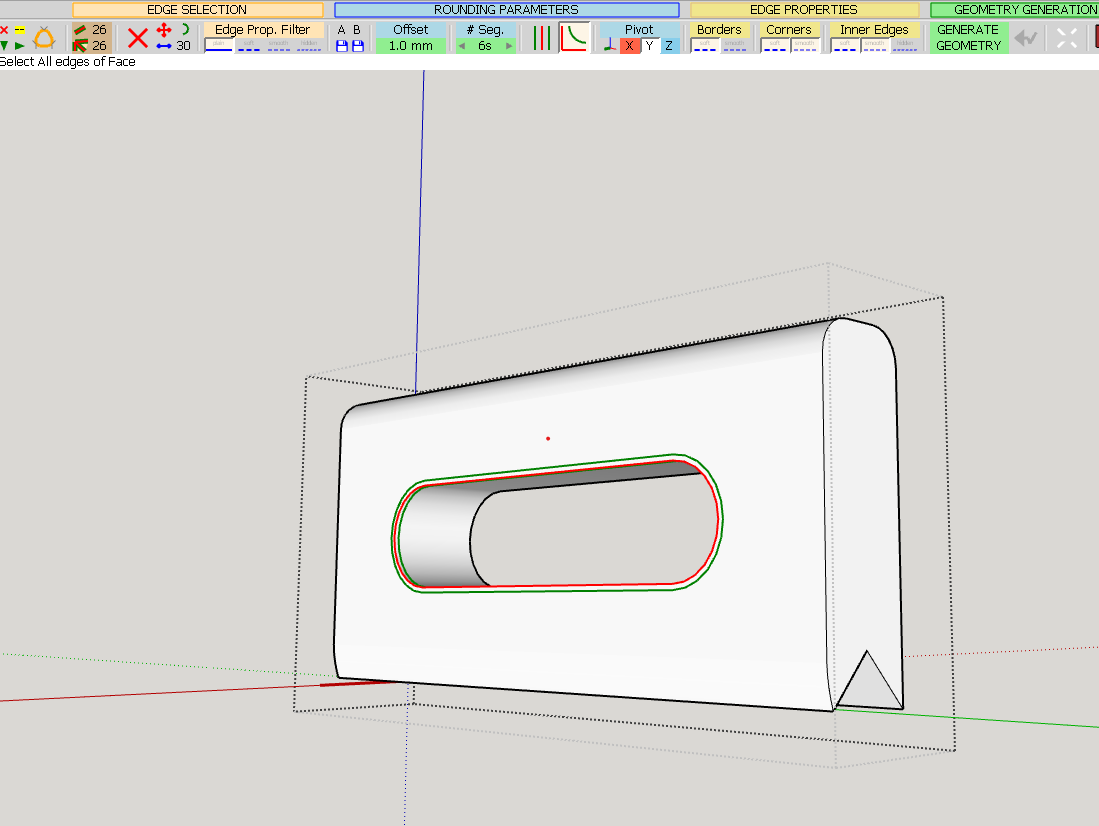
                                        Well, that's not right. I fear I bought the wrong extension.... I'm trying to do a round over on hole in a handle (OK, a fillet, for those who are persnickety) This shows the general 'before' situation:
                                        Simplehandle.png

                                        And after hitting the magic 'go' button, I get this:
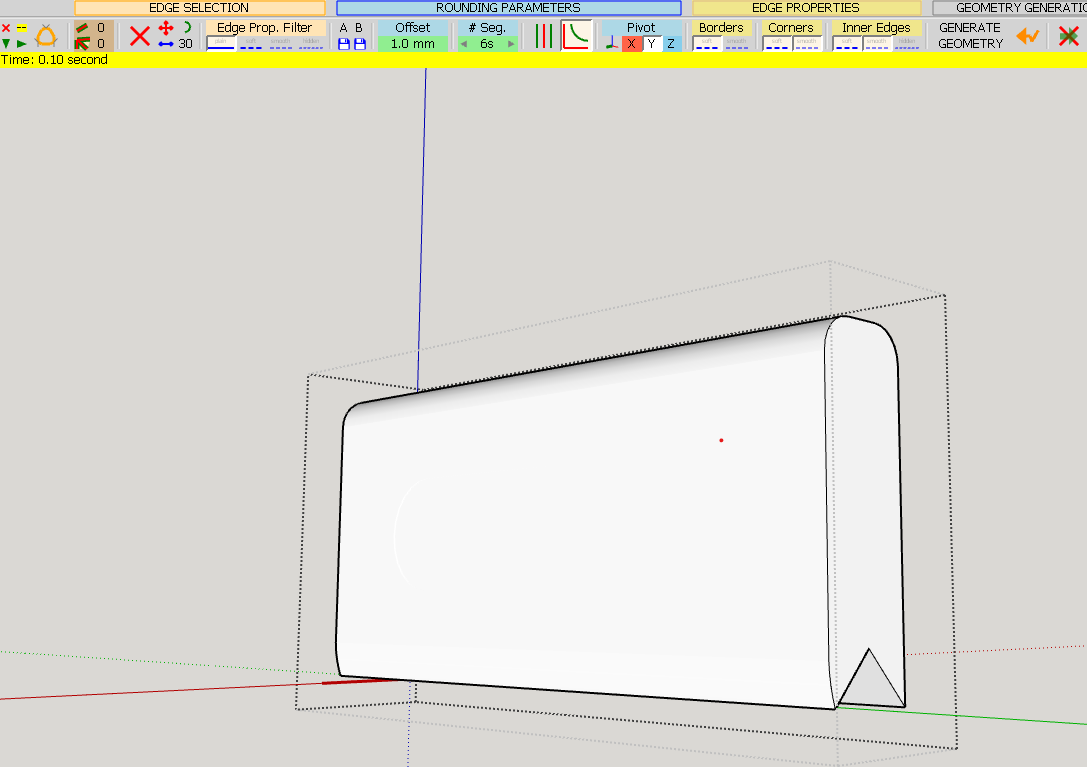
                                        Uh No- not that.png

                                        No, not quite right. Any tips and or suggestions on how to get this done?

                                        Cheers

                                        PS Using Sketchup 23 on Win10

                                        1 條回覆 最後回覆 回覆 引用 0
                                        • fredo6F 離線
                                          fredo6
                                          最後由 編輯

                                          Just click on where the hole is supposed to be. You'll see the corresponding face. Delete it.

                                          1 條回覆 最後回覆 回覆 引用 0
                                          • B 離線
                                            B2Pi
                                            最後由 編輯

                                            @fredo6 said:

                                            Just click on where the hole is supposed to be. You'll see the corresponding face. Delete it.

                                            Sigh. Thank you. I wasn't born an idiot, it's taken years of training to get here...

                                            1 條回覆 最後回覆 回覆 引用 0
                                            • 1
                                            • 2
                                            • 25
                                            • 26
                                            • 27
                                            • 28
                                            • 29
                                            • 73
                                            • 74
                                            • 27 / 74
                                            • 第一個貼文
                                              最後的貼文
                                            Buy SketchPlus
                                            Buy SUbD
                                            Buy WrapR
                                            Buy eBook
                                            Buy Modelur
                                            Buy Vertex Tools
                                            Buy SketchCuisine
                                            Buy FormFonts

                                            Advertisement