[Plugin][$] RoundCorner - v3.4a - 31 Mar 24




-
Fredo, Agree with you that SubD to get round corners may not be the preferred approach for everybody. Referring back to DATAKASH's posts, I think the main point of DATAKASH'S request was to be able to use your Roundcorner plugin to help build the mesh in their proxy model prior to running SubD. I honestly don't know the first thing about writing these plug ins and really don't know if this is something that could be implemented into Roundcorner. At this point I think I'm going to quietly disappear and let you and DATAKASH kick this around, I was trying to help out some by posting example meshes for you to study......
-
A new version of round corner with all quads and an on/off switch (like subD has) would help tremendously.
-
@datakash said:
Round Corner has minor problems with rendering. Subdivision is much smoother.
Subdivision can be turned off and mesh corrected.That's interesting! and it would be useful to understand why?
- Is it because the rounding is circular?
- or too regular?
- of for other reasons related to the Rendering parameters
@tuna1957 said:
Fredo, Agree with you that SubD to get round corners may not be the preferred approach for everybody. Referring back to DATAKASH's posts, I think the main point of DATAKASH'S request was to be able to use your Roundcorner plugin to help build the mesh in their proxy model prior to running SubD. I honestly don't know the first thing about writing these plug ins and really don't know if this is something that could be implemented into Roundcorner
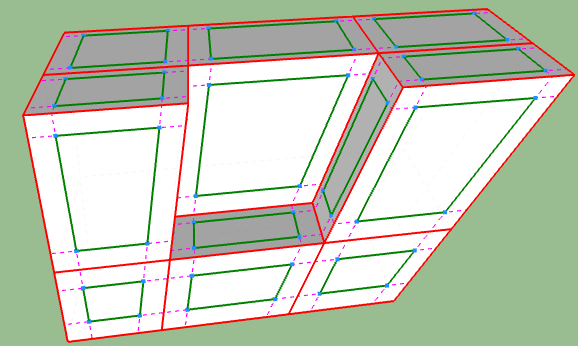
What I see from DATAKASH examples (and yours), is that the shape should first be 'quadified' and have consistent 'loops'.
Can QuadFaceTools do this automatically, including when there are holes in faces?For instance, this shape...
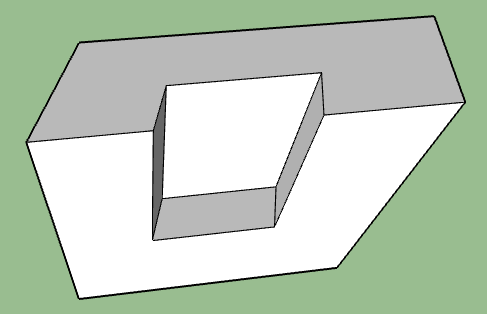
...should first be 'quadified'...
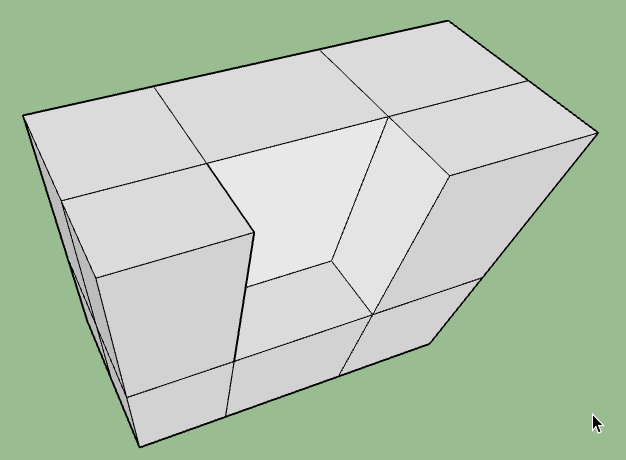
...and then, I guess this makes it easier to construct the offset control mesh.
@pixero said:
A new version of round corner with all quads and an on/off switch (like subD has) would help tremendously.
Corners made of quads, as opposed to triangles (for tri-border corners) are possible. However, even in orthogonal cases, each quad may be triangulated. So this increases the number of facets.
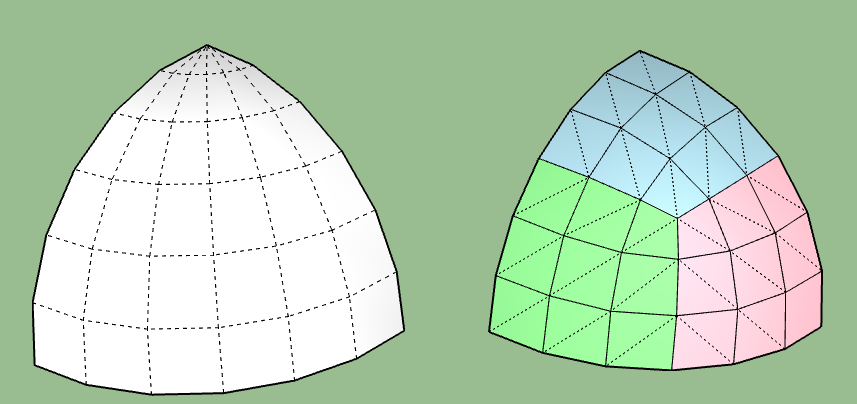
For a Proxy of RoundCorner, this is independent. Actually, any script doing an object transformation could (or should) have a proxy to enable / disable. Sketchup does not provide a standard method for that, so I guess it has to be simulated, via copy, invisible layers or simply parameterization.
Fredo
-
@fredo6 said:
Corners made of quads, as opposed to triangles (for tri-border corners) are possible. However, even in orthogonal cases, each quad may be triangulated. So this increases the number of facets.
But it would make it possible to texture better with UV's as for example QuadFaceTools can interpret pairs of those triangles as a quad.
@fredo6 said:
For a Proxy of RoundCorner, this is independent. Actually, any script doing an object transformation could (or should) have a proxy to enable / disable. Sketchup does not provide a standard method for that, so I guess it has to be simulated, via copy, invisible layers or simply parameterization.
Fredo
Maybe you could check with Thomthom how he does it in SubD?
When I have thought about this I was thinking of saving the original geometry information in an attribute, but that is perhaps a bad idea?
Or how does a modify stack work in for example Max?
I'm sure a system for history would benifit a lot of SU plugins.
If it would be possible with a on/off switch it would be a great addition to SU.
-
@fredo6 said:
@datakash said:
Round Corner has minor problems with rendering. Subdivision is much smoother.
Subdivision can be turned off and mesh corrected.That's interesting! and it would be useful to understand why?
- Is it because the rounding is circular?
- or too regular?
- of for other reasons related to the Rendering parameters
I think this is due to the fact that subdivision affects the whole object
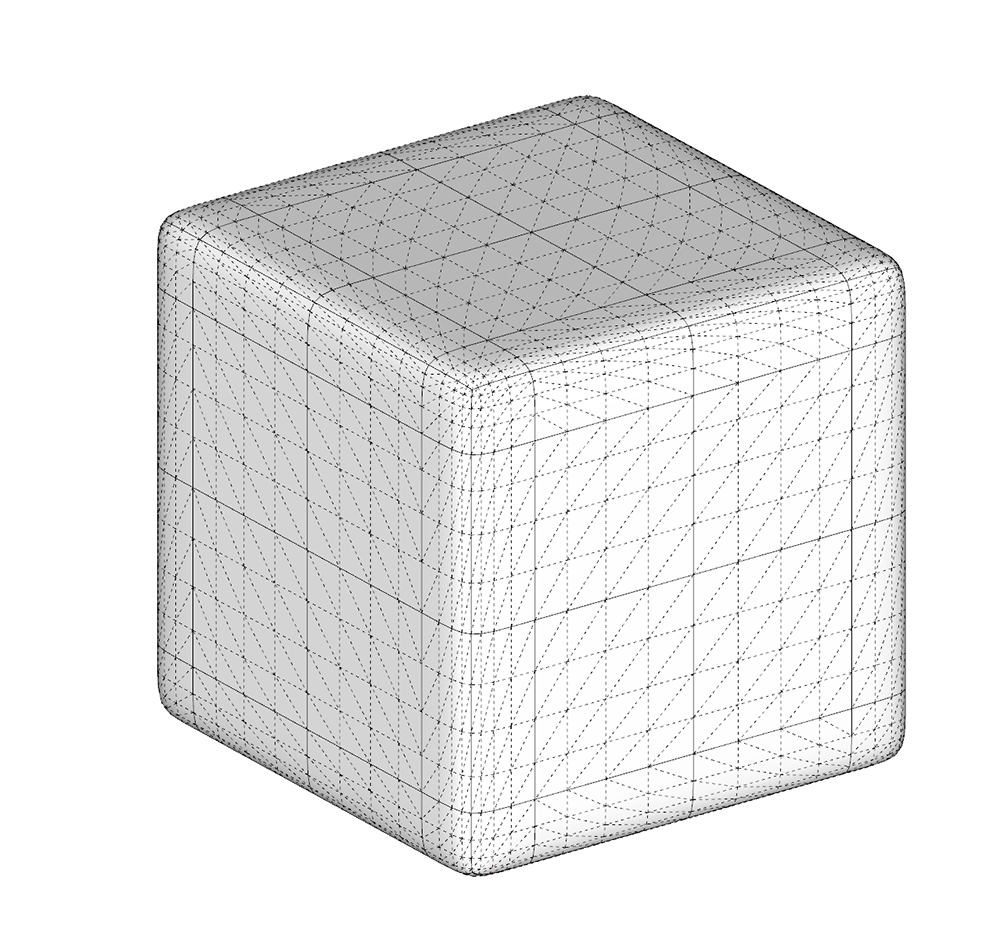
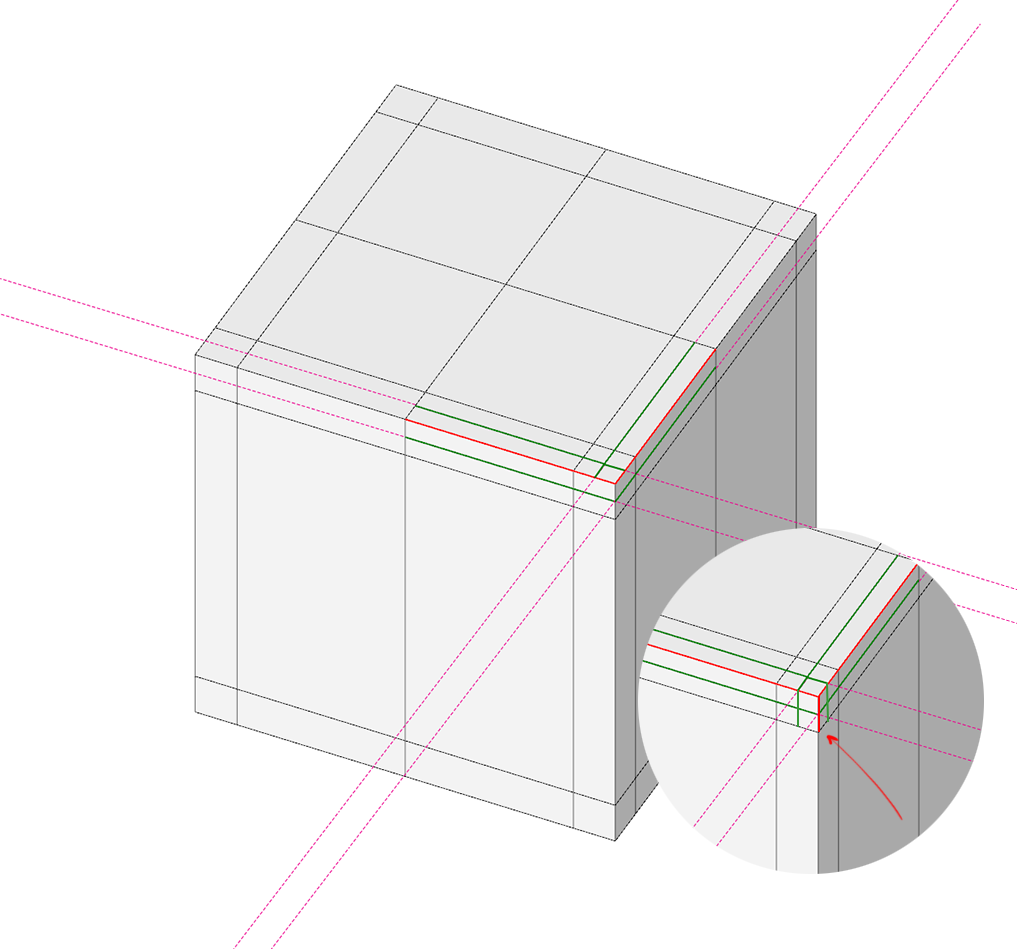
And yes, his grid is also triangulated.As I see, creating offset by selecting each face manually
(If this is a reasonable solution?)
-
What I see at least as a true difference is that, with SubDivision, the edges and corners are not rounded with circle (as in RoundCorner), but with other types of curves (Catmull-Clark splines). So the transition for the flat part to the rounding is different.
The other difference in your example is that the flat face is also 'quadified' with co-planar facets, triangular. So here too, for rendering there may a difference between this set of facets versus a single big face, even if geometrically, the two situations are identical.
I don't know if anyone has some opinions on all this, in relation with renering.
Fredo
-
Maybe this thinking is applicable?
https://hackernoon.com/apples-icons-have-that-shape-for-a-very-good-reason-720d4e7c8a14 -
Pixero,
Interesting indeed.
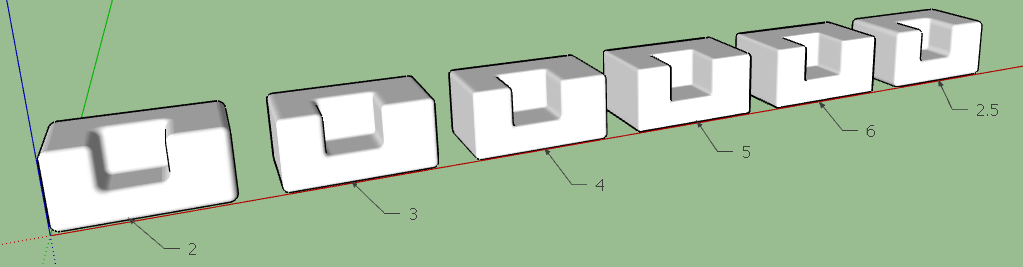
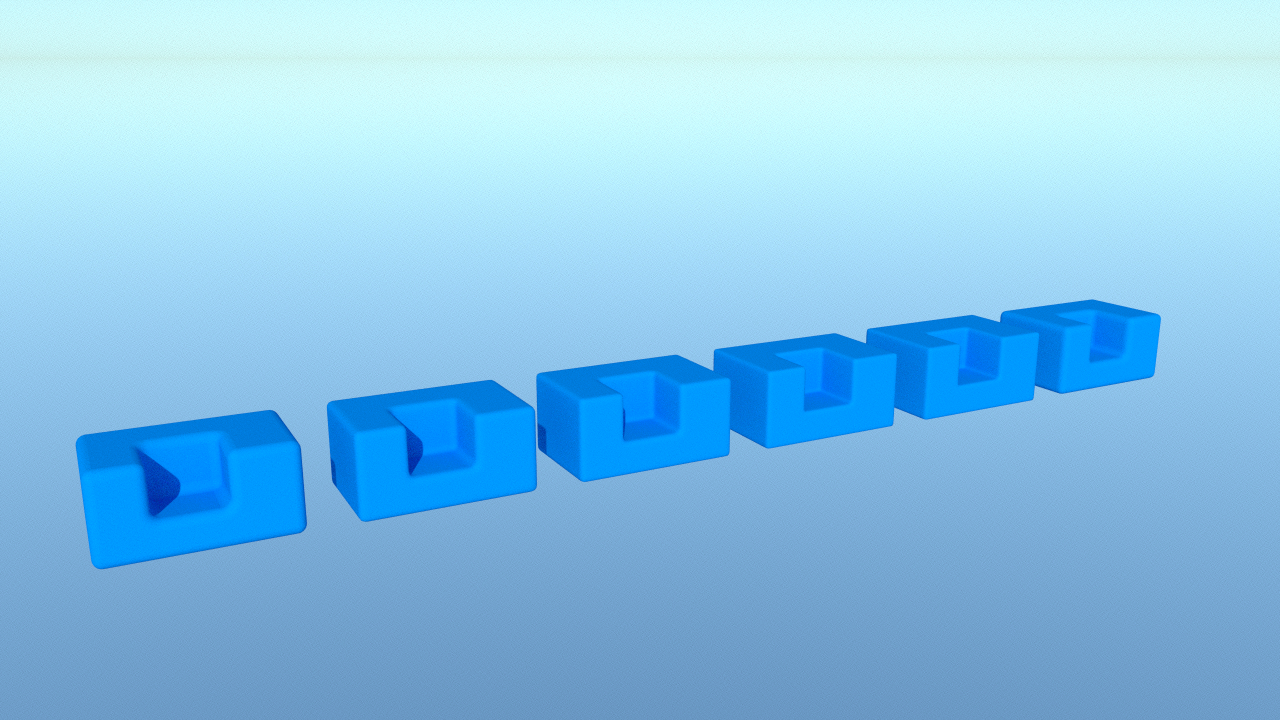
I made a few trials, which are illustrated in the attached model (SU2015), with 6 types of rounding, each generated with 6 segments. I also made a quick rendering with Thea.
Could any one advise on what is the 'best' for Rendering.
Thanks
Fredo
-
Hi Fredo, hi everyone,
I made an update to my Round Corner plugin this morning, and now I can't see the toolbar with all the options when I activate the command. Is this a problem only on my computer, or does someone else have it too?
As you can see on screenshot, the command is active, there is text in bottom left and right, but I don't see the toolbar. I tried erasing it, erasing and reinstalling Fredo6 library, but still same result.
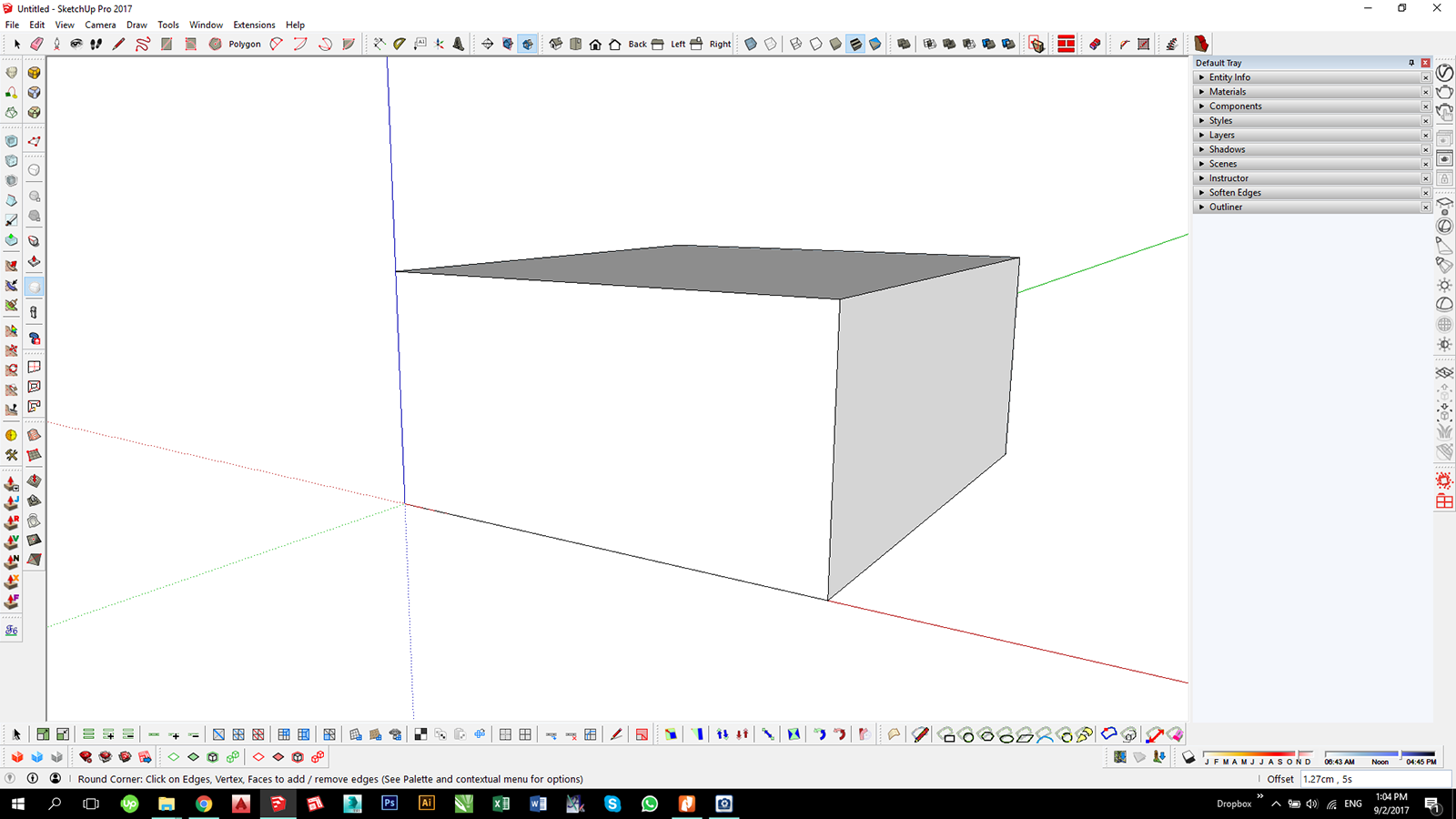
-
@fredo:
Thats a tough one... not number 2 or 2,5 but the rest I have a hard time deciding which look best when rendered. Maybe if you commented on what the difference between them are?
-
@kimi kimi said:
Hi Fredo, hi everyone,
I made an update to my Round Corner plugin this morning, and now I can't see the toolbar with all the options when I activate the command. Is this a problem only on my computer, or does someone else have it too?
As you can see on screenshot, the command is active, there is text in bottom left and right, but I don't see the toolbar. I tried erasing it, erasing and reinstalling Fredo6 library, but still same result.Could you open the RUBY console and advise on any error message you would observe.
Thanks
Fredo
-
@pixero said:
@fredo:
Thats a tough one... not number 2 or 2,5 but the rest I have a hard time deciding which look best when rendered. Maybe if you commented on what the difference between them are?
The number is a factor of blending between a circle and a square (Squircle or super-circle).
- 2 is a pure circle
- 2.5, 3, 4, 5, 6 are blended curve, the higher the number, the closer to a square.
I least I witness that you think a squircle is better than a pure circular profile for rendering.
Since another common utilisation of RoundCorner is for 3D-printing, it remains to be decided if this is also the case.
Fredo
-
@fredo6 said:
@kimi kimi said:
Hi Fredo, hi everyone,
I made an update to my Round Corner plugin this morning, and now I can't see the toolbar with all the options when I activate the command. Is this a problem only on my computer, or does someone else have it too?
As you can see on screenshot, the command is active, there is text in bottom left and right, but I don't see the toolbar. I tried erasing it, erasing and reinstalling Fredo6 library, but still same result.Could you open the RUBY console and advise on any error message you would observe.
Thanks
Fredo
Thanks for your response,
I'm not sure what to look for in Ruby Console, so I just copied text from it.
I suppose this might point to something.
Error: #<NoMethodError: undefined method `view_line_width=' for G6:Module>
-
-
Bonjour,
Merci pour Roundcorner, c'est un plugin sympa.
Est ce qu'il serait possible dans une futur mise a jour de prévoir des chanfreins avec 2 cotes différentes
que x soit different de Y
actuellement si je donne une valeur de chanfrein de 1mm il va faire 1 mm de chque coté de l'arrete principale
sauf que j'aimerai que l'on puisse choisir 1mm en y et 0,5mm en x exemple
Cordialement
creaimmo -
@creaimmo said:
Est ce qu'il serait possible dans une futur mise a jour de prévoir des chanfreins avec 2 cotes différentes
Asymmetric rounding is indeed an interesting features, requested by very few users however. With the current approach of RoundCorner, would be a little bit difficult. So It will have to wait for a full refresh.
Fredo
-
Hi, sorry for the noob question but I've installed this plugin and even after reading the documentation I can't figure out how to use it. I don't see any way to bring up the interface after selecting the edge I want to round.. nothing in the toolbar, nothing in the menu. The plugin is enabled but I'm totally at a loss as to how to use it.
edit: nevermind, the interface showed up
-
@countercharge said:
edit: nevermind, the interface showed up
Did you identify what was the problem (in case this happens to other users)?
Fredo
-
@fredo6 said:
@countercharge said:
edit: nevermind, the interface showed up
Did you identify what was the problem (in case this happens to other users)?
Fredo
I did not, but I think it appeared when I closed and re-opened sketchup. I assumed it would load once the plugin was loaded and enabled.
Loving it so far but I can't figure out how to round edges that are on the inside/interior of an object. If I try to do that, it covers the opening. I'm sure that's somewhere in this long thread.. any idea what page to look at?
-
@countercharge said:
Loving it so far but I can't figure out how to round edges that are on the inside/interior of an object. If I try to do that, it covers the opening. I'm sure that's somewhere in this long thread.. any idea what page to look at?
Just erase the cover face(s). The rounding is underneath.
Fredo






Advertisement