sketchucation logo sketchucation
    • 登入
    Oops, your profile's looking a bit empty! To help us tailor your experience, please fill in key details like your SketchUp version, skill level, operating system, and more. Update and save your info on your profile page today!
    🔌 Smart Spline | Fluid way to handle splines for furniture design and complex structures. Download

    [Plugin][$] RoundCorner - v3.4a - 31 Mar 24


    已排程 已置頂 已鎖定 已移動 Plugins
    1.5k 貼文 473 Posters 3.4m 瀏覽 472 Watching
    正在載入更多貼文
    • 從舊到新
    • 從新到舊
    • 最多點贊
    回覆
    • 在新貼文中回覆
    登入後回覆
    此主題已被刪除。只有擁有主題管理權限的使用者可以查看。
    • pilouP 離線
      pilou
      最後由 編輯

      Better if you post the SKP file! (Before,after ) 😉
      That avoid to rebuild something maybe false different than your and lost time! 😄

      Frenchy Pilou
      Is beautiful that please without concept!
      My Little site :)

      1 條回覆 最後回覆 回覆 引用 0
      • Dave RD 離線
        Dave R
        最後由 編輯

        @runningutes said:

        Getting a strange result after installing the rounded corner extension in Sketchup 2015.

        I created a square, selected one edge, and ran the extension. The edge I selected is gone and instead I get this image below.

        This is the first time using the extension

        Any tips or help?

        https://dl.dropboxusercontent.com/u/3238476/roundcorners1.jpg

        You say you made a square but I think you mean a cube? It looks as if you have the Offset (radius) value set too large. The setting you used for the radius is 1000mm but your cube can't be anywhere close to that size. Try changing the Offset to something small enough that it fits your cube.

        Edit:

        I duplicated your results by setting the radius much larger than the cube.
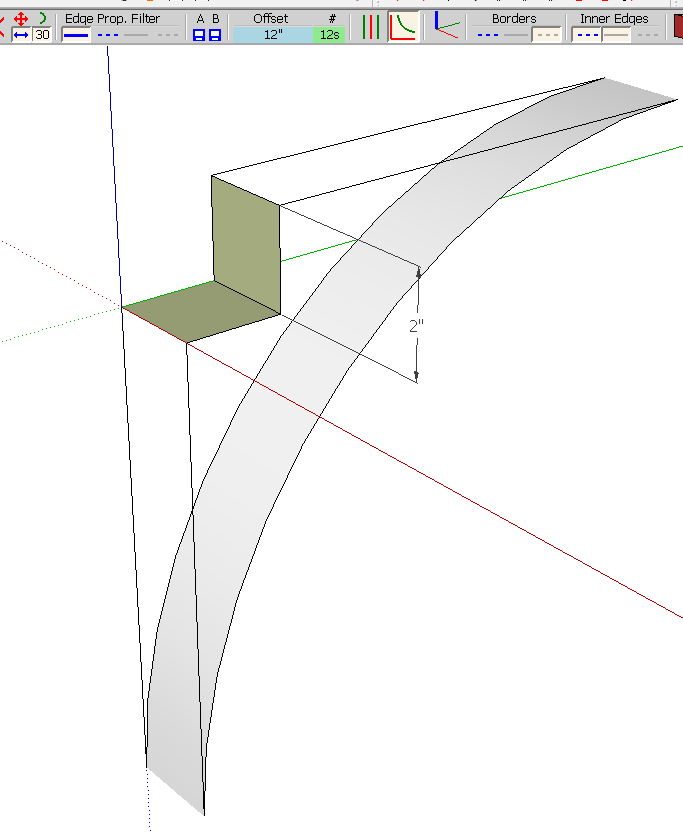
        Screenshot - 5_21_2015 , 4_06_19 AM.png

        With a more appropriate setting, it rounds the edge as expected.
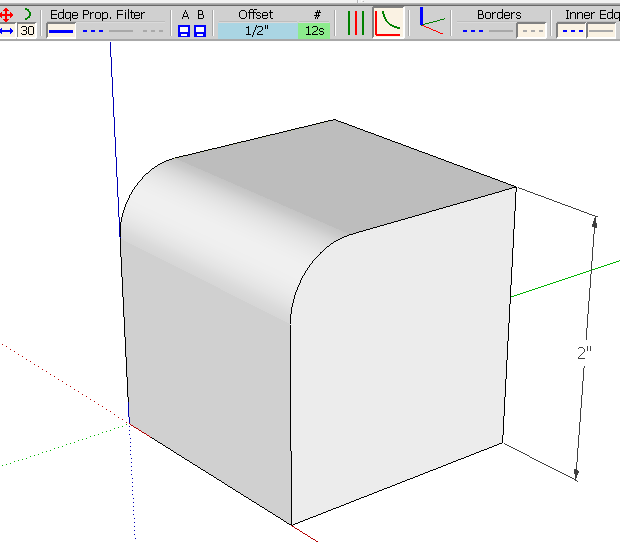
        Screenshot - 5_21_2015 , 4_07_38 AM.png

        Take some time to read the instructions in the first post of this thread. There is also a PDF reference file available.

        Etaoin Shrdlu

        %

        (THERE'S NO PLACE LIKE)

        G28 X0.0 Y0.0 Z0.0

        M30

        %

        1 條回覆 最後回覆 回覆 引用 0
        • N 離線
          Noemi
          最後由 編輯

          Hello!, i tryed to install roudedcorners directly through Sketchucation pluging stores, after instslling freddo library, and it appears this when autoinstall: ( inside a box)

          You can Write to the Main Plugins Folder, and...
          You have a Custom-Plugins Folder.

          C:/ Users/noemi/appdata/roaming/sketchup/sketchup2015/sketchup/plugins
          c:/ Programdata/sketchup/sketchup2015/sketchup/plugins

          i don't find this folder and don't know what does it mean... should i create another folder, what should i do? thanks for any help!

          1 條回覆 最後回覆 回覆 引用 0
          • fredo6F 離線
            fredo6
            最後由 編輯

            NEW RELEASE: RoundCorner v3.0a - 09 Jul 15

            RoundCorner 3.0a is refresh of this now old plugin.

            The main evolutions are related to the User Interface:

            1. Updated button palette, separating the buttons in 4 areas: Edges selection, Parameters, Edge properties and Geometry Generation.

              RoundCorner 3.0 Palette.png

            2. Post-modification: You can now modify the parameters after the generation of the geometry without reselecting edges. When one or several parameters are changed, you can apply to the previous generation by clicking on “APPLY CHANGE”. As soon as you select an edge, this option is no more available and the parameters will apply to the next generation.
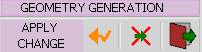
              RoundCorner ApplyChange.png

            3. Detection of Overlaps: RoundCorner now detects the situations of overlaps and show them in Preview mode and display a warning message before generation of the geometry.
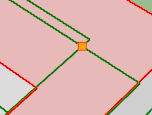
              RoundCorner Overlap.png

            4. Edge properties: there is an additional control for edges bordering the corners.
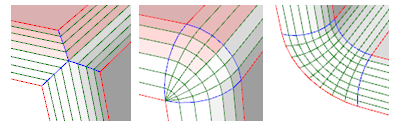
              RoundCorner Edge Prop.png

            See main post of this thread for Download.

            Fredo

            1 條回覆 最後回覆 回覆 引用 0
            • massimoM 離線
              massimo Moderator
              最後由 編輯

              Thank you very much for this update Fredo.

              @unknownuser said:

              You can now modify the parameters after the generation of the geometry without reselecting edges.

              This is a great new feature and a huge time saver. 👍

              1 條回覆 最後回覆 回覆 引用 0
              • pbacotP 離線
                pbacot
                最後由 編輯

                This may be the paragon of your plugins, Fredo, which are all superb at that. A hugely useful and essential tool that only gets better and more refined over time!

                MacOSX MojaveSketchUp Pro v19 Twilight v2 Thea v3 PowerCADD

                1 條回覆 最後回覆 回覆 引用 0
                • J 離線
                  jcyber
                  最後由 編輯

                  Thank you so much fredo6

                  1 條回覆 最後回覆 回覆 引用 0
                  • fredo6F 離線
                    fredo6
                    最後由 編輯

                    NEW RELEASE: RoundCorner v3.0b - 17 Jul 15

                    RoundCorner 3.0b fixes a major bug preventing the plugin to launch for Sketchup 2013 and earlier versions.

                    So it is IMPORTANT to upgrade to v3.0b if you run these versions of Sketchup.

                    Sorry for inconvenience

                    See main post of this thread for Download.

                    Fredo

                    1 條回覆 最後回覆 回覆 引用 0
                    • Z 離線
                      z200121
                      最後由 編輯

                      Yep with little measures that splatting soon as Enter!

                      1 條回覆 最後回覆 回覆 引用 0
                      • TIGT 離線
                        TIG Moderator
                        最後由 編輯

                        @z200121 said:

                        Yep with little measures that splatting soon as Enter!
                        No a very clear comment 😒
                        If you mean that using very small dimensions causes a BugSplat, then this a well know limitation of SketchUp -both in SketchUp's native tools and many Plugins...
                        Models with edges [and any faces they might support] < 1/1000" long can 'exist', BUT they cannot be 'created' - this is because at that size the tolerance built in to SketchUp means that it takes the edge's start/end points to be coincident.
                        The work around is to scale the geometry up x100 or more, do the intricate creation and scale back down afterwards.

                        As I said - the tiny geometry can exist, but it cannot be created...

                        TIG

                        1 條回覆 最後回覆 回覆 引用 0
                        • dereiD 離線
                          derei
                          最後由 編輯

                          @tig said:

                          ...can exist, but it cannot be created...

                          Use this as your motto, is cool ! 😄 💚

                          DESIGNER AND ARTIST DEREI.UK

                          1 條回覆 最後回覆 回覆 引用 0
                          • L 離線
                            littleche
                            最後由 編輯

                            its great ! thanks fredo .

                            1 條回覆 最後回覆 回覆 引用 0
                            • DDKD 離線
                              DDK
                              最後由 編輯

                              One of the best plug-ins ever, thank you!!! makes my models look more realistic. the best part of this is it keeps the faces grouped as one. cheers keep making more 😄

                              1 條回覆 最後回覆 回覆 引用 0
                              • K 離線
                                kashiu
                                最後由 編輯

                                Hi fredo
                                I have the su2015 & Im interstate in the round corner pouring, can you help me?
                                Thanks

                                1 條回覆 最後回覆 回覆 引用 0
                                • L 離線
                                  littleche
                                  最後由 編輯

                                  HI

                                  I Have problem with this model . round corner can't rounding this model and recive overlab error.
                                  How can I fix this problem?
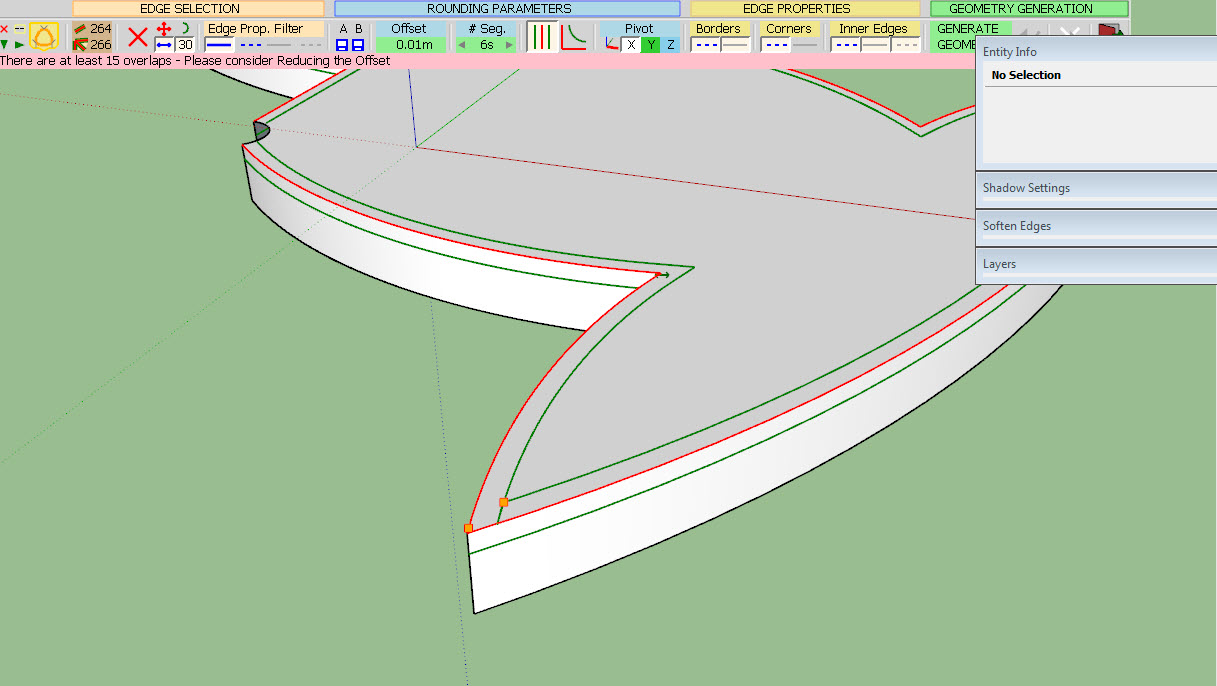
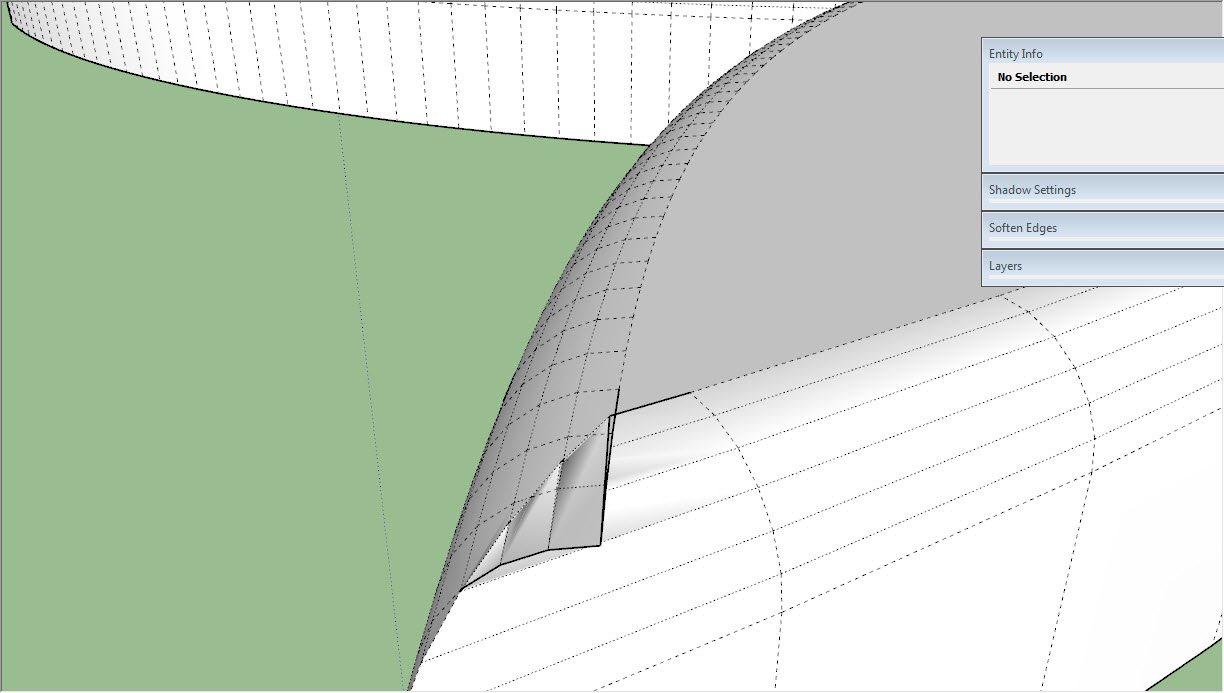
                                  08-13-2015 07-27-02 ب.jpg

                                  08-13-2015 07-29-18 ب.jpg

                                  P & P.skp

                                  thanks

                                  1 條回覆 最後回覆 回覆 引用 0
                                  • fredo6F 離線
                                    fredo6
                                    最後由 編輯

                                    @littleche said:

                                    HI

                                    I Have problem with this model . round corner can't rounding this model and recive overlab error.
                                    How can I fix this problem?
                                    thanks

                                    Unfortunately, with the current algorithm, this is not possible.
                                    At the sharp corner, you have edges which are smaller than the offset.

                                    Sorry for inconvenience

                                    Fredo

                                    1 條回覆 最後回覆 回覆 引用 0
                                    • L 離線
                                      littleche
                                      最後由 編輯

                                      @fredo6 said:

                                      @littleche said:

                                      HI

                                      I Have problem with this model . round corner can't rounding this model and recive overlab error.
                                      How can I fix this problem?
                                      thanks

                                      Unfortunately, with the current algorithm, this is not possible.
                                      At the sharp corner, you have edges which are smaller than the offset.

                                      Sorry for inconvenience

                                      Fredo

                                      Thank you fredo . You are always trying to develop this plugin.And I thank you very much.If you are not a thing of SketchUp shortage!
                                      I hope you can fix algorithm in the next version .Always sincerely pray for your success...

                                      1 條回覆 最後回覆 回覆 引用 0
                                      • W 離線
                                        Will C
                                        最後由 編輯

                                        I've been using this plugin for a while now and it's pretty awesome. Makes curving edges a lot faster with less frustration. Thanks for making this.

                                        1 條回覆 最後回覆 回覆 引用 0
                                        • T 離線
                                          Tony2015
                                          最後由 編輯

                                          thx fredo

                                          1 條回覆 最後回覆 回覆 引用 0
                                          • bac9-flclB 離線
                                            bac9-flcl
                                            最後由 編輯

                                            @fredo6

                                            Is it possible to fix the chamfer process failing on such a corner?

                                            http://i.imgur.com/EuaXGhj.png

                                            It's pretty much impossible to avoid places like those in serious quad-based hardsurface modeling, and other chamfering implementations (in 3ds Max, Maya, etc.) never had issues with topology like that, so I'm not sure if anything really prevents proper chamfering here. Typically, corners like those are simply resolved like this:

                                            http://i.imgur.com/8UUbDRJ.png

                                            1 條回覆 最後回覆 回覆 引用 0
                                            • 1
                                            • 2
                                            • 5
                                            • 6
                                            • 7
                                            • 8
                                            • 9
                                            • 73
                                            • 74
                                            • 7 / 74
                                            • 第一個貼文
                                              最後的貼文
                                            Buy SketchPlus
                                            Buy SUbD
                                            Buy WrapR
                                            Buy eBook
                                            Buy Modelur
                                            Buy Vertex Tools
                                            Buy SketchCuisine
                                            Buy FormFonts

                                            Advertisement