[Plugin] Q JS ALIGN TOOLBAR
-
Here is a tweaked version of Jan's Sandstrom (Pixero) script for aligning objects along the 3 main axis - it is useful for those pesky areas like lampshades or 3D text, or just when you feel lazy enough..
it is mainly for groups (though it will align edges too) - also note that the script takes reference from the centre of the group bounding box and not necessarily the geometric one.
i want to thank Jan for allowing me to tweak his script and come up with this toolbar version of it.
the script doesn't really need a tutorial but it is in my to do list, together with other scripts which i will post on my website later on.
cheers
Max
(tested only on PC - unzip the contents to your plugins folder)
-
Is it possible to make sure that the alignment occurred on the selected object?
-
i know what you mean, but i haven't been able to focus a selection as primary (the one that doesn't move)
i plan more work on it (like geometric centre and spacing) but it may be beyond my coding (read tweaking) skills..
-
Toolbar: Much appreciated!!
-
wow ,very nice work! i like it .
-
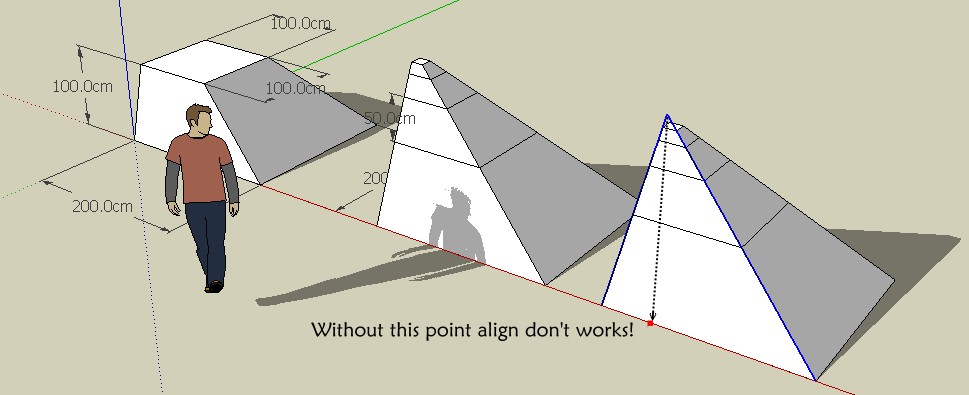
Like this?

-
@unknownuser said:
Can you show me an example where the center of the Group's bounding box is dissimilar from the geometric one?
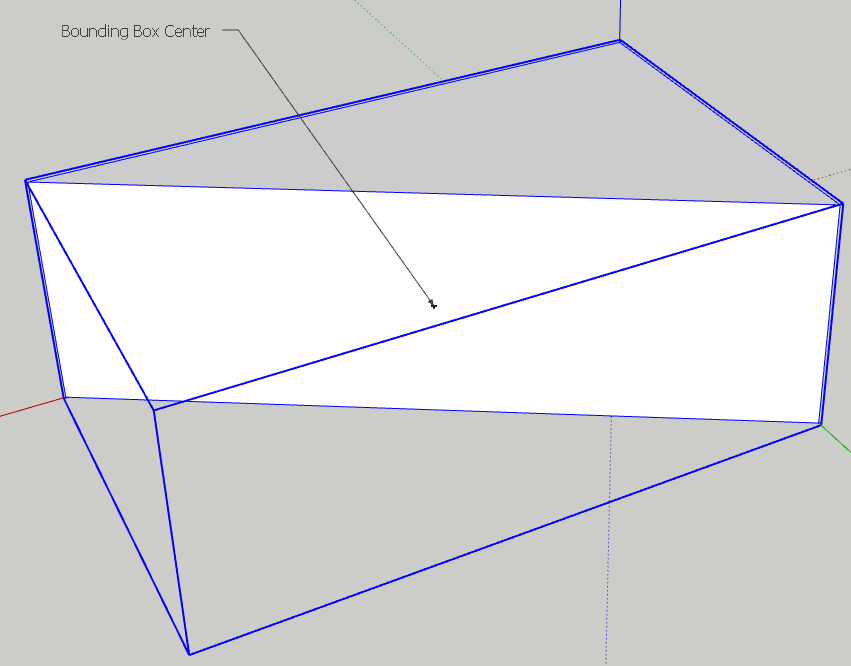
Unless the content of the group/component is a box the boundingbox centre will never be the geometric centre of the content.
-
Hi Coen - yes try with a grouped triangle, the centre differs from the bounding box
(thanks all for the feedback)

EDIT: Coen you got 3 answers in one go - watch your servers..
-
Thankyou Cadfather!!!
@unknownuser said:
Can you show me an example where the center of the Group's bounding box is dissimilar from the geometric one?
Quick example:
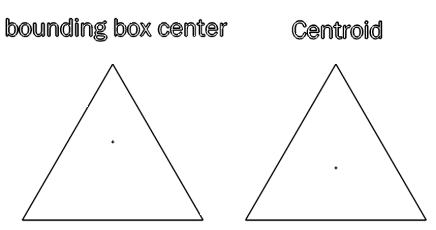
(centroid is the geometric center)Daniel S
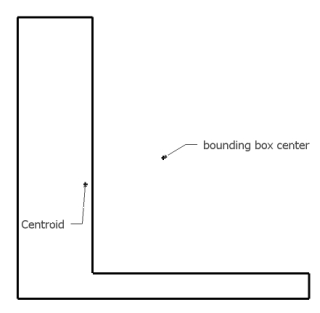
Edit: another example:
-
there are two issues i think merit attention: centroid reference and spacing/distribution of objects
we could have icons or a small dialog, sort of this
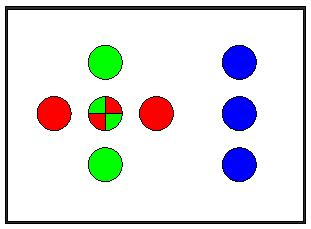
actually i have looked at the centroid script by Alex Schreyer, but have not been able to implement it into the align script yet (it's going to take me some time)
in fact if any of the great masters can help, might be better!


-
EDIT: THis is wrong, I was looking at his shape wrong.
Thom I think on yours the bounding box center is the geometric center or centroid. Your face runs the diagonal of the bounding box, so placing a centerpoint on that face is just like placing a centerpoint in the middle of a diagonal line of the bounding box.
Chris
-
The bounding box' centre point is not the centre of that extruded triangle.
-
@thomthom said:
The bounding box' centre point is not the centre of that extruded triangle.
Chris, it's the background colour throwing you off.. (must have been on purpose!)
-
@thomthom said:
The bounding box' centre point is not the centre of that extruded triangle.
OOooohhh! I get it. Yes, Cadfather is right, I could not see a 3d object there at all. I just saw the front, bright face.
So yes thom, you're right. That construction point is not the center of the geometry.

Chris
-
thehe
messing with your head! -

Nice...!Thank you very much...!
-
@cadfather said:
(tested only on PC - unzip the contents to your plugins folder)
Works on Mac except the toolbar doesn't "stick" - have to use View/Toolbars each time SU loads.
-
thanks Bob - i hope someone with a mac will be able to fix this
-
Just add this:
case gp_quarr_jsalign_tb.get_last_state when 1 gp_quarr_jsalign_tb.restore when -1 gp_quarr_jsalign_tb.show end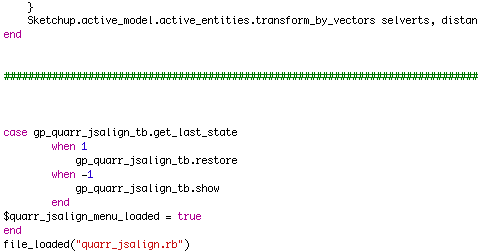
-
Thanks Coen, good tip. Could have used it last week while trying to flatten some survey dwgs....






Hello! It looks like you're interested in this conversation, but you don't have an account yet.
Getting fed up of having to scroll through the same posts each visit? When you register for an account, you'll always come back to exactly where you were before, and choose to be notified of new replies (either via email, or push notification). You'll also be able to save bookmarks and upvote posts to show your appreciation to other community members.
With your input, this post could be even better 💗
Register Login


Advertisement