sketchucation logo sketchucation
    • 登入
    Oops, your profile's looking a bit empty! To help us tailor your experience, please fill in key details like your SketchUp version, skill level, operating system, and more. Update and save your info on your profile page today!
    🔌 Smart Spline | Fluid way to handle splines for furniture design and complex structures. Download

    [Plugin] extrudeEdgesByEdges.rb

    已排程 已置頂 已鎖定 已移動 Plugins
    190 貼文 76 Posters 219.1k 瀏覽 76 Watching
    正在載入更多貼文
    • 從舊到新
    • 從新到舊
    • 最多點贊
    回覆
    • 在新貼文中回覆
    登入後回覆
    此主題已被刪除。只有擁有主題管理權限的使用者可以查看。
    • TIGT 線上
      TIG Moderator
      最後由 編輯

      Here's an update...
      Version 1.2 20090625
      Orientation speed optimised.
      Glitch on groups erase fixed.
      Get it here... http://forums.sketchucation.com/viewtopic.php?p=166780#p166780 ...

      TIG

      1 條回覆 最後回覆 回覆 引用 0
      • I 離線
        ideas_arte
        最後由 編輯

        Wow...!
        Many thank you very much ...!

        Excellent tool, thank you very much again and a hug from Central America ...! 😄

        1 條回覆 最後回覆 回覆 引用 0
        • massimoM 離線
          massimo Moderator
          最後由 編輯

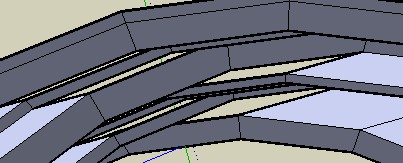
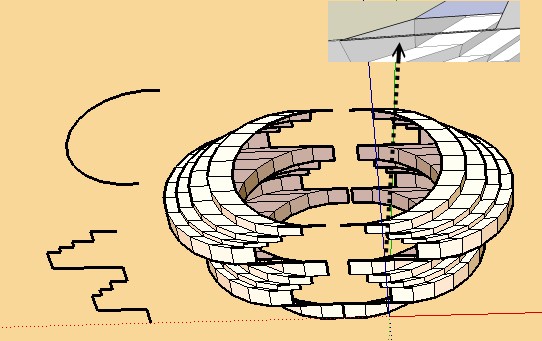
          Hi TIG and many thanks. I've tried both "intersect with self" or not, but nothing changed. A little problem...
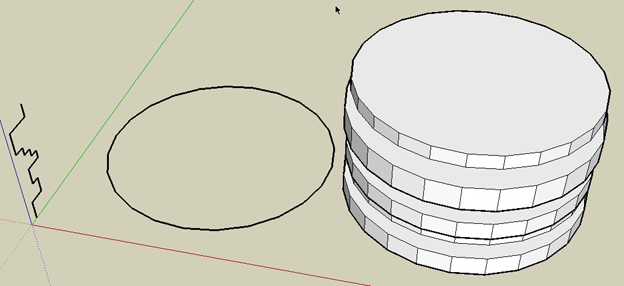
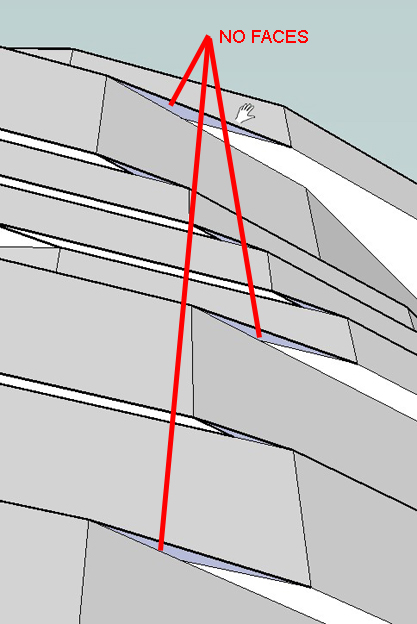
          ScreenHunter_03 Jun. 25 19.17.jpg


          ScreenHunter_04 Jun. 25 19.18.jpg

          1 條回覆 最後回覆 回覆 引用 0
          • TIGT 線上
            TIG Moderator
            最後由 編輯

            @massimo said:

            Hi TIG and many thanks. I've tried both "intersect with self" or not, but nothing changed. A little problem...

            Massimo
            Have you tried the latest version v1.2 ? I've just tried to reproduce your path/profile and I get all faces made - no gaps - Any edge that can get a face should get a face ? Your faces aren't reversed are they, so look 'gappped' ?
            The only problem I have was because of the convoluted result some faces orient wrongly [inside out] - both in the script AND within SUp later - the only fix is to reverse the problem faces manually ...

            I had to guess your model's details - I could test it better with the real thing - if after trying with the latest version it still gaps please PM me with the model attached, so I can see if I get the same problem...

            TIG

            1 條回覆 最後回覆 回覆 引用 0
            • TIGT 線上
              TIG Moderator
              最後由 編輯

              Can you subsequently get the face made if you redraw an edge ? If so then EEbyE should have made that face...
              I haven't managed to reproduce it, can one of you PM me a [small] model with the problem ?

              TIG

              1 條回覆 最後回覆 回覆 引用 0
              • pilouP 離線
                pilou
                最後由 編輯

                I have same result but seems normal as this function is not adapted to this!
                As the profil stay parallel 😒
                At each "rotation" there are creation of an external or internal horizontal face 😄

                For ovoid that make just an half circle 😉
                And a mirror after 😉
                But even with this there some gaps 😉


                normal.jpg


                gap.jpg

                Frenchy Pilou
                Is beautiful that please without concept!
                My Little site :)

                1 條回覆 最後回覆 回覆 引用 0
                • pilouP 離線
                  pilou
                  最後由 編輯

                  file of the mirror above 😉


                  gap.skp

                  Frenchy Pilou
                  Is beautiful that please without concept!
                  My Little site :)

                  1 條回覆 最後回覆 回覆 引用 0
                  • TIGT 線上
                    TIG Moderator
                    最後由 編輯

                    I get no loose edges with either of your skp's... There is orientation weirdness as sometimes threes faces share as edge as it's convoluted in on itself when a circle... to be on the safe side I am adjusting the script to trap any edges without faces... Look out for update...

                    TIG

                    1 條回覆 最後回覆 回覆 引用 0
                    • TIGT 線上
                      TIG Moderator
                      最後由 編輯

                      Here's v1.3 ...
                      http://forums.sketchucation.com/viewtopic.php?p=166780#p166780
                      It's been trapped for rare unfaced edges - it either forces the edge to have a face, or erases the edge if it's not possible to add a face ...

                      TIG

                      1 條回覆 最後回覆 回覆 引用 0
                      • TIGT 線上
                        TIG Moderator
                        最後由 編輯

                        Have you tried this latest version ?

                        TIG

                        1 條回覆 最後回覆 回覆 引用 0
                        • pilouP 離線
                          pilou
                          最後由 編輯

                          There is always no possible to close some faces (my gap file above) 😉
                          The curious is this is a "big face" 😮
                          Maybe because angle is too flat?

                          Not so a big deal to close it by hand 😉

                          Frenchy Pilou
                          Is beautiful that please without concept!
                          My Little site :)

                          1 條回覆 最後回覆 回覆 引用 0
                          • TIGT 線上
                            TIG Moderator
                            最後由 編輯

                            Did you still get unfaced edges ?

                            TIG

                            1 條回覆 最後回覆 回覆 引用 0
                            • pilouP 離線
                              pilou
                              最後由 編輯

                              yes the same than on my image above! (orange pale one)

                              After Auto self convoluted stay 2 "big faces" (second of the revolution, and second of the profil)

                              AND I have this one " 1.3 20090626 Edges not facing in convoluted shapes trapped."

                              Frenchy Pilou
                              Is beautiful that please without concept!
                              My Little site :)

                              1 條回覆 最後回覆 回覆 引用 0
                              • pilouP 離線
                                pilou
                                最後由 編輯

                                Of ourse yes 😉
                                The curious was there same size so maybe you have not posted the good version?

                                Frenchy Pilou
                                Is beautiful that please without concept!
                                My Little site :)

                                1 條回覆 最後回覆 回覆 引用 0
                                • K 離線
                                  Koosie van Tutte
                                  最後由 編輯

                                  thanks a lot!


                                  WOW.jpg

                                  1 條回覆 最後回覆 回覆 引用 0
                                  • A 離線
                                    AcesHigh
                                    最後由 編輯

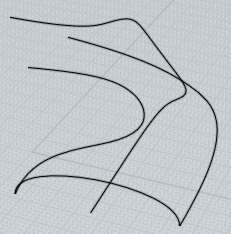
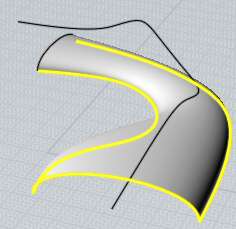
                                    TIG, very nice plugin... can you improve it to add the option for another rail "edge", thus effectively transforming it into a SWEEP 2 RAILS plugin??

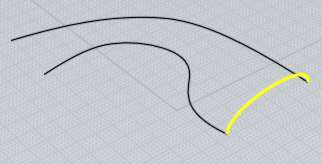
                                    http://www.kxcad.net/autodesk/Autodesk_VIZ_Help/graphics/il_nurbs_sweep2.jpg

                                    http://moi3d.com/1.0/docs/screenshots/Sweep9.jpg

                                    http://moi3d.com/1.0/docs/screenshots/Sweep10.jpg

                                    http://moi3d.com/1.0/docs/screenshots/Sweep11.jpg

                                    http://moi3d.com/1.0/docs/screenshots/Sweep12.jpg

                                    http://moi3d.com/1.0/docs/screenshots/Sweep13.jpg

                                    1 條回覆 最後回覆 回覆 引用 0
                                    • TIGT 線上
                                      TIG Moderator
                                      最後由 編輯

                                      @aceshigh said:

                                      TIG, very nice plugin... can you improve it to add the option for another rail "edge", thus effectively transforming it into a SWEEP 2 RAILS plugin??
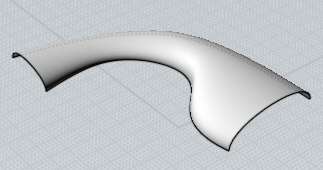
                                      It's on the list...

                                      TIG

                                      1 條回覆 最後回覆 回覆 引用 0
                                      • pilouP 離線
                                        pilou
                                        最後由 編輯

                                        seems one of the Moi's example above is 3 rails 😉

                                        Frenchy Pilou
                                        Is beautiful that please without concept!
                                        My Little site :)

                                        1 條回覆 最後回覆 回覆 引用 0
                                        • MALAISEM 離線
                                          MALAISE
                                          最後由 編輯

                                          Hi TIG

                                          May you'll better understand as me that message. I loaded the V1.3, but no results
                                          I reload the file.rb but get the same result.captured screen using ExtrudeEdge to edge
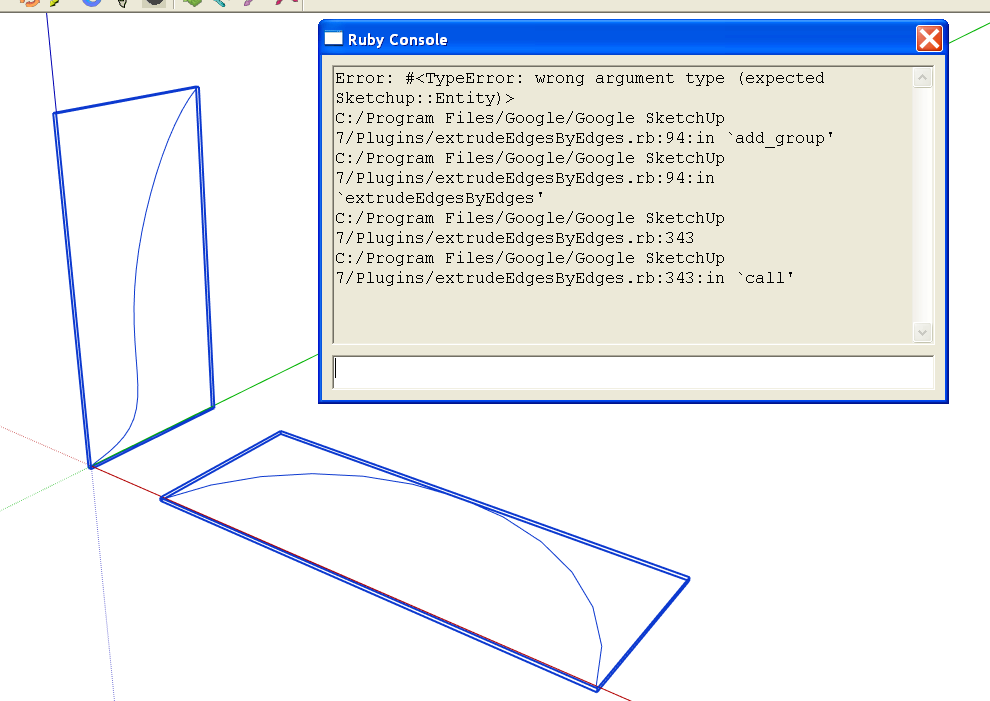
                                          Do you have the V1.2 somewhere ? ( It worked )

                                          MALAISE 👍

                                          La Connaissance n'a de valeur que partagée

                                          1 條回覆 最後回覆 回覆 引用 0
                                          • TIGT 線上
                                            TIG Moderator
                                            最後由 編輯

                                            Malaise I've PM'd you about getting the skp sent so I can test it...

                                            Are the selected just two groups of edges ?

                                            TIG

                                            1 條回覆 最後回覆 回覆 引用 0
                                            • 1
                                            • 2
                                            • 6
                                            • 7
                                            • 8
                                            • 9
                                            • 10
                                            • 10 / 10
                                            • 第一個貼文
                                              最後的貼文
                                            Buy SketchPlus
                                            Buy SUbD
                                            Buy WrapR
                                            Buy eBook
                                            Buy Modelur
                                            Buy Vertex Tools
                                            Buy SketchCuisine
                                            Buy FormFonts

                                            Advertisement