sketchucation logo sketchucation
    • Login
    Oops, your profile's looking a bit empty! To help us tailor your experience, please fill in key details like your SketchUp version, skill level, operating system, and more. Update and save your info on your profile page today!
    Mac User? | Join the Rayscaper Beta for Mac Learn More

    [Plugin] extrudeEdgesByEdges.rb

    Scheduled Pinned Locked Moved Plugins
    190 Posts 76 Posters 242.4k Views 76 Watching
    Loading More Posts
    • Oldest to Newest
    • Newest to Oldest
    • Most Votes
    Reply
    • Reply as topic
    Log in to reply
    This topic has been deleted. Only users with topic management privileges can see it.
    • TIGT
      TIG Moderator
      last edited by

      Version 1.1 20090625
      Speed improvements - face making time ~halved,
      typename >> kind_of?, triangulation glitch trapped
      and orientation improved.

      It's here http://forums.sketchucation.com/viewtopic.php?p=166780#p166780 ...
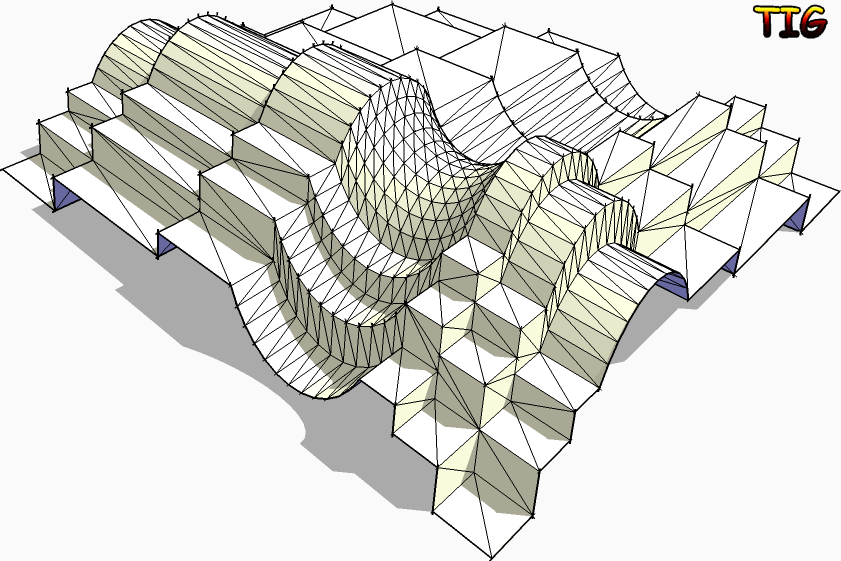
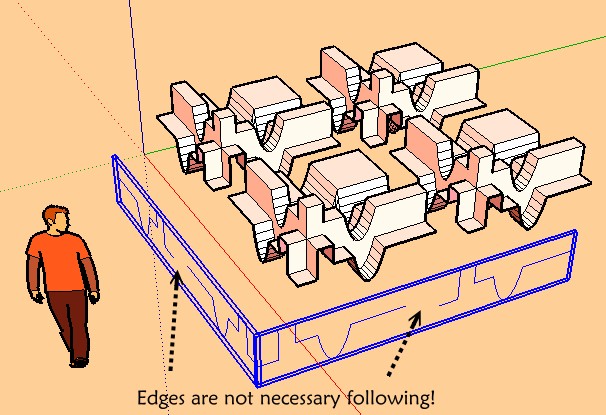
      Another example...

      TIG

      1 Reply Last reply
      Reply Quote 0
      • pilouP
        pilou
        last edited by

        The funny of your plug 😉
        (Click the image)
        not welded.jpg

        Frenchy Pilou
        Is beautiful that please without concept!
        My Little site :)

        1 Reply Last reply
        Reply Quote 0
        • MALAISEM
          MALAISE
          last edited by

          Great TIG, thanks a lot for this SU enhancement.

          MALAISE

          La Connaissance n'a de valeur que partagée

          1 Reply Last reply
          Reply Quote 0
          • JClementsJ
            JClements
            last edited by

            Congratulations TIG!

            A very useful and well executed script.

            Questions/Suggestions:

            1- I assume the order in which the two groups were assigned determines the alignment of the mesh; to the last defined of the two selected groups.

            2- Not critical, but could there be a Smoothing Dialog that prompts: "a)Smooth or b)Smooth and Soften"?

            3- A defaults dialog triggered by pressing the [Tab] key? You'd would then be able to assign defaults of a Yes or No for each prompt and which which dialogs would be shown (if shown, then user could temporarily change their default as the script is playing).

            John | Illustrator | Beaverton, Oregon

            1 Reply Last reply
            Reply Quote 0
            • TIGT
              TIG Moderator
              last edited by

              Here's an update...
              Version 1.2 20090625
              Orientation speed optimised.
              Glitch on groups erase fixed.
              Get it here... http://forums.sketchucation.com/viewtopic.php?p=166780#p166780 ...

              TIG

              1 Reply Last reply
              Reply Quote 0
              • I
                ideas_arte
                last edited by

                Wow...!
                Many thank you very much ...!

                Excellent tool, thank you very much again and a hug from Central America ...! 😄

                1 Reply Last reply
                Reply Quote 0
                • massimoM
                  massimo Moderator
                  last edited by

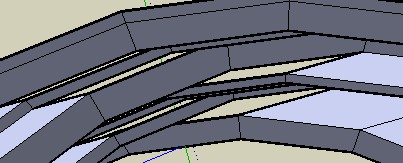
                  Hi TIG and many thanks. I've tried both "intersect with self" or not, but nothing changed. A little problem...
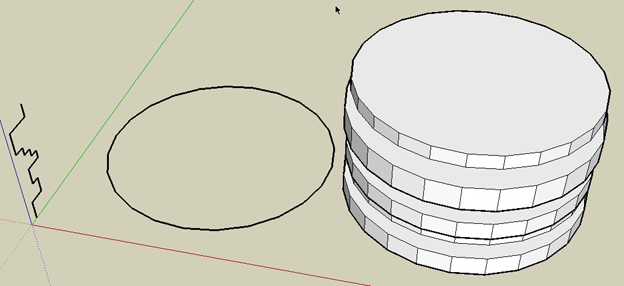
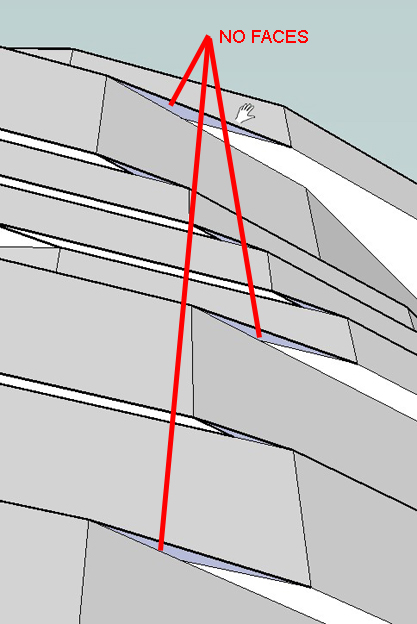
                  ScreenHunter_03 Jun. 25 19.17.jpg


                  ScreenHunter_04 Jun. 25 19.18.jpg

                  1 Reply Last reply
                  Reply Quote 0
                  • TIGT
                    TIG Moderator
                    last edited by

                    @massimo said:

                    Hi TIG and many thanks. I've tried both "intersect with self" or not, but nothing changed. A little problem...

                    Massimo
                    Have you tried the latest version v1.2 ? I've just tried to reproduce your path/profile and I get all faces made - no gaps - Any edge that can get a face should get a face ? Your faces aren't reversed are they, so look 'gappped' ?
                    The only problem I have was because of the convoluted result some faces orient wrongly [inside out] - both in the script AND within SUp later - the only fix is to reverse the problem faces manually ...

                    I had to guess your model's details - I could test it better with the real thing - if after trying with the latest version it still gaps please PM me with the model attached, so I can see if I get the same problem...

                    TIG

                    1 Reply Last reply
                    Reply Quote 0
                    • TIGT
                      TIG Moderator
                      last edited by

                      Can you subsequently get the face made if you redraw an edge ? If so then EEbyE should have made that face...
                      I haven't managed to reproduce it, can one of you PM me a [small] model with the problem ?

                      TIG

                      1 Reply Last reply
                      Reply Quote 0
                      • pilouP
                        pilou
                        last edited by

                        I have same result but seems normal as this function is not adapted to this!
                        As the profil stay parallel 😒
                        At each "rotation" there are creation of an external or internal horizontal face 😄

                        For ovoid that make just an half circle 😉
                        And a mirror after 😉
                        But even with this there some gaps 😉


                        normal.jpg


                        gap.jpg

                        Frenchy Pilou
                        Is beautiful that please without concept!
                        My Little site :)

                        1 Reply Last reply
                        Reply Quote 0
                        • pilouP
                          pilou
                          last edited by

                          file of the mirror above 😉


                          gap.skp

                          Frenchy Pilou
                          Is beautiful that please without concept!
                          My Little site :)

                          1 Reply Last reply
                          Reply Quote 0
                          • TIGT
                            TIG Moderator
                            last edited by

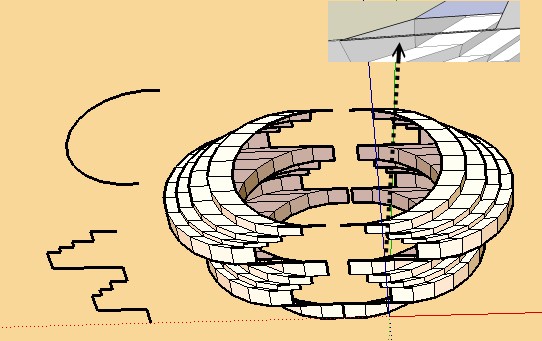
                            I get no loose edges with either of your skp's... There is orientation weirdness as sometimes threes faces share as edge as it's convoluted in on itself when a circle... to be on the safe side I am adjusting the script to trap any edges without faces... Look out for update...

                            TIG

                            1 Reply Last reply
                            Reply Quote 0
                            • TIGT
                              TIG Moderator
                              last edited by

                              Here's v1.3 ...
                              http://forums.sketchucation.com/viewtopic.php?p=166780#p166780
                              It's been trapped for rare unfaced edges - it either forces the edge to have a face, or erases the edge if it's not possible to add a face ...

                              TIG

                              1 Reply Last reply
                              Reply Quote 0
                              • TIGT
                                TIG Moderator
                                last edited by

                                Have you tried this latest version ?

                                TIG

                                1 Reply Last reply
                                Reply Quote 0
                                • pilouP
                                  pilou
                                  last edited by

                                  There is always no possible to close some faces (my gap file above) 😉
                                  The curious is this is a "big face" 😮
                                  Maybe because angle is too flat?

                                  Not so a big deal to close it by hand 😉

                                  Frenchy Pilou
                                  Is beautiful that please without concept!
                                  My Little site :)

                                  1 Reply Last reply
                                  Reply Quote 0
                                  • TIGT
                                    TIG Moderator
                                    last edited by

                                    Did you still get unfaced edges ?

                                    TIG

                                    1 Reply Last reply
                                    Reply Quote 0
                                    • pilouP
                                      pilou
                                      last edited by

                                      yes the same than on my image above! (orange pale one)

                                      After Auto self convoluted stay 2 "big faces" (second of the revolution, and second of the profil)

                                      AND I have this one " 1.3 20090626 Edges not facing in convoluted shapes trapped."

                                      Frenchy Pilou
                                      Is beautiful that please without concept!
                                      My Little site :)

                                      1 Reply Last reply
                                      Reply Quote 0
                                      • pilouP
                                        pilou
                                        last edited by

                                        Of ourse yes 😉
                                        The curious was there same size so maybe you have not posted the good version?

                                        Frenchy Pilou
                                        Is beautiful that please without concept!
                                        My Little site :)

                                        1 Reply Last reply
                                        Reply Quote 0
                                        • K
                                          Koosie van Tutte
                                          last edited by

                                          thanks a lot!


                                          WOW.jpg

                                          1 Reply Last reply
                                          Reply Quote 0
                                          • A
                                            AcesHigh
                                            last edited by

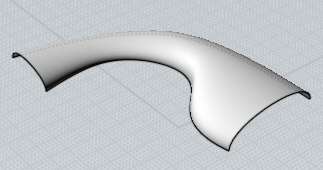
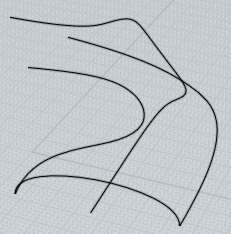
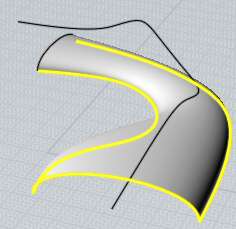
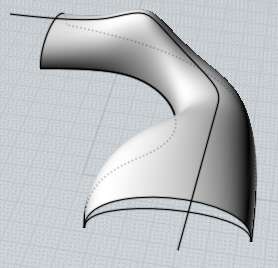
                                            TIG, very nice plugin... can you improve it to add the option for another rail "edge", thus effectively transforming it into a SWEEP 2 RAILS plugin??

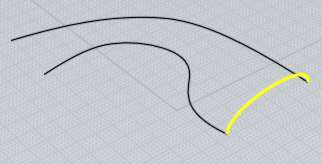
                                            http://www.kxcad.net/autodesk/Autodesk_VIZ_Help/graphics/il_nurbs_sweep2.jpg

                                            http://moi3d.com/1.0/docs/screenshots/Sweep9.jpg

                                            http://moi3d.com/1.0/docs/screenshots/Sweep10.jpg

                                            http://moi3d.com/1.0/docs/screenshots/Sweep11.jpg

                                            http://moi3d.com/1.0/docs/screenshots/Sweep12.jpg

                                            http://moi3d.com/1.0/docs/screenshots/Sweep13.jpg

                                            1 Reply Last reply
                                            Reply Quote 0

                                            Hello! It looks like you're interested in this conversation, but you don't have an account yet.

                                            Getting fed up of having to scroll through the same posts each visit? When you register for an account, you'll always come back to exactly where you were before, and choose to be notified of new replies (either via email, or push notification). You'll also be able to save bookmarks and upvote posts to show your appreciation to other community members.

                                            With your input, this post could be even better 💗

                                            Register Login
                                            • 1
                                            • 2
                                            • 3
                                            • 4
                                            • 5
                                            • 9
                                            • 10
                                            • 2 / 10
                                            • First post
                                              Last post
                                            Buy SketchPlus
                                            Buy SUbD
                                            Buy WrapR
                                            Buy eBook
                                            Buy Modelur
                                            Buy Vertex Tools
                                            Buy SketchCuisine
                                            Buy FormFonts

                                            Advertisement