sketchucation logo sketchucation
    • Login
    Oops, your profile's looking a bit empty! To help us tailor your experience, please fill in key details like your SketchUp version, skill level, operating system, and more. Update and save your info on your profile page today!
    Check out Febhouse | New extensions for Shadow Analysis in SketchUp Download

    [Plugin][$] FredoScale - v3.6a - 01 Apr 24


    Scheduled Pinned Locked Moved Plugins
    1.2k Posts 346 Posters 2.9m Views 344 Watching
    Loading More Posts
    • Oldest to Newest
    • Newest to Oldest
    • Most Votes
    Reply
    • Reply as topic
    Log in to reply
    This topic has been deleted. Only users with topic management privileges can see it.
    • B Offline
      bedavisdesign
      last edited by bedavisdesign

      Hi Fredo. I've used so many of your creations over the years. I want to say I've used SU on and off since at least 2006. I just purchased SU2025 Pro and I'm also a member here on Sketchucation, though my membership here is of the free variety. I'm getting ready to purchase the Fredo6Bundle2022 through Sketchucation, but I want to make sure I'm good to go ahead and purchase. Under the "Requirements" you mention "Usage: Paid, Licensed under Sketchucation SCFLicense". I want to understand if this means I need to be a "Paid" member here on Sketchucation, or am I reading too much into that? I hope my inquiries are clear enough and thanks in advance for any clarifications you can provide. EDIT*: Or if anyone else can answer this question if Fredo isn't available, that we be great. THX!

      Rich O BrienR 1 Reply Last reply Reply Quote 0
      • Rich O BrienR Offline
        Rich O Brien Moderator @bedavisdesign
        last edited by

        @bedavisdesign

        You can purchase using your free account. SCFLicense is packed into Sketchucation Tools which is also free.

        Download the free D'oh Book for SketchUp πŸ“–

        1 Reply Last reply Reply Quote 0
        • B Offline
          bedavisdesign
          last edited by

          @Rich-O-Brien Thank you so much for your reply and info.

          1 Reply Last reply Reply Quote 0
          • M Offline
            Mattshiggins
            last edited by

            Hi in SketchUp 2026 you need to tap tab multiple times to bring up the dimensions box. This appears to only happen on Windows, Mac is working as it should. Is there a workaround or fix?

            Thanks.

            1 Reply Last reply Reply Quote 1
            • Rich O BrienR Offline
              Rich O Brien Moderator
              last edited by

              @Mattshiggins

              You can right click and choose Enter Dimensions

              But the TAB not firing on first click suggests something else is grabbing focus. That could be from a myriad of reasons like a dialog open or you clicked something in the tray.

              I've not experienced myself on Windows but have seen a few mention it.

              Download the free D'oh Book for SketchUp πŸ“–

              pilgerP 1 Reply Last reply Reply Quote 0
              • pilgerP Offline
                pilger @Rich O Brien
                last edited by pilger

                @Rich-O-Brien @Mattshiggins

                I'm having the same issue here. I've tried uninstalling all other extensions and plugins and running Sketchup without any other apps in the background and I still get the same thing.

                Is there a way to check what is getting focused when I press tab, maybe? To try and find what's stealing the focus?

                EDIT: or maybe change that tab key to something else that doesn't cause the issue?

                EDIT 2: updates here: https://community.sketchucation.com/post/1617927

                1 Reply Last reply Reply Quote 0
                • F Offline
                  fimo
                  last edited by

                  Hello to all, after reading all 57 pages of this topic I have yet to find a solution to my issue with the box stretching function.

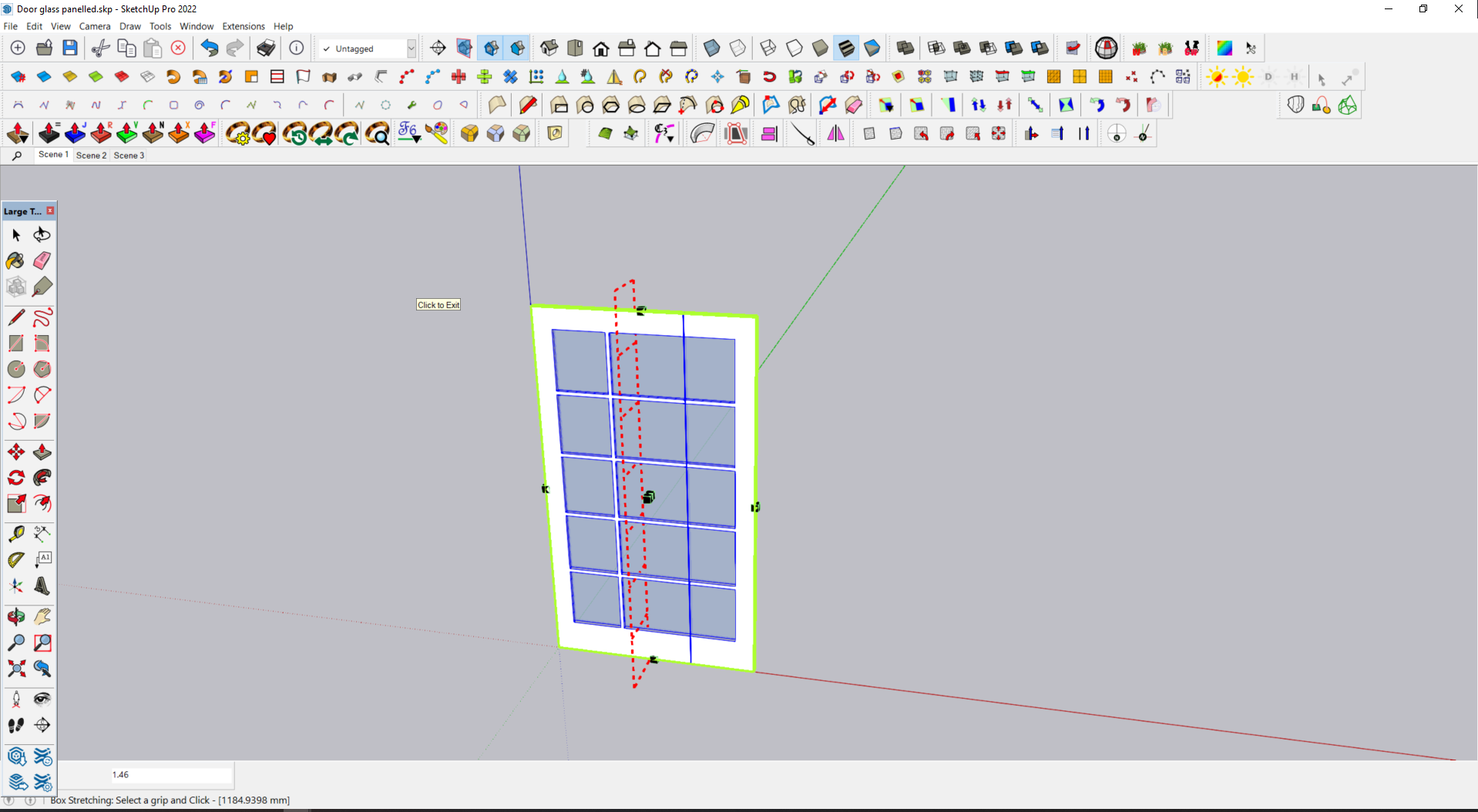
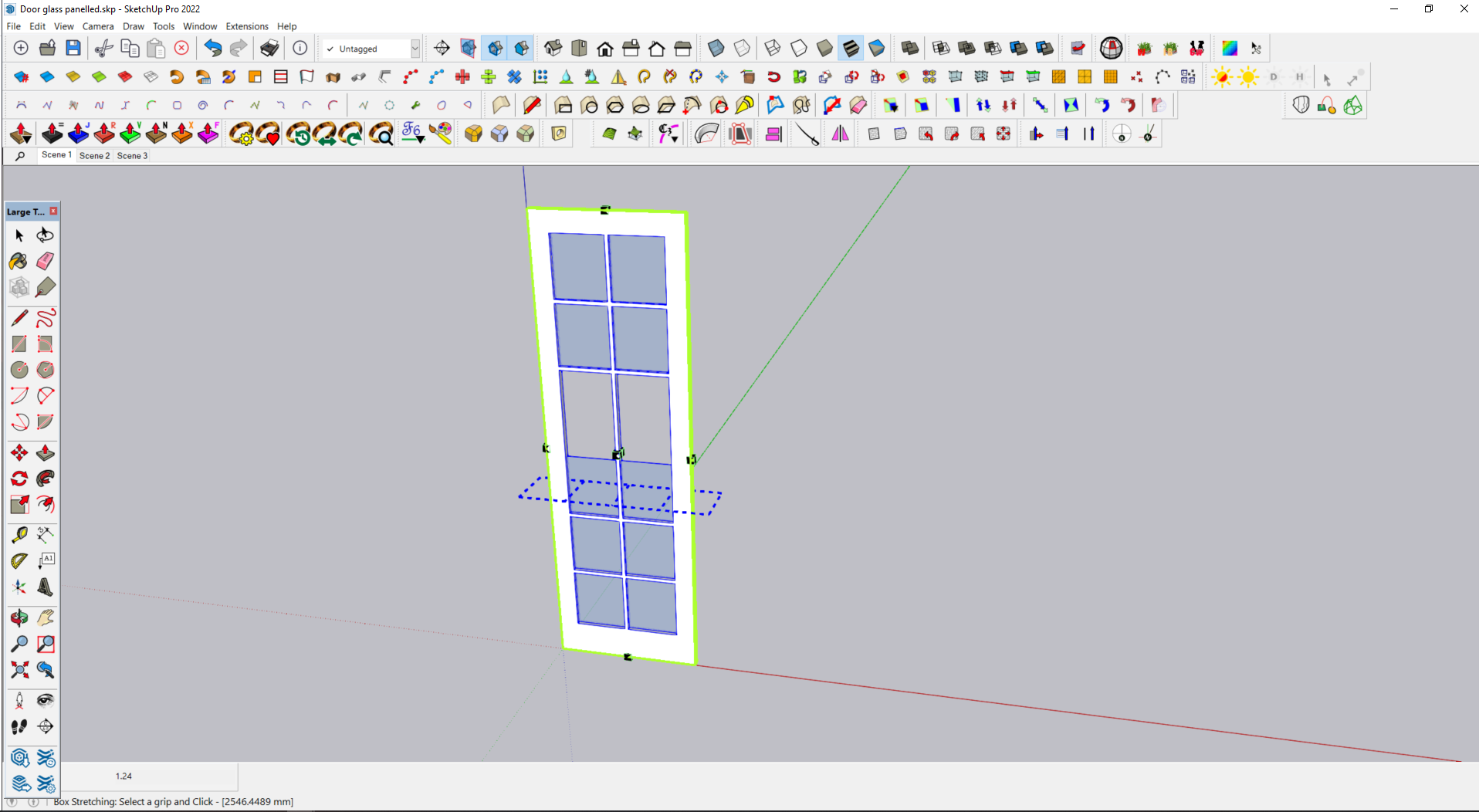
                  I have attached 3 images showing a simple paneled door that stretches all groups in the horizontal direction but only the frame in the vertical direction.

                  The door component consists of 11 different groups, What am I missing here ?
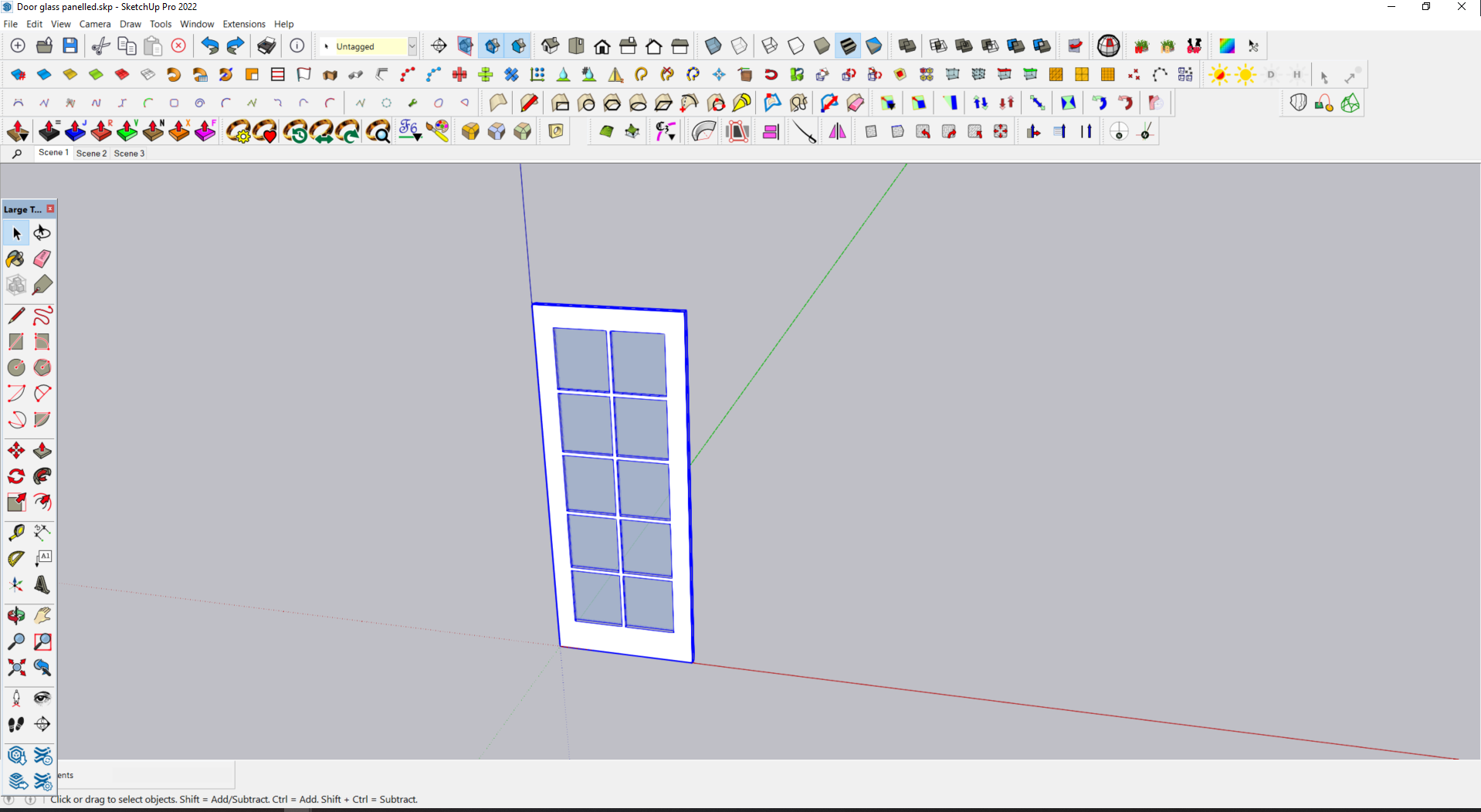
                  Original.png

                  Horizontal.png

                  Vertical.png

                  Rich O BrienR 1 Reply Last reply Reply Quote 0
                  • Rich O BrienR Offline
                    Rich O Brien Moderator @fimo
                    last edited by

                    @fimo said in [Plugin][$] FredoScale - v3.6a - 01 Apr 24:

                    What am I missing here ?

                    Upload the file please so we can test

                    Download the free D'oh Book for SketchUp πŸ“–

                    1 Reply Last reply Reply Quote 0
                    • F Offline
                      fimo
                      last edited by

                      Sorry posted wrong door, try this one.

                      Door glass panelled.skp

                      1 Reply Last reply Reply Quote 1
                      • Rich O BrienR Offline
                        Rich O Brien Moderator
                        last edited by

                        Explode the 'glass' groups and group them into a single group then stretch

                        Download the free D'oh Book for SketchUp πŸ“–

                        1 Reply Last reply Reply Quote 0
                        • F Offline
                          fimo
                          last edited by

                          Many thanks Rich, that certainly works, my lack of lateral thinking on show right there.

                          But is this a workaround for a non functionality in the extension or is it by design ? Just seems odd that it works in one plane and not the other.

                          1 Reply Last reply Reply Quote 1
                          • Rich O BrienR Offline
                            Rich O Brien Moderator
                            last edited by

                            @fimo

                            Dunno... it does behave correctly Left/Right. Just not Up/Down.

                            In this video you can see it working as expected. Maybe @fredo6 knows more?

                            Download the free D'oh Book for SketchUp πŸ“–

                            1 Reply Last reply Reply Quote 0
                            • fredo6F Offline
                              fredo6
                              last edited by Rich O Brien

                              NEW RELEASE: FredoScale v3.7a - 09 Jul 26

                              Requirements:

                              • LibFredo6 v15.9d.
                              • Sketchucation PluginStore v5.0.7.

                              FredoScale 3.7a includes changes for:

                              • Bug fixing and adjustment for Dimension dialog box

                              Home Page of FredoScale for information and Download.

                              Main post of this FredoScale thread.

                              1 Reply Last reply Reply Quote 1
                              • pep75P Offline
                                pep75
                                last edited by

                                I've installed the latest version of FredoScale, and I'm not sure it's really an improvement, at least not for me. Also, the fact that I have to manually turn off "Uniform" every single time is very irritating. Is there a way to change this so that Uniform is disabled by default?

                                fredo6F 1 Reply Last reply Reply Quote 0
                                • fredo6F Offline
                                  fredo6 @pep75
                                  last edited by

                                  @pep75 said:

                                  I've installed the latest version of FredoScale, and I'm not sure it's really an improvement

                                  Improvement on what? There was a bug which was fixed so that it works as designed.

                                  1 Reply Last reply Reply Quote 0
                                  • pep75P Offline
                                    pep75
                                    last edited by

                                    Well, it seems to me that the user interface has changed, or am I completely mistaken?

                                    1 Reply Last reply Reply Quote 0
                                    • pep75P Offline
                                      pep75
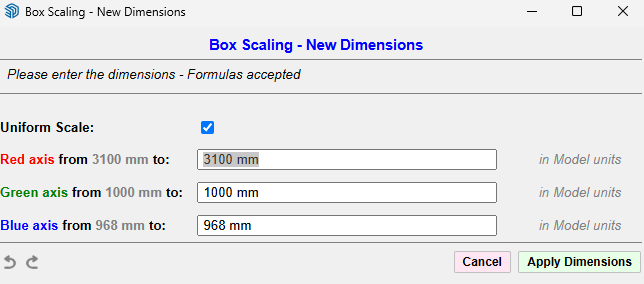
                                      last edited by

                                      box ui.png

                                      This is completely new to me, or am I wrong?

                                      1 Reply Last reply Reply Quote 0
                                      • fredo6F Offline
                                        fredo6
                                        last edited by

                                        This dialog always existed and is invoked by prssing Tab when the mouse is over a handle. Simply there was a bug for some situations.

                                        alexpacio2013A 1 Reply Last reply Reply Quote 0
                                        • alexpacio2013A Offline
                                          alexpacio2013 @fredo6
                                          last edited by

                                          @fredo6 Great work. This latest β€œUniform Scale” modification, although visually a small change, has actually been a major breakthrough for me. Congratulations!


                                          1 Reply Last reply πŸ‘ Reply Quote 1

                                          Hello! It looks like you're interested in this conversation, but you don't have an account yet.

                                          Getting fed up of having to scroll through the same posts each visit? When you register for an account, you'll always come back to exactly where you were before, and choose to be notified of new replies (either via email, or push notification). You'll also be able to save bookmarks and upvote posts to show your appreciation to other community members.

                                          With your input, this post could be even better πŸ’—

                                          Register Login
                                          • 1
                                          • 2
                                          • 54
                                          • 55
                                          • 56
                                          • 57
                                          • 58
                                          • 58 / 58
                                          • First post
                                            Last post
                                          Buy SketchPlus
                                          Buy SUbD
                                          Buy WrapR
                                          Buy eBook
                                          Buy Modelur
                                          Buy Vertex Tools
                                          Buy SketchCuisine
                                          Buy FormFonts

                                          Advertisement