[Plugin][$] FredoScale - v3.6a - 01 Apr 24




-
@rv1974 said:
Fredo,
Maybe I as usual miss something but I thought it'd be a great improvement if there was an option to pull the grip and then input a number with +- with units abbreviation. Say +50cm.
And the tool would incrementally add 50cm in ordered direction.It's difficult to do it in the VCB because FredOscale would not know if you talk about the scale factor or the dimension, and in absolute or relative term.
What you can do currently is
- hover a handle
- Press TAB
- you get a dialog box where you the dimension(s), one, two or three fields depending on the active handle.
Since formulas are supported in the dimension fields you can modify the field and type "+50" or "+50cm".
Fredo
-
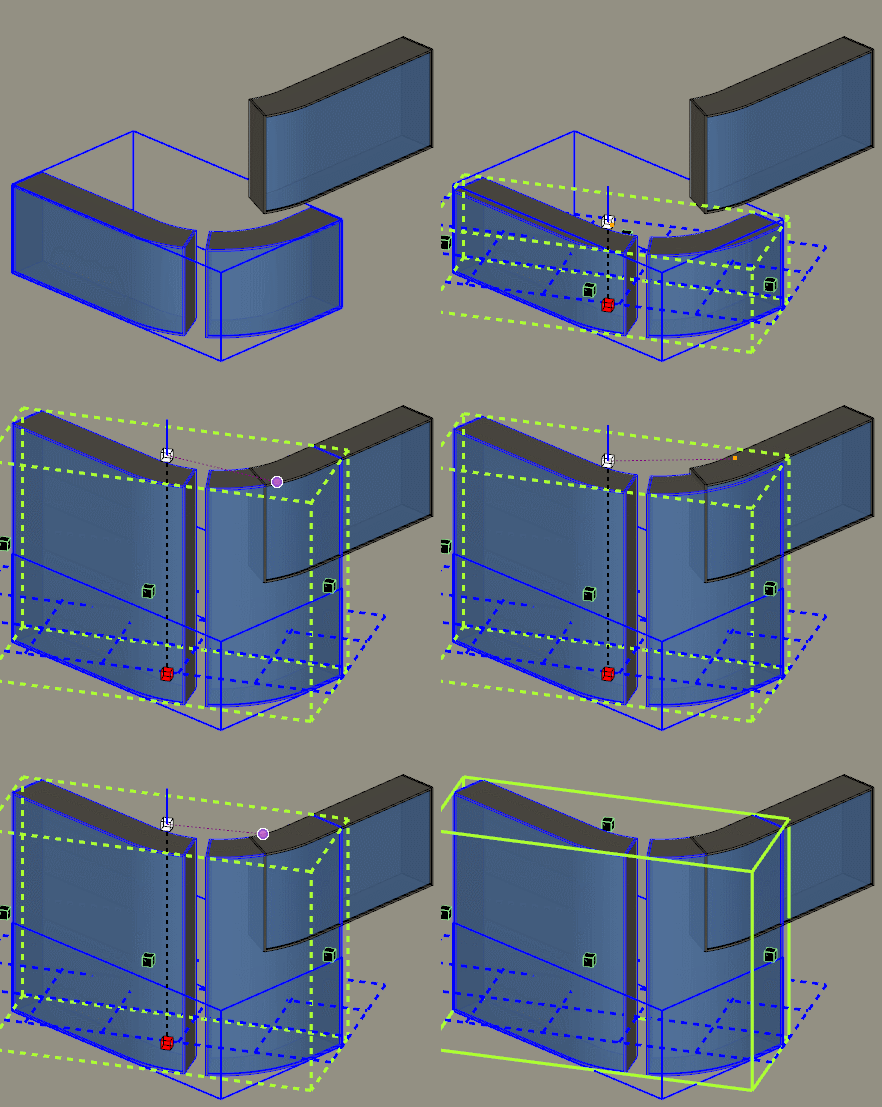
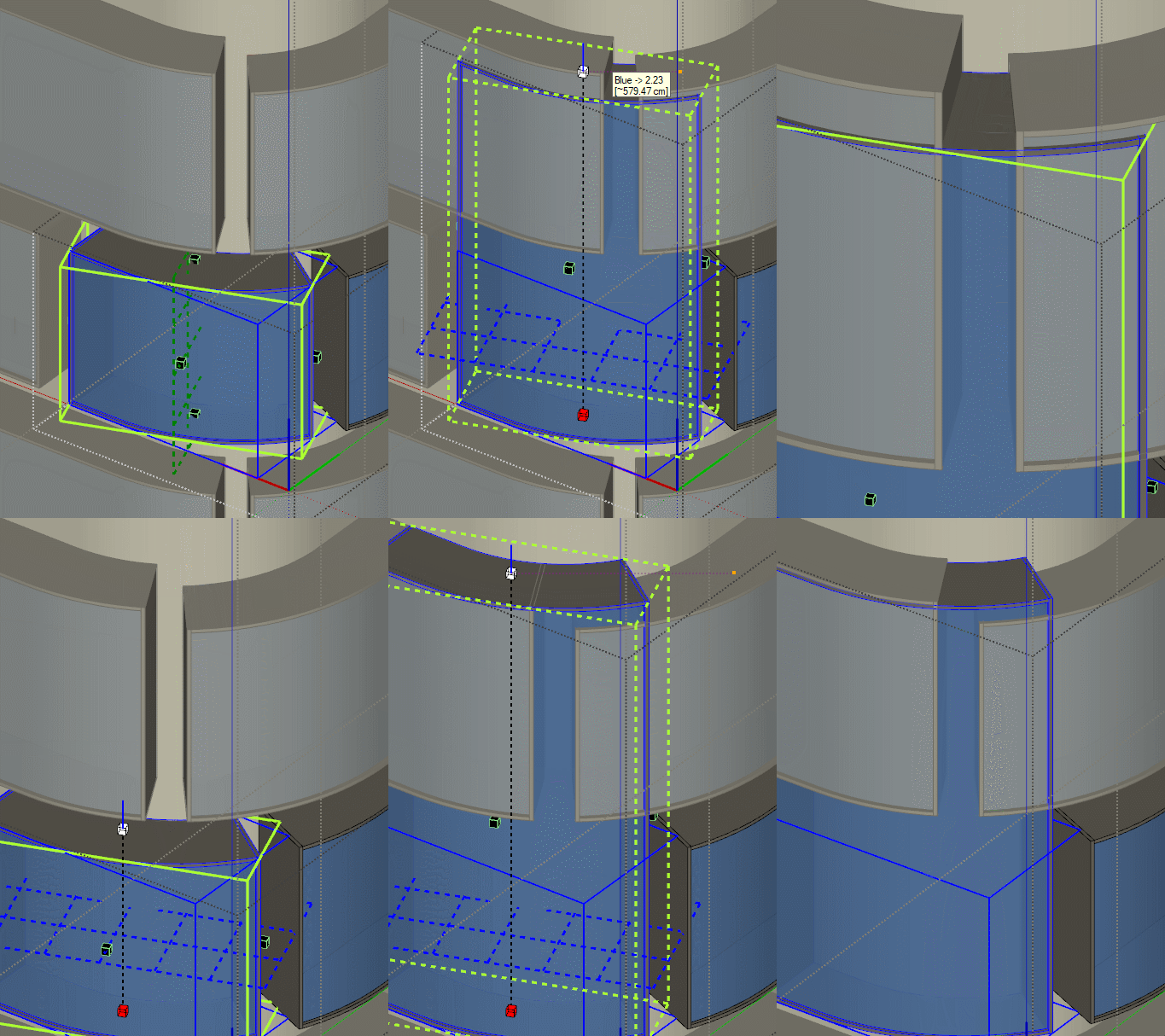
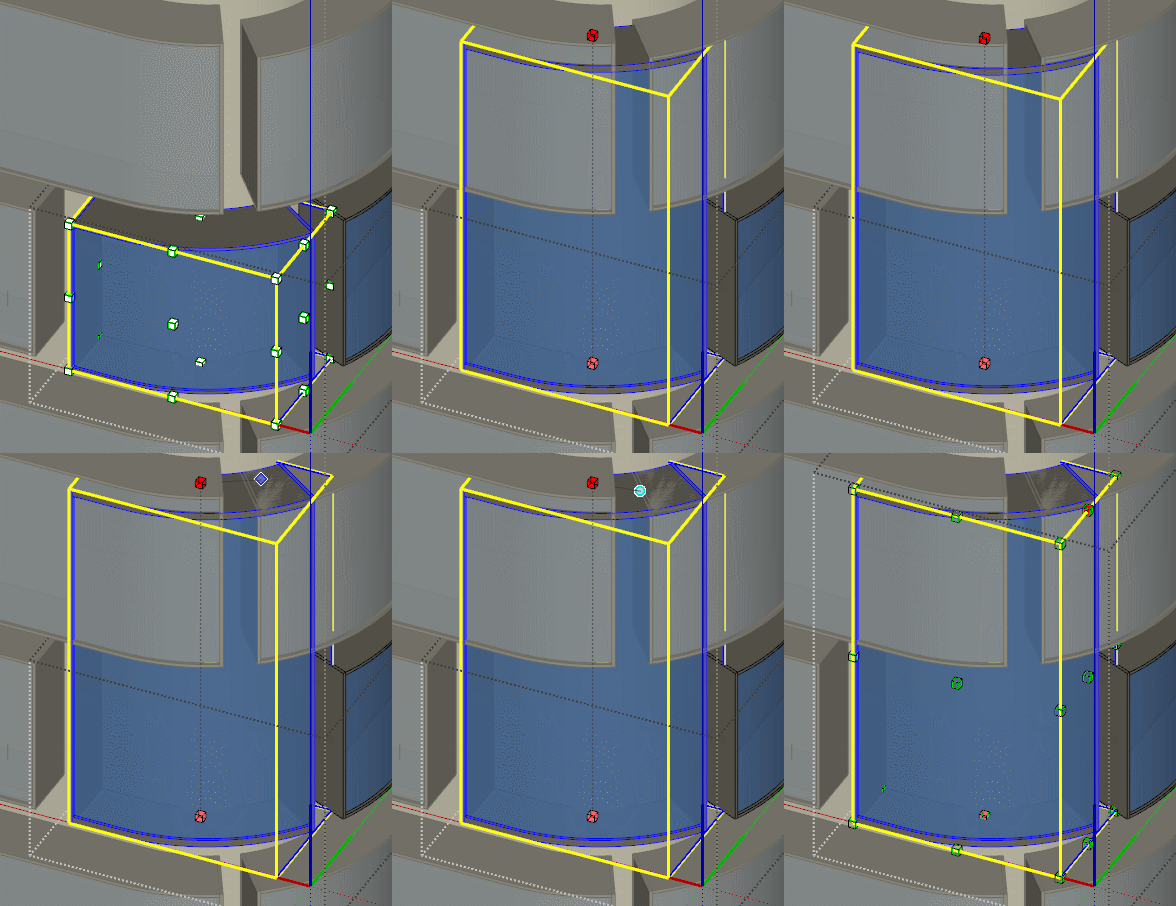
FredoScale fails to pick up the right reference data when objects are deep in the context. When I, for experiment sake, pull the objects out of contect, the tool works smoothly. Was this problem discussed earlier?
-
Yes. This is a bug which is on my list. This happens when you try to get the inference from an object which is another instance from the component you scale. My code for avoiding self-referencing need to be adjusted.
-
@rv1974 & @fredo6
I noticed that when you use "box stretching to target" (that is, when you double click the control boxes), Inferencing usually works fine... even with objects outside the group (nevertheless it would be nice if it would work without using "box stretching to target").@fredo6
When I scale any components (with box stretching), Fredoscale makes it a unique component. This is reasonable when I just scale one component, but if I scale two or more of the same component and at the same time, it would be nice if they still stay as the same, and don't become unique.Thanks for your hard work.
Greetings,
Mileno. -
@Mileno no help from double clicking on my end
-
@rv1974 said:
@Mileno no help from double clicking on my end
Penny has dropped:
click black grip->then click 1st referece point->finally click 'where-to' point.
This way it works perfectly.
Thank you Fredo -
Hi!
I'm trying to bend a piano keyboard into a closed circle.
Is it possible to do using the Radial Bend tool?
I'm not figuring out what the target point is.
Thanks!
-
@nesh70 said:
Hi!
I'm trying to bend a piano keyboard into a closed circle.
Is it possible to do using the Radial Bend tool?
I'm not figuring out what the target point is.
Thanks!
Not possible. Maximum is 180 degree, that is a U-turn
-
44 keys at time?
-
This plugin is fantastic, it made my life so much easier. Thank you!

Is this a place where you can put a request?
- Could you make snapping more like a native Sketchup scale tool? I mean, FredoScale/Stretch doesn't snap to lines outside the component and I think it doesn't snap to surfaces at all.
- Would it be possible to Scale/Stretch by a specified additional lenght? For example if you want to stretch something so it's 20cm longer. Then instead of putting a scale factor you put +20 (or respectively -20 if you want to shorten it by 20cm).
-
@kubap said:
- Could you make snapping more like a native Sketchup scale tool? I mean, FredoScale/Stretch doesn't snap to lines outside the component and I think it doesn't snap to surfaces at all.
I'll look at it. This can probably be done, but I need to remember why I excluded them
- Would it be possible to Scale/Stretch by a specified additional lenght? For example if you want to stretch something so it's 20cm longer. Then instead of putting a scale factor you put +20 (or respectively -20 if you want to shorten it by 20cm).[/quote]
The best is that you just hover the handle you wish to move, then type TAB. In the dialog box, you can type formulas, so add a "+20cm" at the end of the current value.
-
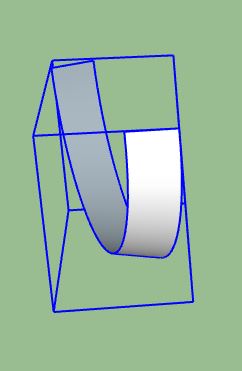
I want to bend a simple flat strip and every time I do, it ends up warped. I have watched the tutorial many times and think I am doing it exactly as shown. I am clicking on the endpoints exactly. What am I missing? See attached. thanks
Dan
-
The signature is out of date
-
@theresacalabrese said:
The signature is out of date
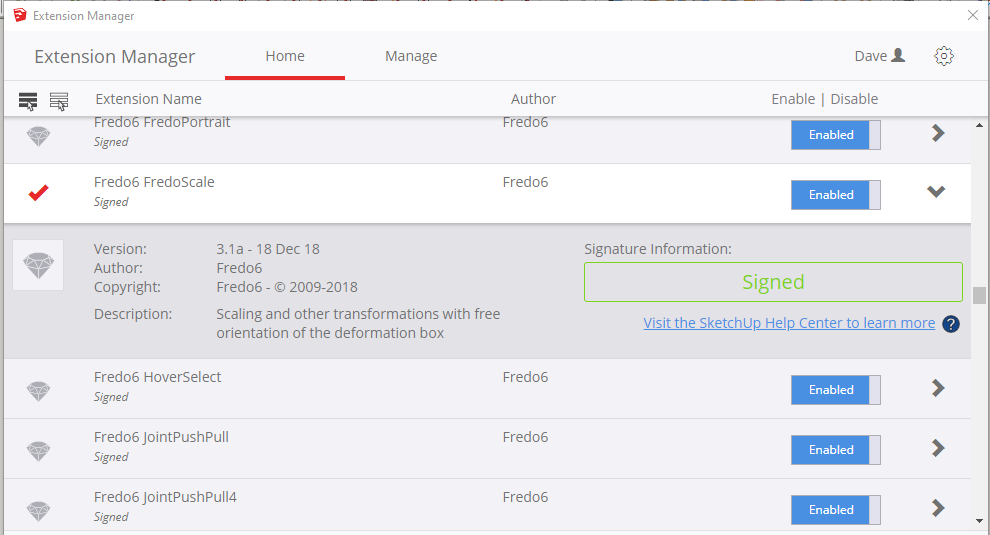
To what signature are you referring? SketchUp says the signature is up to date:
-
@kevsterman said:
Hi guys. I have another question regarding radial bend. As you can see from the image all of the lines denoting brickwork haven't bended as I was expecting. I'm not sure why. Is it a parameter problem or maybe something to do with the model? Its probably something really easy I'm missing

[attachment=0:1s1lyd44]<!-- ia0 -->Screenshot 2017-08-10 13.03.15.png<!-- ia0 -->[/attachment:1s1lyd44]
You need to split the horizontal lines into segments. The same would happen if you used a circle with only eight segments, it would transform into a funky shape, because the lines connect to the points, and only the points are relocated. (Eg, it will not curve a solid line, it just deforms the locations of the end-points.)
Thus, your windows where they are on the roof-line, that has three segments. The points are relocated, on a curve, and you get a three-segment curve. However, your horizontal lines for the "siding", only have two points, per line. So, the line just connects from point to point, left and right, with no curve on the line, to match the line where the window has broken the line into three segments. Just as you would add more segments to a circle to hide the fact that it is actually just a bunch of lines and angles, to create the illusion of a "curve".
Resolutions...
1: Break the line into a three-segment line, by adding a line with points aligned under the window, where the window points intersect that horizontal line of the roof.
2: For more realism, because that is a rather large curve, you should segment each line into 4-8 segments per line. That way, you will have full curves, retaining the "image/concept", of the original.
This is the reason that SketchUp has no deform tools. When done on simple lines, without adding more segments, you get undesired results. Just as when you attempt three-point perspective, by lowering the camera near the ground and looking up. It always "looks funny", because the building edges are all perfect lines from corner to corner, instead of having a "true curve", as a camera or your eyes see. That is why 3D rendered things, look like 3D rendered things, instead of looking like reality, unless you use post-work deforms or complex multi-segment lines. (As objects such as people have, but buildings normally do not. Adding to the oddity of displaying 3D objects.)
-
Hello. Please tell me if you can use your plugins FredoScale and VisuHole so that the components do not lose contact with each other?
I do not use these plugin functions because the connection between the components is broken. This is very inconvenient for me and for many users using this plugin. -
@aismebel said:
Hello. Please tell me if you can use your plugins FredoScale and VisuHole so that the components do not lose contact with each other?
Application to other component instances is something I can try to manage for VisuHole and FredoScale stretch is some situations.
But be aware that this may not work, because, for instance, you could make a hole in 2 instances of the same component at different location.
That's why I make the instances unique in the general case.
Fredo
-
@fredo6 said:
@aismebel said:
Hello. Please tell me if you can use your plugins FredoScale and VisuHole so that the components do not lose contact with each other?
Application to other component instances is something I can try to manage for VisuHole and FredoScale stretch is some situations.
But be aware that this may not work, because, for instance, you could make a hole in 2 instances of the same component at different location.
That's why I make the instances unique in the general case.
Fredo
For this, we need components! Work in one component should be displayed in others. Otherwise, I would use groups. And unique component, I can do it myself.
You can add an icon that allows you to make the component unique or change it in all similar components.
The plugin Bolt Maker (Final) does not break the connection between the components. -
- Would it be possible to Scale/Stretch by a specified additional lenght? For example if you want to stretch something so it's 20cm longer. Then instead of putting a scale factor you put +20 (or respectively -20 if you want to shorten it by 20cm).[/quote]
The best is that you just hover the handle you wish to move, then type TAB. In the dialog box, you can type formulas, so add a "+20cm" at the end of the current value.[/quote]
Thanks
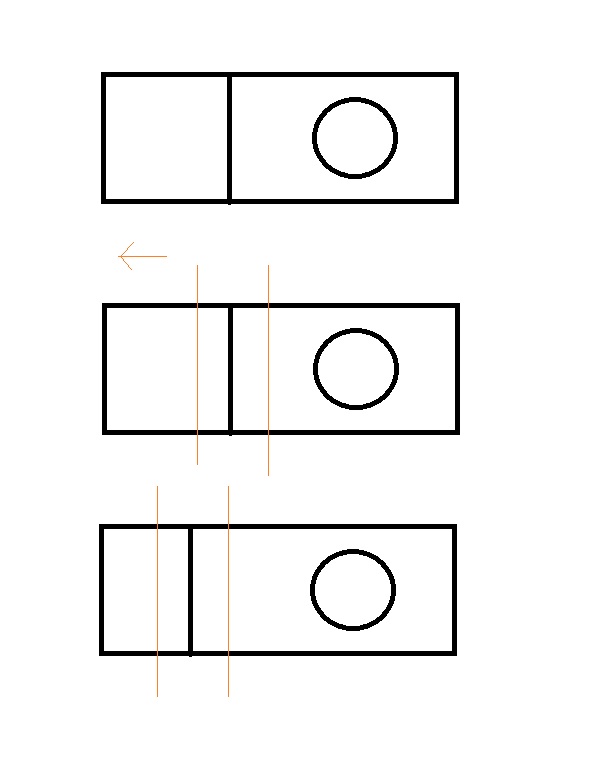
it was there all the time. Sorry it took me so long to reply, I had notifications disabled.Is it possible to stretch within the component? I mean within it's boundaries, not changing it's outer size but stretching it's inner parts. I'll try to explain it with attached image:
- Would it be possible to Scale/Stretch by a specified additional lenght? For example if you want to stretch something so it's 20cm longer. Then instead of putting a scale factor you put +20 (or respectively -20 if you want to shorten it by 20cm).[/quote]
-
@kubap said:
Is it possible to stretch within the component? I mean within it's boundaries, not changing it's outer size but stretching it's inner parts.
This is not supported by FredoScale currently, but this could be an additional feature in the feature.
In the meantime, you can simply use the Sketchup native Move tool to achieve it in most situations. Actually the Stretch tool of FredoScale is based on the native Move tool.
Fredo





Advertisement