[Plugin][$] FredoScale - v3.6a - 01 Apr 24




-
HI Fredo,
I'm an extensive user of fredoscale box stretching with exact size input.
 Normal image (1)
I sometime have an issue with the select box of geometry, I wonder if this is an error or a way how FredoScale works.When I select geometry the green selection box is not aligned with the axis of the geometry nor the model. It's wroke, box stretching does not work then... (2)
Why is the divider wroke? (3)Here you can find the screen shots: https://postimg.cc/gallery/3wyH9rC
Can you help me explaining? Is there a way to reset this behavior?
Searchie
[url=https://postimg.cc/SnNBjWhd:in8rql33]

[/url:in8rql33][url=https://postimg.cc/21cPWVjD:in8rql33]

[/url:in8rql33][url=https://postimg.cc/1fHx9vL4:in8rql33]

[/url:in8rql33] -
There is a slight imprecision in the orientation of the bounding box....
...but you can realign the bounding box easily: just hover one edge of the solid. when it highlights in orange, just click on it to align the bounding box.
-
Is there another free extension like Fredoscale ? I'm one cheap ass mofo, and I don't want to spend $40 on this.
-
I don't know of any other extension that does what FredoScale does.
A license for it is only $12. For $40 you also get licenses for seven other extensions, too.
-
I'm translating the sentence.I'm sorry if the sentence is strange.
FredoScale suddenly stopped working.
I get an error.■■■■■■■■■■■■
SketchUp
This version of FredoScale has expired
Please upgrade to latest versionOpen the Plugin Home page?
https://sketchucation.com/plugin/1169-fredoscaleOK Cancel
■■■■■■■■■■■■■
my environment is
FredoScale is the latest version 3.4bLibFredo6 is the latest version 12.9a
I am using sketchup2017.
I have already purchased a perpetual license.
how to
Will FredoScale be available? -
@fredo6 said:
NEW RELEASE: FredoScale v3.4b - 11 Mar 22
Requirement: LibFredo6 12.4a.
IMPORTANT: FredoScale is no longer supported for Sketchup versions lower than SU2017.
FredoScale 3.4b includes:
- Inferences outside current context (see video below)
- Updated Chinese translation by Arc
[attachment=0:2nudz2d0]<!-- ia0 -->FredoScale - Inference outside context.gif<!-- ia0 -->[/attachment:2nudz2d0]
Home Page of FredoScale for information and Download.
Fredo Scale is not working and says: "this version has expired and release latest version" - even though I have the latest version installed. Please help! (I have purchased perpetual licence and it is showing validated).
-
@sdfsdfs888 said:
I'm translating the sentence.I'm sorry if the sentence is strange.
FredoScale suddenly stopped working.
I get an error.■■■■■■■■■■■■
SketchUp
This version of FredoScale has expired
Please upgrade to latest versionOpen the Plugin Home page?
https://sketchucation.com/plugin/1169-fredoscaleOK Cancel
■■■■■■■■■■■■■
my environment is
FredoScale is the latest version 3.4bLibFredo6 is the latest version 12.9a
I am using sketchup2017.
I have already purchased a perpetual license.
how to
Will FredoScale be available?Me too, the other fredo6 plugins are working fine expect FredoScale.
-
FredoScale stops working suddenly with the same error message above!!
-
NEW RELEASE: FredoScale v3.5a - 31 Jul 22
Requirement: LibFredo6 12.9a.
FredoScale 3.5a includes:
- Bug fixing
- Removal of validity period
Home Page of FredoScale for information and Download.
-
I have perpetual licence of FreedoScale and while in the midle of important project, it stops working because there is an update. Now I have to look for this update, install it (and figure out how to do it, it's not straight forward), hoping that it will let me finish my project. Really?
-
If you installed Fredoscale using the sketchucation tool, which you must have if you have a licensed version, then you simply open the Sketchcation tool, it will check for updates and in a few clicks you have installed the update and are back working again.
-
Thank you. Now it will be easier, however I think plugin should not stop working.
-
I have never had one of Fredo6's extensions or any other extensions stop working because an update was released.
-
In this case it said that the previous version expired (in spite of paying for a perpetual license). After updating the toolbar is gone with no option to add it back in? I'll just have to crack the previous version I guess.
-
What is hard about updating an extension?
-
@meeetch said:
In this case it said that the previous version expired (in spite of paying for a perpetual license). After updating the toolbar is gone with no option to add it back in? I'll just have to crack the previous version I guess.
You need to upgrade to LibFredo6 v12.9 or above, as indicated in the plugin page and in the notification showed at startup of Sketchup.
-
The point is that a paid plugin shouldn't stop working just because there is an update available, when said update doesn't even change any core functionality. Which in turn requires a secondary update to get the first update to work. I'm glad it isn't completely broken, but if this is an intended release strategy, then we should be made aware that occasionally tools from the author will stop working arbitrarily, before they are added to workflow.
-
My Fredo products are not working. I select the object I want to transform, then click on any of the FredoScale buttons and nothing happens. The black and red highlighting box does not appear. Same thing for all of my Fredo plug-ins.
I have a perpetual license for FredoScale and others plus one for SketchUp 2021. I updated all my Fredo products after get the "license expired" error message on 1 Aug. I currently have FredoLib 12.9a and FredoScale 3.5a installed. I have rebooted SketchUp several times and re-installed Fredo several times. Why is this not working?
-
@jonv13 said:
I have a perpetual license for FredoScale and others plus one for SketchUp 2021. I updated all my Fredo products after get the "license expired" error message on 1 Aug. I currently have FredoLib 12.9a and FredoScale 3.5a installed. I have rebooted SketchUp several times and re-installed Fredo several times. Why is this not working?
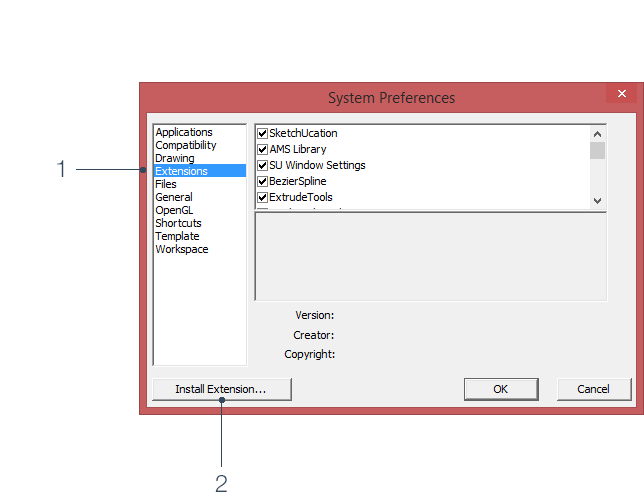
What version of Sketchucation Tools are you using?
It should be 4.2.9
Sketchucation Tools | SketchUcation
3D SketchUp Community for Design and Engineering Professionals.
(sketchucation.com)
-
@meeetch said:
The point is that a paid plugin shouldn't stop working just because there is an update available,
The whole point of the update was to fix the problem that was causing the plugin to stop working. So it isn't an update it is a bug fix. Why are people getting so 'angry' these days. Sure it's an annoyance, but it takes no time to fix and for most people the sketucation tool updated it for them before they were even aware there was a possible bug in it. And as for making comments about cracking, why would you even say that!








Advertisement