sketchucation logo sketchucation
    • Log Masuk
    Oops, your profile's looking a bit empty! To help us tailor your experience, please fill in key details like your SketchUp version, skill level, operating system, and more. Update and save your info on your profile page today!
    🔌 Smart Spline | Fluid way to handle splines for furniture design and complex structures. Download

    [Plugin][$] FredoScale - v3.6a - 01 Apr 24


    Scheduled Pinned Kunci Moved Plugins
    1.1k Kiriman 345 Posters 2.4m Lihat 342 Watching
    Memuatkan lagi kiriman
    • Lama ke Baru
    • Baru ke Lama
    • Most Votes
    Balas
    • Reply as topic
    Log masuk untuk balas
    Topik ini telah dipadam. Hanya pengguna dengan kuasa pengurusan boleh melihatnya.
    • D Luar talian
      dgannonennis
      last edited by

      Great plugin, thanks.

      When box stretching is it possible to input a measurement if you know the value rather than trying to stretch to the exact value?

      1 Reply Last reply Balas Petikan 0
      • fredo6F Luar talian
        fredo6
        last edited by

        @dgannonennis said:

        When box stretching is it possible to input a measurement if you know the value rather than trying to stretch to the exact value?

        You can show the dimension dialog by pressing TAB.

        1 Reply Last reply Balas Petikan 0
        • B Luar talian
          betofg90
          last edited by

          I want to pay fredo pluggins bundle but im using a cracked sketchup, there's gonna be any problem or not?

          1 Reply Last reply Balas Petikan 0
          • S Luar talian
            Seb1986
            last edited by

            Hi guys and girls is it possible to change the dimensions from Pixels to mm in the Fredoscale extensions??

            I am trying to drag a cabinet from 900mm wide to 955mm the ideal way to do this I would just type in 55mm and it would move it the extra 55mm but this is in pixels and isn't as easy.

            1 Reply Last reply Balas Petikan 0
            • Dave RD Luar talian
              Dave R
              last edited by

              @seb1986 said:

              I am trying to drag a cabinet from 900mm wide to 955mm the ideal way to do this I would just type in 55mm and it would move it the extra 55mm but this is in pixels and isn't as easy.

              Show us a screenshot of what you are seeing. Sizing any geometry in pixels doesn't make any sense in SketchUp. Which tool are you using to change the dimensions of the cabinet? When I use Box Scaling I can just enter the desired final dimension.

              Share the .skp file so we can see what you are working with.

              Which version of SketchUp Pro are you using?

              Etaoin Shrdlu

              %

              (THERE'S NO PLACE LIKE)

              G28 X0.0 Y0.0 Z0.0

              M30

              %

              1 Reply Last reply Balas Petikan 0
              • K Luar talian
                kostiaarh
                last edited by

                Hello dear Fredo. Can I ask you to make a small edit to your plugin? Could we have more than 2 (3,4,5...N) scale planes in the plugin?
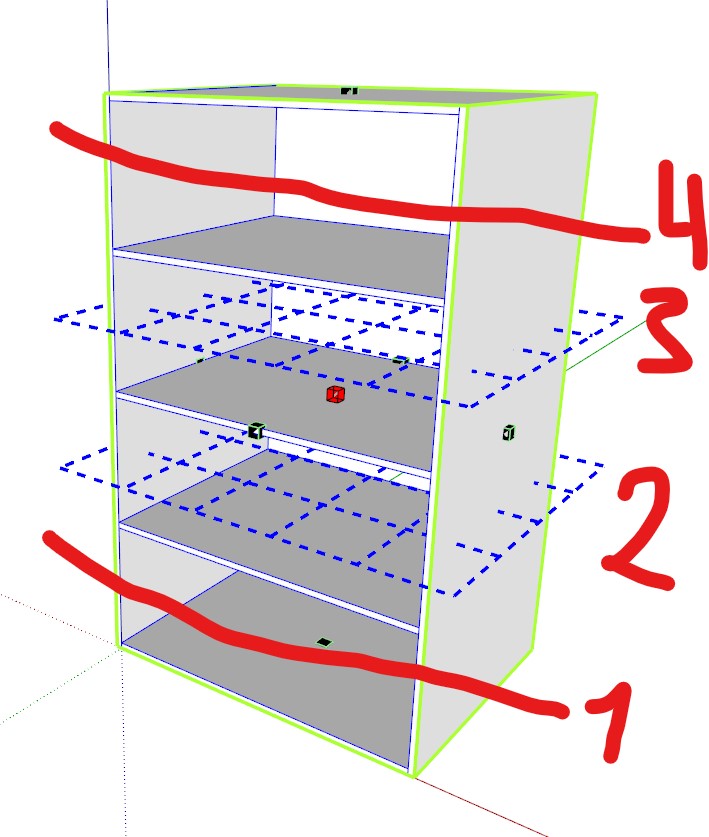

                Знімок екрана 2023-09-14 194501.jpg

                1 Reply Last reply Balas Petikan 0
                • A Luar talian
                  antonblam
                  last edited by

                  Hello Fredo.

                  I don't know if it happens to anyone else.

                  I have an issue with the box scaling. I scale some geometry by a factor of 0 to make it flat - although it does the job of flattening, suddenly I can't select my geometry by cursor anymore, just by ctrl+A. I see the geometry where it should be, but for some reason I can't select it.

                  Is this a known problem? Is there a fix for that? I checked the version and I have the latest one (3.5a).

                  Thanks a lot in advance.

                  1 Reply Last reply Balas Petikan 0
                  • fredo6F Luar talian
                    fredo6
                    last edited by

                    @antonblam said:

                    I scale some geometry by a factor of 0 to make it flat - although it does the job of flattening, suddenly I can't select my geometry by cursor anymore, just by ctrl+A. I see the geometry where it should be, but for some reason I can't select it.

                    This is not really supported. By the way, you may get the issue with the native scaling.

                    1 Reply Last reply Balas Petikan 0
                    • fredo6F Luar talian
                      fredo6
                      last edited by

                      NEW RELEASE: FredoScale v3.6a - 01 Apr 24

                      Requirements:

                      • LibFredo6 v14.3b.
                      • Sketchucation PluginStore v4.4.0.

                      FredoScale 3.5a includes changes for:

                      • Future compatibility

                      Home Page of FredoScale for information and Download.

                      Main post of this FredoScale thread.

                      S 1 Reply Last reply Balas Petikan 0
                      • S Luar talian
                        seryaul @fredo6
                        last edited by

                        @fredo6

                        Boa tarde, fiz a doação de $12, ainda não recebi o e-mail com a ativação do plugin.
                        Aguardo resposta.

                        1 Reply Last reply Balas Petikan 0
                        • R Luar talian
                          rutpin
                          last edited by

                          Hello, I installed the latest plugin but it does not appear in the menu list

                          TIGT R 2 Replies Last reply Balas Petikan 0
                          • TIGT Luar talian
                            TIG Moderator @rutpin
                            last edited by

                            @rutpin
                            After you downloaded the RBZ did you install it from the Extension Manager dialog ?
                            Or are you using the SketchUcation Tools' ExtensionStore³ to auto-install it without an RBZ ?
                            Do you have the latest LibFredo6 installed as well ?
                            Do you also have the SketchUcation Tools installed [needed for any licensing] ?
                            Have you restarted SketchUp after the installations to sync everything ??

                            TIG

                            1 Reply Last reply Balas Petikan 0
                            • R Luar talian
                              rutpin @rutpin
                              last edited by

                              TIG Yes

                              Rich O BrienR 1 Reply Last reply Balas Petikan 0
                              • Rich O BrienR Luar talian
                                Rich O Brien Moderator @rutpin
                                last edited by

                                @rutpin
                                Please run the Window > Libfredo Settings > Fredo6 Plugins Information for Sketchucation Support menu command in SketchUp and copy/paste the output into your reply.

                                Download the free D'oh Book for SketchUp 📖

                                1 Reply Last reply Balas Petikan 0
                                • D Luar talian
                                  DomV12
                                  last edited by

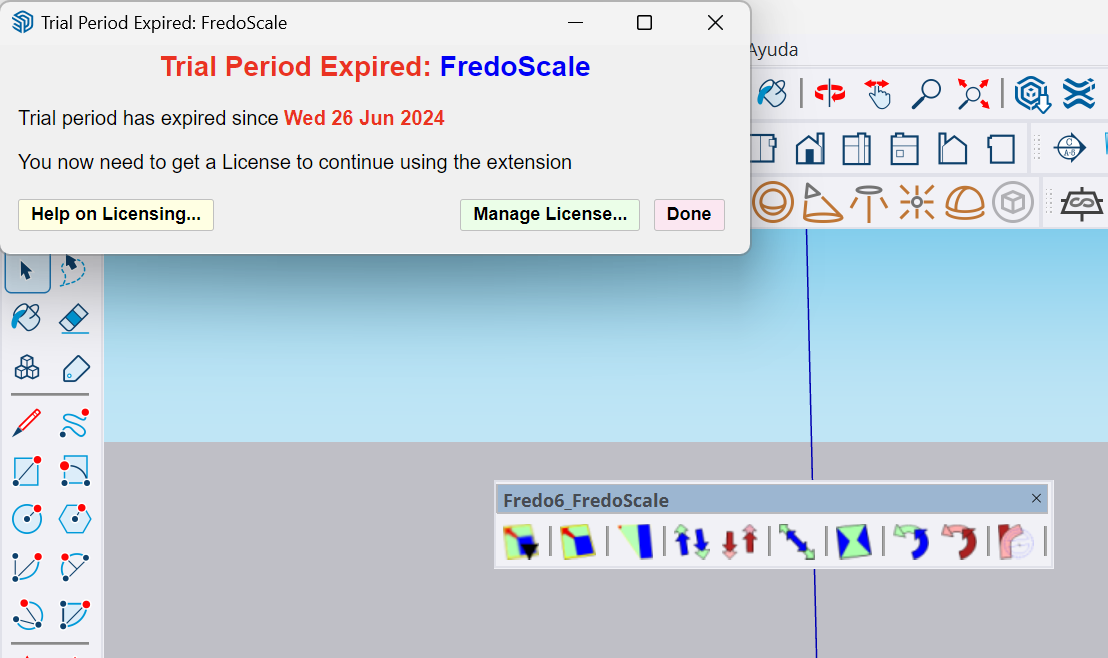
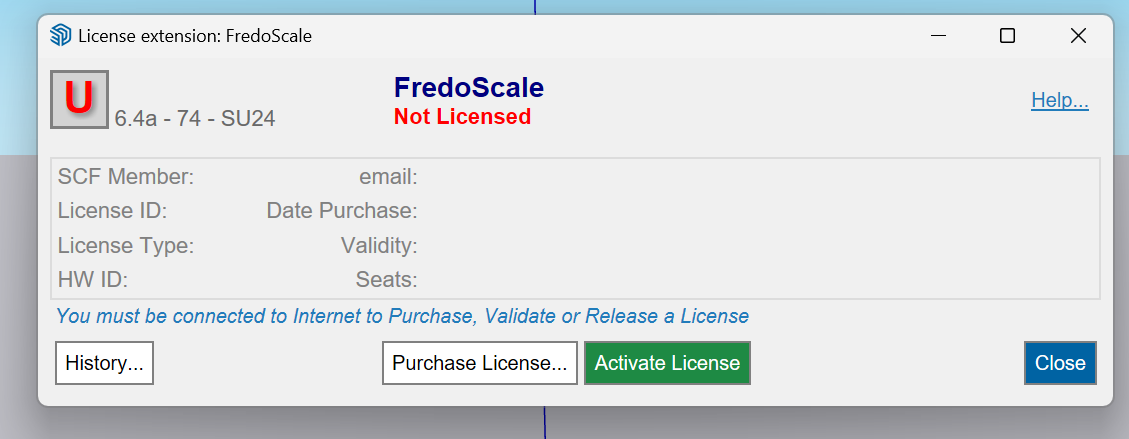
                                  1.png 2.png

                                  Hello, all the Fredo extensions work correctly for me but when I want to use FredoScale it tells me that the license has expired. Can someone give me a hand with this?

                                  Rich O BrienR 1 Reply Last reply Balas Petikan 1
                                  • Rich O BrienR Luar talian
                                    Rich O Brien Moderator @DomV12
                                    last edited by

                                    @DomV12 said in [Plugin][$] FredoScale - v3.6a - 01 Apr 24:

                                    Can someone give me a hand with this?

                                    Please run the Window > Libfredo Settings > Fredo6 Plugins Information for Sketchucation Support menu command in SketchUp and copy/paste the output into your reply.

                                    Download the free D'oh Book for SketchUp 📖

                                    D 1 Reply Last reply Balas Petikan 0
                                    • D Luar talian
                                      DomV12 @Rich O Brien
                                      last edited by

                                      @Rich-O-Brien You mean this? :

                                      Fredo6 Plugins Information on 2024-07-16 09:33:05 -0400

                                      • Platform: x64-mswin64_140 - Ruby: 3.2.2
                                      • Sketchup: 24.0.484
                                      • LibFredo6: v14.5c
                                      • LibFredo6 Binary loaded
                                      • Sketchucation ExtensionStore: 4.4.1
                                      • SCFLicense: v6.4a - 74
                                      • Fredo6 Plugins

                                        Curviloft v2.0a
                                        FredoScale v3.6a
                                        FredoTools v4.5c

                                      • SCFLicense directory present

                                        Signature File: 2024-07-15 11:59:27 -0400

                                      Rich O BrienR 1 Reply Last reply Balas Petikan 0
                                      • Rich O BrienR Luar talian
                                        Rich O Brien Moderator @DomV12
                                        last edited by Rich O Brien

                                        @DomV12 Please retrieve your license files from https://sketchucation.com/webshop/my-licences.php

                                        Follow the guide on how to activate: https://downloads.sketchucation.com/licensing/SCFLicense-Instructions_to_Users.pdf

                                        Report back with error messages.

                                        If you are unable to license it may be your SketchUp install does not have full permissions to read/write folders. Please repair your SketchUp install and then re-try steps above.

                                        Download the free D'oh Book for SketchUp 📖

                                        1 Reply Last reply Balas Petikan 0
                                        • R Luar talian
                                          ratthakorn33
                                          last edited by

                                          Hi! Fredo.
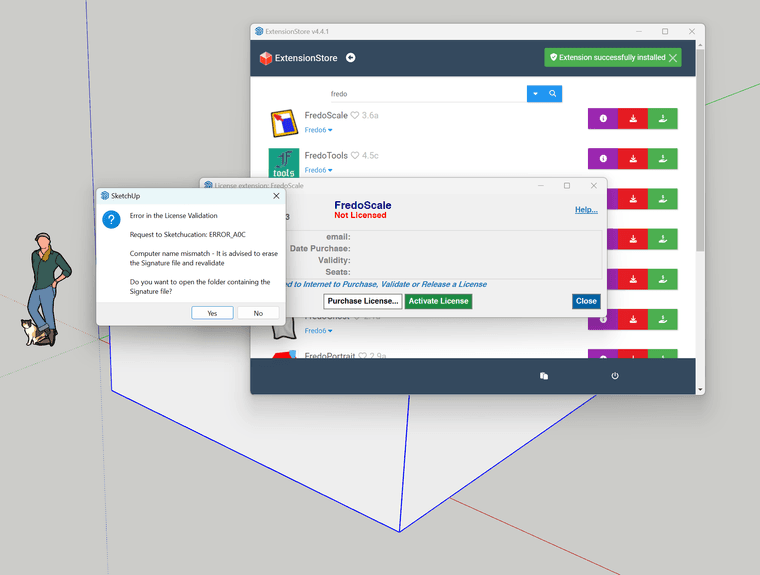
                                          I have a purchase license bundle of fredo2022 but i can't use plugin please help
                                          thanks. fredo.png
                                          Rich O BrienR 1 Reply Last reply Balas Petikan 0
                                          • Rich O BrienR Luar talian
                                            Rich O Brien Moderator @ratthakorn33
                                            last edited by

                                            @ratthakorn33 said in [Plugin][$] FredoScale - v3.6a - 01 Apr 24:

                                            Hi! Fredo.
                                            I have a purchase license bundle of fredo2022 but i can't use plugin please help
                                            thanks. fredo.png

                                            Close SketchUp

                                            Perform the steps in the dialog and delete the SCFLicenseSignature - DO NOT MODIFY OR DELETE.txt at C:\Users\SomeName\AppData\Local\SCF Licenses

                                            Start SketchUp and activate license

                                            Download the free D'oh Book for SketchUp 📖

                                            R 1 Reply Last reply Balas Petikan 0
                                            • 1
                                            • 2
                                            • 3
                                            • 4
                                            • 5
                                            • 6
                                            • 7
                                            • 8
                                            • 56
                                            • 57
                                            • 6 / 57
                                            • First post
                                              Last post
                                            Buy SketchPlus
                                            Buy SUbD
                                            Buy WrapR
                                            Buy eBook
                                            Buy Modelur
                                            Buy Vertex Tools
                                            Buy SketchCuisine
                                            Buy FormFonts

                                            Advertisement