[Plugin Library] LibFredo6 - v16.2b - 22 Sep 26



-
With version 16.1g, SketchUp crashes whenever I launch any Fredo command.
With version 16.2a/b, nothing happens, regardless of which Fredo command I run.The latest version of LibFredo6 that works without issues :
Fredo6 Plugins Information on 2026-10-01 18:34:24 +0200
- Platform: x86_64-darwin14 - Ruby: 2.2.4
- Sketchup: 17.3.116
- LibFredo6: v16.1a
- LibFredo6 Binary loaded
- Sketchucation Tools: 5.0.8
- SCFLicense: v7.5a - 72
- Fredo6 Plugins
Curviloft v2.0a - licensed FULL: 96723 - DX1670440412.0J
FredoTools v4.5c
JointPushPull v4.9a - licensed FULL: 187883 - DX1670440412.0J
RoundCorner v3.4a - licensed FULL: 106080 - DX1670440412.0J - SCFLicense directory present
Signature File: 2022-12-07 20:13:32 +0100
Curviloft: 2026-09-30 07:52:46 +0200
JointPushPull: 2026-09-30 07:53:08 +0200
RoundCorner: 2026-09-30 07:53:25 +0200
-
How do you install LibFredo6 (Sketcucation Tools, Extension Manager, manual unzip)?
It seems that the main ruby file (Fredo6_!LibFredo6.rb) is not updated.
Could go to the Plugins directory, erase Fredo6_!LibFredo6.rb and the folder Fredo6_!LibFredo6, and then reinstall LibFredo6 v16.2b to have a clean installation.
-
@fredo6
I installed it via Extension manager. I try to erase it from Plugins, download it again, install via Extension Manager, but nothing changed. -
install via Extension Manager, but nothing changed.
Why are you not using the Sketchucation Tool to install it?
-
@Dave-R
it is the same. When I open Sketchucation Tool, there is just link to Extension Manager. -
The SketchUcation Toolbar == ExtensionStore
If you use the Extensions > SketchUcation submenu it also lists the ExtensionStore, PluginManager and a link to o[en the native Extension Manager.
Are you installing it from an RBZ downloaded from our PluginStore, or from our ExtensionStore dialog that opens from within SketchUp itself ?
That's not been made clear... -
When I open Sketchucation Tool, there is just link to Extension Manager.
There must be something wrong with your installation or you're looking in the wrong place.
Click on the red button in the Sketchucation Tools toolbar.
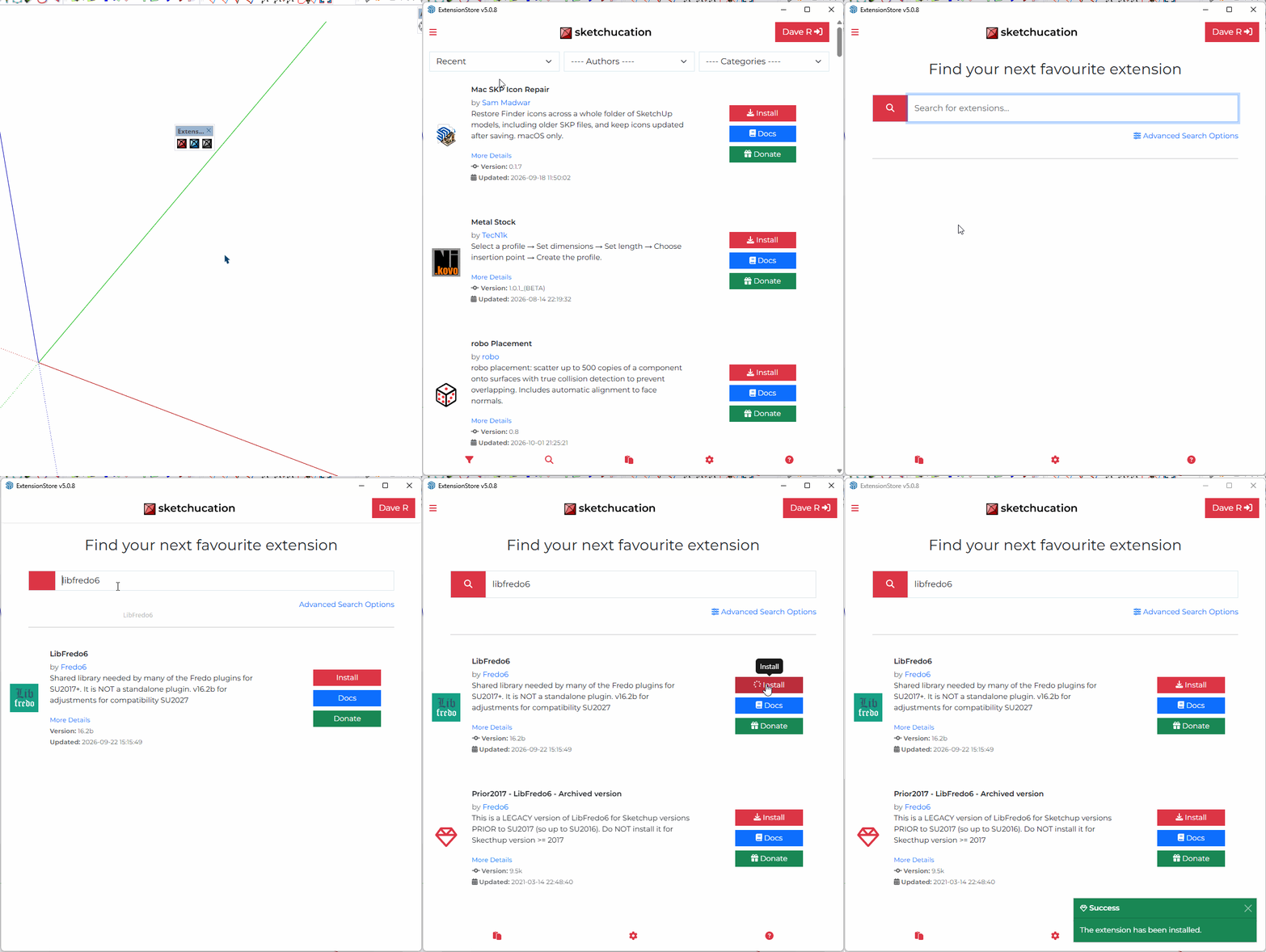
-
-
What does your post actually mean ?
There is a newer version... -
I am facing issues using Fredo scale plugin and thru paint issues just like before version 16.a but then it resolved and I install new versions of all Fredo plugins avilable on skechucation and Fredo library as well now problem is Fredo plugins are not working properly at all especially Fredo scale and thru paint I have paid licences of both and it is not recognizes the licence on every turning on of my PC as well I tried installing new version of extension store tool as well
Can u please help me or give me RBZ file of libfredo 16.a so that I can use smoothly
I have 4 version installed in my PC 21 24 25 and 26 skechup's -
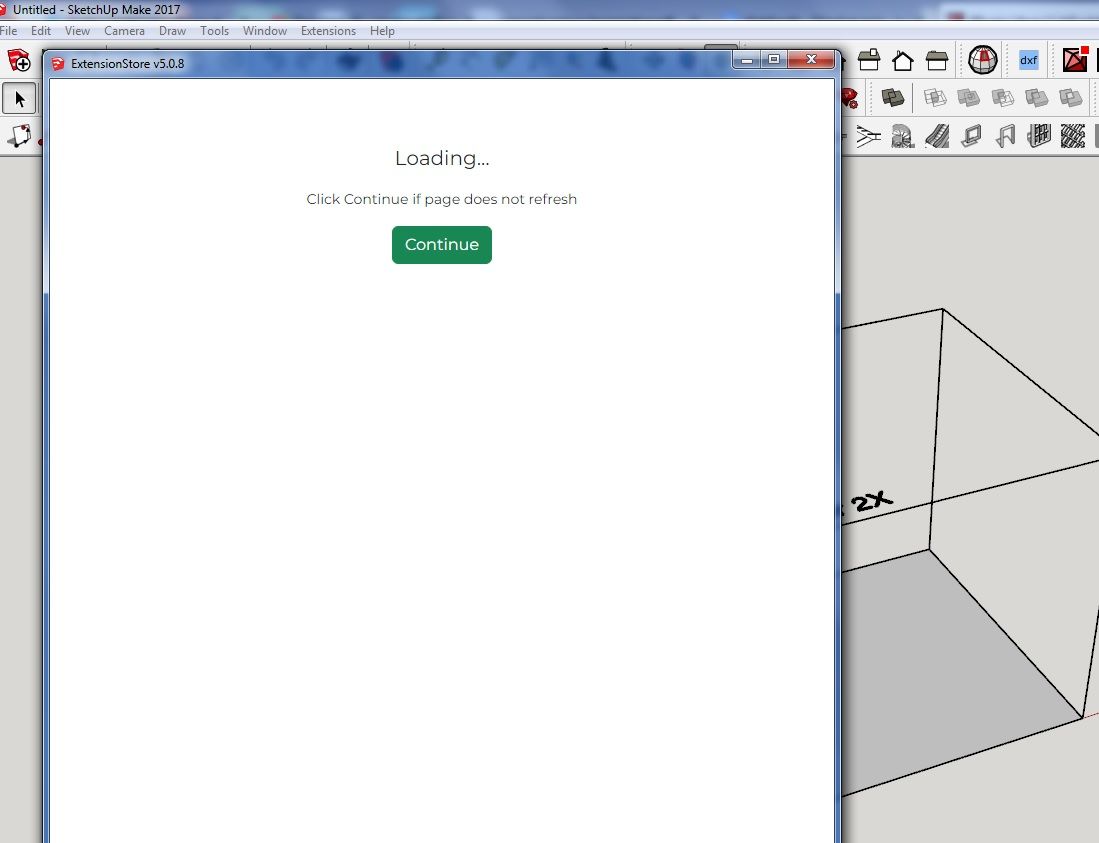
@Dave-R unfortunately, it does not work for me. I have installed Extensionstore v5.0.8., but I see only button continue, but it not work. I think, there is problem may be with firewall, or something like that, because my PC is in domain, which is not directly on internet. But all other updates are function normally.



Hello! It looks like you're interested in this conversation, but you don't have an account yet.
Getting fed up of having to scroll through the same posts each visit? When you register for an account, you'll always come back to exactly where you were before, and choose to be notified of new replies (either via email, or push notification). You'll also be able to save bookmarks and upvote posts to show your appreciation to other community members.
With your input, this post could be even better 💗
Register Login


Advertisement