sketchucation logo sketchucation
    • 登入
    Oops, your profile's looking a bit empty! To help us tailor your experience, please fill in key details like your SketchUp version, skill level, operating system, and more. Update and save your info on your profile page today!
    🔌 Smart Spline | Fluid way to handle splines for furniture design and complex structures. Download

    [Plugin Library] LibFredo6 - v15.8e - 15 Feb 26


    已排程 已置頂 已鎖定 已移動 Plugins
    2.2k 貼文 573 Posters 4.2m 瀏覽 575 Watching
    正在載入更多貼文
    • 從舊到新
    • 從新到舊
    • 最多點贊
    回覆
    • 在新貼文中回覆
    登入後回覆
    此主題已被刪除。只有擁有主題管理權限的使用者可以查看。
    • fredo6F 離線
      fredo6
      最後由 編輯

      @nwarner33 said:

      Hi there, is there a trick to getting your plugins to work with sketchup 2015? Or has that not happened yet?
      Thanks for all you do.
      Nic

      All my plugins work with SU15

      Fred

      1 條回覆 最後回覆 回覆 引用 0
      • fredo6F 離線
        fredo6
        最後由 編輯

        NEW RELEASE: LibFredo6 v6.4a - 17 Nov 14

        LibFredo6 6.4a is a release mainly for AngleInspector 1.0, part of FredoTools 2.4a.

        It also fixes some bugs and adjustments that have an impact on DrawAlong and MoveAlong. So it is advised to upgrade

        See main post of this thread for Download of LibFredo6.

        Fredo

        1 條回覆 最後回覆 回覆 引用 0
        • OxerO 離線
          Oxer
          最後由 編輯

          New Spanish Language file v6.4a

          Spanish Language

          "The result is the end what is important is the process" by Oxer
          http://www.oxervision.blogspot.com/

          1 條回覆 最後回覆 回覆 引用 0
          • fredo6F 離線
            fredo6
            最後由 編輯

            Oxer,

            Thanks very much. This will go in next update

            Fredo

            1 條回覆 最後回覆 回覆 引用 0
            • M 離線
              mjvanderploeg
              最後由 編輯

              Dear all,

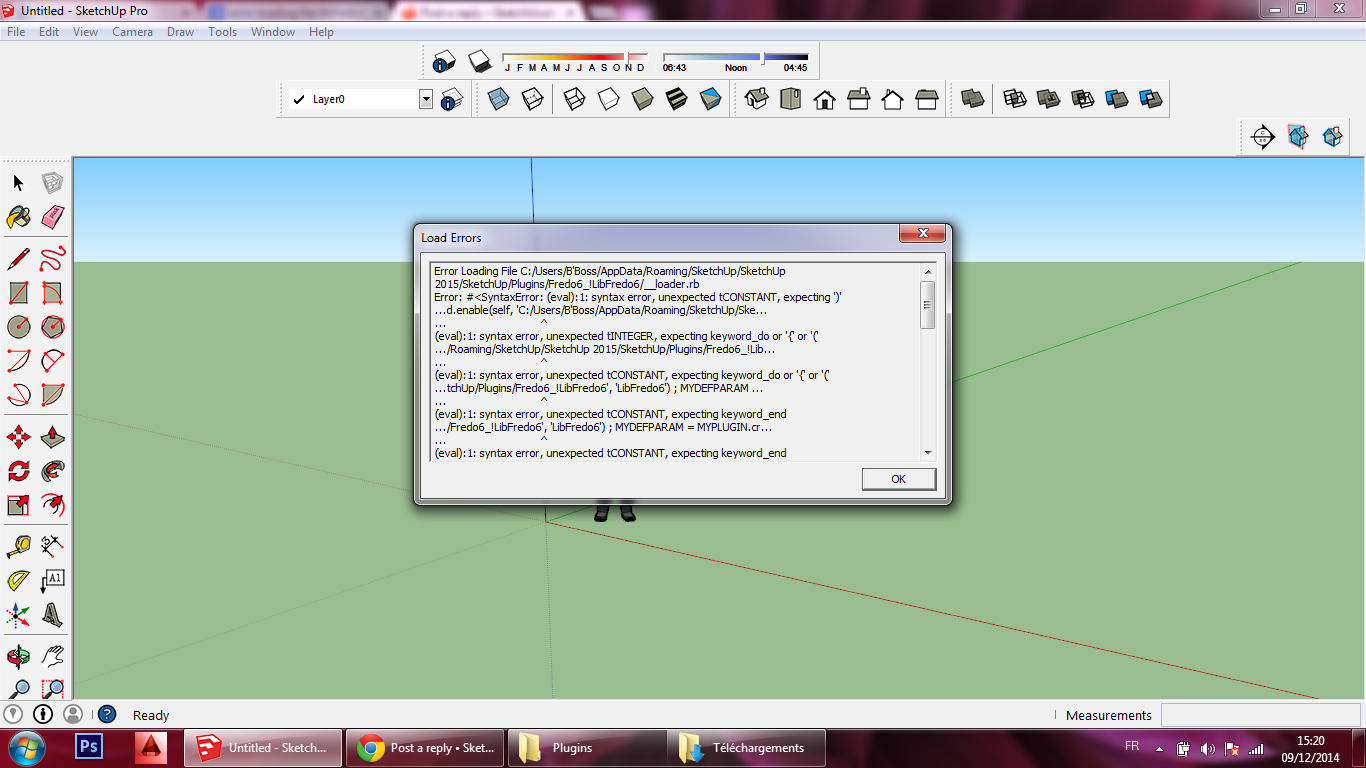
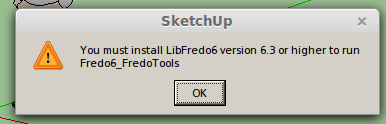
              got a problem using libfredo6 with fredo tools and round corner. Error message is that libfredo6 is not 6.3 or higher, while the latest 6.4 is installed. See attached files. Can you help?
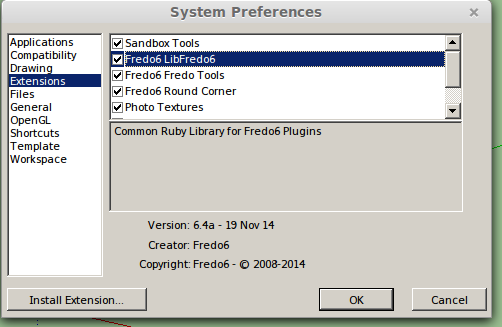
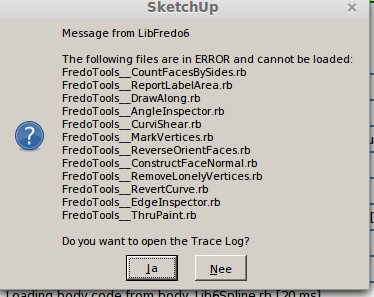
              error message 1


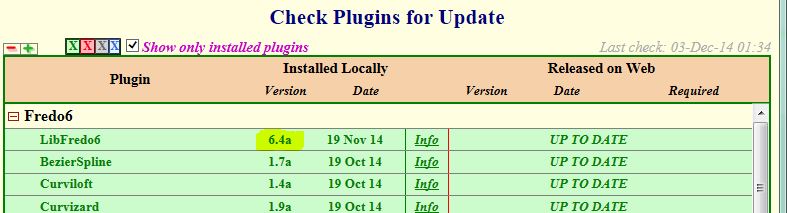
              installed libfredo6 version


              error message 2


              log file

              1 條回覆 最後回覆 回覆 引用 0
              • fredo6F 離線
                fredo6
                最後由 編輯

                Actually the message should say "you must install LibFredo6 6.4". So it's not a problem of version.

                The issue seems to come from a wrong installation of FredoTools.

                Did you install both LibFredo6 and FredoTools in the same directory?

                I suggest you have a look at the footprint and possibly cleanup and reinstall FredoTools (ideally from the PluginStore).

                Fredo

                1 條回覆 最後回覆 回覆 引用 0
                • M 離線
                  mjvanderploeg
                  最後由 編輯

                  @fredo6 said:

                  Actually the message should say "you must install LibFredo6 6.4". So it's not a problem of version.

                  The issue seems to come from a wrong installation of FredoTools.

                  Did you install both LibFredo6 and FredoTools in the same directory?

                  I suggest you have a look at the footprint and possibly cleanup and reinstall FredoTools (ideally from the PluginStore).

                  Fredo

                  Fredo,

                  Thanks for your quick reply. A few things I forgot to mention. I'm running Sketchup 2013 in LinuxMint 17, using wine.

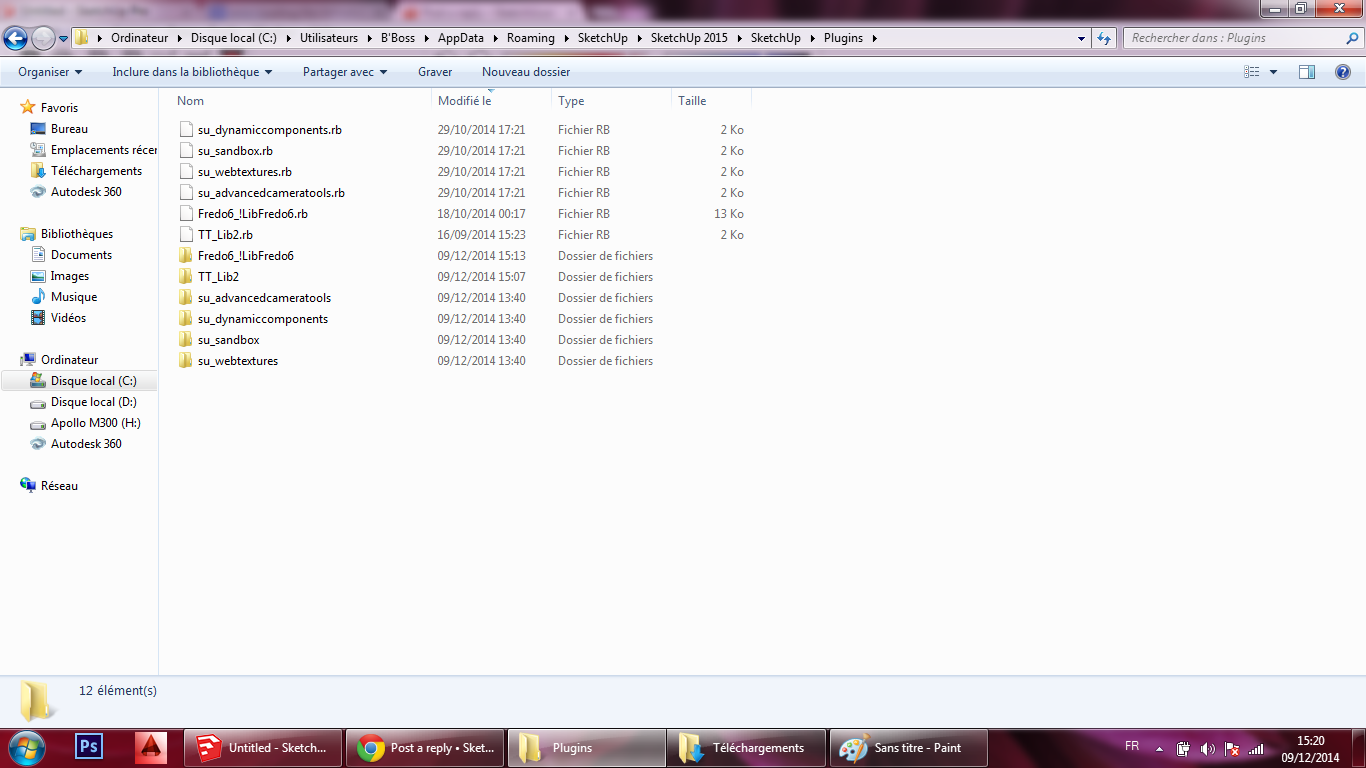
                  This is the contents of the Plugin folder:

                  drwxr-xr-x 3 margriet margriet 4096 nov 24 21:23 Fredo6_FredoTools
                  -rw-r--r-- 1 margriet margriet 1633 okt 18 00:28 Fredo6_FredoTools.rb
                  drwxr-xr-x 4 margriet margriet 4096 nov 24 21:23 Fredo6_!LibFredo6
                  -rw-r--r-- 1 margriet margriet 12896 okt 18 00:17 Fredo6_!LibFredo6.rb
                  drwxr-xr-x 4 margriet margriet 4096 nov 24 21:24 Fredo6_RoundCorner
                  -rw-r--r-- 1 margriet margriet 1633 okt 18 15:57 Fredo6_RoundCorner.rb
                  drwxr-xr-x 4 margriet margriet 4096 nov 22 09:32 su_advancedcameratools
                  -rw-r--r-- 1 margriet margriet 1715 aug 6 2013 su_advancedcameratools.rb
                  drwxr-xr-x 8 margriet margriet 4096 nov 22 09:32 su_dynamiccomponents
                  -rw-r--r-- 1 margriet margriet 1717 aug 6 2013 su_dynamiccomponents.rb
                  drwxr-xr-x 3 margriet margriet 4096 nov 22 09:33 su_sandbox
                  -rw-r--r-- 1 margriet margriet 1663 aug 6 2013 su_sandbox.rb
                  drwxr-xr-x 2 margriet margriet 4096 nov 22 09:33 su_webtextures
                  -rw-r--r-- 1 margriet margriet 1299 aug 6 2013 su_webtextures.rb

                  So all plugins are in the same folder.

                  The Fredotools are indeed the latest version from the plugin store

                  -rw-r--r-- 1 margriet margriet 305756 nov 24 20:08 FredoTools_v2.4a.rbz

                  As the sketchucation tools do not work on my machine, I manually downloaded your plugins from the store and installed them via the Window -> preferences -> extensions menu.

                  1 條回覆 最後回覆 回覆 引用 0
                  • fredo6F 離線
                    fredo6
                    最後由 編輯

                    I think this may be due to Linux, where the ! charcater is actually not the considered going before alphanumeric characters. This means that FredoTools seems to be loaded before LibFredo6.

                    The only thing I see would be to simply remove the file Fredo6_FredoTools.rb(which is actually not useful). LibFredo6 will load it.

                    Fredo

                    1 條回覆 最後回覆 回覆 引用 0
                    • S 離線
                      Spirou4D
                      最後由 編輯

                      No my dear, your last release isn't 6.4a!!!! There are a mistake.
                      Take alook on your lib, please.

                      1 條回覆 最後回覆 回覆 引用 0
                      • BoxB 離線
                        Box
                        最後由 編輯

                        Looks it to me.


                        lib.JPG

                        1 條回覆 最後回覆 回覆 引用 0
                        • J 離線
                          Justusson
                          最後由 編輯

                          Hi,
                          does anyone know why I'm getting dotted lines, when drawing with TOS, and not filled lines?
                          (Both with arch, rectangle sometimes and so forth,..)

                          These dotted lines, much like hidden lines don't affect the surface at all. They need to be filled in afterwards manually. They apply themselves to the curved surfaces, but don't do anything more than that.

                          Hope anyone can help me,

                          Best regards/
                          Chris

                          1 條回覆 最後回覆 回覆 引用 0
                          • Dave RD 離線
                            Dave R
                            最後由 編輯

                            It sounds to me as if you have it set to draw construction lines instead of edges. You ought to spend some time looking at the info here. Especially look at the Quickcard PDF file available in the first post of the thread.

                            Etaoin Shrdlu

                            %

                            (THERE'S NO PLACE LIKE)

                            G28 X0.0 Y0.0 Z0.0

                            M30

                            %

                            1 條回覆 最後回覆 回覆 引用 0
                            • J 離線
                              Justusson
                              最後由 編輯

                              Excellent, thanks Dave R, just was I was looking for. Hadn't seen the Construction lines/ Plain Lines.
                              Best /
                              Christoffer

                              1 條回覆 最後回覆 回覆 引用 0
                              • S 離線
                                sahli85
                                最後由 編輯

                                libfredo6 don't work 😢


                                r1.png


                                r2.png

                                1 條回覆 最後回覆 回覆 引用 0
                                • TIGT 離線
                                  TIG Moderator
                                  最後由 編輯

                                  Please check for proper installation...

                                  BUT...

                                  I'm not sure if this is relevant...
                                  When SketchUp v2014 came in it should have fixed the issues with Windows users having accented characters in their user names.
                                  Unfortunately, it was found that sometimes it still failed in some circumstances...
                                  One issue was with a single-quote ['] in user names ! [like "B'Boss"]...
                                  BUT I thought this had been addressed in later versions...

                                  Also some "FILE" values etc fail if the result is not forced into UTF-8 encoding in the script itself - this is system dependent...

                                  Any SUp guys care to comment ?
                                  thomthom ??

                                  TIG

                                  1 條回覆 最後回覆 回覆 引用 0
                                  • fredo6F 離線
                                    fredo6
                                    最後由 編輯

                                    The prolem comes from the quote in the username, which clashes with string parsing.

                                    So not a non-ascii problem, but even worse, as I never thought quotes where allowed in usernames.

                                    Fredo

                                    1 條回覆 最後回覆 回覆 引用 0
                                    • TIGT 離線
                                      TIG Moderator
                                      最後由 編輯

                                      User-names and folder paths with single quotes ['] are allowed e.g. "Rich_O'Brien" [but still ill-advised!] - BUT all double quotes ["] are prohibited on PC and MAC...
                                      As well as " - other prohibited path-name characters are /:|?¬* and an initial <space>, several others [like % and @] are best avoided...

                                      The ' did cause some SUp 'finding Plugins folder' issues, but I think they might be fixed...

                                      BUT any Ruby or JS string parsing should use "" around text to avoid the ' failures ?

                                      TIG

                                      1 條回覆 最後回覆 回覆 引用 0
                                      • fredo6F 離線
                                        fredo6
                                        最後由 編輯

                                        @sahli85
                                        Could you test the attached fix to see if this fixes the problem of your username with a quote.

                                        Just drop the attached file in the folder Fredo6_!LibFredo6
                                        Lib6Core.rb

                                        Thanks

                                        Fredo

                                        1 條回覆 最後回覆 回覆 引用 0
                                        • S 離線
                                          Spirou4D
                                          最後由 編輯

                                          No my Dear, your last release isn't 6.4a!!!! There are a mistake.
                                          Take a look on your lib files and particularly the init file (you can read 6.3 and this cause error in Fredo6 updater), please!!!

                                          1 條回覆 最後回覆 回覆 引用 0
                                          • TIGT 離線
                                            TIG Moderator
                                            最後由 編輯

                                            I'm sure Fredo will comment... 😒

                                            But in the files in the Lib folder, for my v6.4a there is no reference to 6.3 ?
                                            Also there is no ' ini' file ??
                                            What did you mean by that ?

                                            The RB file in the Lib folder which sets the 'version' is:
                                            'LibFredo6.plugin'
                                            and that contains:
                                            VERSION = 6.4a

                                            The only place ' 6.3' is mentioned at all is in the version-checker in the loader RB itself [ Fredo6_!LibFredo6.rb] - which says:
                                            "...UI.messagebox "You must install LibFredo6 version **6.3 or higher** to run #{f6__base}"..."

                                            • and 6.4a is > 6.3 ?

                                            Please be more specific with the nature of this report - no one else can see your issue...

                                            TIG

                                            1 條回覆 最後回覆 回覆 引用 0
                                            • 1
                                            • 2
                                            • 3
                                            • 4
                                            • 5
                                            • 6
                                            • 109
                                            • 110
                                            • 4 / 110
                                            • 第一個貼文
                                              最後的貼文
                                            Buy SketchPlus
                                            Buy SUbD
                                            Buy WrapR
                                            Buy eBook
                                            Buy Modelur
                                            Buy Vertex Tools
                                            Buy SketchCuisine
                                            Buy FormFonts

                                            Advertisement