[Plugin Library] LibFredo6 - v15.8e - 15 Feb 26



-
çok iyi
-
Oi! Alguem poderia me ajudar?
Fui usar o plugin e atestou como desatualizado.Atualizei as versões, instalei na ordem certa e agora está falando que tenho que comprar! O que eu posso fazer?
-
@unknownuser said:
@carolmonaco96
Hi! Can anybody help me?
I went to use the plugin and attested it as outdated.I updated the versions, installed it in the right order and now it's saying that I have to buy! What can I do?
The subject of this thread is "LibFredo", which is a free set of helper tools needed by Fredo's extensions.
So what was the actual 'plugin' you were trying to install / use ?Please note that recently Fredo has decided to sell licenses for a few of his excellent extensions [with a time-limited trial-period].
If you post relates to one of those, then you will need to buy a license - it's an inexpensive and perpetual set up.So please explain your problem better, so that we can advise you better...
-
I am attempting to download LibFredo06 and every time I click download Sketch Up loads up and an error message appears "This does not appear to be a sketchUp Model" can you please assist with what is going wrong?
-
Evidently you have set up your computer to automatically open downloads. Change that. Then, after you have downloaded an extension, go to Window>Extension Manager and click on Install Extension, navigate to your Downloads folder, select the extension and choose Open.
Better, download the SketchUcation Plugin Store tool under Resources at the top of this page. Install it as above. Then use it to find and install extensions. You won't have to go through the Install Extension steps from above every time but it will help you keep your extensions up to date and give you some other tools for managing and organizing extensions. You'll need that anyway if you are going to use any of Fredo6's [$] extensions.
-
Hi everyone, I'm an amateur sketchup user, so apologies in advance for not knowing what I'm talking about... I have been using FredoCorner and recently purchased a license, but I have been experiencing issues with functionality. This is the error that most recently popped up in Rubyconsole when I tried to apply round to edges of a fairly simple face. Some version of this happens almost every time I try to use the extension, no matter what the shape. I also encountered an issue where it seemed to be finally working, and the preview looked ok, but when I generated the geometry it deleted the top face and created another crazy face shooting out into the abyss. (I tried to recreate the problem just now so I could take a screen shot, but now of course it isn't happening anymore - also, the forum won't let me upload my screenshots anyway bc they are too small? soooo...) Any ideas what could be going on here and/or how to fix it?
Date: 09-Mar-21 20:00:04
An error occurred in FredoCorner
An error occured in the Ruby codeundefined method `edges' for nil:NilClass
fredocornerchemin.rbe:: 430 -- next_face_direction
fredocorneralgo.rbe:: 2317 -- brane_free_chemin
fredocorneralgo.rbe:: 2057 -- block in catena_process_branes_protected
fredocorneralgo.rbe:: 2047 -- each
fredocorneralgo.rbe:: 2047 -- catena_process_branes_protected
fredocorneralgo.rbe:: 2009 -- block in catena_process_branes
fredocorneralgo.rbe:: 2008 -- catch
fredocorneralgo.rbe:: 2008 -- catena_process_branes
fredocorneralgo.rbe:: 965 -- block in solid_construct_branes
fredocorneralgo.rbe:: 964 -- each
fredocorneralgo.rbe:: 964 -- solid_construct_branes
fredocorneralgo.rbe:: 919 -- block in solid_reconstruction
fredocorneralgo.rbe:: 918 -- each
fredocorneralgo.rbe:: 918 -- solid_reconstruction
fredocorneralgo.rbe:: 883 -- solid_add_remove_edges
fredocornertool.rbe:: 1845 -- selection_change
fredocornertool.rbe:: 1833 -- selection_add_remove_edges
fredocornertool.rbe:: 1856 -- selection_set
fredocornertool.rbe:: 1538 -- block in preselection_instantiate
fredocornertool.rbe:: 1535 -- each
fredocornertool.rbe:: 1535 -- preselection_instantiate
fredocornertool.rbe:: 1530 -- preselection_analyze
fredocornertool.rbe:: 766 -- true_activate
fredocornertool.rbe:: 751 -- block in activate
lib6plugin.rbe:: 1568 -- tem_context
fredocornertool.rbe:: 751 -- activate
fredocornertool.rbe:: 194 -- select_tool
fredocornertool.rbe:: 194 -- launch
fredocornertool.rbe:: 176 -- action__mapping
lib6plugin.rbe:: 129 -- call
lib6plugin.rbe:: 129 -- launch_action
lib6plugin.rbe:: 227 -- launch_action
bootstrap_fredocorner.rbe:: 103 -- launch_action
bootstrap_fredocorner.rbe:: 118 -- block in startup
lib6plugin.rbe:: 1347 -- command_invoke
lib6plugin.rbe:: 1328 -- block (2 levels) in build_config_commands
lib6traductor.rbe:: 1377 -- block in add_command -
Which version of SketchUp are you actually using? Your profile says you are using 2021 Make which doesn't exist.
Can you share the .skp file where this problem occurs?
-
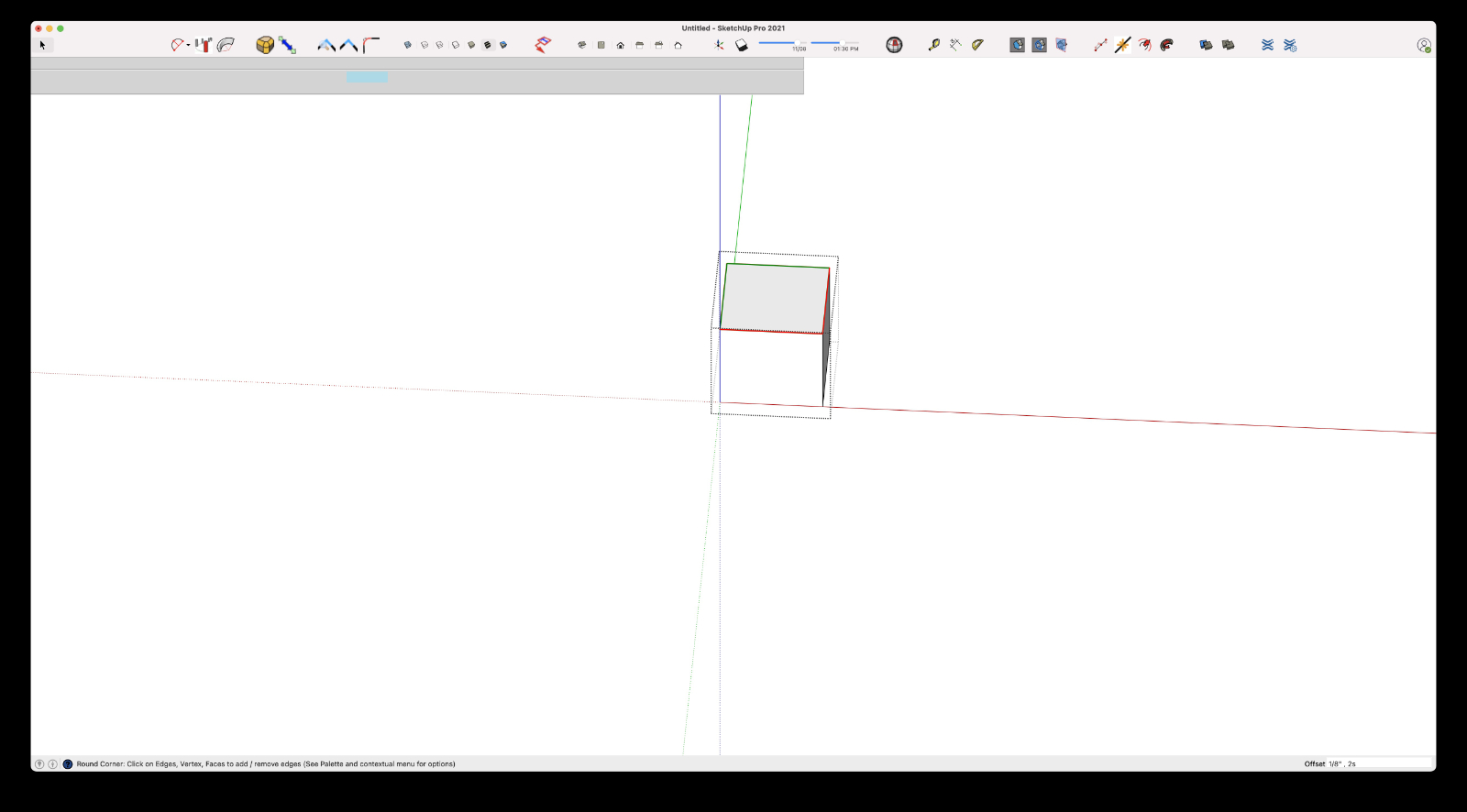
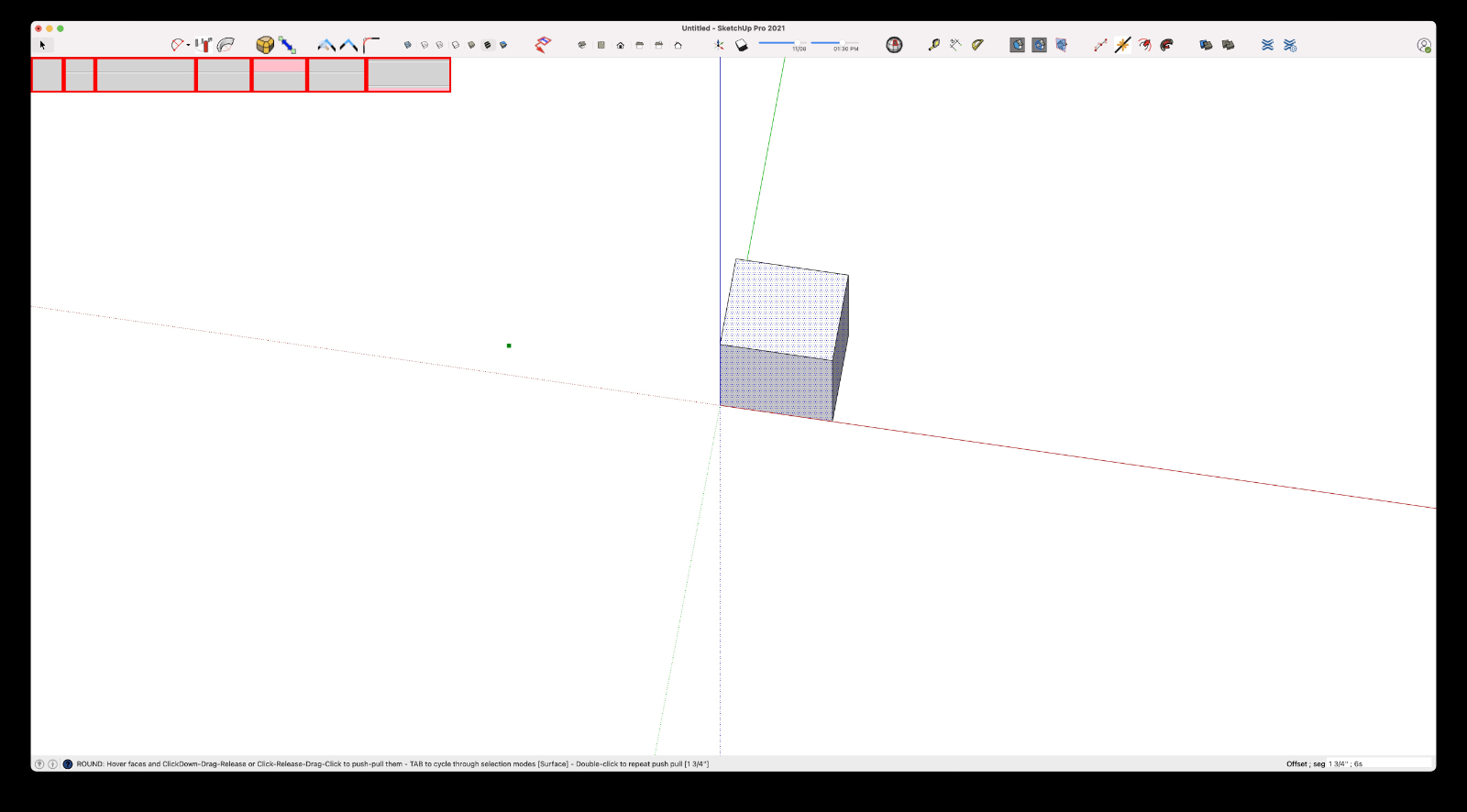
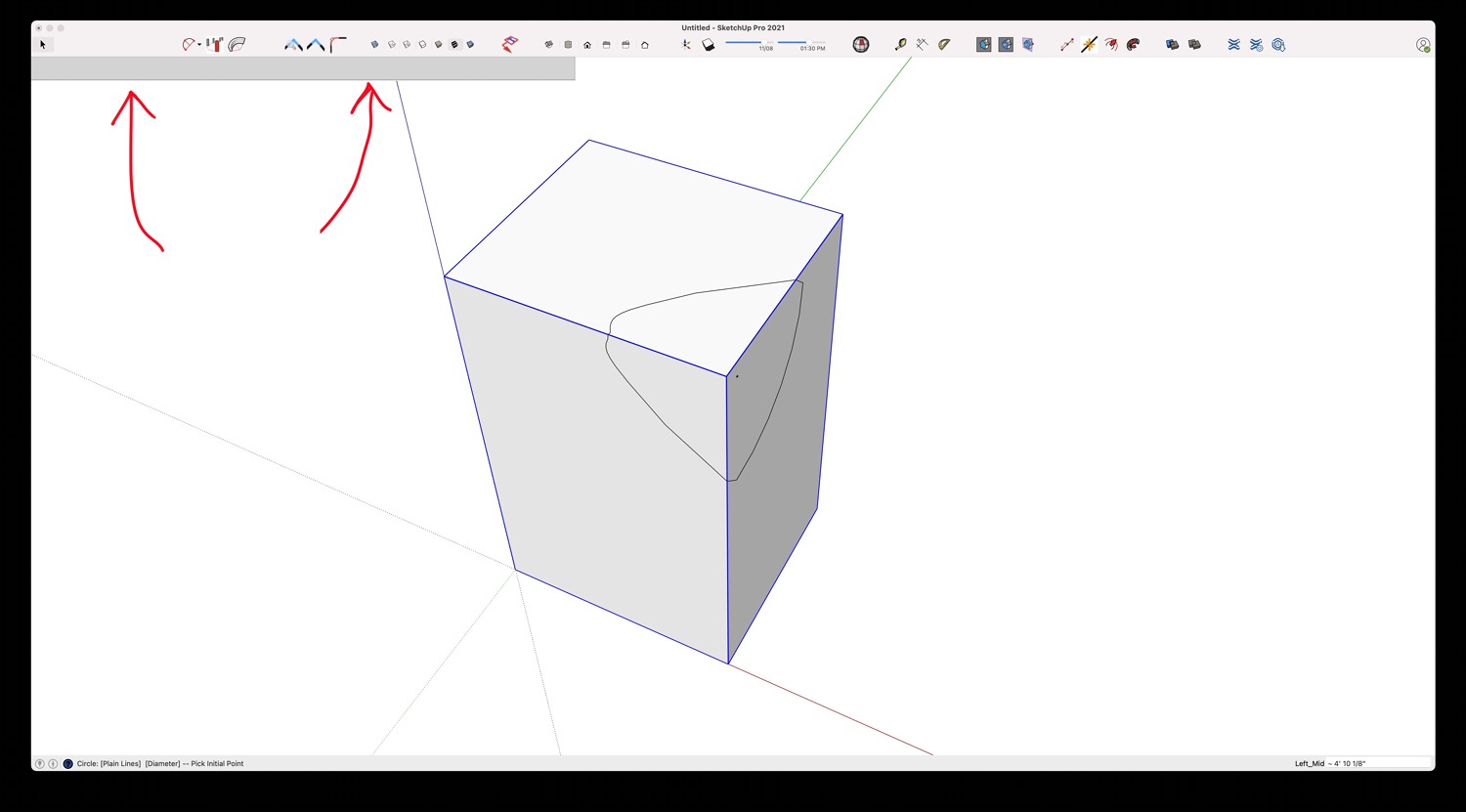
Looking for help..!? When loading any Fredo plugin, I can not see the dialog box(s).
SketchUp Pro 2021
iMac (Retina 5K, 27-inch, 2019) macOS Big SurError: #<ArgumentError: invalid byte sequence in UTF-8>
/users/toddlehman/library/application support/sketchup 2021/sketchup/plugins/fredo6_!libfredo6/body_lib6g6.rbe:9318:instrip' /users/toddlehman/library/application support/sketchup 2021/sketchup/plugins/fredo6_!libfredo6/body_lib6g6.rbe:9318:inload_from_file'
/users/toddlehman/library/application support/sketchup 2021/sketchup/plugins/fredo6_!libfredo6/body_lib6g6.rbe:9221:inblock in load_all_colors' /users/toddlehman/library/application support/sketchup 2021/sketchup/plugins/fredo6_!libfredo6/body_lib6g6.rbe:9216:ineach'
/users/toddlehman/library/application support/sketchup 2021/sketchup/plugins/fredo6_!libfredo6/body_lib6g6.rbe:9216:inload_all_colors' /users/toddlehman/library/application support/sketchup 2021/sketchup/plugins/fredo6_!libfredo6/body_lib6g6.rbe:9164:ininitialize'
/users/toddlehman/library/application support/sketchup 2021/sketchup/plugins/fredo6_!libfredo6/body_lib6g6.rbe:9151:innew' /users/toddlehman/library/application support/sketchup 2021/sketchup/plugins/fredo6_!libfredo6/body_lib6g6.rbe:9151:ininstantiate'
/users/toddlehman/library/application support/sketchup 2021/sketchup/plugins/fredo6_!libfredo6/body_lib6g6.rbe:3830:incolor_parse' /users/toddlehman/library/application support/sketchup 2021/sketchup/plugins/fredo6_!libfredo6/body_lib6g6.rbe:4007:incolor_luminance'
/users/toddlehman/library/application support/sketchup 2021/sketchup/plugins/fredo6_!libfredo6/body_lib6g6.rbe:4017:incolor_is_dark?' /users/toddlehman/library/application support/sketchup 2021/sketchup/plugins/fredo6_!libfredo6/body_lib6palette.rbe:2797:indraw_button_text'
/users/toddlehman/library/application support/sketchup 2021/sketchup/plugins/fredo6_!libfredo6/body_lib6palette.rbe:2699:indraw_button' /users/toddlehman/library/application support/sketchup 2021/sketchup/plugins/fredo6_!libfredo6/body_lib6palette.rbe:3203:inblock in draw'
/users/toddlehman/library/application support/sketchup 2021/sketchup/plugins/fredo6_!libfredo6/body_lib6palette.rbe:3196:ineach' /users/toddlehman/library/application support/sketchup 2021/sketchup/plugins/fredo6_!libfredo6/body_lib6palette.rbe:3196:indraw'
/users/toddlehman/library/application support/sketchup 2021/sketchup/plugins/fredo6_!libfredo6/lib6palette.rbe:78:indraw' /users/toddlehman/library/application support/sketchup 2021/sketchup/plugins/fredo6_jointpushpull/jointpushpulltool.rbe:1768:indraw'
-
@tlehman914 said:
Looking for help..!? When loading any Fredo plugin, I can not see the dialog box(s).
Could you check the version of LibFredo6 you have installed.
Did you play with FredoTools ColorPaint?
-
Hello,
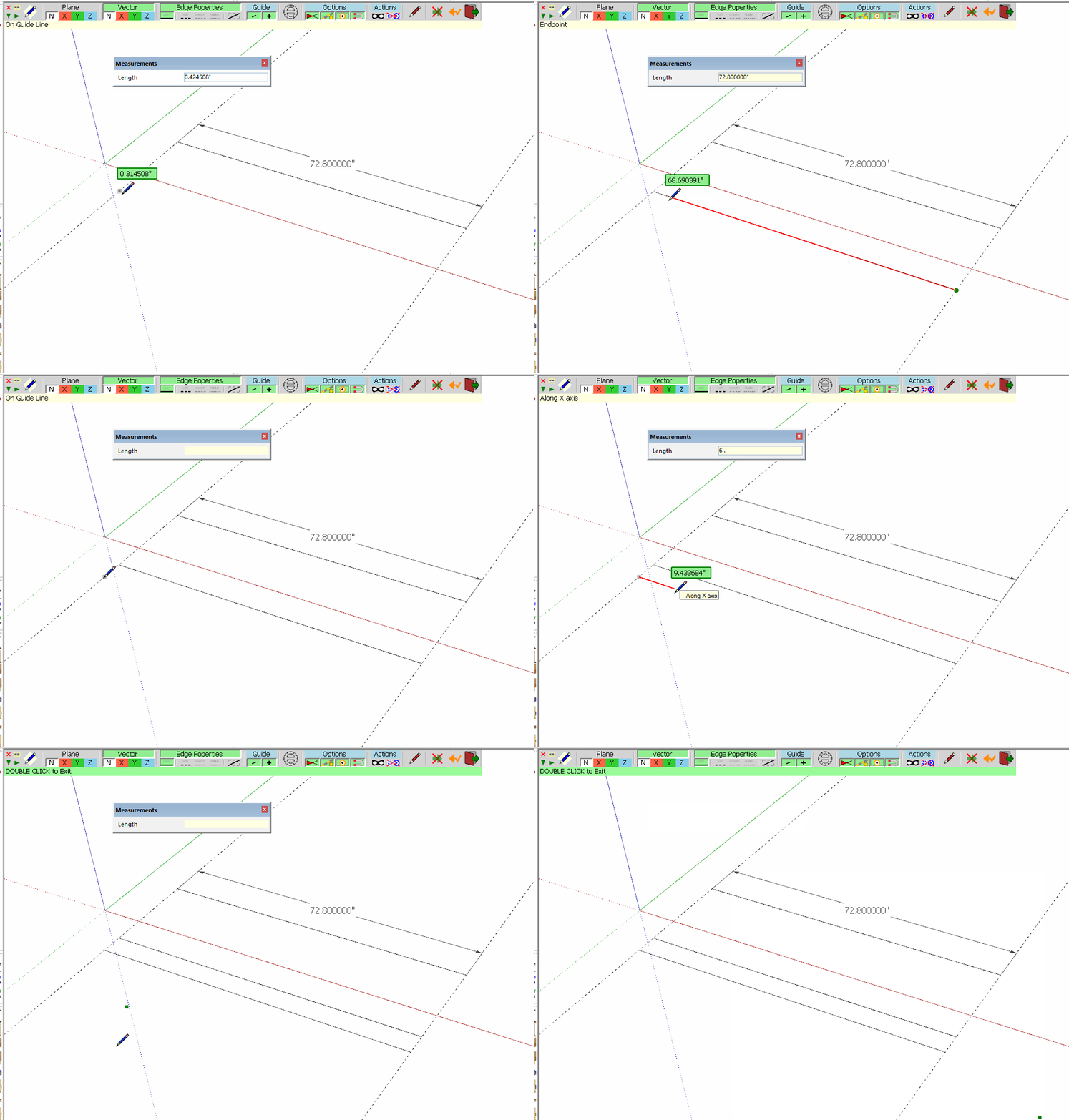
I may have found a bug in your DrawAlong tool. I have a JPG image that I'm adding countours to. I'm drawing them in the negative direction or below the image. When I type 6' .8", it draws a line not on the blue axis and at an angle towards the corner of the image. Trying to narrow down the error, 6' 1.8" works fine as does 6' 0.8". Very minor and easy to workaround but thought I'd share.
Amazing work!
-
@ski_bird said:
Hello,
I may have found a bug in your DrawAlong tool. I have a JPG image that I'm adding countours to. I'm drawing them in the negative direction or below the image. When I type 6' .8", it draws a line not on the blue axis and at an angle towards the corner of the image. Trying to narrow down the error, 6' 1.8" works fine as does 6' 0.8". Very minor and easy to workaround but thought I'd share.
Amazing work!
I did not know that 6' .8" would be valid. Surprises everyday with these imperial units...!
I will fix that in a next release. -
If you type 6'.8 and hit Enter or type 6'.8" and hit Enter you'll get a line that is 72.8 inches long. It's correct and expected behavior as far as I am seeing here. Fredo, I don't see that any change is needed.
Units set to decimal inches to show the .8.
-
@fredo6 said:
@tlehman914 said:
Looking for help..!? When loading any Fredo plugin, I can not see the dialog box(s).
Could you check the version of LibFredo6 you have installed.
Did you play with FredoTools ColorPaint?
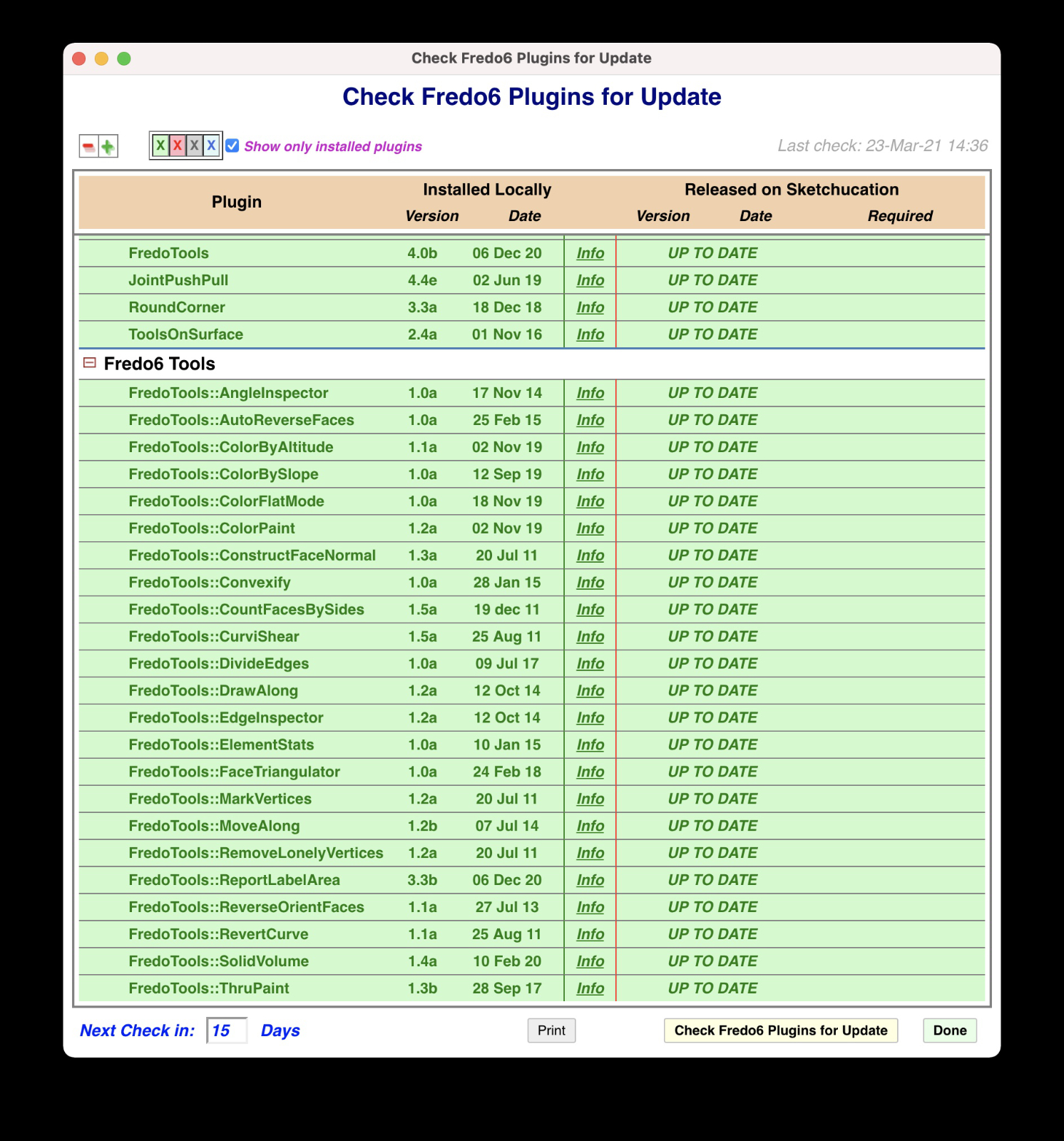 LibFredo6
11.6a
23 Jan 21ColorPaint will not open.
Error: #<ArgumentError: invalid byte sequence in UTF-8>
/users/toddlehman/library/application support/sketchup 2021/sketchup/plugins/fredo6_!libfredo6/body_lib6g6.rbe:9318:instrip' /users/toddlehman/library/application support/sketchup 2021/sketchup/plugins/fredo6_!libfredo6/body_lib6g6.rbe:9318:inload_from_file'
/users/toddlehman/library/application support/sketchup 2021/sketchup/plugins/fredo6_!libfredo6/body_lib6g6.rbe:9221:inblock in load_all_colors' /users/toddlehman/library/application support/sketchup 2021/sketchup/plugins/fredo6_!libfredo6/body_lib6g6.rbe:9216:ineach'
/users/toddlehman/library/application support/sketchup 2021/sketchup/plugins/fredo6_!libfredo6/body_lib6g6.rbe:9216:inload_all_colors' /users/toddlehman/library/application support/sketchup 2021/sketchup/plugins/fredo6_!libfredo6/body_lib6g6.rbe:9164:ininitialize'
/users/toddlehman/library/application support/sketchup 2021/sketchup/plugins/fredo6_!libfredo6/body_lib6g6.rbe:9151:innew' /users/toddlehman/library/application support/sketchup 2021/sketchup/plugins/fredo6_!libfredo6/body_lib6g6.rbe:9151:ininstantiate'
/users/toddlehman/library/application support/sketchup 2021/sketchup/plugins/fredo6_!libfredo6/body_lib6colorscale.rbe:256:incolor_palette_init' /users/toddlehman/library/application support/sketchup 2021/sketchup/plugins/fredo6_!libfredo6/body_lib6colorscale.rbe:456:inprepare_html'
/users/toddlehman/library/application support/sketchup 2021/sketchup/plugins/fredo6_!libfredo6/body_lib6colorscale.rbe:404:inreload_html' /users/toddlehman/library/application support/sketchup 2021/sketchup/plugins/fredo6_!libfredo6/body_lib6colorscale.rbe:361:indialog_create'
/users/toddlehman/library/application support/sketchup 2021/sketchup/plugins/fredo6_!libfredo6/body_lib6colorscale.rbe:337:indialog_invoke' /users/toddlehman/library/application support/sketchup 2021/sketchup/plugins/fredo6_fredotools/body_fredotools__colorpaint.rbe:98:indialog_launch'
/users/toddlehman/library/application support/sketchup 2021/sketchup/plugins/fredo6_fredotools/body_fredotools__colorpaint.rbe:87:ininitialize' /users/toddlehman/library/application support/sketchup 2021/sketchup/plugins/fredo6_fredotools/body_fredotools__colorpaint.rbe:56:innew'
/users/toddlehman/library/application support/sketchup 2021/sketchup/plugins/fredo6_fredotools/body_fredotools__colorpaint.rbe:56:ininitialize' /users/toddlehman/library/application support/sketchup 2021/sketchup/plugins/fredo6_fredotools/body_fredotools__colorpaint.rbe:44:innew'
/users/toddlehman/library/application support/sketchup 2021/sketchup/plugins/fredo6_fredotools/body_fredotools__colorpaint.rbe:44:in_execution' /users/toddlehman/library/application support/sketchup 2021/sketchup/plugins/fredo6_fredotools/fredotools.rbe:187:inexecute_command'
... -
Getting this error when installing on 2021.
Error Loading File Fredo6_!LibFredo6.rb
Error: #<ArgumentError: invalid byte sequence in UTF-8>
c:/users/robotopera/appdata/roaming/sketchup/sketchup 2021/sketchup/plugins/fredo6_!libfredo6/lib6core.rbe:820:inmatch' c:/users/robotopera/appdata/roaming/sketchup/sketchup 2021/sketchup/plugins/fredo6_!libfredo6/lib6core.rbe:820:inblock (2 levels) in load_from_config'
c:/users/robotopera/appdata/roaming/sketchup/sketchup 2021/sketchup/plugins/fredo6_!libfredo6/lib6core.rbe:819:ineach' c:/users/robotopera/appdata/roaming/sketchup/sketchup 2021/sketchup/plugins/fredo6_!libfredo6/lib6core.rbe:819:inblock in load_from_config'
c:/users/robotopera/appdata/roaming/sketchup/sketchup 2021/sketchup/plugins/fredo6_!libfredo6/lib6core.rbe:817:inforeach' c:/users/robotopera/appdata/roaming/sketchup/sketchup 2021/sketchup/plugins/fredo6_!libfredo6/lib6core.rbe:817:inload_from_config'
c:/users/robotopera/appdata/roaming/sketchup/sketchup 2021/sketchup/plugins/fredo6_!libfredo6/lib6core.rbe:1232:inblock in load_all_plugins' c:/users/robotopera/appdata/roaming/sketchup/sketchup 2021/sketchup/plugins/fredo6_!libfredo6/lib6core.rbe:1232:ineach'
c:/users/robotopera/appdata/roaming/sketchup/sketchup 2021/sketchup/plugins/fredo6_!libfredo6/lib6core.rbe:1232:inload_all_plugins' c:/users/robotopera/appdata/roaming/sketchup/sketchup 2021/sketchup/plugins/fredo6_!libfredo6/top_libfredo6.rbe:302:instartup'
C:/Users/robotopera/AppData/Roaming/SketchUp/SketchUp 2021/SketchUp/Plugins/Fredo6_!LibFredo6.rb:67:inprocess' C:/Users/robotopera/AppData/Roaming/SketchUp/SketchUp 2021/SketchUp/Plugins/Fredo6_!LibFredo6.rb:74:inmodule:LibFredo6_Loader'
C:/Users/robotopera/AppData/Roaming/SketchUp/SketchUp 2021/SketchUp/Plugins/Fredo6_!LibFredo6.rb:30:in `<top (required)>' -
How did you install LibFredo6?
- Copying files?
- Sketchup Extension manager from a rbz
- Sketchucation ExtensionStore?
It seems one file is altered.
-
I am still not able to use most all of the Fredo extensions. I have removed ALL Fredo plugins and reinstalled LibFredo6 v11.6a from SketchUcation PluginStore and still get the following error:
Error: #<ArgumentError: invalid byte sequence in UTF-8>
/users/toddlehman/library/application support/sketchup 2021/sketchup/plugins/fredo6_!libfredo6/body_lib6g6.rbe:9318:instrip' /users/toddlehman/library/application support/sketchup 2021/sketchup/plugins/fredo6_!libfredo6/body_lib6g6.rbe:9318:inload_from_file'
/users/toddlehman/library/application support/sketchup 2021/sketchup/plugins/fredo6_!libfredo6/body_lib6g6.rbe:9221:inblock in load_all_colors' /users/toddlehman/library/application support/sketchup 2021/sketchup/plugins/fredo6_!libfredo6/body_lib6g6.rbe:9216:ineach'
/users/toddlehman/library/application support/sketchup 2021/sketchup/plugins/fredo6_!libfredo6/body_lib6g6.rbe:9216:inload_all_colors' /users/toddlehman/library/application support/sketchup 2021/sketchup/plugins/fredo6_!libfredo6/body_lib6g6.rbe:9164:ininitialize'
/users/toddlehman/library/application support/sketchup 2021/sketchup/plugins/fredo6_!libfredo6/body_lib6g6.rbe:9151:innew' /users/toddlehman/library/application support/sketchup 2021/sketchup/plugins/fredo6_!libfredo6/body_lib6g6.rbe:9151:ininstantiate'
/users/toddlehman/library/application support/sketchup 2021/sketchup/plugins/fredo6_!libfredo6/body_lib6g6.rbe:3830:incolor_parse' /users/toddlehman/library/application support/sketchup 2021/sketchup/plugins/fredo6_!libfredo6/body_lib6g6.rbe:4007:incolor_luminance'
/users/toddlehman/library/application support/sketchup 2021/sketchup/plugins/fredo6_!libfredo6/body_lib6g6.rbe:4017:incolor_is_dark?' /users/toddlehman/library/application support/sketchup 2021/sketchup/plugins/fredo6_!libfredo6/body_lib6palette.rbe:2797:indraw_button_text'
/users/toddlehman/library/application support/sketchup 2021/sketchup/plugins/fredo6_!libfredo6/body_lib6palette.rbe:2699:indraw_button' /users/toddlehman/library/application support/sketchup 2021/sketchup/plugins/fredo6_!libfredo6/body_lib6palette.rbe:3203:inblock in draw'
/users/toddlehman/library/application support/sketchup 2021/sketchup/plugins/fredo6_!libfredo6/body_lib6palette.rbe:3196:ineach' /users/toddlehman/library/application support/sketchup 2021/sketchup/plugins/fredo6_!libfredo6/body_lib6palette.rbe:3196:indraw'
/users/toddlehman/library/application support/sketchup 2021/sketchup/plugins/fredo6_!libfredo6/lib6palette.rbe:78:indraw' /users/toddlehman/library/application support/sketchup 2021/sketchup/plugins/fredo6_toolsonsurface/shapeonsurface.rbe:575:indraw' -
I don't know what happened during the installation, but there is clearly a problem in a few files which lost their UTF8 encoding.
Could you try the following
- Open the Ruby Console
- copy the following command in red and type Enter:
UI.openURL LibFredo6.path + '/Ancillary' - This will open a subfolder of LibFredo6
- Delete the file Colors_RAL_classic.txt
- restart Sketchup to see if this improves the situation
- Otherwise, delete all files with names beginning with Colors_ and extension txt.
Then restart Sketchup to see if this improves the situation.
-
@fredo6 said:
I don't know what happened during the installation, but there is clearly a problem in a few files which lost their UTF8 encoding.
Could you try the following
- Open the Ruby Console
- copy the following command in red and type Enter:
UI.openURL LibFredo6.path + '/Ancillary' - This will open a subfolder of LibFredo6
- Delete the file Colors_RAL_classic.txt
- restart Sketchup to see if this improves the situation
- Otherwise, delete all files with names beginning with Colors_ and extension txt.
Then restart Sketchup to see if this improves the situation.
I did try to copy the following command in red and type Enter:
UI.openURL LibFredo6.path + '/Ancillary'Result:
UI.openURL LibFredo6.path + '/Ancillary'
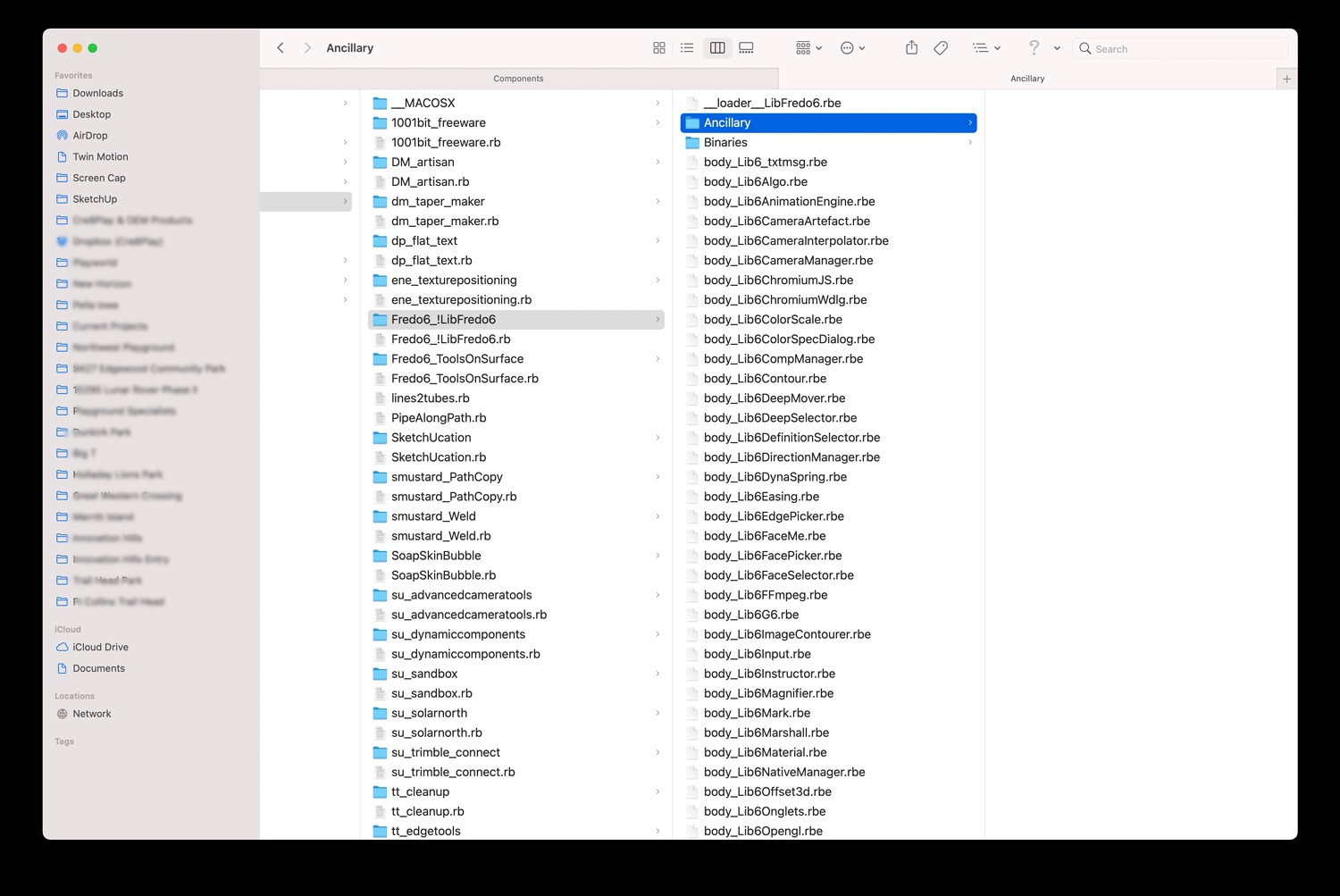
falseI did however, go to that folder in 'Finder' and Delete the file Colors_RAL_classic.txt - restarted and no change.
I then deleted all files with names beginning with Colors_ and extension txt. - restarted and tried to use the only PlugIn installed: ToolsOnSurface - result:Error: #<ArgumentError: invalid byte sequence in UTF-8>
/users/toddlehman/library/application support/sketchup 2021/sketchup/plugins/fredo6_!libfredo6/body_lib6g6.rbe:9318:instrip' /users/toddlehman/library/application support/sketchup 2021/sketchup/plugins/fredo6_!libfredo6/body_lib6g6.rbe:9318:inload_from_file'
/users/toddlehman/library/application support/sketchup 2021/sketchup/plugins/fredo6_!libfredo6/body_lib6g6.rbe:9221:inblock in load_all_colors' /users/toddlehman/library/application support/sketchup 2021/sketchup/plugins/fredo6_!libfredo6/body_lib6g6.rbe:9216:ineach'
/users/toddlehman/library/application support/sketchup 2021/sketchup/plugins/fredo6_!libfredo6/body_lib6g6.rbe:9216:inload_all_colors' /users/toddlehman/library/application support/sketchup 2021/sketchup/plugins/fredo6_!libfredo6/body_lib6g6.rbe:9164:ininitialize'
/users/toddlehman/library/application support/sketchup 2021/sketchup/plugins/fredo6_!libfredo6/body_lib6g6.rbe:9151:innew' /users/toddlehman/library/application support/sketchup 2021/sketchup/plugins/fredo6_!libfredo6/body_lib6g6.rbe:9151:ininstantiate'
/users/toddlehman/library/application support/sketchup 2021/sketchup/plugins/fredo6_!libfredo6/body_lib6g6.rbe:3830:incolor_parse' /users/toddlehman/library/application support/sketchup 2021/sketchup/plugins/fredo6_!libfredo6/body_lib6g6.rbe:4007:incolor_luminance'
/users/toddlehman/library/application support/sketchup 2021/sketchup/plugins/fredo6_!libfredo6/body_lib6g6.rbe:4017:incolor_is_dark?' /users/toddlehman/library/application support/sketchup 2021/sketchup/plugins/fredo6_!libfredo6/body_lib6palette.rbe:2797:indraw_button_text'
/users/toddlehman/library/application support/sketchup 2021/sketchup/plugins/fredo6_!libfredo6/body_lib6palette.rbe:2699:indraw_button' /users/toddlehman/library/application support/sketchup 2021/sketchup/plugins/fredo6_!libfredo6/body_lib6palette.rbe:3203:inblock in draw'
/users/toddlehman/library/application support/sketchup 2021/sketchup/plugins/fredo6_!libfredo6/body_lib6palette.rbe:3196:ineach' /users/toddlehman/library/application support/sketchup 2021/sketchup/plugins/fredo6_!libfredo6/body_lib6palette.rbe:3196:indraw'
/users/toddlehman/library/application support/sketchup 2021/sketchup/plugins/fredo6_!libfredo6/lib6palette.rbe:78:indraw' /users/toddlehman/library/application support/sketchup 2021/sketchup/plugins/fredo6_toolsonsurface/shapeonsurface.rbe:575:indraw'
-
@tlehman914 said:
I did however, go to that folder in 'Finder' and Delete the file Colors_RAL_classic.txt - restarted and no change.
I then deleted all files with names beginning with Colors_ and extension txt. - restarted and tried to use the only PlugIn installed: ToolsOnSurfaceWhat is left in the directory?
Just type in the Ruby console:
Dir[LibFredo6.path + '/Ancillary/*.*'] -
@fredo6 said:
@tlehman914 said:
I did however, go to that folder in 'Finder' and Delete the file Colors_RAL_classic.txt - restarted and no change.
I then deleted all files with names beginning with Colors_ and extension txt. - restarted and tried to use the only PlugIn installed: ToolsOnSurfaceWhat is left in the directory?
Just type in the Ruby console:
Dir[LibFredo6.path + '/Ancillary/*.*']Nothing is left in the directory...?
No change after typing the above.






Advertisement