sketchucation logo sketchucation
    • 登入
    Oops, your profile's looking a bit empty! To help us tailor your experience, please fill in key details like your SketchUp version, skill level, operating system, and more. Update and save your info on your profile page today!
    🔌 Smart Spline | Fluid way to handle splines for furniture design and complex structures. Download

    The "Duh!" thread (aka the Doh! thread)

    已排程 已置頂 已鎖定 已移動 SketchUp Discussions
    sketchup
    696 貼文 135 Posters 316.5k 瀏覽 135 Watching
    正在載入更多貼文
    • 從舊到新
    • 從新到舊
    • 最多點贊
    回覆
    • 在新貼文中回覆
    登入後回覆
    此主題已被刪除。只有擁有主題管理權限的使用者可以查看。
    • jeff hammondJ 離線
      jeff hammond
      最後由 編輯

      ^ a little more on text that wasn't immediately obvious to me..

      you can edit text via entity info and change the font/size/color from there on individual text items..
      aside from pushpin or view based for leader text, there's also a choice for 'hidden' in the text's entity info dialog (not the checkbox 'hidden' which hides the whole thing.. rather the 'hidden' available in the leader popup..)

      using that option will allow you to place something that looks like screen text except it stays in the position of leader text.. (i.e.- it's like screen text except you can pan it etc..)

      dotdotdot

      1 條回覆 最後回覆 回覆 引用 0
      • charly2008C 離線
        charly2008
        最後由 編輯

        Hi,

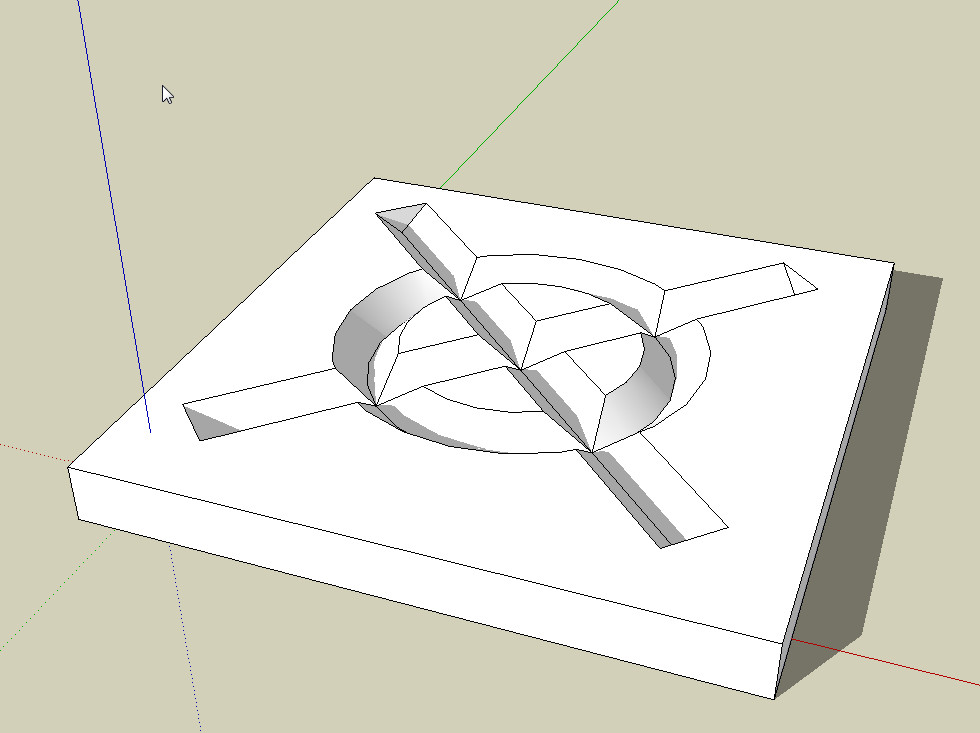
        Also, I had again a Duh moment yesterday in thread: InnerBevel

        http://forums.sketchucation.com/viewtopic.php?f=15&t=41649&p=374612&hilit=inner+bevel # p374612

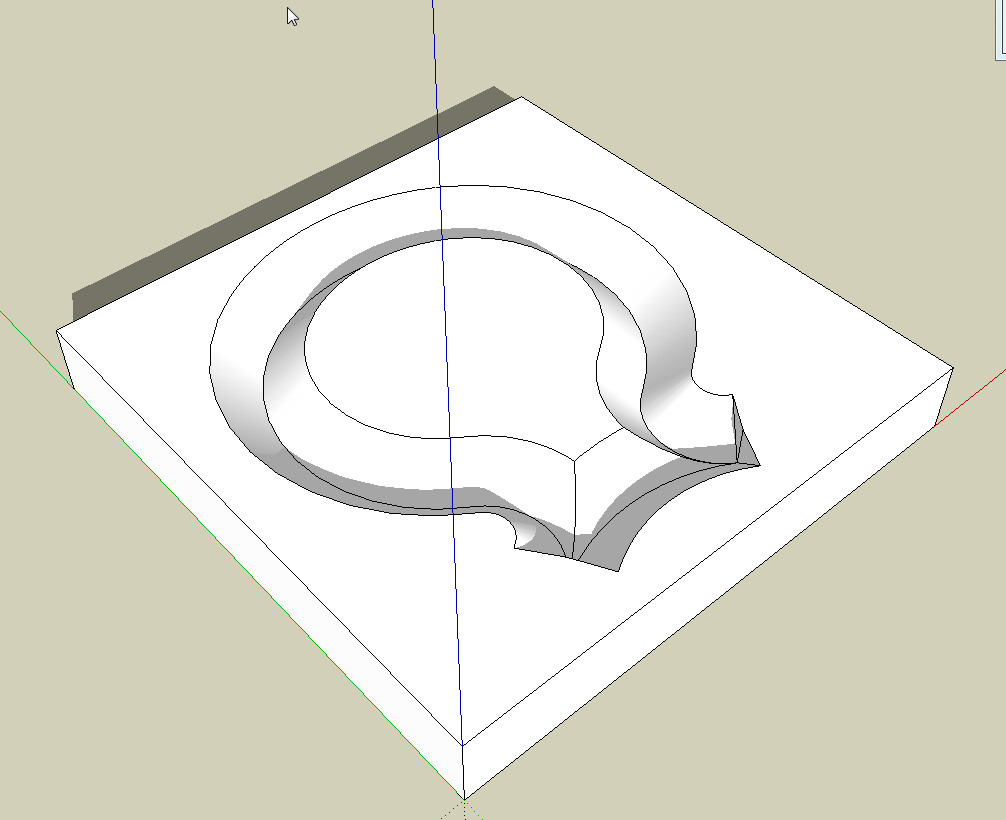
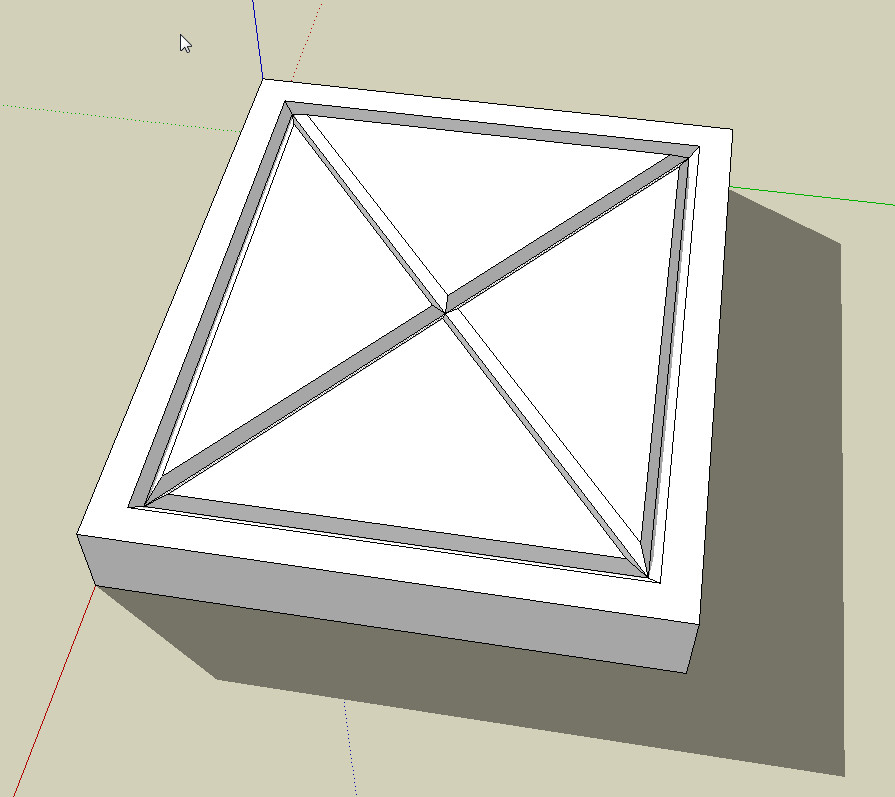
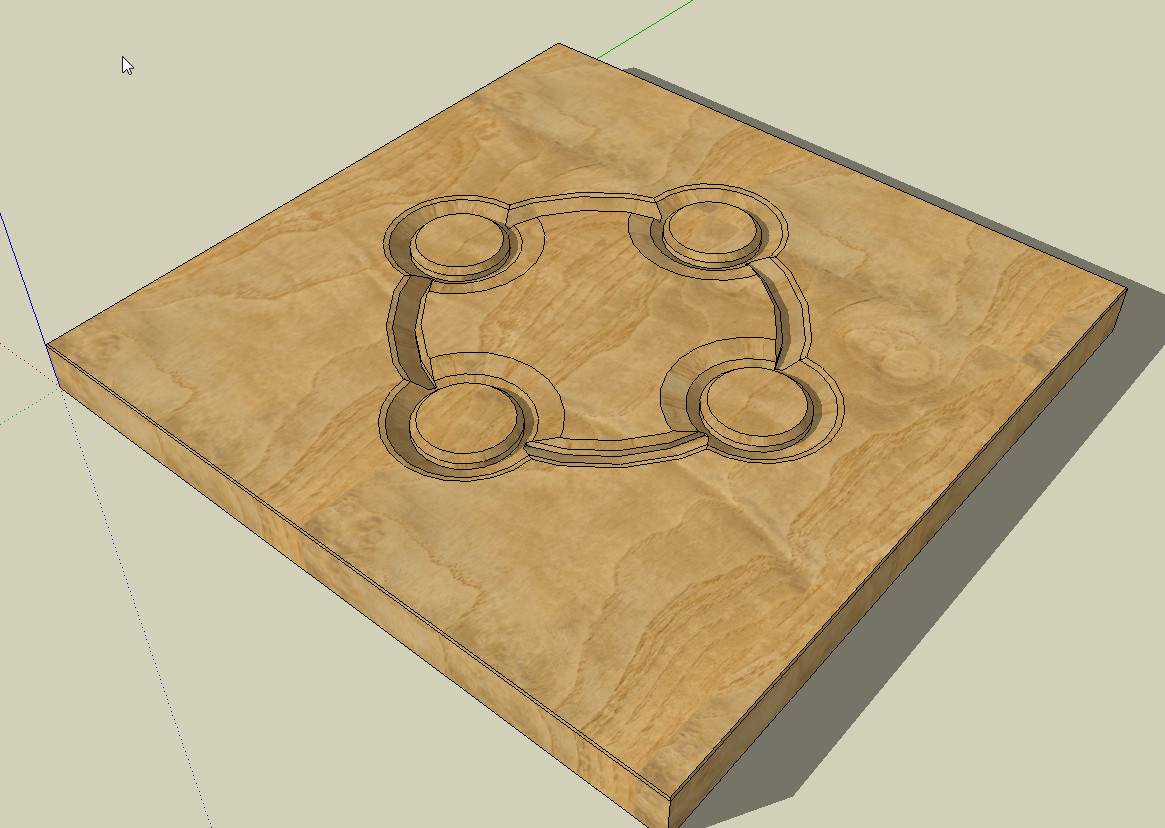
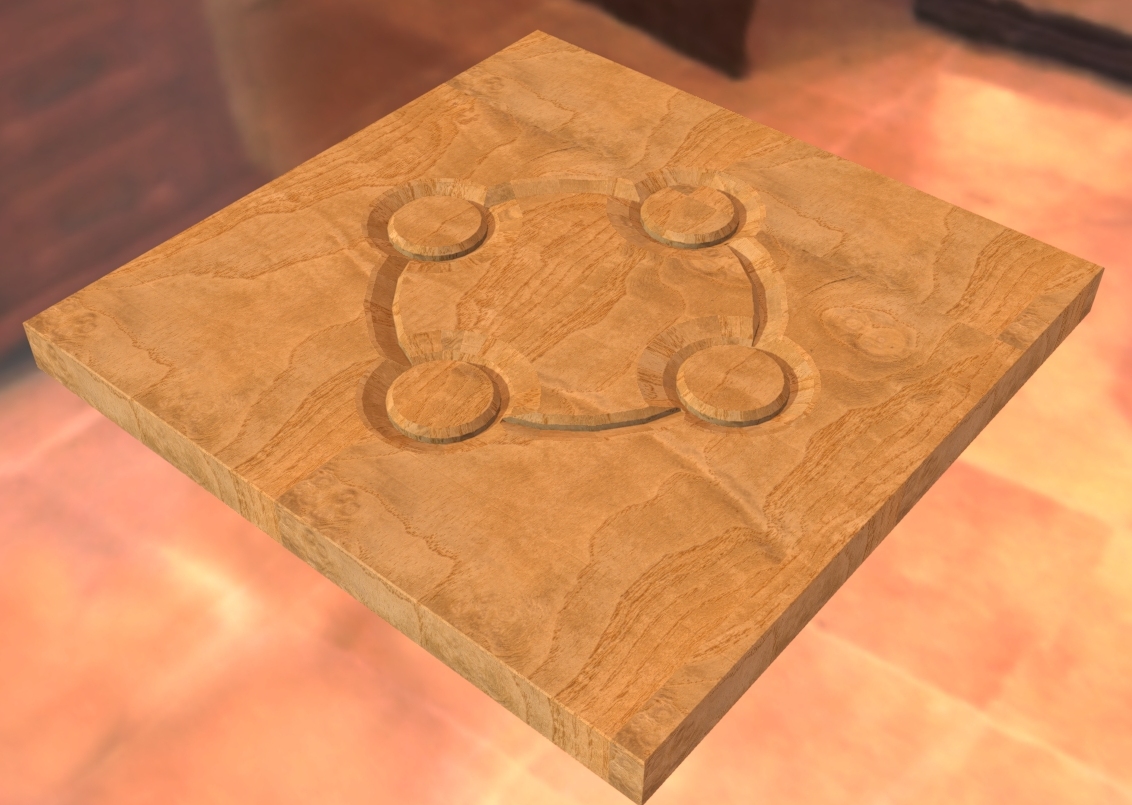
        The method ... Convert arcs to cylinders is very suitable for engraving maybe also for carvings.

        Charly

        2011-12-29_143155.jpg


        2011-12-29_145057.jpg


        Untitled.skp


        2011-12-29_145057.jpg


        2011-12-29_143155.jpg


        Schnitzerei.jpg

        He who makes no mistakes, makes nothing

        1 條回覆 最後回覆 回覆 引用 0
        • charly2008C 離線
          charly2008
          最後由 編輯

          Hi,

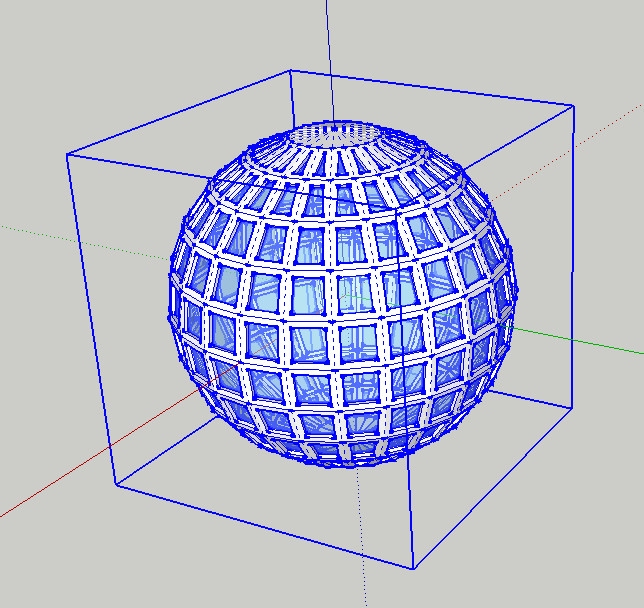
          I became aware of it now. When a group or one component is selected in Sketchup 8, the entire contents are also displayed in blue color.

          Charly
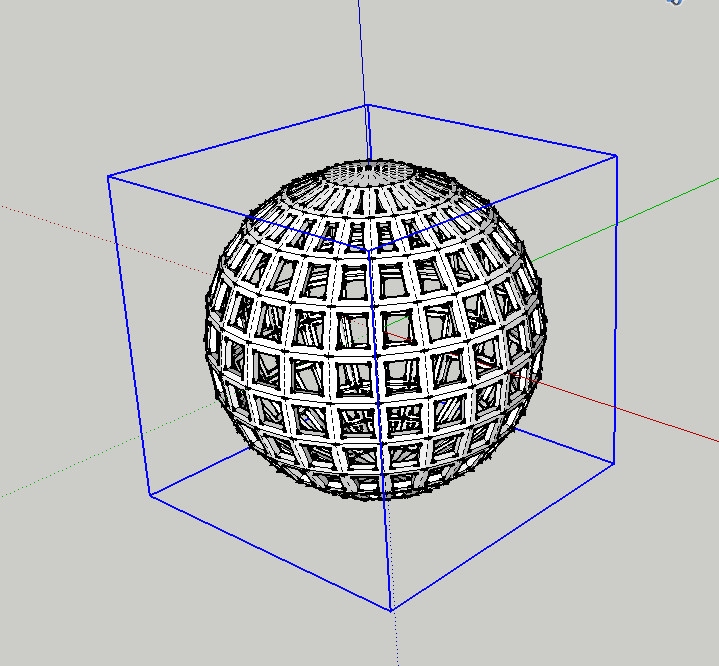

          Sketchup 7


          Sketchup 8

          He who makes no mistakes, makes nothing

          1 條回覆 最後回覆 回覆 引用 0
          • thomthomT 離線
            thomthom
            最後由 編輯

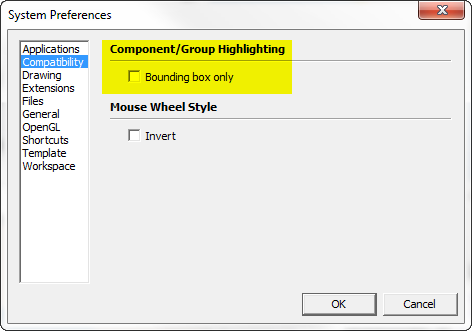
            Not if you check this preference:
            Hihglight.png

            Thomas Thomassen — SketchUp Monkey & Coding addict
            List of my plugins and link to the CookieWare fund

            1 條回覆 最後回覆 回覆 引用 0
            • charly2008C 離線
              charly2008
              最後由 編輯

              @thomthom said:

              Not if you check this preference:
              [attachment=0:1roooad7]<!-- ia0 -->Hihglight.png<!-- ia0 -->[/attachment:1roooad7]

              A new Duh moment, thanks Thomas.

              Charly

              He who makes no mistakes, makes nothing

              1 條回覆 最後回覆 回覆 引用 0
              • M 離線
                mk11
                最後由 編輯

                Just figured out... For those of you using a Logitech multi-button mouse... map the back or zoom buttom to "middle-click", you can orbit with that button, click back+ left click to pan and lets you keep the middle wheel for zoom - fastest way to navigate ever because you can orbit/pan/zoom at the same time!

                Marc Kleinmann
                SU Pro 2015
                Mac & Win

                1 條回覆 最後回覆 回覆 引用 0
                • C 離線
                  Charlie__V
                  最後由 編輯

                  File............Print..........Tabbed Scene Print Range......SCENES FROM////////////DOH!

                  A doh! moment because:
                  1)I always thought/assumed single scene output(single image/not anim. export)achieved only via EXPORT 2D...... .png/jpg etc.

                  2)I had no idea scene tabs alone could be "printed".......in order of course.........2x DOH!

                  Best,
                  Charlie

                  Precision M1710/Win 7 Pro 64 bit/i-7 6920 Quad core 2.9 Ghz -3.8/16Gb ram/NVIDIA M5000M 8Gb

                  1 條回覆 最後回覆 回覆 引用 0
                  • jeff hammondJ 離線
                    jeff hammond
                    最後由 編輯

                    @unknownuser said:

                    File............Print..........Tabbed Scene Print Range......SCENES FROM////////////DOH!

                    wait.. what?
                    didn't know you could do that... neat

                    [no such thing on mac.. and if there is, i'm about to have a big doh moment]

                    dotdotdot

                    1 條回覆 最後回覆 回覆 引用 0
                    • C 離線
                      Charlie__V
                      最後由 編輯

                      @unknownuser said:

                      @unknownuser said:

                      File............Print..........Tabbed Scene Print Range......SCENES FROM////////////DOH!

                      wait.. what?
                      didn't know you could do that... neat

                      [no such thing on mac.. and if there is, i'm about to have a big doh moment]

                      Jeff.
                      Yup (MS 7).....and of course I hope,......you have same option in Mac world. (see attached)
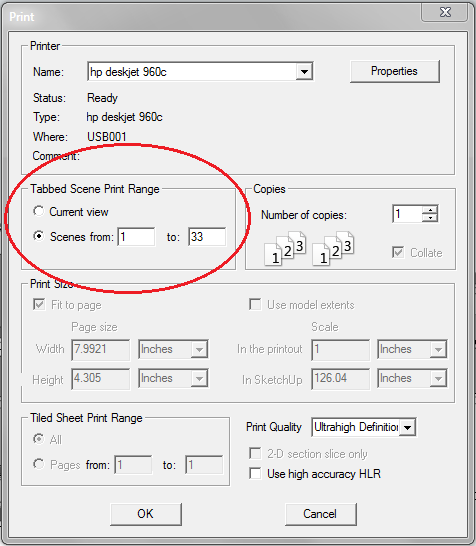

                      Tabs_Print_MS 7

                      Precision M1710/Win 7 Pro 64 bit/i-7 6920 Quad core 2.9 Ghz -3.8/16Gb ram/NVIDIA M5000M 8Gb

                      1 條回覆 最後回覆 回覆 引用 0
                      • pilouP 離線
                        pilou
                        最後由 編輯

                        So you can make easily a real "flip book" 😉

                        Frenchy Pilou
                        Is beautiful that please without concept!
                        My Little site :)

                        1 條回覆 最後回覆 回覆 引用 0
                        • ToboboT 離線
                          Tobobo
                          最後由 編輯

                          I always used to export animation as jpegs with no transition or scene time.

                          Toby

                          Philippians 4:13

                          I can do everything through him who gives me strength.

                          1 條回覆 最後回覆 回覆 引用 0
                          • jgbJ 離線
                            jgb
                            最後由 編輯

                            I've had several cases where I had to modify a component which I could not see clearly because of the external surrounding structure. Layering and hiding was not a good solution, as I needed some externals as reference to the edits, and then all that relayering and hiding had to be reversed out.

                            Select the component and any reference externals and simply Move/Copy them well into free space.

                            Do the edits, using temporary layers and hides only on the copies as needed.

                            When done, delete the copies and any temp layers.


                            jgb

                            1 條回覆 最後回覆 回覆 引用 0
                            • kenK 離線
                              ken
                              最後由 編輯

                              Well I can thank DaveR for the "Duh". In another thread he convinced me that using components was the only way to model. So I made a series of components that I wanted to keep in my template file. So modeling away, I had a nice bunch of components for future use.

                              So I cleaned up the screen because I wanted a clean screen when I open the template file. Than I purged the model components because I didn't want any components that I didn't need in the template and saved the file as template to use.

                              So, need I say more. The template had no components. "Duh".

                              Thanks Dave, you did me a favor, I just forgot how to use Sketchup.

                              Fight like your the third monkey on Noah's Ark gangway.

                              1 條回覆 最後回覆 回覆 引用 0
                              • cottyC 離線
                                cotty
                                最後由 編輯

                                My Duh! of the day was in this thread: http://forums.sketchucation.com/viewtopic.php?f=22&t=8046

                                • Use the eraser tool to select some edges
                                • Don't release the left mouse button
                                • Click the spacebar
                                • Release the left mouse button and the selection still remains without deletion

                                my SketchUp gallery

                                1 條回覆 最後回覆 回覆 引用 0
                                • GaieusG 離線
                                  Gaieus
                                  最後由 編輯

                                  That does not really deserve a "Duh". Although it is obviously an extremely nifty trick, that is not the intended use of the autoselect function of the Eraser tool.

                                  So I would have not been ashamed if I had not known about it yet (and I also learned it from the forums of course)

                                  Gai...

                                  1 條回覆 最後回覆 回覆 引用 0
                                  • C 離線
                                    Charlie__V
                                    最後由 編輯

                                    Not sure if this qualify's as a Duh!

                                    & perhaps mentioned before..........though I do not recall seeing it.

                                    I have frequently experienced a "slow save" on certain models and not so much on others.

                                    While working my current model with lots & lots of bolts/nuts/washers..it occured to me that the delay in save may be tied to the "redefine thumbnail on save" option in...........Model info>>>>>File>>>>>Redefine Thumbnail on save.

                                    Sure enough.......un-ticking the "redefine thumbnail on save" resulted in a 10x faster "save" than with this selected.

                                    For me the thumbnail being current is no concern......I prefer the quick "save"

                                    Best,
                                    Charlie
                                    PS............wonder if this contributes to the Bugsplat on save/close??

                                    Precision M1710/Win 7 Pro 64 bit/i-7 6920 Quad core 2.9 Ghz -3.8/16Gb ram/NVIDIA M5000M 8Gb

                                    1 條回覆 最後回覆 回覆 引用 0
                                    • Wo3DanW 離線
                                      Wo3Dan
                                      最後由 編輯

                                      Thanks Gaieus, you've sent me here because I've up until now completely missed the "always face camera" component method you provided here:
                                      http://forums.sketchucation.com/viewtopic.php?f=15&t=43251
                                      😲

                                      1 條回覆 最後回覆 回覆 引用 0
                                      • GaieusG 離線
                                        Gaieus
                                        最後由 編輯

                                        That was actually a semi-duh moment to me as well. I had not known it was going to work but had to try, you have to admit. 😄

                                        Gai...

                                        1 條回覆 最後回覆 回覆 引用 0
                                        • oganocaliO 離線
                                          oganocali
                                          最後由 編輯

                                          This thread is one of my favorites, I use it as a guide for really neat tricks which most users will eventually need to find out, except it is a bit disorganized. I think some sort of index would be useful here. I may be setting up myself unwittingly for my d'oh moment like the use of advanced search inside a topic or something.
                                          cheers

                                          1 條回覆 最後回覆 回覆 引用 0
                                          • david_hD 離線
                                            david_h
                                            最後由 編輯

                                            Organization of the D'uh Thread would seem to me to be an Oxymoron. (for me its more Moron than Oxi . . ) but I digress. . .

                                            the whole purpose of the thread is for people to post whatever epiphany they have or discovery they make when it occurs. Ya never know what you're gonna get. . . That is what makes the the SU Forum so much like a box of um . .. um . .. . what is the expression???? 💚


                                            search.jpg

                                            If I make it look easy...It is probably easy

                                            1 條回覆 最後回覆 回覆 引用 0
                                            • 1
                                            • 2
                                            • 17
                                            • 18
                                            • 19
                                            • 20
                                            • 21
                                            • 34
                                            • 35
                                            • 19 / 35
                                            • 第一個貼文
                                              最後的貼文
                                            Buy SketchPlus
                                            Buy SUbD
                                            Buy WrapR
                                            Buy eBook
                                            Buy Modelur
                                            Buy Vertex Tools
                                            Buy SketchCuisine
                                            Buy FormFonts

                                            Advertisement