sketchucation logo sketchucation
    • Login
    Oops, your profile's looking a bit empty! To help us tailor your experience, please fill in key details like your SketchUp version, skill level, operating system, and more. Update and save your info on your profile page today!
    Mac User? | Join the Rayscaper Beta for Mac Learn More

    [Plugin] Zorro2 (beta)

    Scheduled Pinned Locked Moved Plugins
    314 Posts 154 Posters 430.7k Views 154 Watching
    Loading More Posts
    • Oldest to Newest
    • Newest to Oldest
    • Most Votes
    Reply
    • Reply as topic
    Log in to reply
    This topic has been deleted. Only users with topic management privileges can see it.
    • A
      AcesHigh
      last edited by

      where can i get the house model displayed on the PDF tutorial? I really like that house and would like to study a bit of american architectural conventions.

      1 Reply Last reply
      Reply Quote 0
      • david_hD
        david_h
        last edited by

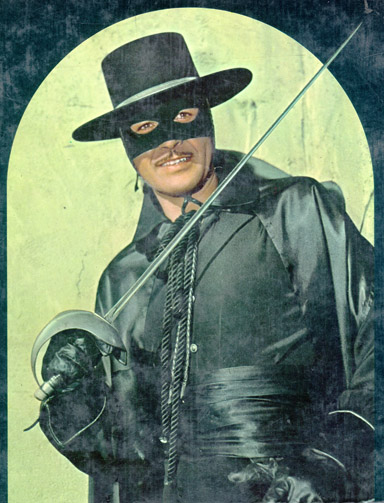
        Gracias Senor Zorro. How can our village ever repay you? 💚


        zorro3.jpg

        If I make it look easy...It is probably easy

        1 Reply Last reply
        Reply Quote 0
        • C
          chango70
          last edited by

          Quick one. I've deleted the old zorro ruby from plugins folder. How come under Tools menu I see 2 zorros?

          1 Reply Last reply
          Reply Quote 0
          • B
            bubbalove
            last edited by

            @unknownuser said:

            I've deleted the old zorro ruby from plugins folder. How come under Tools menu I see 2 zorros?

            I'm seeing the same thing Chango70...

            "Success consists of going from failure to failure without loss of enthusiasm." - Churchill

            1 Reply Last reply
            Reply Quote 0
            • C
              chango70
              last edited by

              Its not just Zorro. I've deleted a redundent obj importer (can't remember which) yet it still shows up in my menu?!?

              1 Reply Last reply
              Reply Quote 0
              • pilouP
                pilou
                last edited by

                @unknownuser said:

                "main_menu.add_item("Zorro")" must be "main_menu.add_item("Zorro2")"

                Frenchy Pilou
                Is beautiful that please without concept!
                My Little site :)

                1 Reply Last reply
                Reply Quote 0
                • GaieusG
                  Gaieus
                  last edited by

                  It may have been Jim's obj importer (at least that's the only one I know of)

                  Gai...

                  1 Reply Last reply
                  Reply Quote 0
                  • schorradtS
                    schorradt
                    last edited by

                    I added a Feature to your old Version (1.0) to automatic fill faces cut

                    Sketchup::set_status_text("Draw cut line, Push SHIFT to: Fill-Face-Automatic", SB_PROMPT)

                    maybe you can added in your current Version? 😄 its nice to have

                    here is the Code.Snipped:

                    
                    ...
                    if (@key=="shift")
                      ents.each {|e|
                       if e.typename == "Edge" then
                       sel.toggle e
                       else
                       sel.remove e
                       end
                      }
                    
                        self.makeface sel
                    end
                    ...
                    
                    def makeface ins
                        ss = ins
                        total_items = ss.count      # Total count of all selected entities.
                        x = 0                       # faces-added accumulator
                        z = 0                       # loop count
                        notAnEdge = 0               # Accumulator for non-Edges
                        ss.each {|e|
                          if e.typename == "Edge" then  # find_faces only works on edges.
                             x += e.find_faces          # This creates faces if they can created. Returns # faces created.
                          else notAnEdge+=1             # Keep track of selections that were not an edge.
                             end
                          z+=1                          # bump loop counter
                        }
                    end 


                    http://www.henryschorradt.de/

                    1 Reply Last reply
                    Reply Quote 0
                    • W
                      Whaat
                      last edited by

                      @schorradt said:

                      I added a Feature to your old Version (1.0) to automatic fill faces cut

                      Thanks! I actually experimented with this feature, as well. However, I found that half the time, the faces that were automatically created were reversed, which became quite annoying. I suppose I could give the user the option if a certain key is pressed (as you have shown). The shift key would not work since it used for inference locking.

                      SketchUp Plugins for Professionals

                      1 Reply Last reply
                      Reply Quote 0
                      • schorradtS
                        schorradt
                        last edited by

                        Here is my modifed Version of Zorro 1.0.
                        with Icons 😄
                        Plz use it...
                        and please forgive me, that I did without asking changed.
                        my Changes:

                        • Icon and Cursor
                        • Press: Shift -> Fill Faces to Cut
                        • Automatic Switch zu perspectiv-view-mode

                        Old modifed Zorro-Tool


                        http://www.henryschorradt.de/

                        1 Reply Last reply
                        Reply Quote 0
                        • plot-parisP
                          plot-paris
                          last edited by

                          Amazing!!!

                          in the past Zorro.rb has been a really cool toy (and quite an addictive one at that). but now with its parallel-projection capabilities and especially it's section-cut function Zorro is a valuable and indispensable tools (one of those 'how did we manage to live without it'-tools).
                          absolutely fantastic, accurate and extremely fast! I love it!!!

                          1 Reply Last reply
                          Reply Quote 0
                          • C
                            chango70
                            last edited by

                            @gaieus said:

                            It may have been Jim's obj importer (at least that's the only one I know of)

                            LOL thats it!

                            1 Reply Last reply
                            Reply Quote 0
                            • C
                              chango70
                              last edited by

                              So how do u get rid of it then?

                              1 Reply Last reply
                              Reply Quote 0
                              • GaieusG
                                Gaieus
                                last edited by

                                I don't know. I have a fairly freash install of Windows (and all that follows) so my Plugins folder is still pretty virgin (about 3 or 4 new plugins ever since).

                                Ask Jim maybe.

                                Gai...

                                1 Reply Last reply
                                Reply Quote 0
                                • A
                                  AcesHigh
                                  last edited by

                                  I dont know what is happening but Zorro 2 is constantly failing to make any cuts here.

                                  in fact, sometimes it ABSOLUTELY refuses to cut anything... even simple models, be them grouped or completely exploded. It starts creating the line, but I click the other end of the line but the line doesnt goes away... it like if I was not clicking.

                                  1 Reply Last reply
                                  Reply Quote 0
                                  • W
                                    Whaat
                                    last edited by

                                    @aceshigh said:

                                    I dont know what is happening but Zorro 2 is constantly failing to make any cuts here.

                                    in fact, sometimes it ABSOLUTELY refuses to cut anything... even simple models, be them grouped or completely exploded. It starts creating the line, but I click the other end of the line but the line doesnt goes away... it like if I was not clicking.

                                    Open the Ruby Console Window and tell me what error message you are getting. Thanks

                                    SketchUp Plugins for Professionals

                                    1 Reply Last reply
                                    Reply Quote 0
                                    • K
                                      kwistenbiebel
                                      last edited by

                                      @aceshigh said:

                                      I dont know what is happening but Zorro 2 is constantly failing to make any cuts here.

                                      in fact, sometimes it ABSOLUTELY refuses to cut anything... even simple models, be them grouped or completely exploded. It starts creating the line, but I click the other end of the line but the line doesnt goes away... it like if I was not clicking.

                                      Did you delete the old zorro ruby from the plugins folder?
                                      That solved the issues I had.

                                      1 Reply Last reply
                                      Reply Quote 0
                                      • BurkhardB
                                        Burkhard
                                        last edited by

                                        Nice icon schorradt, but it does not work in parallel view ( on mac )

                                        http://www.ia-plus.de

                                        1 Reply Last reply
                                        Reply Quote 0
                                        • schorradtS
                                          schorradt
                                          last edited by

                                          yes i know 😄 the parallel mode is a problem.
                                          but i hope to a better version in Zorro 2 ... with my Icon and Cursor 😄
                                          and the feature to find faces in Cut ... very nice.


                                          http://www.henryschorradt.de/

                                          1 Reply Last reply
                                          Reply Quote 0
                                          • B
                                            bellwells
                                            last edited by

                                            Dale, when I click on a section cut and select the "Slice Model at Section" nothing happens. I've read the tutorial, but I can't figure out what I'm doing wrong. I only have Zorro2.rb in my Plugins folder so it can't be a conflict with the original one.

                                            What a great feature this section option is!! I can't wait to get it working.

                                            Ron

                                            1 Reply Last reply
                                            Reply Quote 0

                                            Hello! It looks like you're interested in this conversation, but you don't have an account yet.

                                            Getting fed up of having to scroll through the same posts each visit? When you register for an account, you'll always come back to exactly where you were before, and choose to be notified of new replies (either via email, or push notification). You'll also be able to save bookmarks and upvote posts to show your appreciation to other community members.

                                            With your input, this post could be even better 💗

                                            Register Login
                                            • 1
                                            • 2
                                            • 3
                                            • 4
                                            • 5
                                            • 15
                                            • 16
                                            • 1 / 16
                                            • First post
                                              Last post
                                            Buy SketchPlus
                                            Buy SUbD
                                            Buy WrapR
                                            Buy eBook
                                            Buy Modelur
                                            Buy Vertex Tools
                                            Buy SketchCuisine
                                            Buy FormFonts

                                            Advertisement