sketchucation logo sketchucation
    • Login
    Oops, your profile's looking a bit empty! To help us tailor your experience, please fill in key details like your SketchUp version, skill level, operating system, and more. Update and save your info on your profile page today!
    Mac User? | Join the Rayscaper Beta for Mac Learn More

    [Plugin] BezierSpline - v2.2a - 22 Apr 21

    Scheduled Pinned Locked Moved Plugins
    460 Posts 183 Posters 2.1m Views 183 Watching
    Loading More Posts
    • Oldest to Newest
    • Newest to Oldest
    • Most Votes
    Reply
    • Reply as topic
    Log in to reply
    This topic has been deleted. Only users with topic management privileges can see it.
    • G
      Gettes
      last edited by

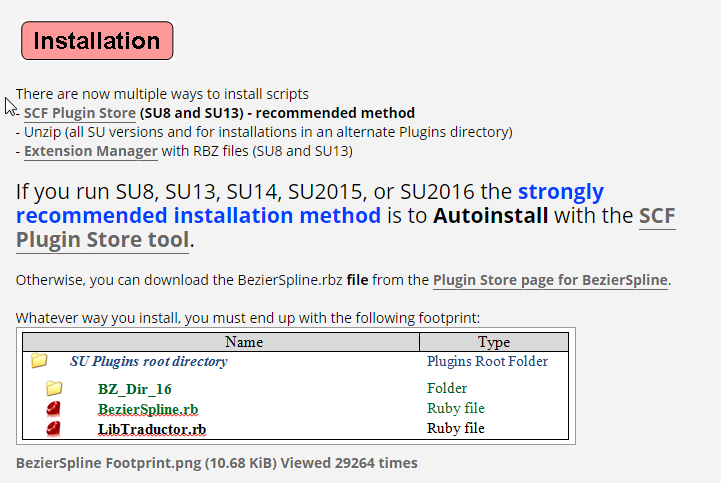
      Where can I find this extension? Can I use it just with Sketchup 2016?

      grtz,

      Gert

      1 Reply Last reply
      Reply Quote 0
      • Dave RD
        Dave R
        last edited by

        @gettes said:

        Where can I find this extension? Can I use it just with Sketchup 2016?

        grtz,

        Gert

        Read the first post in this thread. It is clearly spelled out there with links.
        Screenshot - 1_10_2016 , 12_14_16 PM.png

        Etaoin Shrdlu

        %

        (THERE'S NO PLACE LIKE)

        G28 X0.0 Y0.0 Z0.0

        M30

        %

        1 Reply Last reply
        Reply Quote 0
        • TIGT
          TIG Moderator
          last edited by

          @gettes said:

          Where can I find this extension? Can I use it just with Sketchup 2016?
          Gert
          Have you actually read the first post in this thread ?
          Or perhaps more sensibly, have you looked in the SketchUcation PluginStore for its RBZ ?
          http://sketchucation.com/pluginstore?pln=BezierSpline

          I think it's one of the few Plugins from Fredo that does NOT actually need his 'Lib' installing [ although having that too does not harm ! ]...

          As far as I know it works in all available SketchUp versions...
          So why not try it... and let us know...

          TIG

          1 Reply Last reply
          Reply Quote 0
          • K
            kk20314
            last edited by

            感謝你的分享 ~~ 好用插件

            1 Reply Last reply
            Reply Quote 0
            • CoreMaster110C
              CoreMaster110
              last edited by

              Love this tool but is there a way to make a shortcut key for "BZ - Convert to / Polyline" etc?

              1 Reply Last reply
              Reply Quote 0
              • fredo6F
                fredo6
                last edited by

                @coremaster110 said:

                Love this tool but is there a way to make a shortcut key for "BZ - Convert to / Polyline" etc?

                I guess you refer to the menu entries in the contextual menu. I thought it was possible to assign shortcuts to them.
                If not, this is not a big job to make them as regular menu static entries.

                Fredo

                1 Reply Last reply
                Reply Quote 0
                • CoreMaster110C
                  CoreMaster110
                  last edited by

                  @fredo6 said:

                  @coremaster110 said:

                  Love this tool but is there a way to make a shortcut key for "BZ - Convert to / Polyline" etc?

                  I guess you refer to the menu entries in the contextual menu. I thought it was possible to assign shortcuts to them.
                  If not, this is not a big job to make them as regular menu static entries.

                  Fredo

                  Yes, in the contextual menu.
                  Shortcuts can only be assigned in the "Preferences/Shortcuts"? There are options to assign shortcuts to draw polylines etc but did not see any options for converting.
                  It would be really nice if shortcuts could be added to the contextual menu options aswell.

                  Regards

                  1 Reply Last reply
                  Reply Quote 0
                  • Dave RD
                    Dave R
                    last edited by

                    Did you have a curve selected while searching for the item in the list? Since it is a Context menu item, you need to select an entity that would make it show up there.

                    Etaoin Shrdlu

                    %

                    (THERE'S NO PLACE LIKE)

                    G28 X0.0 Y0.0 Z0.0

                    M30

                    %

                    1 Reply Last reply
                    Reply Quote 0
                    • CoreMaster110C
                      CoreMaster110
                      last edited by

                      @dave r said:

                      Did you have a curve selected while searching for the item in the list? Since it is a Context menu item, you need to select an entity that would make it show up there.

                      Oh, that's how it works. Did not know. Thank you!

                      1 Reply Last reply
                      Reply Quote 0
                      • Dave RD
                        Dave R
                        last edited by

                        @coremaster110 said:

                        Oh, that's how it works. Did not know. Thank you!

                        That's how it works - for anything that would show in the Context menu.

                        You're welcome.

                        Etaoin Shrdlu

                        %

                        (THERE'S NO PLACE LIKE)

                        G28 X0.0 Y0.0 Z0.0

                        M30

                        %

                        1 Reply Last reply
                        Reply Quote 0
                        • S
                          surfmike
                          last edited by

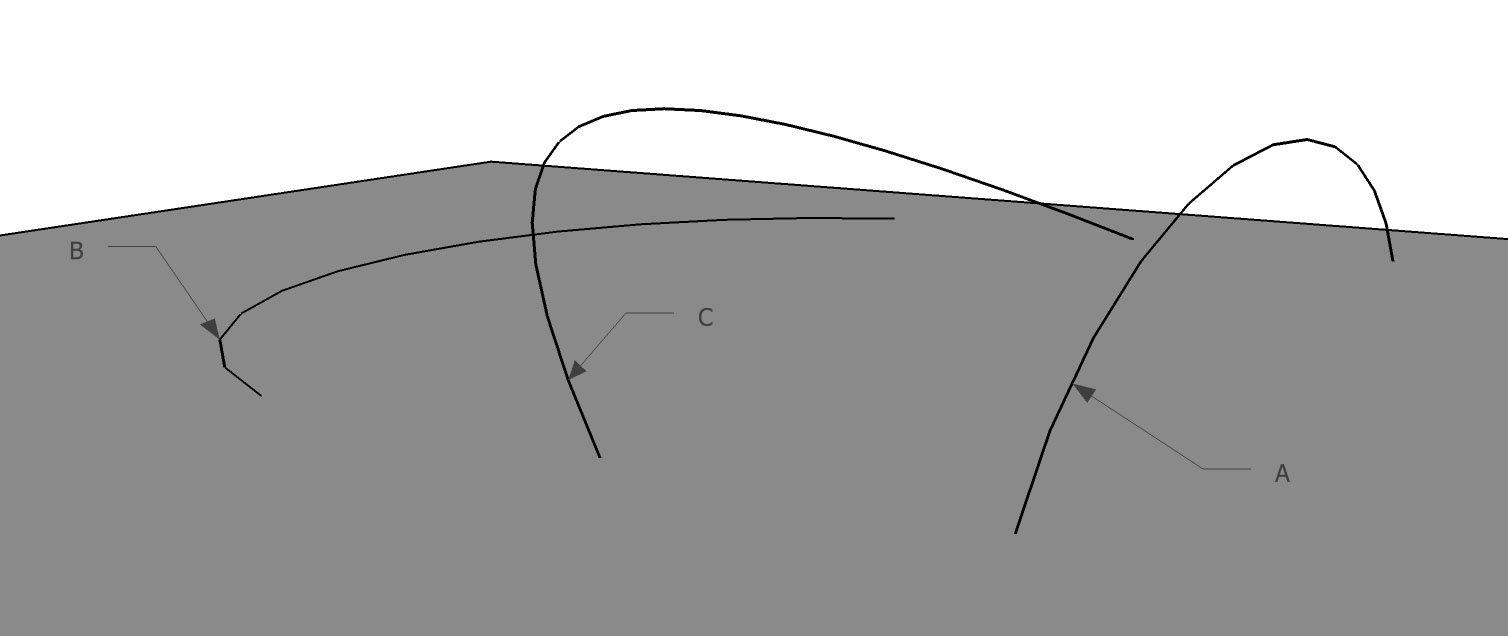
                          A+B=C

                          Hi!
                          I love BezierSpline - thanks! - but is there any plugin that can make a "C" curve out of a vertical "A" and a horisontal "B"(see attached pic)?
                          Mikael

                          1 Reply Last reply
                          Reply Quote 0
                          • fredo6F
                            fredo6
                            last edited by

                            @surfmike said:

                            [attachment=0:1gq3jfrj]<!-- ia0 -->line_combo_plugin.jpg<!-- ia0 -->[/attachment:1gq3jfrj]

                            Hi!
                            I love BezierSpline - thanks! - but is there any plugin that can make a "C" curve out of a vertical "A" and a horisontal "B"(see attached pic)?
                            Mikael

                            You can try Curviloft Loft By Spline, just keeping the contours

                            Fredo

                            1 Reply Last reply
                            Reply Quote 0
                            • S
                              surfmike
                              last edited by

                              @fredo6 said:

                              @surfmike said:

                              [attachment=0:2uv23w8c]<!-- ia0 -->line_combo_plugin.jpg<!-- ia0 -->[/attachment:2uv23w8c]

                              Hi!
                              I love BezierSpline - thanks! - but is there any plugin that can make a "C" curve out of a vertical "A" and a horisontal "B"(see attached pic)?
                              Mikael

                              You can try Curviloft Loft By Spline, just keeping the contours

                              Fredo

                              Thanks for suggesting.
                              Tried it, but since I wanted to create the "C" curve, I tried w/o it, which didn't give the desired result.
                              What I want is to NOT have to create two groups/components, and run th command "Intersect faces" to create a 3rd "C" contour.
                              Is that possible?
                              //Mike

                              1 Reply Last reply
                              Reply Quote 0
                              • T
                                trannam4
                                last edited by

                                thanks

                                1 Reply Last reply
                                Reply Quote 0
                                • S
                                  surfmike
                                  last edited by

                                  Hi! Is there any chance to override the maximum segments (300s) for each bezier curve made?
                                  //Mike

                                  1 Reply Last reply
                                  Reply Quote 0
                                  • fredo6F
                                    fredo6
                                    last edited by

                                    @surfmike said:

                                    Hi! Is there any chance to override the maximum segments (300s) for each bezier curve made?
                                    //Mike

                                    I am not sure that curves should have too many segments , as a general statement.
                                    But, I will increase it to 600 in a next release.

                                    In the meantime, you can edit the file bezierspline_main.rb, line #62 and set the value you wish.

                                    Fredo

                                    1 Reply Last reply
                                    Reply Quote 0
                                    • S
                                      surfmike
                                      last edited by

                                      Great! I'm doing some experiments with SU and 3D printing, that's why.
                                      I agree that many segments slows down at least the next phase with Curviloft.
                                      Maybe have a warning at a specific amount of segments with "don't show this message again" option.
                                      //Mike

                                      1 Reply Last reply
                                      Reply Quote 0
                                      • gillesG
                                        gilles
                                        last edited by

                                        @surfmike said:

                                        Hi! Is there any chance to override the maximum segments (300s) for each bezier curve made?
                                        //Mike

                                        Select the 300s curve, right-click/Explode, right-click/Convert to Catmull spline = 1800s.

                                        " c'est curieux chez les marins ce besoin de faire des phrases "

                                        1 Reply Last reply
                                        Reply Quote 0
                                        • S
                                          surfmike
                                          last edited by

                                          What will the difference be between the 2 options?

                                          1 Reply Last reply
                                          Reply Quote 0
                                          • fredo6F
                                            fredo6
                                            last edited by

                                            @surfmike said:

                                            What will the difference be between the 2 options?

                                            That's not the same curve, but visually, with hundreds of points, they may look the same!

                                            Fredo

                                            1 Reply Last reply
                                            Reply Quote 0

                                            Hello! It looks like you're interested in this conversation, but you don't have an account yet.

                                            Getting fed up of having to scroll through the same posts each visit? When you register for an account, you'll always come back to exactly where you were before, and choose to be notified of new replies (either via email, or push notification). You'll also be able to save bookmarks and upvote posts to show your appreciation to other community members.

                                            With your input, this post could be even better 💗

                                            Register Login
                                            • 1
                                            • 2
                                            • 3
                                            • 4
                                            • 5
                                            • 22
                                            • 23
                                            • 3 / 23
                                            • First post
                                              Last post
                                            Buy SketchPlus
                                            Buy SUbD
                                            Buy WrapR
                                            Buy eBook
                                            Buy Modelur
                                            Buy Vertex Tools
                                            Buy SketchCuisine
                                            Buy FormFonts

                                            Advertisement