Modlumi - Easy 3D modelling



-
Great !
-
minor bug
-
Very cool big release! Bravo!
Seems to me there is always a big structural bug here?
Will be the same in 3D!
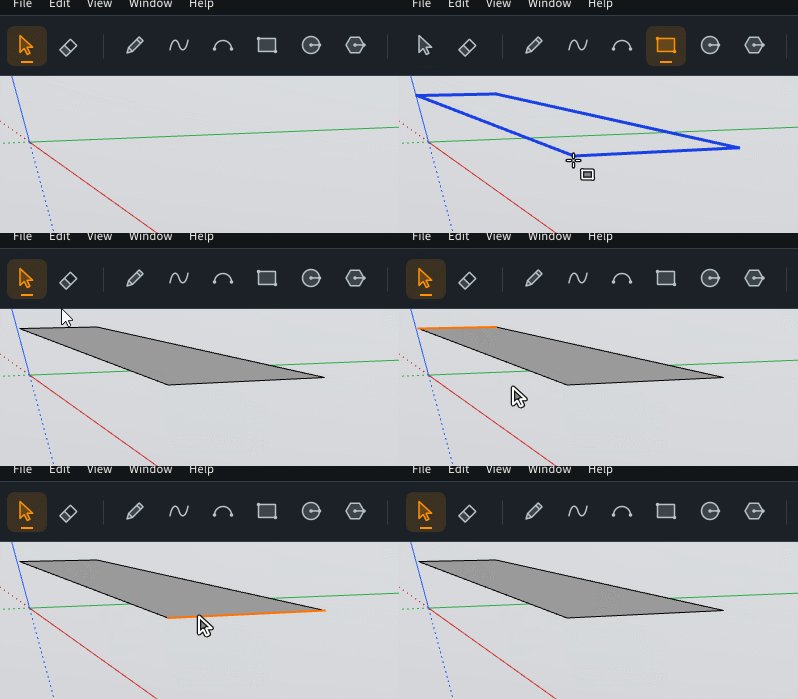
For me a new rectangle must have only 4 sides selectable! ?
That is the case when you create a new rectangle from nothing!
Here the bug ? Will be the same even i kill the 4 "double sides" front and behind ! So I keep the 2 lateral sides!
The 4 he middle sides are always living when i redraw them! (not show here but...
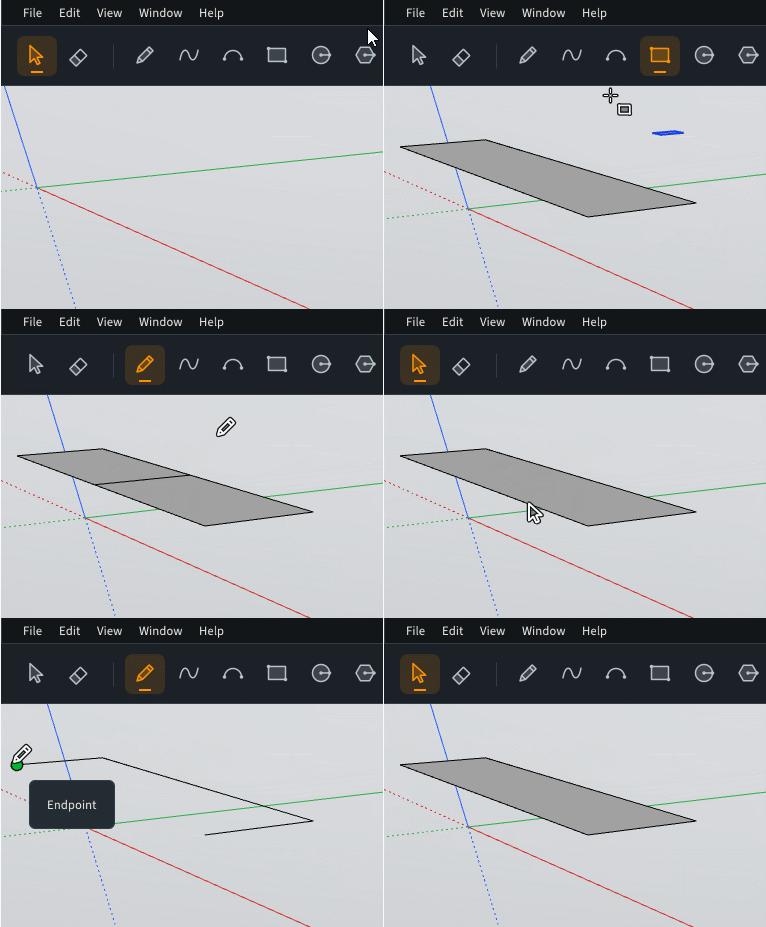
Normal way!
Some very ennoying for many modeling!
-
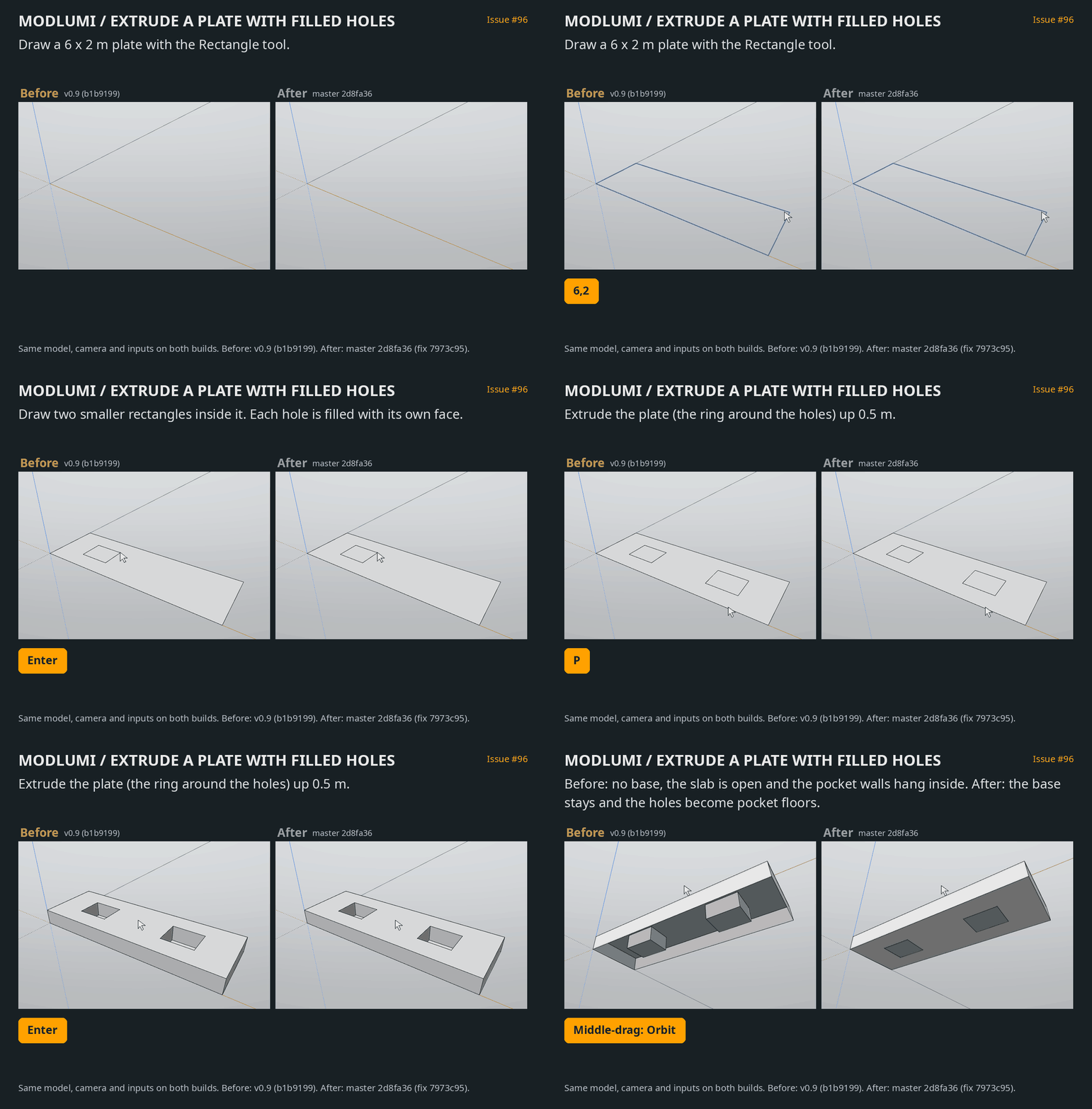
I am not sure that is the more frequent result wished
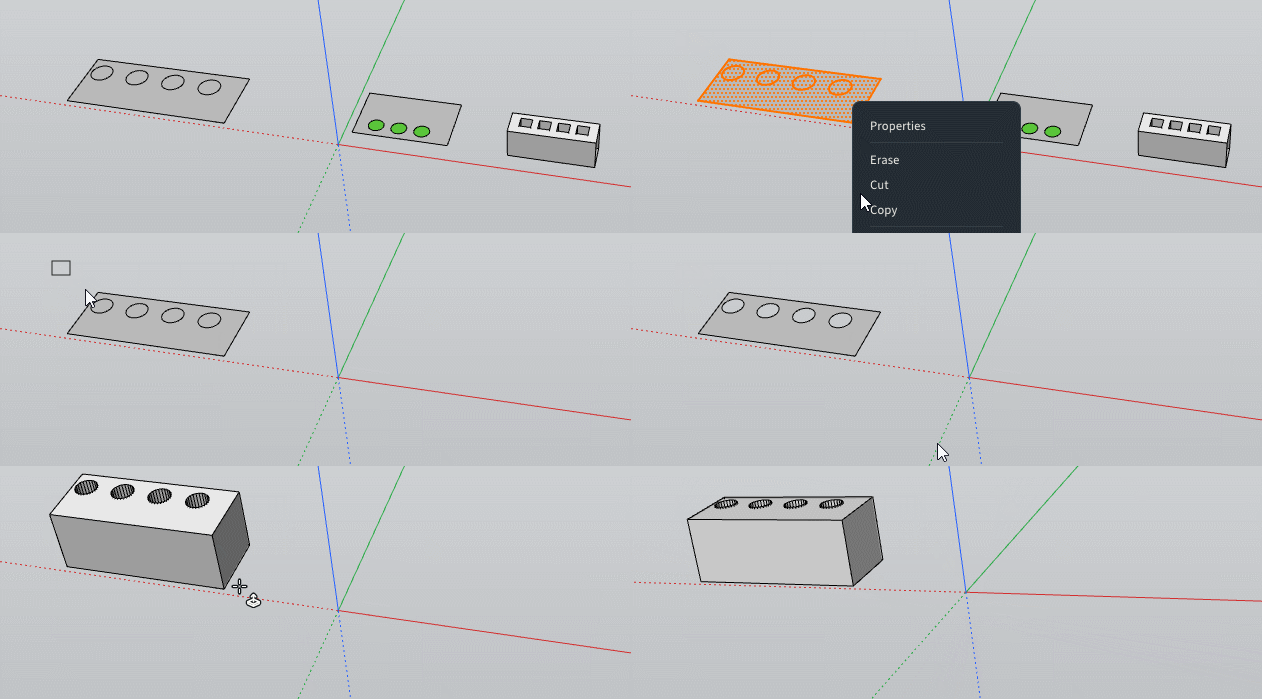
More true holes along the Push Pull.
For the moment we must do following because it's hard to select only numerous plain "facets" !
Select all the piece with numerous ones!
Invert selection
Hide (the inversed selection)
Select all the piece with numerous facetts
Double Click on the surface around pieces to kill numerous facetts
Inverse Selection
Kill plain faces
Push PullSo a little request : "Inverse Selected & Hide"
(not vital as we can make it by hand but...)
True holes at the end!
-
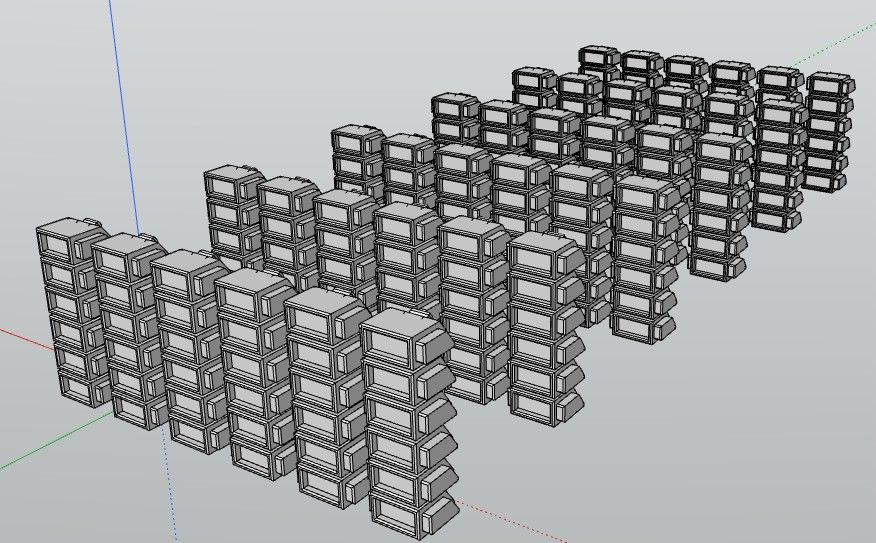
Request: Perpendicular Snap from Lines, Points Guides...
Also in 3D space! -

-
-
Modlumi 0.11 is out: more solid tools, typed points and smoother rendering
Modlumi 0.11 is live at https://modlumi.com/app. Thanks to @Krass and @pilou for the bug reports in this thread. Both are fixed in this release.
More solid tools
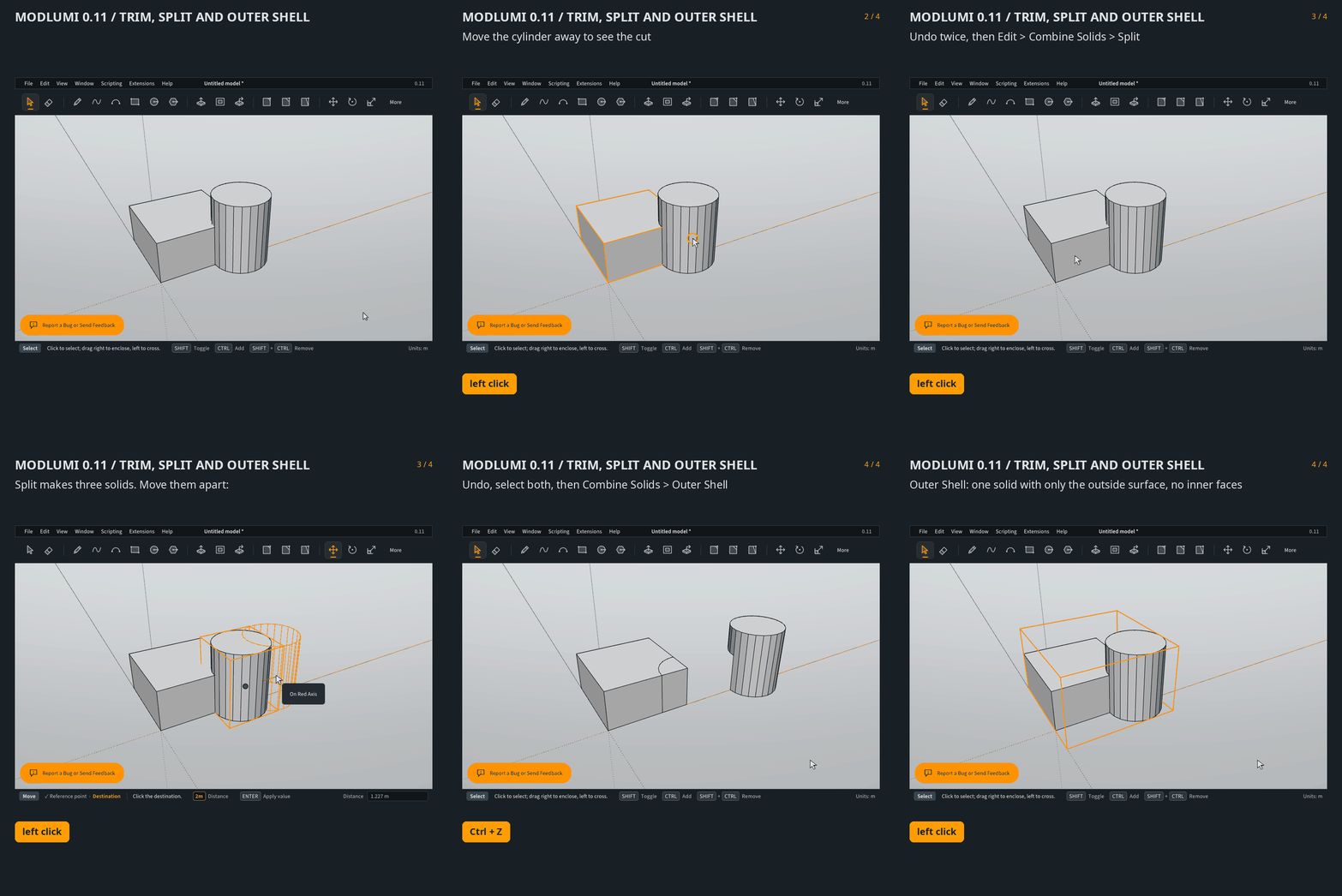
Combine Solids now also has Trim, Split and Outer Shell:
- Trim cuts the second selected solid out of the first and keeps the second.
- Split separates two solids into what each holds alone and what they share.
- Outer Shell keeps only the outside of one or more solids.
Union and Intersect now take more than two solids at once. Cutting large solids is also much faster. A detailed part of almost 6,000 faces now takes about a second instead of half a minute.
Type points in the Line tool
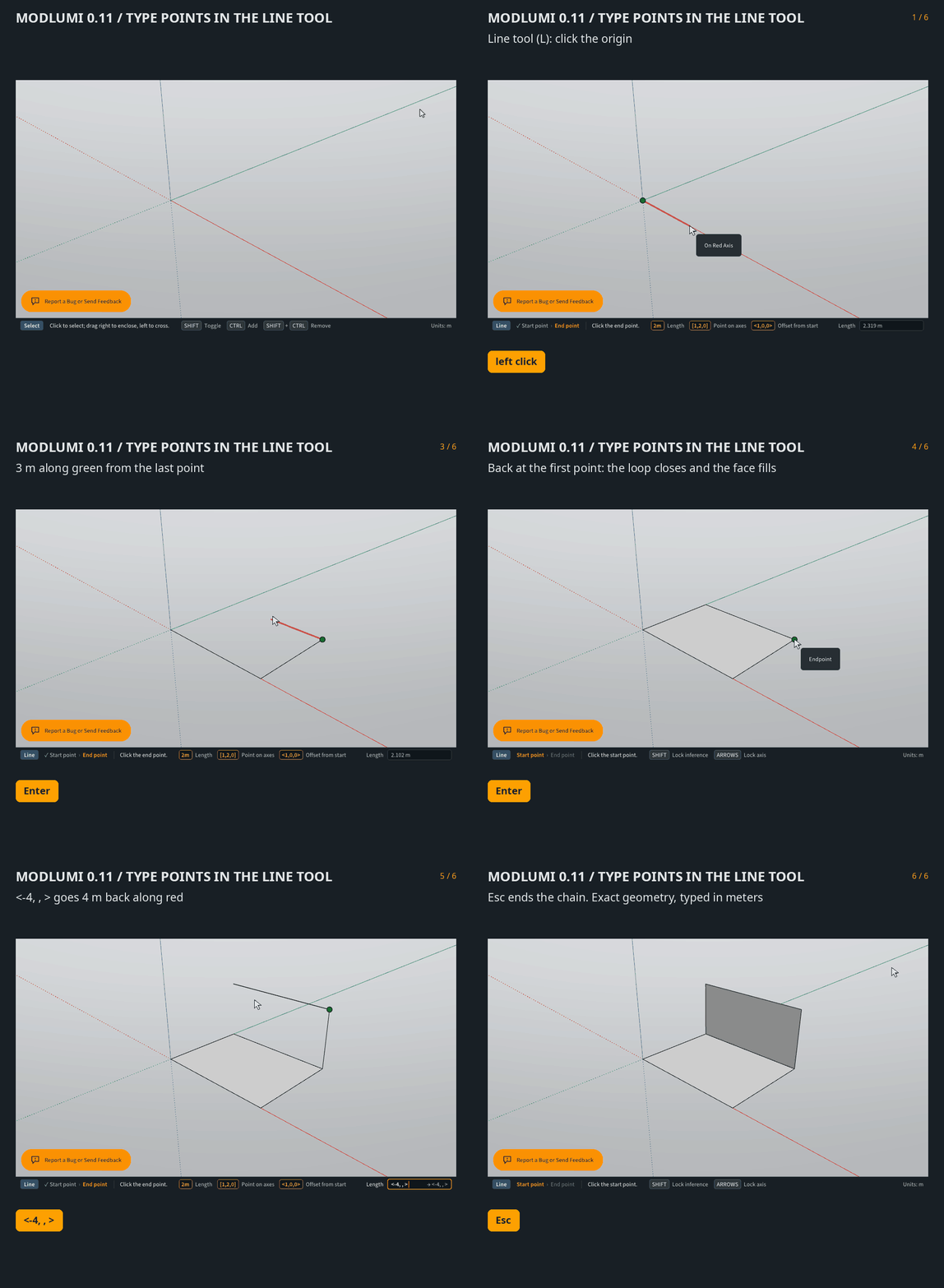
While drawing a line, type
[x, y, z]to go to an exact position on the drawing axes, or<dx, dy, dz>to move relative to the start point. A component left blank keeps the start point's value, so[, , 2]goes straight up to a height of 2.Typed lengths that end right on an existing corner now land exactly on it, so a chain of typed lengths closes its face. The chain also keeps going when a segment touches existing edges, and only stops when you return to the first point.
Smoother rendering
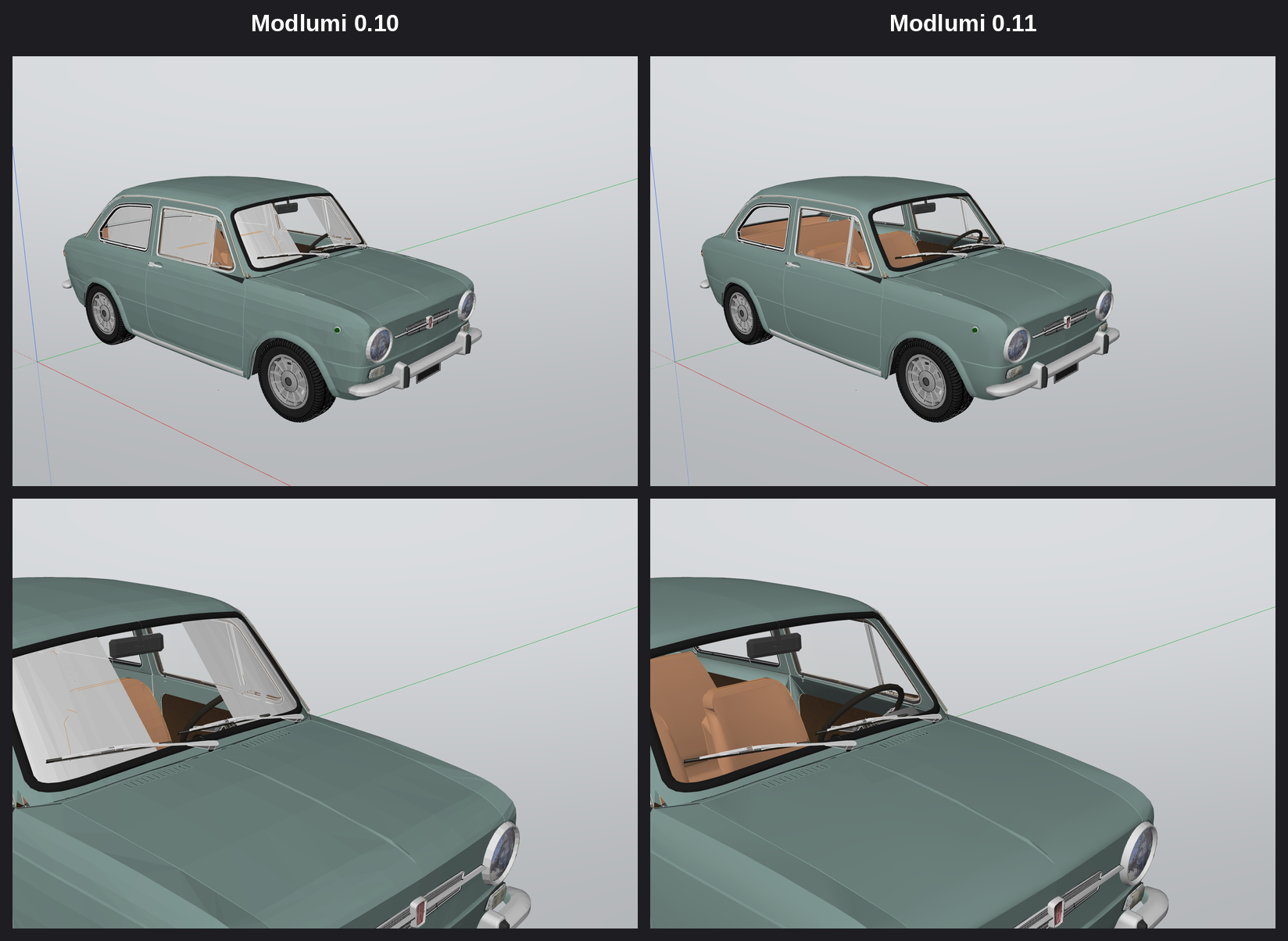
Curved surfaces with smoothed edges, such as imported car bodies, now render smooth instead of showing their facets. Translucent materials painted on both sides of a face, like window glass, stay see-through when you look at them from the inside.
Fixes
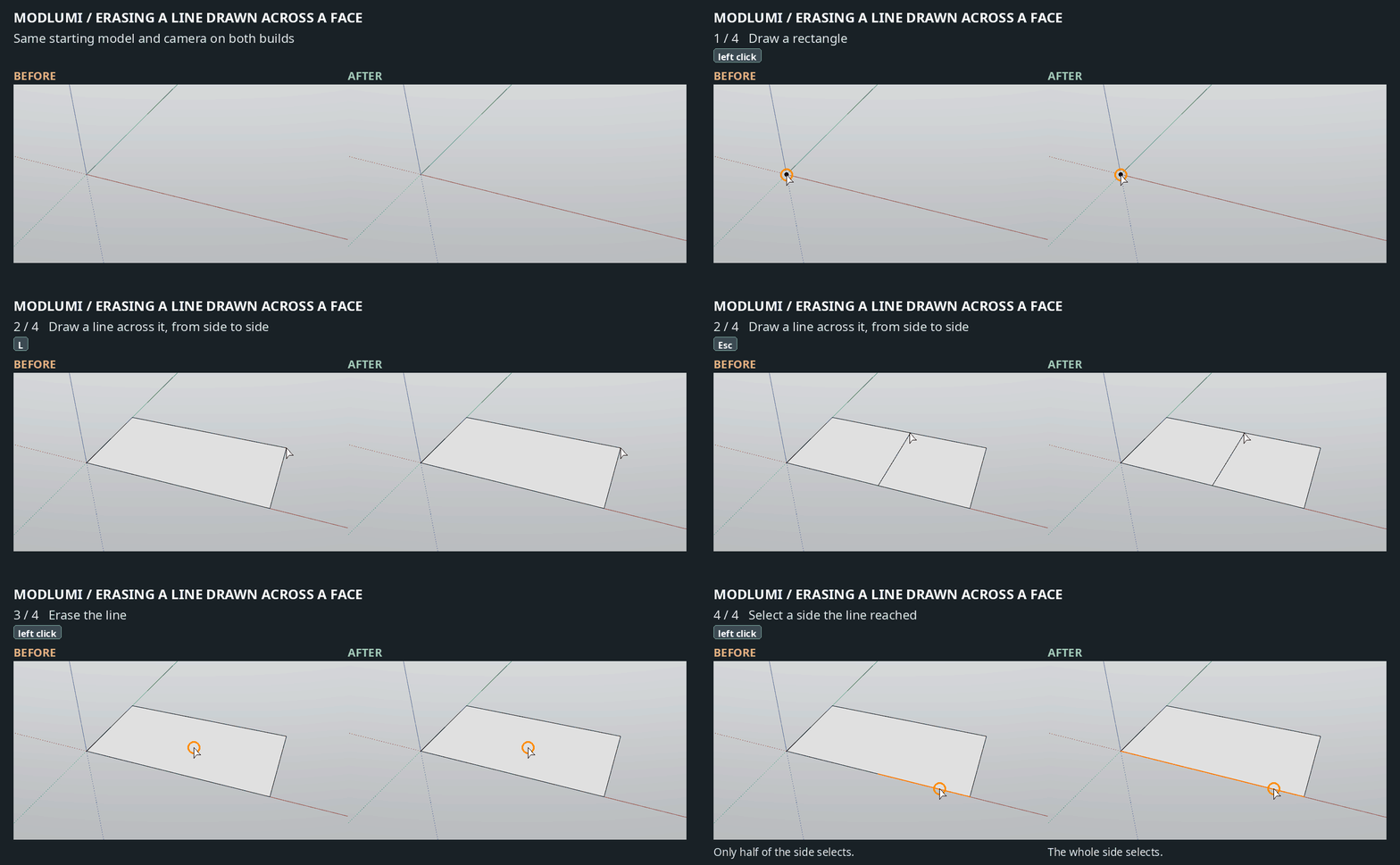
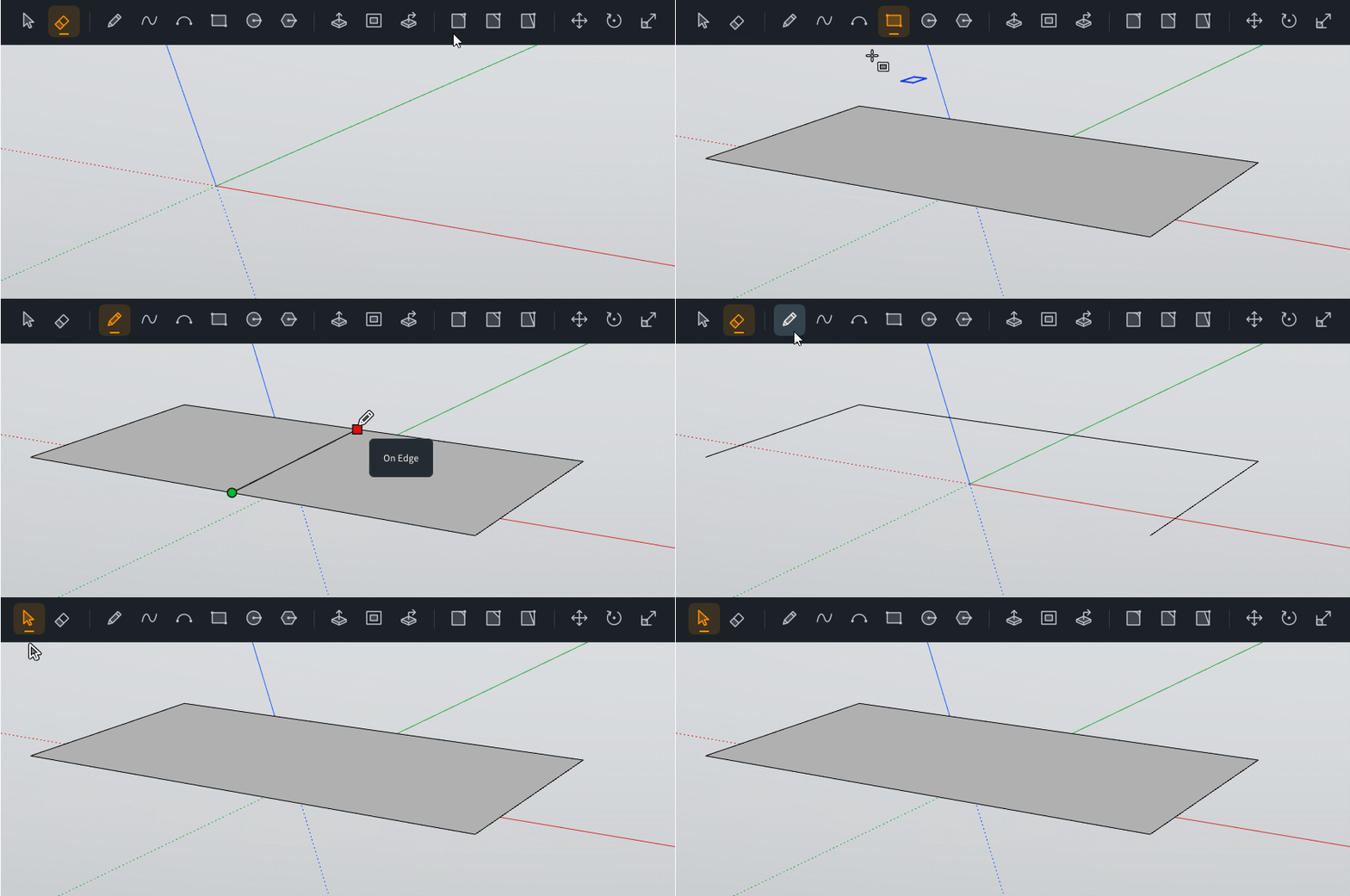
- Erasing a line drawn across a face rejoins the sides it split, so a rectangle is back to four edges.
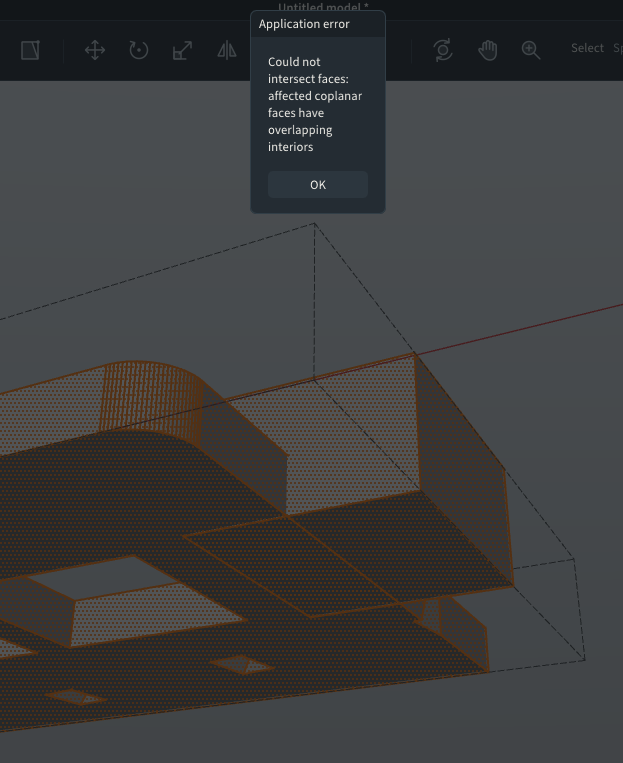
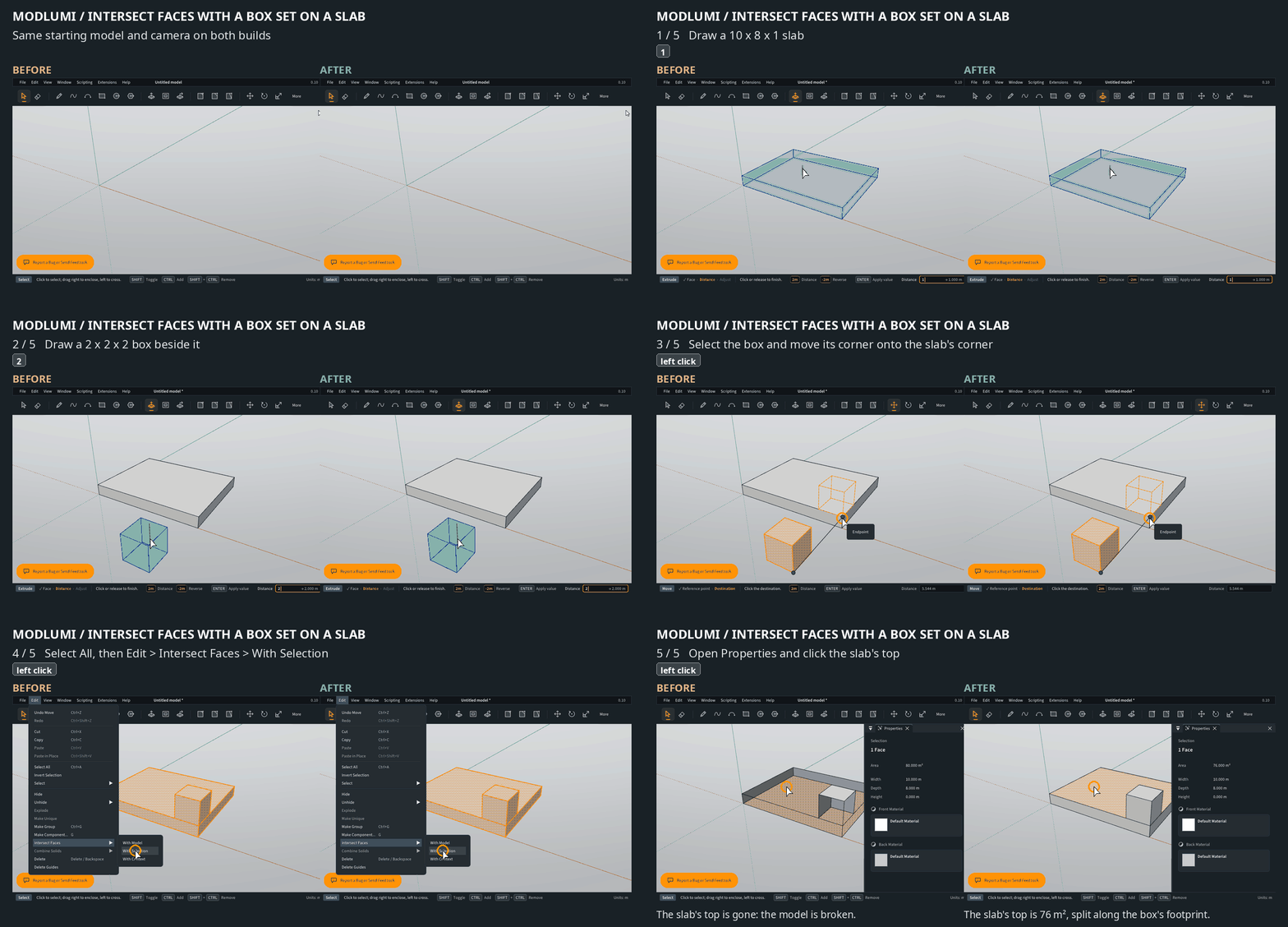
- Intersect Faces works on a loose box set on a slab, instead of failing with "overlapping interiors".
- Union no longer fails for two boxes standing on the same floor, shifted against each other.
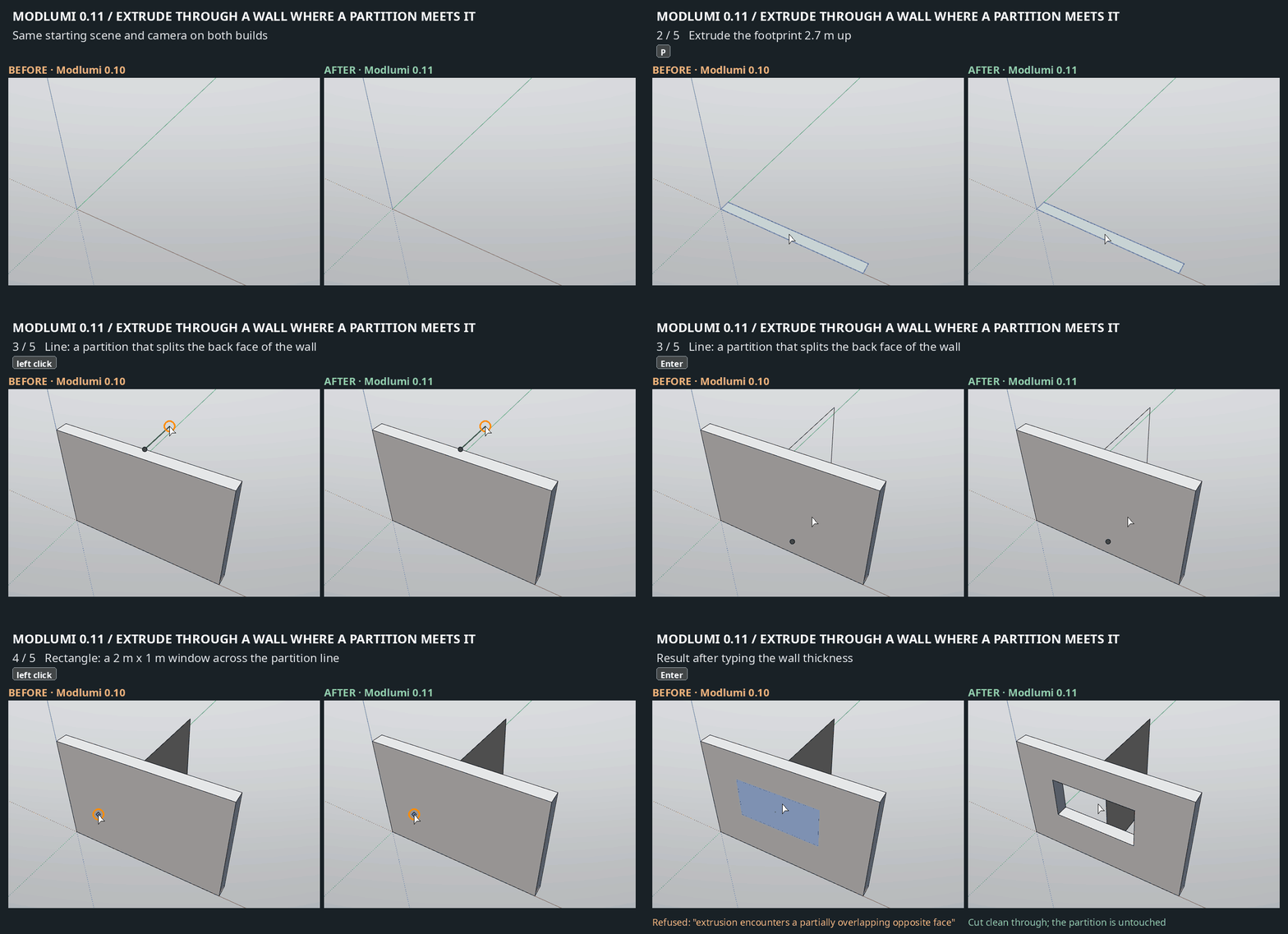
- Extruding through a wall works where the far side is made of several faces, such as at a corner or where a partition meets the wall. A typed depth equal to the wall thickness now cuts cleanly through instead of leaving a thin skin.
- Partitions in a floor plan can be extruded after the outer walls have been raised.
- In a parallel-projection plan view, zooming in no longer hides the upper storeys.
- When an extrusion or cut can't be made, the reason now shows in red in the status bar.
Full release notes: https://modlumi.com/docs/release-notes/
As always, bug reports and ideas are welcome here or through the feedback button in the app.
-
What a reactivity!
But sorry this one is always a bug for me ! V 0.11
Frenchy Pilou
Is beautiful that please without concept!
My Little site :) -
@pilou Yikes, I thought I fixed this. Will have another look at this one. I'm already cooking up v0.12, so this will be fixed in v0.13 or later. Desktop release is also coming soon.
Cheers,
Thomas -
Fuck time to go to bed now
Modlumi 0.12 is out: standard views, better image export, Make Unique and dimensions
Modlumi 0.12 is live at https://modlumi.com/app. A quick follow-up to 0.11 with a few things that make it easier to work from drawings and present a model.
Standard views and parallel projection
View > Standard Views turns the camera to Iso, Top, Bottom, Front, Back, Left or Right, keeping your zoom. View > Perspective and Parallel Projection switch the projection, and the choice is saved with the model. Handy for tracing a floor plan or checking a façade against an elevation drawing.
Save to Image with a size you choose
File > Save to Image now opens a dialog with size presets and a locked aspect ratio, so the picture no longer depends on your window size. The export leaves out selection highlights, tool previews and the axes. You can include guides and use a transparent background.
Make Unique
Select one or more component instances and choose Make Unique from the Edit or context menu. They get their own copy of the definition, named like Chair#2, so you can change them without touching the other instances.
Dimensions in Properties
Properties now shows the width, depth and height of the selected group or component, measured along its own axes in your model's units. With several objects selected it shows the size of all of them together.
Also
Undo now keeps the last 500 steps (fewer when they are very large), so memory stays bounded in long sessions.
Full release notes: https://modlumi.com/docs/release-notes/
As always, bug reports and ideas are welcome here or through the feedback button in the app.
-
Request : a "guide Line" by 2 any Snap Points in 3D Space or by "2 Guide points" or "By a Snap Point & a Guide Point" !
A "Perpendicular Snap"
When you ask: Top View, Front etc... yes but with Zoom fit (Zoom extend) !
-
Very cool we can Group / Component the Guides lines! (Lines & Points)
but we can't add here for example a new created Point inside a Group or Component yet existing!
Like Select a Point drawn : Right Click Properties yes but no possibility to input in a Group / Component!General : no possibility to explode a group / Component in the Outliner!
-
Seems we can't Delete guides lines saved & re loaded! (file linked)
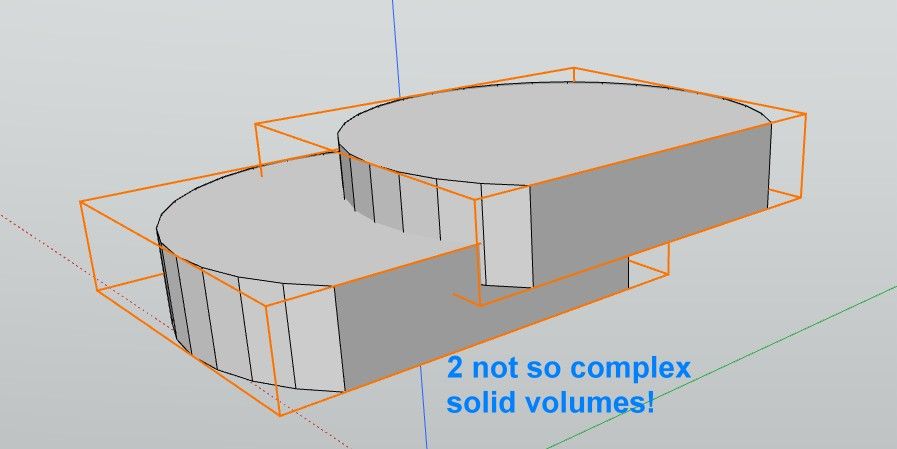
And here the Triple Click don't select the 2 volumes! There are not Group or component !
Only a rectangle Lasso can all select! same file linked... -
Any Booleans work!
 File linked!
Curious! Surely bug!
-

-
hello
bravo !
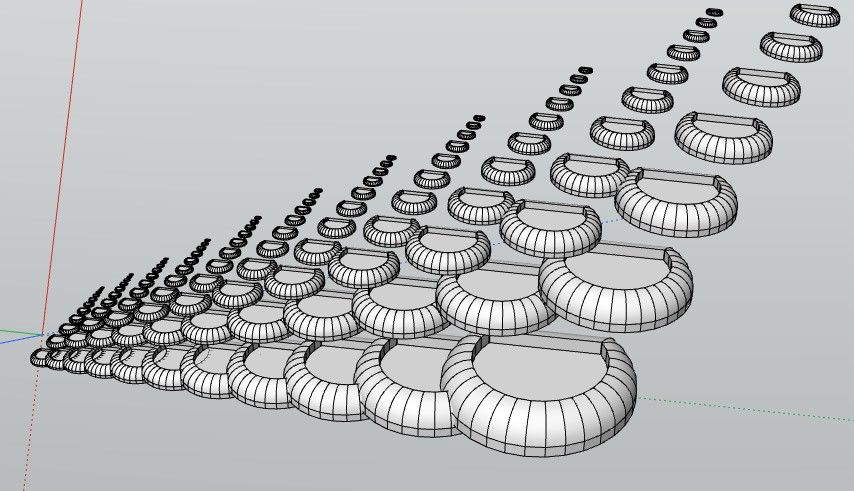
iMporting soften edges skp model is ok, but no soften edges for geometry made in the software?
It's great to already ahave de desktop version. But when importing the same model in the web version and desktop version, desktop version displays strange edges artefacts that are not visible. especially when navigating the model -
@krass you are fast man, you already found the download
- Will announce it shortly.Will have a look at these bugs. Softening edges is not done yet; will do that soon. Thanks for the bugs; I will make things a bit better again.
Cheers,
Thomas -
How big is or will the Desktop version ? (i have no very big place free on my old Latop !
Request : does it possible to hide:Show the axes in the screen ? I know this function is existing when you save image! But..
Does it possible to have also the JPG format inside the Save to Image ?
-
can we load .rbz in the Desktop version ?
Can we yet scripting in the desktop version ?



Hello! It looks like you're interested in this conversation, but you don't have an account yet.
Getting fed up of having to scroll through the same posts each visit? When you register for an account, you'll always come back to exactly where you were before, and choose to be notified of new replies (either via email, or push notification). You'll also be able to save bookmarks and upvote posts to show your appreciation to other community members.
With your input, this post could be even better 💗
Register Login


Advertisement