Sketchucation Tools 5.0...
-
Thank you for whatever you did. It works as expected now.
-
@Dave-R said in Sketchucation Tools 5.0.4:
Thank you for whatever you did. It works as expected now.
Thank you for checking.
-
I have installed the latest version (5.0.4) of Sketchucation Extension Store and like previous users get the "Loading... Click Continue if page does not refresh" message with a "Continue" button which appears to do nothing. I've read through Tig's responses and looked, using extension manager, for any extensions which don't report a version number. The only one I found was SCF Licence which doesn't have a version number, author, copyright details or description. All of the other plugins have version numbers and about a third of them need to be updated, which is why I installed the extension store. I seem to be going round in circles with this.
I'm using Sketchup Make 2017 (yes I know) and don't want to spend the large, to me, sum of money required to get a desktop version, as I'm just a hobbyist using the software for leisure. Is there any way to fix this problem or should I just give up and leave all the plugins as they are?
-
@coffeeholic53 said in Sketchucation Tools 5.0.4:
Is there any way to fix this problem or should I just give up and leave all the plugins as they are?
Just install extensions manually by downloading RBZ files from site.
2017 is using very old and no longer supported web dialog systems.
-
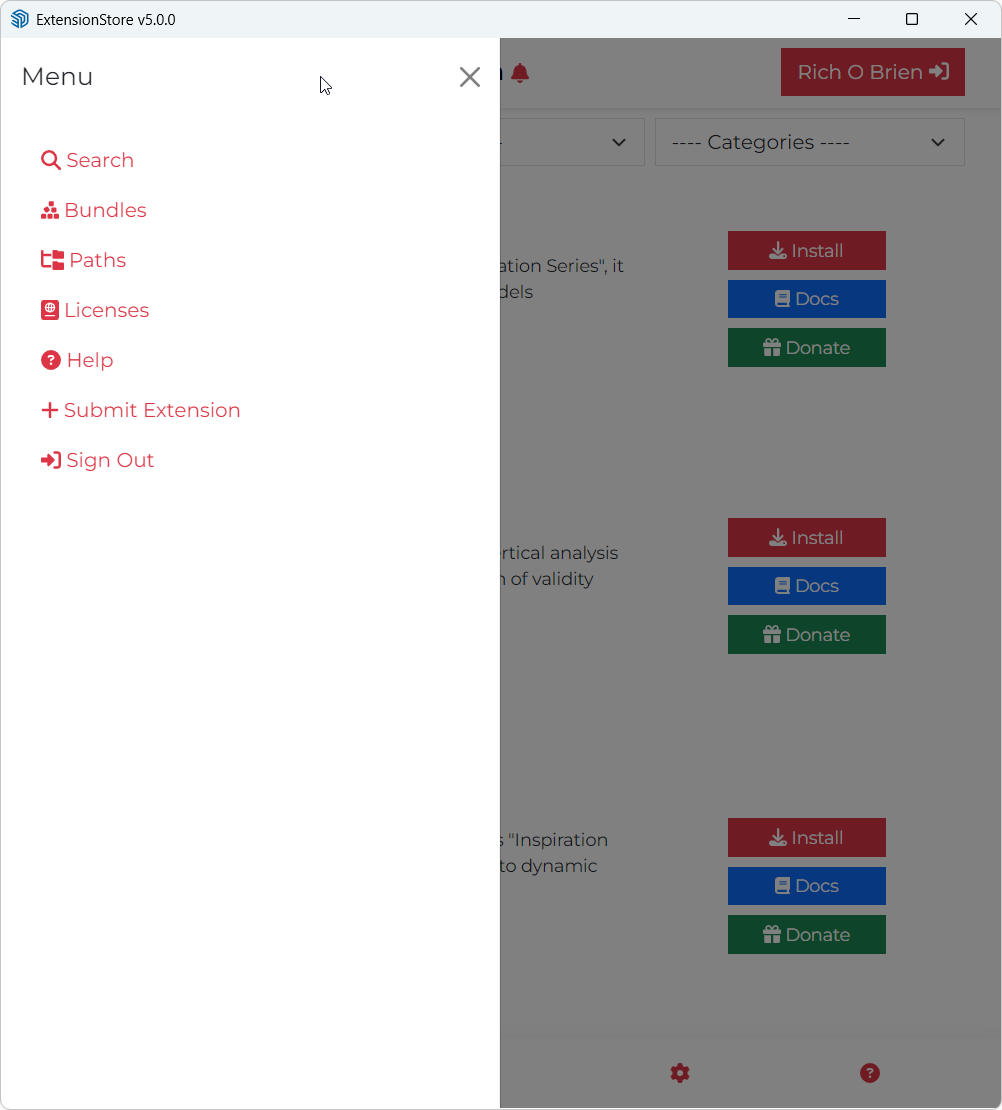
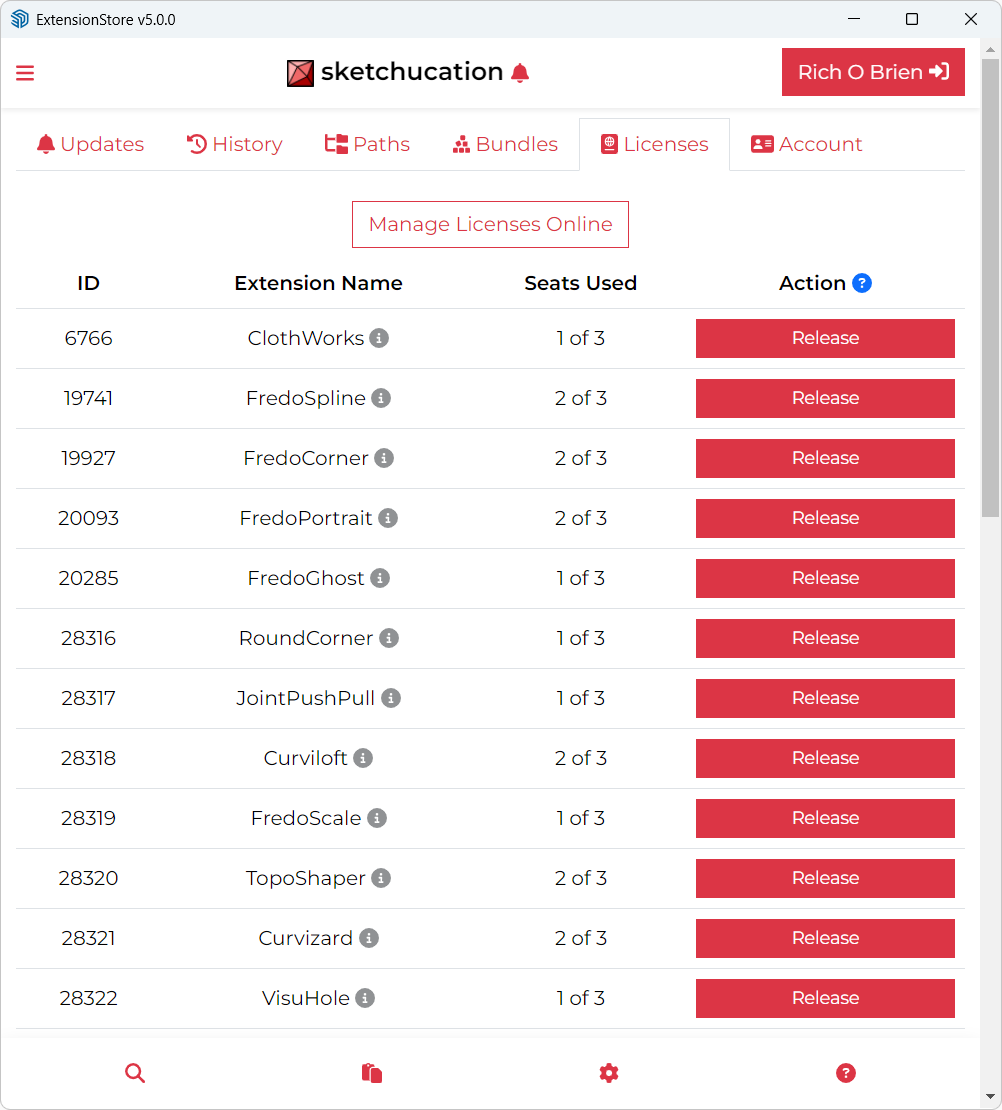
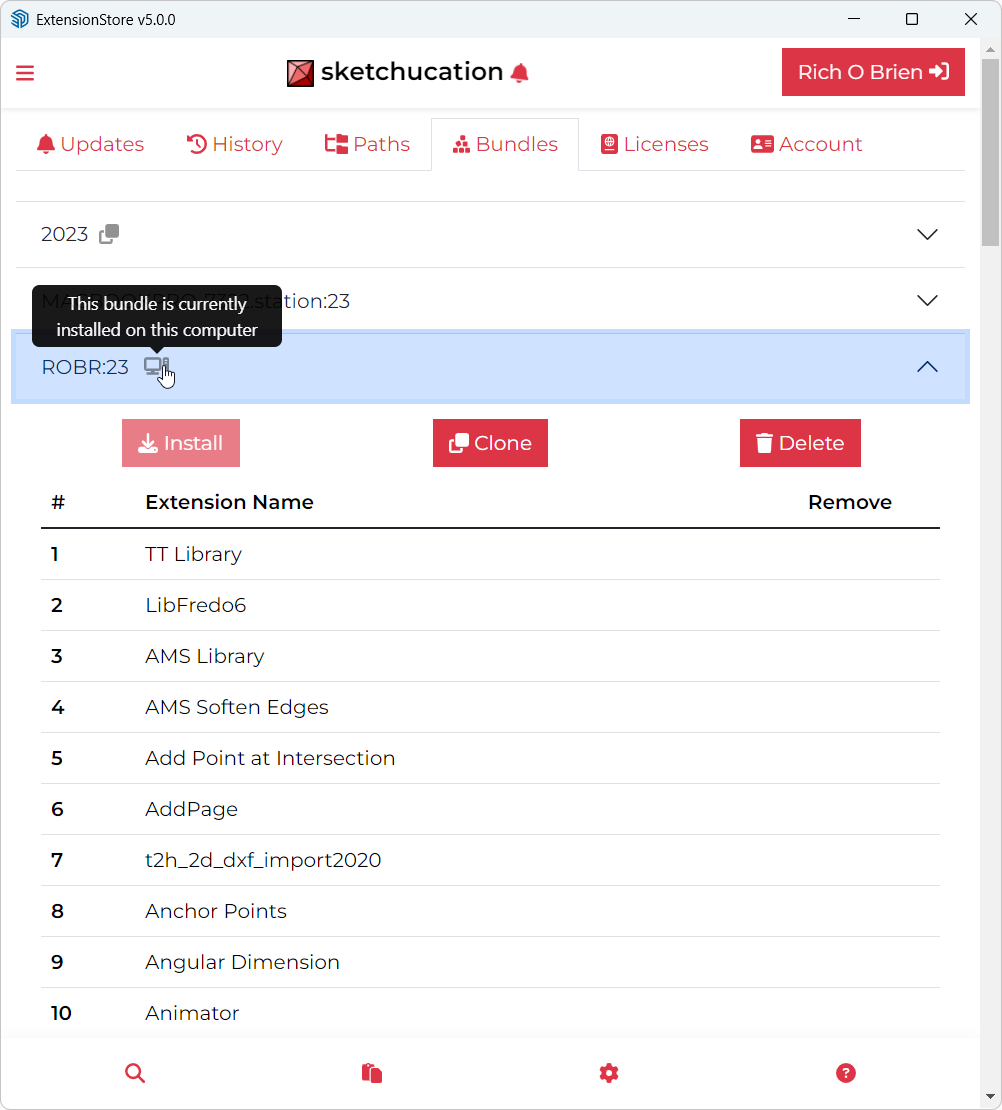
Starting with version 5, the third button opens the default SketchUp Extension manager, so there is no way to create sets and manage.
The second and the third buttons always showed different packages (plugins and extensions), now you end up with the default SketchUp windows.
Maybe this was intentional... or maybe not - i just pointed out. -
@FlorinAp
This change was intentional.
Over time the changes to the built-in Extensions Manager made it so much like our own that there seemed little purpose in the duplication. The loss of 'Sets' for the Extensions was decided on balance to be acceptable, because changes in how the SketchUp API allowed dynamic extension status setting has meant that our version was error prone. when doing this. Also the use of 'Sets' remains possible from within our Plugins Manager - because all extensions are also plugins [loading from a .RB file] it allows you to manipulate them in the same way with 'Sets' within that dialog... -
v 5.0.5 published
- Bug fixing for updates
-
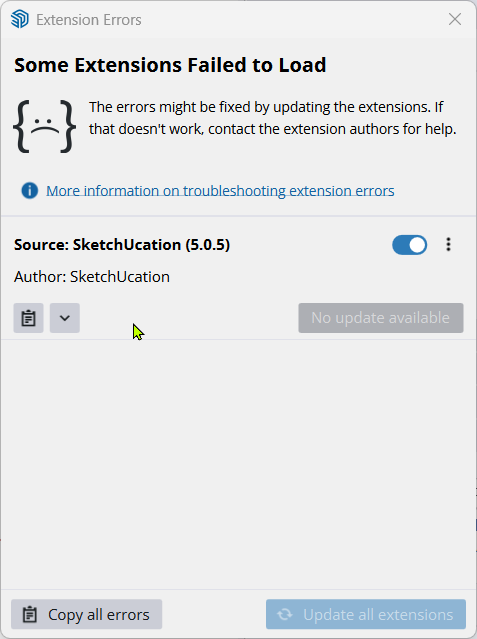
Extension Errors Report
SketchUp: 26.1.185
OS: Windows 11
Ruby: 3.2.2Extension: SketchUcation (5.0.5)
Error: Errno::ENOENT (No such file or directory @ rb_sysopen - C:/Users/dvnj2/AppData/Roaming/SketchUp/SketchUp 2026/SketchUp/Plugins/Fredo6_FredoSection/FredoSection.plugin)
c:/users/dvnj2/appdata/roaming/sketchup/sketchup 2026/sketchup/plugins/sketchucation/scf_dialog.rbe:929:inreadlines' c:/users/dvnj2/appdata/roaming/sketchup/sketchup 2026/sketchup/plugins/sketchucation/scf_dialog.rbe:929:inblock (4 levels) in getMyPlugins'
c:/users/dvnj2/appdata/roaming/sketchup/sketchup 2026/sketchup/plugins/sketchucation/scf_dialog.rbe:918:ineach' c:/users/dvnj2/appdata/roaming/sketchup/sketchup 2026/sketchup/plugins/sketchucation/scf_dialog.rbe:918:inblock (3 levels) in getMyPlugins'
c:/users/dvnj2/appdata/roaming/sketchup/sketchup 2026/sketchup/plugins/sketchucation/scf_dialog.rbe:903:ineach' c:/users/dvnj2/appdata/roaming/sketchup/sketchup 2026/sketchup/plugins/sketchucation/scf_dialog.rbe:903:inblock (2 levels) in getMyPlugins'
c:/users/dvnj2/appdata/roaming/sketchup/sketchup 2026/sketchup/plugins/sketchucation/scf_dialog.rbe:900:ineach' c:/users/dvnj2/appdata/roaming/sketchup/sketchup 2026/sketchup/plugins/sketchucation/scf_dialog.rbe:900:inblock in getMyPlugins'
c:/users/dvnj2/appdata/roaming/sketchup/sketchup 2026/sketchup/plugins/sketchucation/scf_dialog.rbe:899:ineach' c:/users/dvnj2/appdata/roaming/sketchup/sketchup 2026/sketchup/plugins/sketchucation/scf_dialog.rbe:899:ingetMyPlugins'
c:/users/dvnj2/appdata/roaming/sketchup/sketchup 2026/sketchup/plugins/sketchucation/scf_loader.rbe in
in <module:SCF>' c:/users/dvnj2/appdata/roaming/sketchup/sketchup 2026/sketchup/plugins/sketchucation/scf_loader.rbe:14:in<main>'
C:/Program Files/SketchUp/SketchUp 2026/SketchUp/Tools/extensions.rb:197:ineval' C:/Program Files/SketchUp/SketchUp 2026/SketchUp/Tools/extensions.rb:197:inrequire'
C:/Program Files/SketchUp/SketchUp 2026/SketchUp/Tools/extensions.rb:197:inload' C:/Users/dvnj2/AppData/Roaming/SketchUp/SketchUp 2026/SketchUp/Plugins/SketchUcation.rb:173:inregister_extension'
C:/Users/dvnj2/AppData/Roaming/SketchUp/SketchUp 2026/SketchUp/Plugins/SketchUcation.rb:173:in<module:SCF>' C:/Users/dvnj2/AppData/Roaming/SketchUp/SketchUp 2026/SketchUp/Plugins/SketchUcation.rb:17:in<top (required)>' -
The error is currently a mystery to me.
It's showing an error for a missing file -
C:/Users/dvnj2/AppData/Roaming/SketchUp/SketchUp 2026/SketchUp/Plugins/Fredo6_FredoSection/FredoSection.pluginChecking I see that I do not get the same error message - everything works fine.
AND I also see that the .plugin file does exists in my Plugins folder.
If an extension is not loaded [when its version would be readily findable],
then because the version is not immediately got the ExtensionStore in checking your current extensions' versions has to try and get them in other ways.
A version is usually readable from an extension's registration xxx.RB file - even if it's been disabled using our Plugins-Manager.
But a couple of authors - like @fredo6 - don't set the version in that file,
but use a unique hash system to read their settings in from a xxx.plugin text file, kept in each extension's subfolder.
To the best of my knowledge all of Fredo's extensions use this method, as does this one.I can force the same SketchUcation error as yours, by manually removing the FredoSection.plugin from its subfolder.
There are two cases:
-
FredoSection is set to be loaded in the PluginsManager - this error is sidestepped because the FredoSection extension is enabled in the Extension-Manager and its version is readable from the its properties. However, the Extension' properties all report as empty, and so no version etc could be read in. In this case the ExtensionStore defaults to thinking it's '0' and ignores its version.
-
FredoSection is set to be unloaded in the PluginsManager - this error is then thrown because the FredoSection extension is not now enabled in the Extension-Manager and its version is not readable from the its properties AND the .plugin file that would otherwise return the version is also not found. The error prevents the ExtensionStore from completing its version checking. This error could be sidestepped, but them you don't find out there's an issue with your FredoSection setup.
So this suggests to me that your installation of FredoSection extension is incomplete and the ../Fredo6_FredoSection/FredoSection.plugin is missing,
If you were not using the SketchUcation extension at all you would not get an error at startup, but just empty details in the ExtensionManager listing.
How did you install the FredoSection extension ?
If you have somehow copied files/folders from another Plugins folder this might have missed out vital files. Manual copying and the new su 'migration' tools can cause weirdness...Please try reinstalling the extension and checking that ../Plugins/Fredo6_FredoSection/FredoSection.plugin file now exists, and the SketchUcation extension loads OK.
You can install from its RBZ using the Extension-Manager, download it from our PluginStore.
Alternatively you can close SketchUp, and find the file:
C:/Users/dvnj2/AppData/Roaming/SketchUp/SketchUp 2026/SketchUp/Plugins/Fredo6_FredoSection.rb!
and rename it as:
C:/Users/dvnj2/AppData/Roaming/SketchUp/SketchUp 2026/SketchUp/Plugins/Fredo6_FredoSection.rb
i.e. without the ! at the end which was added to disable it.
After a restart this will allow SketchUcation's ExtensionStore to load and you can now use its dialog to reinstall the FredoSection extension, rather than using an RBZ.
See if the FredoSection.plugin file is installed properly and so on, and the the Extension-Manager now reports its proper details like author and version.
To stop even the currently faulty FredoSection file set from partially loading and tripping up the ExtensionStore you can use the Extension-Manager to disable the extension, rather than use the PluginManager.
A very remote possibility - if the .plugin file does indeed exist, but SketchUp can't find it, perhaps it is for some reason unreadable - so check its Security Properties. -
-
Version 5.0.6 is now available:
https://sketchucation.com/pluginstore?pln=SketchUcationToolsIt's trapped for a very rare error [only one report to date!] which splatted the tool on loading, when it was checking an extension's version for the update report - if the user's installation of that extension's files is somehow incomplete - perhaps because of the use of su's migrate tool across versions glitch ? [Note: this principally affected just some of Fredo's and perhaps Thomthom's extensions, where Extension-Manager then lists it without a version etc and they were unloaded in the PluginsManager]
-
I did figure out what the error was, took a bit. I had deleted the extension with the extension manager. So it was a surprise to me. The rb file did not get removed; a quick delete took care of it.
-
The recent update of our toolset sidesteps the particular startup error, but it won't stop the underlying issue of a badly installed extension causing issue - such as having a missing file causing an extension to miss out its version.
I assume from your explanation that you've deleted the Fredo extension's RB file AND its matching subfolder - and then the error was avoided.
If you install a fresh copy of it I presume that you no longer have an issue,
because the necessary file set will now be there,
and the Extension-Manager should then report it with its proper version info etc... -
I can't seem to get this to install and show up in my Extensions drop down. I assume that is why I am getting a error message saying that I need to install the LibFredo6 plugin even though it is showing up in my extension manager nor does the tool bar appear. I have not had any issues before and it was working just fine up until a few days ago. I have tied reinstalling the LibFredo6 with no luck. I am running 2026 Sketchup/ Windows 11 and all is up to date.
Should I try a full reinstall of Sketchup or is there another trick anyone can think of?
-
When you say 'this' please be clear. The RBZ for the SketchUcation toolset which also control the licensing and ExtensionStore dialog etc is easily installed using the native Extension Manager > Install... button. Restart SketchUp afterwards to sync everything. It appears in its own submenu under Extensions and there is also a Toolbar.
LibFredo6 is not needed for the toolset, but it is vital to all of Fredo's extensions.
If you have not installed SketchUp itself 'properly' then you do not need to Uninstall and Reinstall it, instead close SketchUp, then find the SketchUp Installer's exe file in your Downloads folder [or download a fresh copy]. Select the exe file's icon, right-click > context-menu > Run as administrator - a dialog should open, accept the 'Repair' option, this will reset all of the permissions properly so extensions can install and save preferences etc. In a few rare case with some of Fredo's stuff a further manual deletion of a badly permission-ed subfolder etc is occasionally necessary, but let's cross that bridge as we come to it ! -
Version 5.0.7 is available soon watch this space.
Use v5.0.6 for now... -
Because I was dropped on my head as a small baby, I am utterly unable to find a way to turn off the sketchucation tools menubar. There are two toggles that appear to be correct on the menu, but neither works permanently. I'm sure uninstalling it would work, but that does seem a bit drastic?
I'm at a bit of a loss as to why it doesn't work like every other plugin toolbar
-
The toolbar can be switched on/off in the standard view > toolbars section.
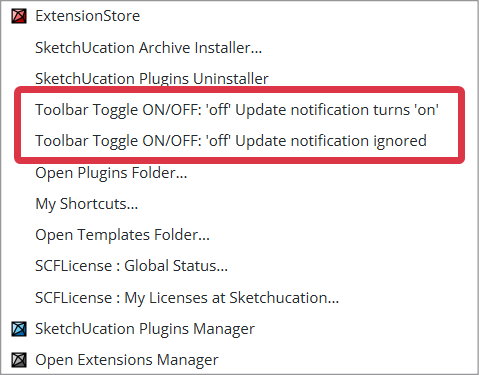
Also there are 2 toggles in the menu,:
- to switch off the toolbar [and on] AND ignore any subsequent updates-available notification [i.e. do not reopen].
- to switch off the toolbar [and on] BUT to reopen the toolbar automatically if there's an updates-available notification.
-
Here are my steps:
- Start Sketchup (in this case, my daily driver is 2023)
- Notice the ExtensionStore toolbar.
- From the extensions Menu, select Toggle toolbar ON/OFF 'off' update notification turns 'on'
- The toolbar is gone
- Exit Sketchup
- Restart. The toolbar is there again
- From the extensions Menu, select Toggle toolbar ON/OFF 'off' update notification ignored
- Acknowledge the modal popup "Toolbar button automatic Update marker may show after restart..."
- Select the same menu item again, and the toolbar is gone
- Exit Sketchup and restart
You probably wouldn't be surprised to know that the (@*!!@$/#^) toolbar is back again.
I can't be the only one who just doesn't WANT the toolbar. Really, I can start up the extension any time I want from the menu.
-
I have just retested it and I do see an issue.
With it set to ignore updates it's still reopening the toolbar on restart.
This is not correct.
I look into a fix... -
@b2pi
I have fixed the issue and there is already an updated version 'in the pipeline' - watch for its release...




Hello! It looks like you're interested in this conversation, but you don't have an account yet.
Getting fed up of having to scroll through the same posts each visit? When you register for an account, you'll always come back to exactly where you were before, and choose to be notified of new replies (either via email, or push notification). You'll also be able to save bookmarks and upvote posts to show your appreciation to other community members.
With your input, this post could be even better 💗
Register Login


Advertisement