[Plugin] Draw Boundingbox
-
@ThomThom:
Just out of curiosity, is the bounding box you create even distantly related to the method of producing a convex hull--or is this even relevant? -
Nope - it just uses the corner of the boundingbox SketchUp provides.
-
Hi Thom,
Great plugin (again) but blah-blah... you know that.
I have noticed however that it can be launched when only primitive geometry (i.e. no group/component) is selected then I can even tell the plugin to create a bounding box but of course nothing happens.
Of course, I know why this is happening ("not" happening) so not too big problem but maybe some warning dialog would be best so that users do not get confused.
-
Couldn't you simply make a temporary group of all selected and then get the bounds of that?
ents=model.active_entities ss=model.selection enta=ss.to_a gp=ents.add_group(enta) bb=gp.bounds ### store that data gp.explode ### make the bbox ss.add(enta) ### OR whatever... -
hm... I thought I had some message system that warned about no valid selection. Must have accidentally removed it as I rewrote it
-
I do not mean to create a bounding box for loose geometry - what for? - it's just for other users to avoid confusion.
Also, how about an option that the bounding box is inside/outside of the group/component? (Would be easier to move them together with just one click selection). Of course, in this case there would be the risk of loose geometry merging inside...
-
@tig said:
Couldn't you simply make a temporary group of all selected and then get the bounds of that?
ents=model.active_entities
> ss=model.selection
> enta=ss.to_a
> gp=ents.add_group(enta)
> bb=gp.bounds
> ### store that data
> gp.explode
> ### make the bbox
> ss.add(enta)
> ### OR whatever...
I could just add up the bounds from all the "loose" geometry.
-
@gaieus said:
Also, how about an option that the bounding box is inside/outside of the group/component? (Would be easier to move them together with just one click selection). Of course, in this case there would be the risk of loose geometry merging inside...
I was thinking adding to the input box:
Option to group the generated geometry
Option to generate the geometry inside the components they represent. -
OK, I'll stop nagging you now...

-
I just downloaded this plugin and its a very useful addition, I'm using it, thanks to 'dedmin's recommendation for use with Layout. Its difficult sometimes to use the dimensioning tool in LO on rounded or odd shaped geometry. this tool certainly helps! Thank you
grouping the resulting boundary box would make a great simple plugin more streamlined. if at all possible.... please ... maybe
-
I noticed that if I rotate some objects and use this plugin, the bounding box will use the rotated boxes of these other objects... any way to perhaps get the real limits of the object set instead of using their (inaccurate) bounding box without having to explode everything?
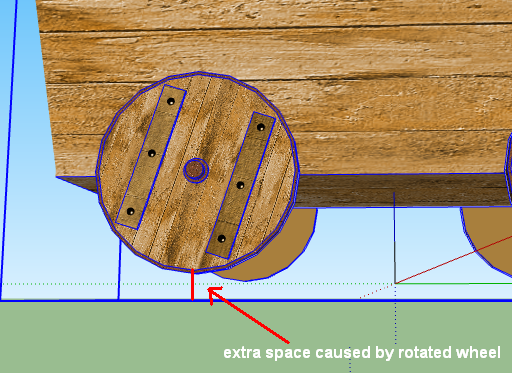
-
There probably is, but I'm not sure how. This plugin is very simple designed specifically to use the boundingbox.
-
I missed this useful plugin the first time around. Thanks to Rich for pointing me here and of course thanks to ThomThom for another brilliant tool!

-
Thanks for this great little plugin Thomthom, it's allowed me to reset the axis on an irregular component that inherited from someone else's model.
I'm not sure how often I'll use it, but it's great to know about all of your cookie ware plugins, thanks ...
-
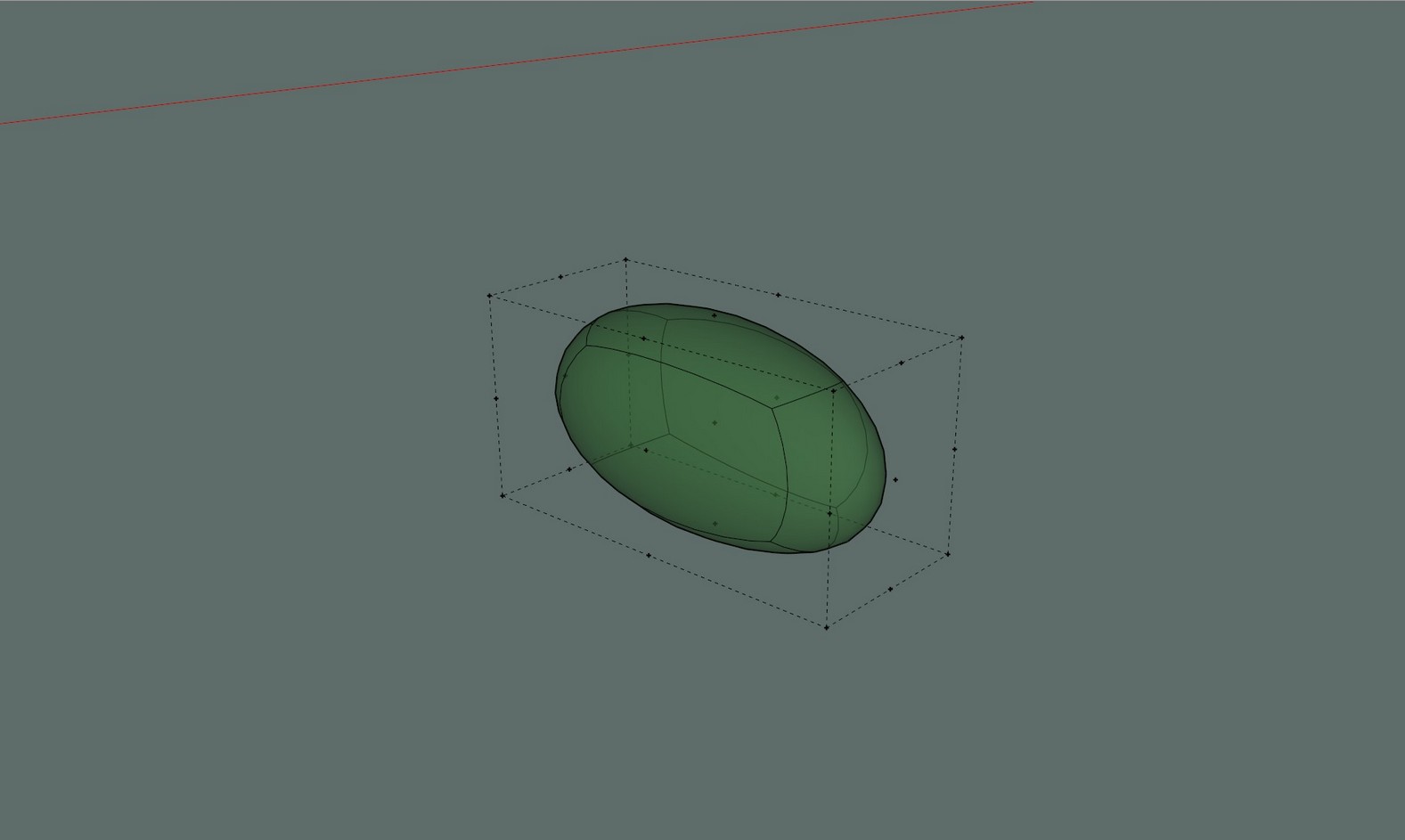
Hello dear thomthom. Can I ask you to make a small edit to your plugin for me so that it puts construction points not only at the outer corners, but also in the center of the construction lines. For your understanding, I will attach a picture. (Additional points I built using AAV) Additional points help to move or position rounded objects. Thank you.
-
Hi AISMebel,
Below is what you can do:
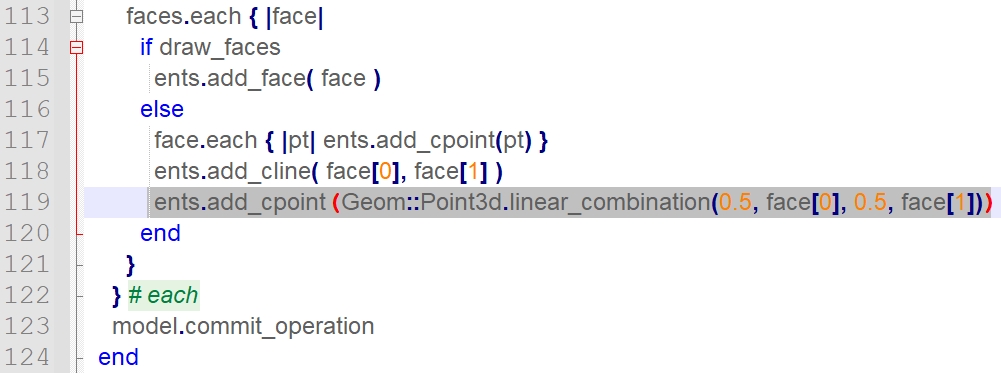
Browse your disk to your Plugins folder to find a sub-folder named 'tt_draw_bb'- open the file 'core.rb' in that folder (using a'pure' text editor)
- find line #118
- add the following line:
ents.add_cpoint( Geom;;Point3d.linear_combination(0.5, face[0], 0.5, face[1]))- save the core.rb file and restart SketchUp.
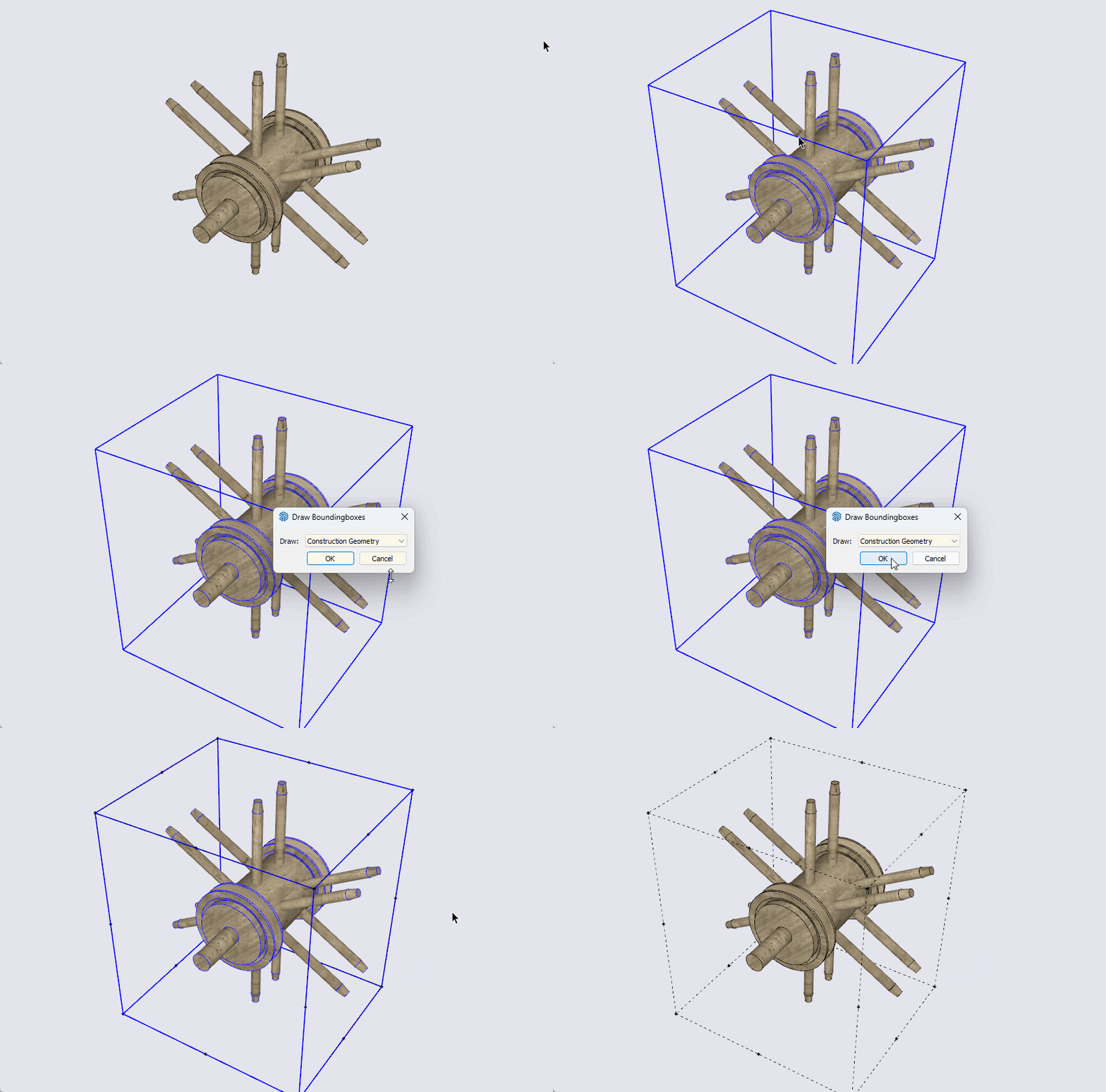
-
@didier bur said:
Below is what you can do
What a nice addition to Thom Thom's valuable plugin. I didn't know I needed that until now. Thanks. And I hope TT doesn't mind.
-
@Didier-Bur Your text code is wrong (different than the one from your picture) - the one from your picture is correct.!
Thank you anyway - it worked, after an error from SU 2024, I figured it out.! -
@Didier-Bur Hi. Thanks a lot, everything worked out. I was a little late thanking you, I completely forgot that I asked for help))
I also added the option to move the "Bounding Box" to a separate layer, which proved to be very useful. -
@AISmebel Will you please tell me how you add the option to move the "Bounding box" to a separate layer.!!
Anchor Points extension does that, but this one is more useful, and all the time i was thinking that it would be better if this one could move the bounding box to a separate layer (and maybe also group the Bounding Box, so you can easily separate later and delete it, or - like Anchor Points - at least put it inside the group/components so you can easily delete it later...).Thank you.!









Hello! It looks like you're interested in this conversation, but you don't have an account yet.
Getting fed up of having to scroll through the same posts each visit? When you register for an account, you'll always come back to exactly where you were before, and choose to be notified of new replies (either via email, or push notification). You'll also be able to save bookmarks and upvote posts to show your appreciation to other community members.
With your input, this post could be even better 💗
Register Login


Advertisement