sketchucation logo sketchucation
    • Login
    Oops, your profile's looking a bit empty! To help us tailor your experience, please fill in key details like your SketchUp version, skill level, operating system, and more. Update and save your info on your profile page today!
    โš ๏ธ Update | Sketchucation Tools 5.0.8 released with licensing improvements and bugfixes Download

    [Plugin] Slicer5

    Scheduled Pinned Locked Moved Plugins
    338 Posts 83 Posters 394.1k Views 82 Watching
    Loading More Posts
    • Oldest to Newest
    • Newest to Oldest
    • Most Votes
    Reply
    • Reply as topic
    Log in to reply
    This topic has been deleted. Only users with topic management privileges can see it.
    • A
      Alagcommer
      last edited by

      thanks for your help.
      I'll let you know.

      1 Reply Last reply
      Reply Quote 0
      • A
        Alagcommer
        last edited by

        I tried both solutions with no luck ๐Ÿ˜ž

        1 Reply Last reply
        Reply Quote 0
        • pilouP
          pilou
          last edited by

          Works for me : I have Scale * 1000 ๐Ÿ˜‰

          tranchette.jpg

          Frenchy Pilou
          Is beautiful that please without concept!
          My Little site :)

          1 Reply Last reply
          Reply Quote 0
          • A
            Alagcommer
            last edited by

            Merci Pilou
            I'll try with this scale as 100 is not enough

            1 Reply Last reply
            Reply Quote 0
            • pilouP
              pilou
              last edited by

              you can make 10 000...for be more sure! ๐Ÿ˜‰

              Frenchy Pilou
              Is beautiful that please without concept!
              My Little site :)

              1 Reply Last reply
              Reply Quote 0
              • A
                Alagcommer
                last edited by

                Hi
                Finally I succeeded with a x1000 scale.
                But now I have the "invisible but there" issue !.
                Tweaking my OpenGl params didn't solve the problem.
                How can I see my sliced model?

                1 Reply Last reply
                Reply Quote 0
                • Dave RD
                  Dave R
                  last edited by

                  @alagcommer said:

                  But now I have the "invisible but there" issue !.
                  Tweaking my OpenGl params didn't solve the problem.
                  How can I see my sliced model?

                  Do you mean clipping? Set the Camera to Perspective and hit Zoom Extents.

                  You should be modeling with the camera set to Perspective and save Parallel Projection for exported images when it's appropriate.

                  Etaoin Shrdlu

                  %

                  (THERE'S NO PLACE LIKE)

                  G28 X0.0 Y0.0 Z0.0

                  M30

                  %

                  1 Reply Last reply
                  Reply Quote 0
                  • A
                    Ahmed0007
                    last edited by

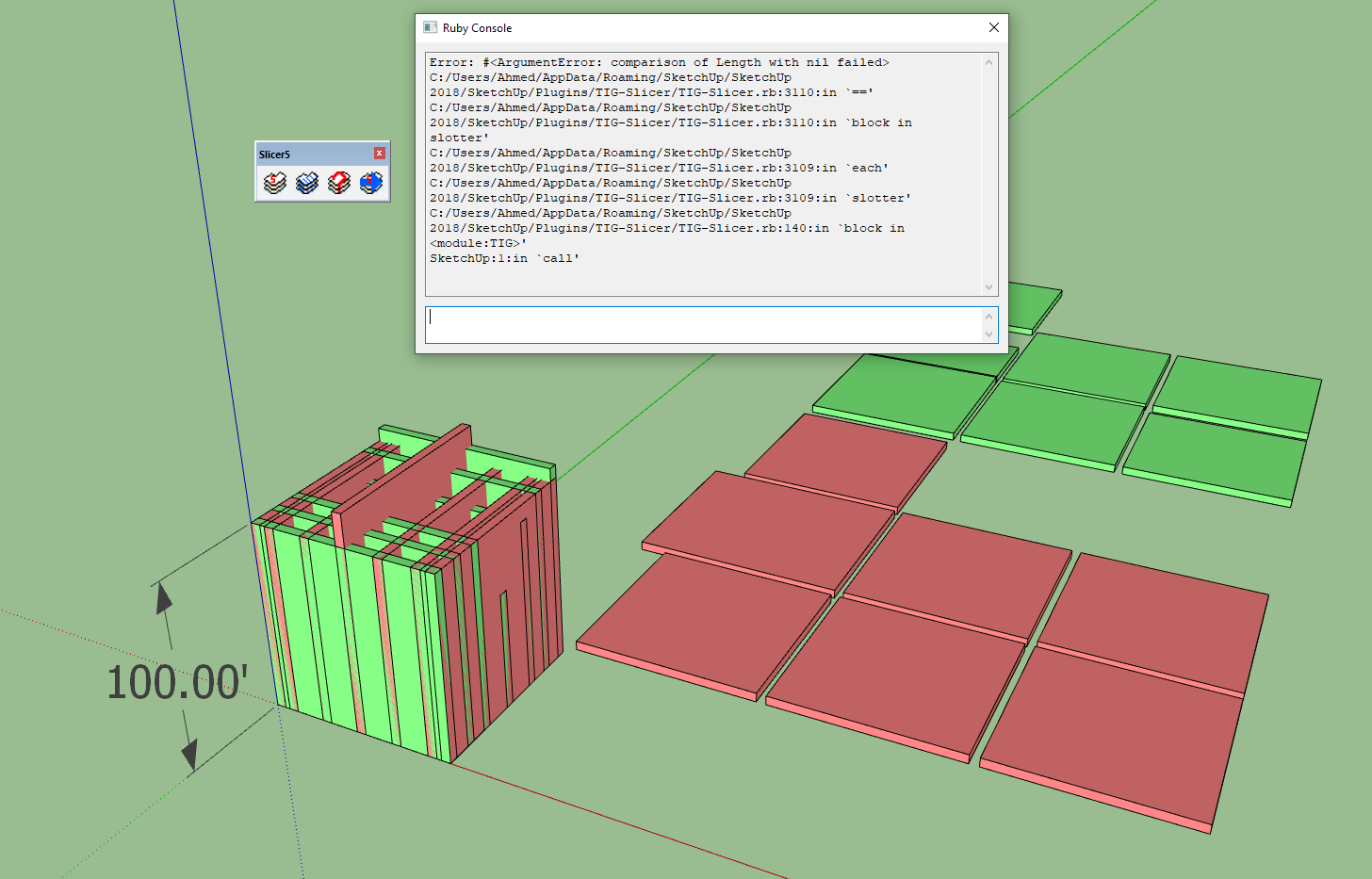
                    Slotter not working for me in su2018
                    what's wrong i'm doing anyone can please figure out?
                    please see attachment
                    Thanks


                    12344.gif

                    1 Reply Last reply
                    Reply Quote 0
                    • TIGT
                      TIG Moderator
                      last edited by

                      Please try it with the Ruby Console open and report any messages when you run it.

                      Also please post a screenshot of your settings.

                      If the object is too small, then slots might not get formed properly.

                      You can also attach a simple model's SKP, so that we can test it too...

                      TIG

                      1 Reply Last reply
                      Reply Quote 0
                      • A
                        Ahmed0007
                        last edited by

                        Thanks a lot TIG for your quick response

                        i also tried in su 2015


                        C123apture.PNG


                        Untitled.skp

                        1 Reply Last reply
                        Reply Quote 0
                        • TIGT
                          TIG Moderator
                          last edited by

                          Can you attached the un-sliced object to a post, so that I can have a look at its weirdness...
                          Also please provide your Slicer-settings...

                          TIG

                          1 Reply Last reply
                          Reply Quote 0
                          • A
                            Ahmed0007
                            last edited by

                            settings included in skp file


                            un-sliced.skp

                            1 Reply Last reply
                            Reply Quote 0
                            • TIGT
                              TIG Moderator
                              last edited by

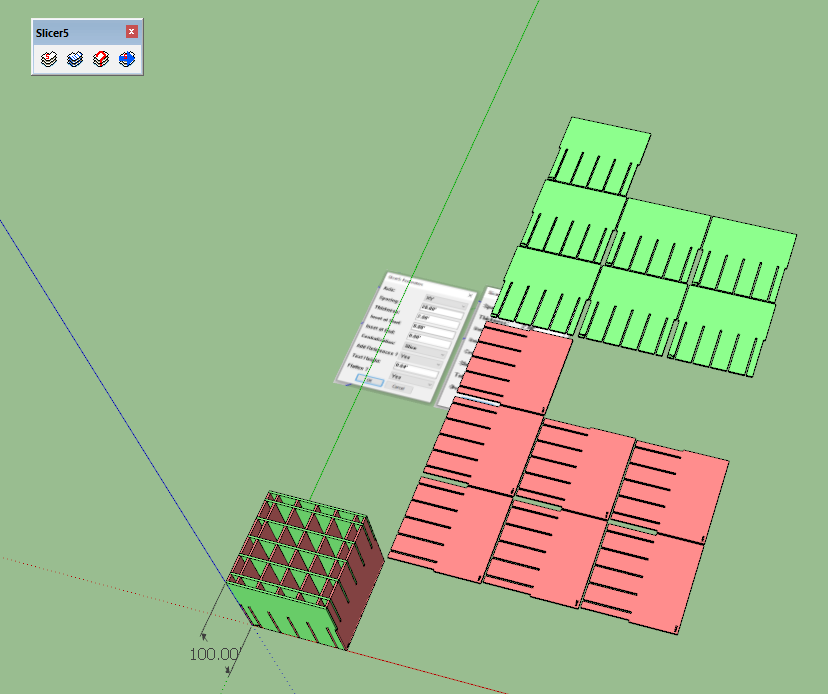
                              In v2018 it works fine for me.
                              Although in this screenshot the text height is bigger, it also works with the original

                              So... what is different in your set up ?

                              Capture.PNG

                              TIG

                              1 Reply Last reply
                              Reply Quote 0
                              • A
                                Ahmed0007
                                last edited by

                                Pre Slotted works fine. its not update after changing.
                                i explain in previous gif

                                1 Reply Last reply
                                Reply Quote 0
                                • A
                                  Ahmed0007
                                  last edited by

                                  favicon

                                  (streamable.com)

                                  1 Reply Last reply
                                  Reply Quote 0
                                  • TIGT
                                    TIG Moderator
                                    last edited by

                                    Thank you.
                                    Now I see your issue.

                                    I'll investigate further...

                                    TIG

                                    1 Reply Last reply
                                    Reply Quote 0
                                    • A
                                      Ahmed0007
                                      last edited by

                                      Thank you for your Time.
                                      i also noticed another issue
                                      Bug Splat when i try to export dxf with 2d text References
                                      (without text it's works fine and fast)

                                      1 Reply Last reply
                                      Reply Quote 0
                                      • TIGT
                                        TIG Moderator
                                        last edited by

                                        I think I've fixed the issue with the 'Add-Slot' tool failures...
                                        Here's v6.0...
                                        https://sketchucation.com/pluginstore?pln=TIG_Slicer

                                        Note that you can still only use this tool once on any 'un-slotted' set of parts...

                                        TIG

                                        1 Reply Last reply
                                        Reply Quote 0
                                        • A
                                          Ahmed0007
                                          last edited by

                                          ๐Ÿ˜ฎ ๐Ÿ˜ฒ Amazing Thank you soooooo Much.

                                          1 Reply Last reply
                                          Reply Quote 0
                                          • M
                                            max444
                                            last edited by

                                            Hey TIG, awesome plugin here. I'm pretty new to sketchup but I decided it was what I needed to do what I'm trying to do so I'm working through it well. Quick question - I got my model sliced and ready but I'm having issues with the PNG export. It seems to save the background only, regardless of what setting I'm using to view the slices. I've tried wireframe and shaded ect. not sure what I'm missing here? Thanks again!

                                            1 Reply Last reply
                                            Reply Quote 0

                                            Hello! It looks like you're interested in this conversation, but you don't have an account yet.

                                            Getting fed up of having to scroll through the same posts each visit? When you register for an account, you'll always come back to exactly where you were before, and choose to be notified of new replies (either via email, or push notification). You'll also be able to save bookmarks and upvote posts to show your appreciation to other community members.

                                            With your input, this post could be even better ๐Ÿ’—

                                            Register Login
                                            • 1
                                            • 2
                                            • 12
                                            • 13
                                            • 14
                                            • 15
                                            • 16
                                            • 17
                                            • 14 / 17
                                            • First post
                                              Last post
                                            Buy SketchPlus
                                            Buy SUbD
                                            Buy WrapR
                                            Buy eBook
                                            Buy Modelur
                                            Buy Vertex Tools
                                            Buy SketchCuisine
                                            Buy FormFonts

                                            Advertisement