sketchucation logo sketchucation
    • Login
    Oops, your profile's looking a bit empty! To help us tailor your experience, please fill in key details like your SketchUp version, skill level, operating system, and more. Update and save your info on your profile page today!
    ⚠️ Update | Sketchucation Tools 5.0.8 released with licensing improvements and bugfixes Download

    DWG Files Not Scale Says Client

    Scheduled Pinned Locked Moved SketchUp Discussions
    sketchup
    41 Posts 7 Posters 9.2k Views 7 Watching
    Loading More Posts
    • Oldest to Newest
    • Newest to Oldest
    • Most Votes
    Reply
    • Reply as topic
    Log in to reply
    This topic has been deleted. Only users with topic management privileges can see it.
    • Joe WoodJ
      Joe Wood
      last edited by

      I included the dwg in my last post, I never use dwg so not sure how I can measure a dwg.

      Joe Wood
      woodsshop.com/

      1 Reply Last reply
      Reply Quote 0
      • BepB
        Bep
        last edited by

        Goodday Joe,

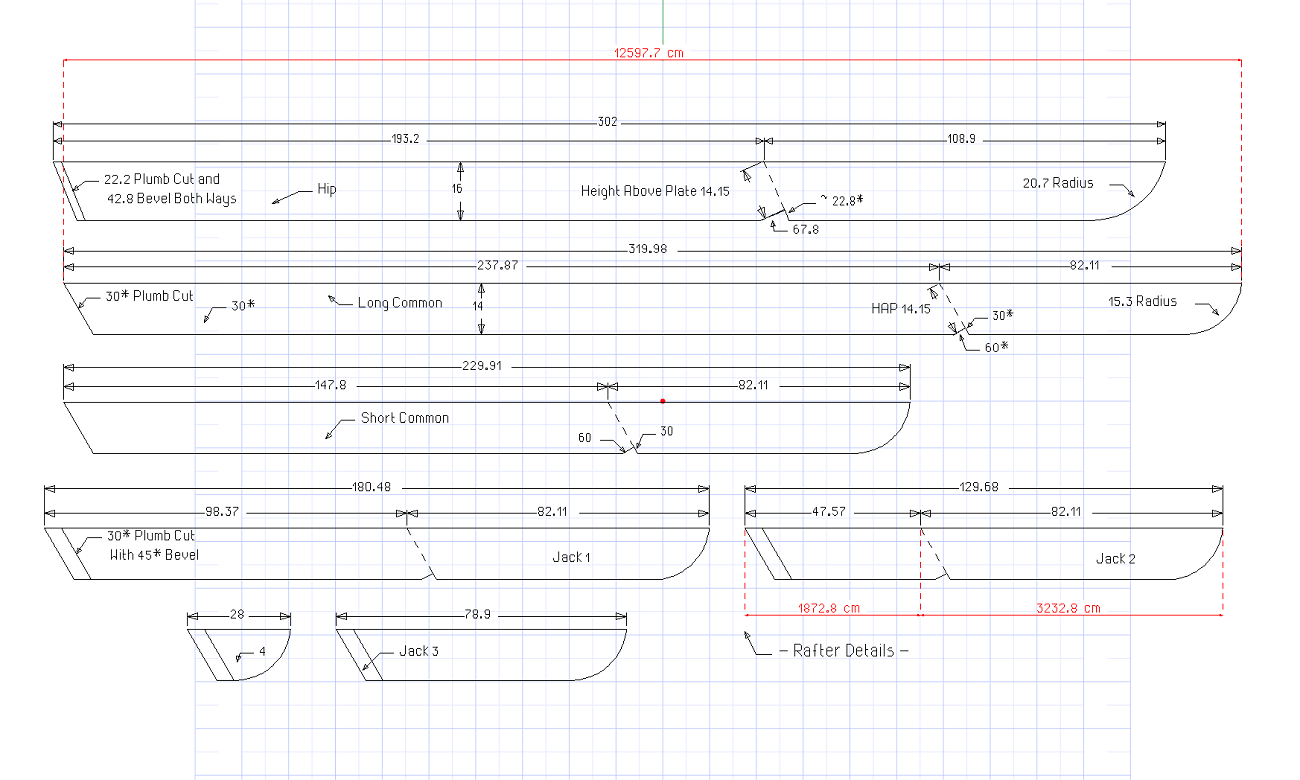
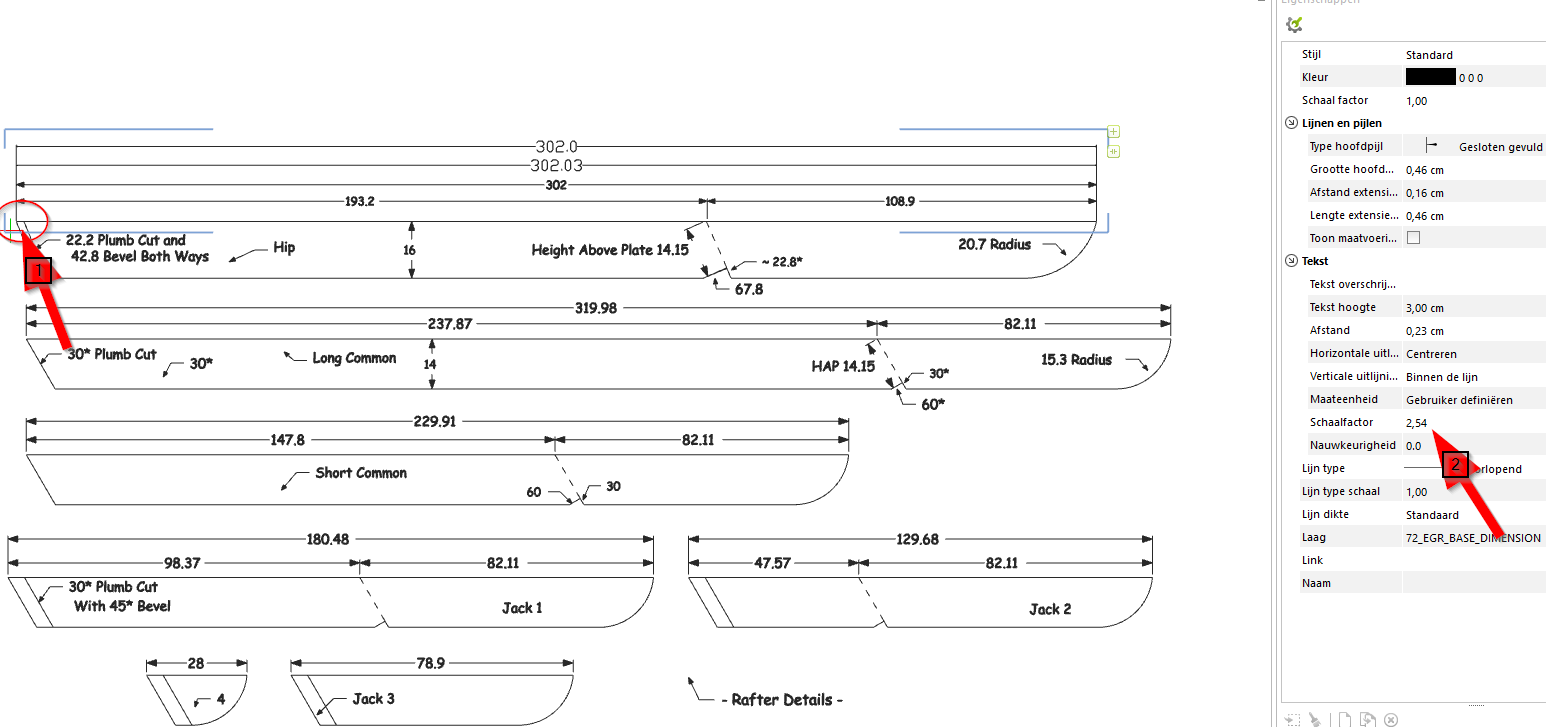
        The drawing is scaled 1:2,54 see point 2
        As you see i scaled it a factor 2.54 to get the dimensions right
        There is a smal error 0.03mm at point 1, you have to zoom in very close.
        I use the(free) pCon.planner http://pcon-planner.com/en/download/ or Draftsight https://www.3ds.com/products-services/draftsight-cad-software/free-download/ software to use a .DWG
        2017-12-21 18_22_02-Rafter Details.dwg (alleen lezen) - pCon.planner (64 bit).png


        2017-12-21 18_22_02-Rafter Details.dwg (alleen lezen) - pCon.planner (64 bit).png

        "History is written by the winners"

        1 Reply Last reply
        Reply Quote 0
        • Joe WoodJ
          Joe Wood
          last edited by

          Goodday to you Bep!

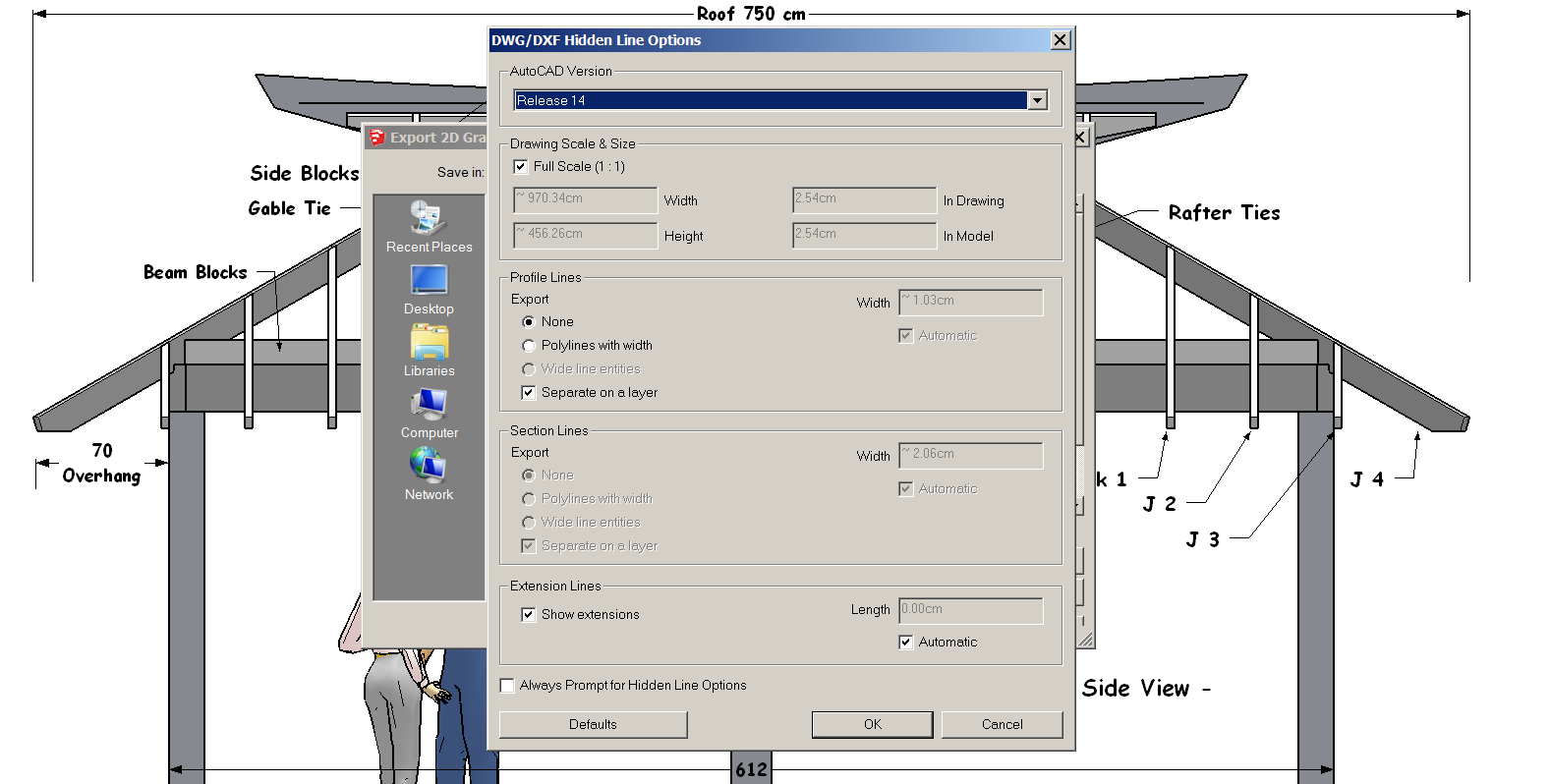
          so what is wrong with my export to give that scale? I have dwg export set to full sized scale?

          Or is the skp model scale set wrongly?

          Joe Wood
          woodsshop.com/

          1 Reply Last reply
          Reply Quote 0
          • pbacotP
            pbacot
            last edited by

            I see. I opened in PowerCADD and at 1:2 scale, yes it is out of scale. My result is the dimensions are less than half of what they should be.

            Not being familiar with your drawing (what scale it would be normally presented in) and metric drawings in general, it's hard for me to analyze what is going on as I would with a feet/ inches import.

            I think you have to review your export process. You need to have some software to check your exports with.

            MacOSX MojaveSketchUp Pro v19 Twilight v2 Thea v3 PowerCADD

            1 Reply Last reply
            Reply Quote 0
            • Joe WoodJ
              Joe Wood
              last edited by

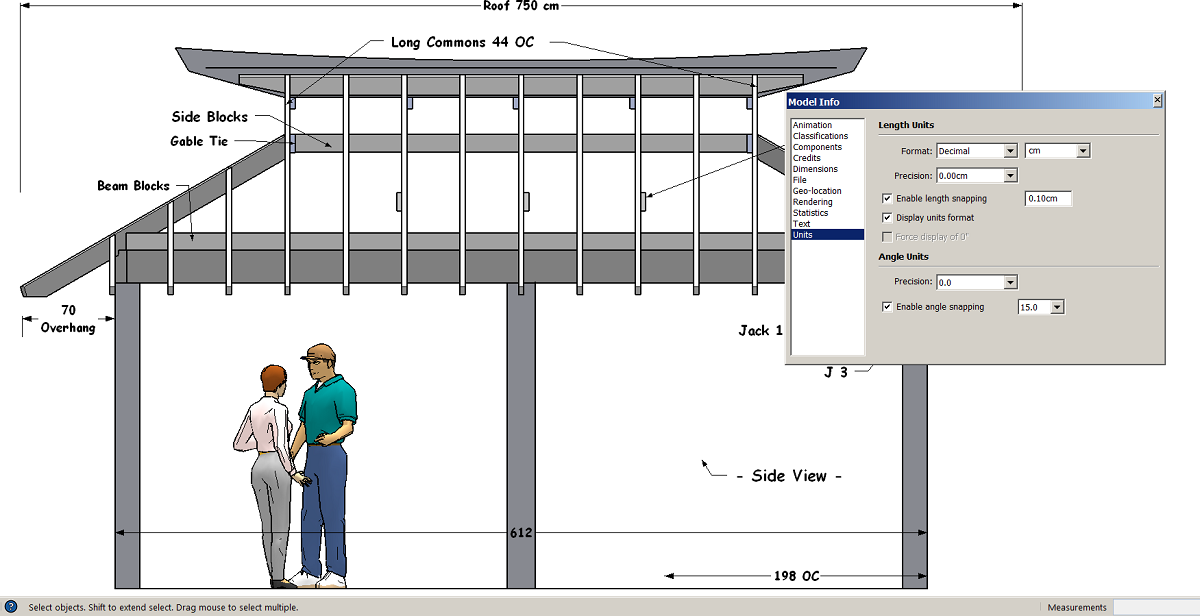
              Darn, well I usually work in inches feet, but changed this model to metric cm.

              The model is too big to post, how else can we figure this out?

              Joe Wood
              woodsshop.com/

              1 Reply Last reply
              Reply Quote 0
              • BepB
                Bep
                last edited by

                Probably someone with more experience in Layout can help you out here.
                I suspect it has something to do with the settings in Layout versus Sketchup.

                "History is written by the winners"

                1 Reply Last reply
                Reply Quote 0
                • Joe WoodJ
                  Joe Wood
                  last edited by

                  I'm not using layout, just exporting the dwg files.

                  strange as I get things cut by CNC using my dwg files and they always come out perfectly. I'm always using Imperial though and not metric in the model Units.

                  Joe Wood
                  woodsshop.com/

                  1 Reply Last reply
                  Reply Quote 0
                  • TIGT
                    TIG Moderator
                    last edited by

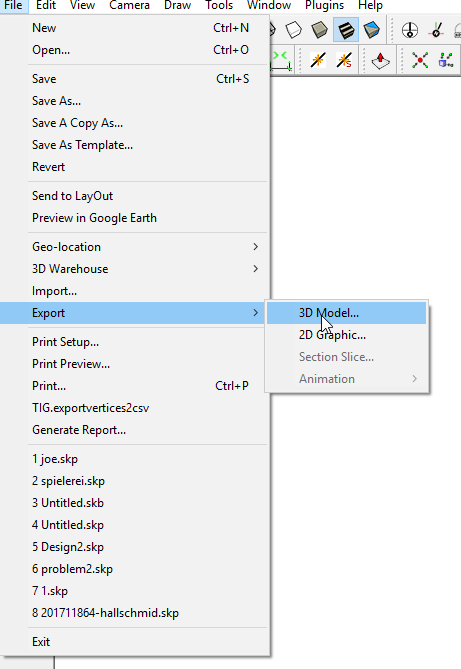
                    When you export a 2d DWG/DXF it is always in inches [SketchUp's built-in units].
                    When you export a 3d version it is set up in the model-units.

                    If you use imperial [inches] it doesn't matter with your exports when the recipient is using inches too.
                    BUT with 2d it messes up metric users...
                    So this explains the 2.54 scaling issue.

                    So either export as 3d. or scale a copy of the metric SKP down to suit (1/2.54) and use 2d export on that ?

                    TIG

                    1 Reply Last reply
                    Reply Quote 0
                    • Joe WoodJ
                      Joe Wood
                      last edited by

                      Tig do you mean set the camera to perspective then export?

                      geeze how do I scale a model to 1/2.54 ? Won't that mess up the on screen dimensions on the dwg file?

                      Joe Wood
                      woodsshop.com/

                      1 Reply Last reply
                      Reply Quote 0
                      • TIGT
                        TIG Moderator
                        last edited by

                        No, don't use 'perspective'.
                        Just use an orthogonal view, with NO perspective.

                        Then the 2d/3d versions are all but equivalent, but the units are sorted properly in 3d.

                        I see what you mean about any dimensions changing when scaling...

                        I therefore recommend exporting as the 3d version, or tell the recipient to scale down in the 2d CAD version by 1/2.54 etc...
                        In the CAD version the dims should be unaffected ?

                        TIG

                        1 Reply Last reply
                        Reply Quote 0
                        • Joe WoodJ
                          Joe Wood
                          last edited by

                          sorry Tig but I don't understand "exporting as the 3d version".

                          Joe Wood
                          woodsshop.com/

                          1 Reply Last reply
                          Reply Quote 0
                          • BepB
                            Bep
                            last edited by

                            2017-12-21 21_29_26-joe.dwg - pCon.planner (64 bit).png

                            "History is written by the winners"

                            1 Reply Last reply
                            Reply Quote 0
                            • Joe WoodJ
                              Joe Wood
                              last edited by

                              That didn't work, it created a top view of the whole model?
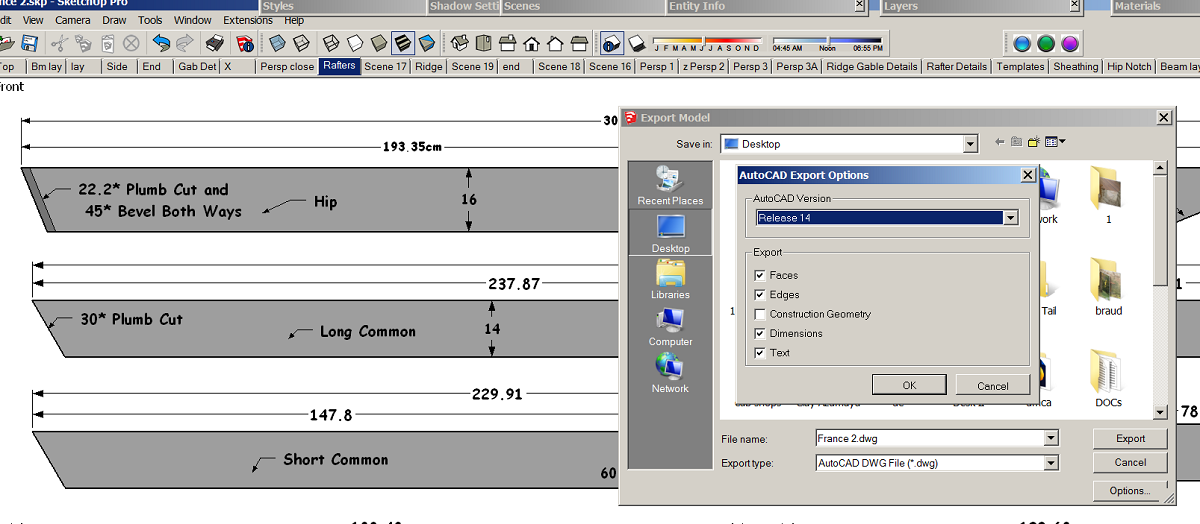

                              3d dwg.png

                              Joe Wood
                              woodsshop.com/

                              1 Reply Last reply
                              Reply Quote 0
                              • Joe WoodJ
                                Joe Wood
                                last edited by

                                How about this, I Edited all the dimensions but kept them at cm, then I changed the Model Units back to inches and exported a 2d dwg?

                                I measure these with P Con and looks good to me?


                                France 2.dwg

                                Joe Wood
                                woodsshop.com/

                                1 Reply Last reply
                                Reply Quote 0
                                • pbacotP
                                  pbacot
                                  last edited by

                                  And LayOut can't do it?

                                  MacOSX MojaveSketchUp Pro v19 Twilight v2 Thea v3 PowerCADD

                                  1 Reply Last reply
                                  Reply Quote 0
                                  • Dave RD
                                    Dave R
                                    last edited by

                                    @joe wood said:

                                    I've never used Layout I'm hard core native tool SUpper!

                                    Joe, that's like saying you own one of these but the only feature you use is the slot mortiser.

                                    https://pim.felcom.at/WEB/Machines/FGROUP/Large 1140x743/5-fach Kombimaschinen/C3-31-Perform--3e633f46008460b91a23.png

                                    Etaoin Shrdlu

                                    %

                                    (THERE'S NO PLACE LIKE)

                                    G28 X0.0 Y0.0 Z0.0

                                    M30

                                    %

                                    1 Reply Last reply
                                    Reply Quote 0
                                    • Joe WoodJ
                                      Joe Wood
                                      last edited by

                                      I've never used Layout I'm hard core native tool SUpper!

                                      but I'm trying it right now!

                                      in Layout is it a dwg and can he measure the endpoints Etc?

                                      Joe Wood
                                      woodsshop.com/

                                      1 Reply Last reply
                                      Reply Quote 0
                                      • Joe WoodJ
                                        Joe Wood
                                        last edited by

                                        yeah you're right but that's all I've ever needed out of SUp just the basic tools.

                                        in Layout is it a dwg and can he measure the endpoints Etc?

                                        Joe Wood
                                        woodsshop.com/

                                        1 Reply Last reply
                                        Reply Quote 0
                                        • Dave RD
                                          Dave R
                                          last edited by

                                          @joe wood said:

                                          yeah you're right but that's all I've ever needed out of SUp just the basic tools.

                                          in Layout is it a dwg and can he measure the endpoints Etc?

                                          You can export a DWG from LayOut. LayOut makes it easier to display the views of your model and its parts. You can add dimensions in LO if needed and generate PDFs with properly scaled views.

                                          Etaoin Shrdlu

                                          %

                                          (THERE'S NO PLACE LIKE)

                                          G28 X0.0 Y0.0 Z0.0

                                          M30

                                          %

                                          1 Reply Last reply
                                          Reply Quote 0
                                          • pbacotP
                                            pbacot
                                            last edited by

                                            @joe wood said:

                                            yeah you're right but that's all I've ever needed out of SUp just the basic tools.

                                            in Layout is it a dwg and can he measure the endpoints Etc?

                                            No, I mean to use the LayOut dwg export. Actually I don't know. I use it in some limited fashion in Imperial. I get weird results tryin it in cm. If you need dwg files, I guess SU isn't the way.

                                            MacOSX MojaveSketchUp Pro v19 Twilight v2 Thea v3 PowerCADD

                                            1 Reply Last reply
                                            Reply Quote 0

                                            Hello! It looks like you're interested in this conversation, but you don't have an account yet.

                                            Getting fed up of having to scroll through the same posts each visit? When you register for an account, you'll always come back to exactly where you were before, and choose to be notified of new replies (either via email, or push notification). You'll also be able to save bookmarks and upvote posts to show your appreciation to other community members.

                                            With your input, this post could be even better 💗

                                            Register Login
                                            • 1
                                            • 2
                                            • 3
                                            • 1 / 3
                                            • First post
                                              Last post
                                            Buy SketchPlus
                                            Buy SUbD
                                            Buy WrapR
                                            Buy eBook
                                            Buy Modelur
                                            Buy Vertex Tools
                                            Buy SketchCuisine
                                            Buy FormFonts

                                            Advertisement