Help! You're my only hope...
-
Hi gang...
I've been rolling along in Sketchup 2015 Pro, seeing no real need to upgrade to 2016 yet.I am working on some final renders/deadline (isn't that when we all have problems?).
I am rendering with Thea, but also just added the Skatter add-on a few days ago. Everything has been going well until I decided to add about 30mb of cars to the scene. It is now (Not Responding) and no matter what version, yesterdays or this mornings...it comes up and just hangs at (Not Responding).
I finally uninstalled 2015...reinstalled and nothing changed...still hangs after loading the files.
After lunch I opened the most recent file on a virgin machine (fresh install of 2015...without Skatter or Thea) and it opened and I was able to move around just fine. Was able to remove the cars and block them to another drawing file - purged and checked for errors (did find some looping error)...then I saved it as a new file.
Went back to my machine...open new file and it hangs after loading the file again....still sitting here laughing at me with the (not Responding) sitting in its title on the header.I even tried saving down to 2014 from the virgin machine and tried to open on 2014 on my machine and it locks.
Any ideas or is this just Murphy's Law in full effect!?
-
I am still carrying around this garbage that I haven't gotten around to fixing. Pops up every time I start the program...more of an annoyance than anything...but figured I would disclose this in case it somehow has any bearing on this issue:
@unknownuser said:
Error: #<LoadError: 193: %1 is not a valid Win32 application. - C:/Users/adehon/AppData/Roaming/SketchUp/SketchUp 2015/SketchUp/Plugins/Cadspan/socket.so>
C:/Program Files/SketchUp/SketchUp 2015/Tools/RubyStdLib/rubygems/core_ext/kernel_require.rb:45:inrequire' C:/Program Files/SketchUp/SketchUp 2015/Tools/RubyStdLib/rubygems/core_ext/kernel_require.rb:45:inrequire'
c:/users/adehon/appdata/roaming/sketchup/sketchup 2015/sketchup/plugins/cadspan.rbs:8:in<main>' SketchUp:1:ineval' -
Well - found a copy that finally will load that has most of my morning's work still intact...will try to carry on with that for now. This one was saved right before the cars were added.
Really curious though why it would open on another machine, but not mine.
-
I'm beginning to think it is the Skatter plugin - I have 7 skatter/renderings on my list. Does anyone know how to kill them, I did try selecting and hitting the minus sign, but they are still showing up.
Any thoughts on if that would cause a lag in opening or loading?
I'll run off and search to see if I can find a thread on Skatter and the ins and outs...
-
If you suspect Skatter, then it's probably best to contact the authors for assistance.
-
I've posted over at Skatter...but I'm not 100% sure that that add-on is causing the issue. I suspect it because the file seems to load on a machine that doesn't have Thea or Skatter installed.
Thea has never given me an issue in the past with the Not Responding on startup.Is there a way to see what SketchUp is hanging or loading when it sits and spins on startup and gives the (Not Responding) designation.
I'm back to waiting on it to load. I left the file opening last night and remoted in to check on it and it finally had loaded...but this morning after looking at the Skatter setups it finally Bug Splatted on me.
Processes show that Memory (3,841,--- K) and CPU of 13...with Memory varying slightly...so it looks like it isn't locked, just working on something in the background.
Status under the Aplications Tab (Windows Task Manager) does show Not Responding... -
It's now climbed to 6,062,---k Memory usage and flickering between 12-13% CPU usage.
Still hasn't finished opening...or it is locked up and I just don't want to admit it. -
On the semi-virgin machine (just loaded Thea and the trial for Skatter)...the same file that is still trying to load on my machine - loads in seconds and has only gotten up to 589,292k memory usage with 0% CPU currently (because it's not loading I would guess).
What oddness....anyone have any ideas what is going on?
-
Finally Opened! 1 hour later!
5,573,180K w/ 0% CPU...this sounds high in comparison. -
Then I hit Render for Thea Render and it Bugsplatted...

Not a good couple days in SketchUp land for me. -
Here are a couple shots of the model to show what I am working with...
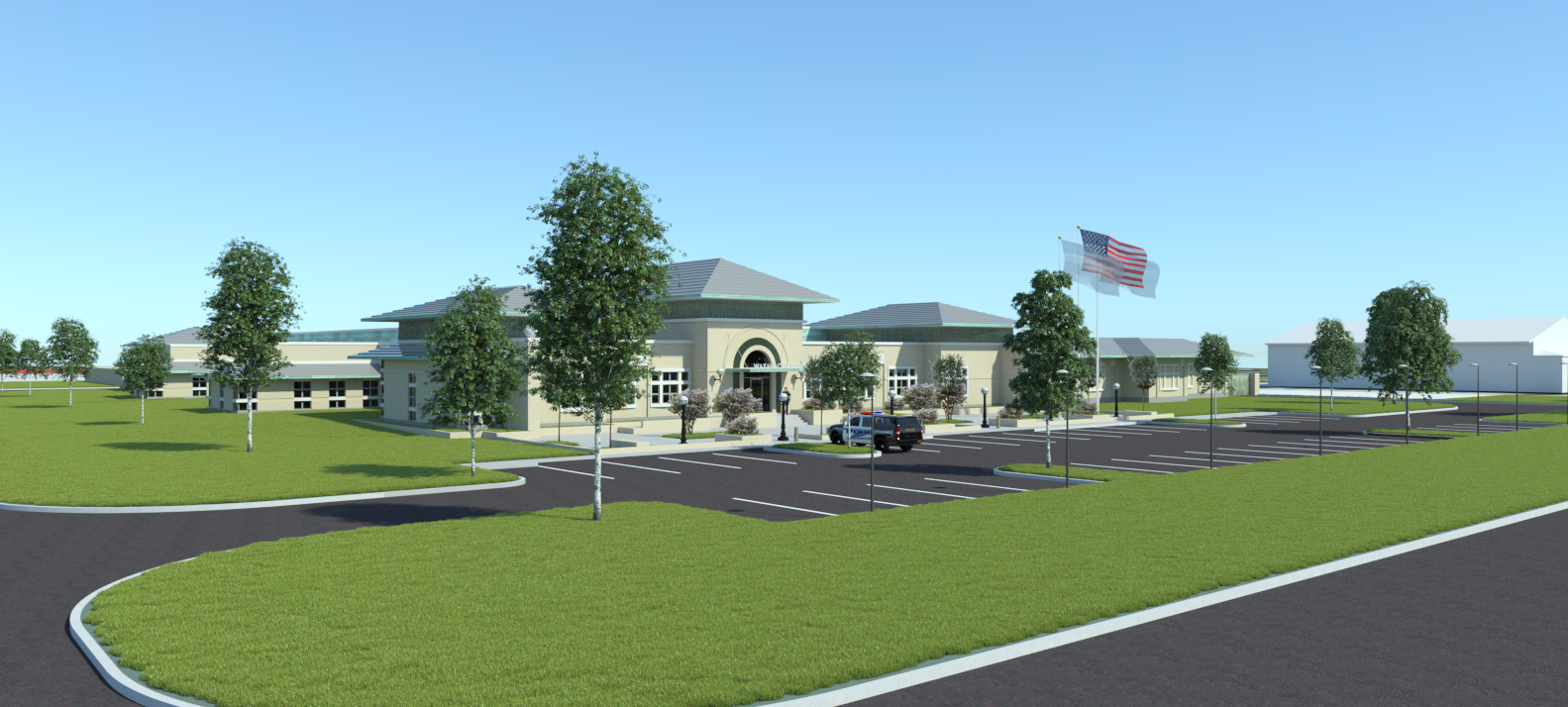
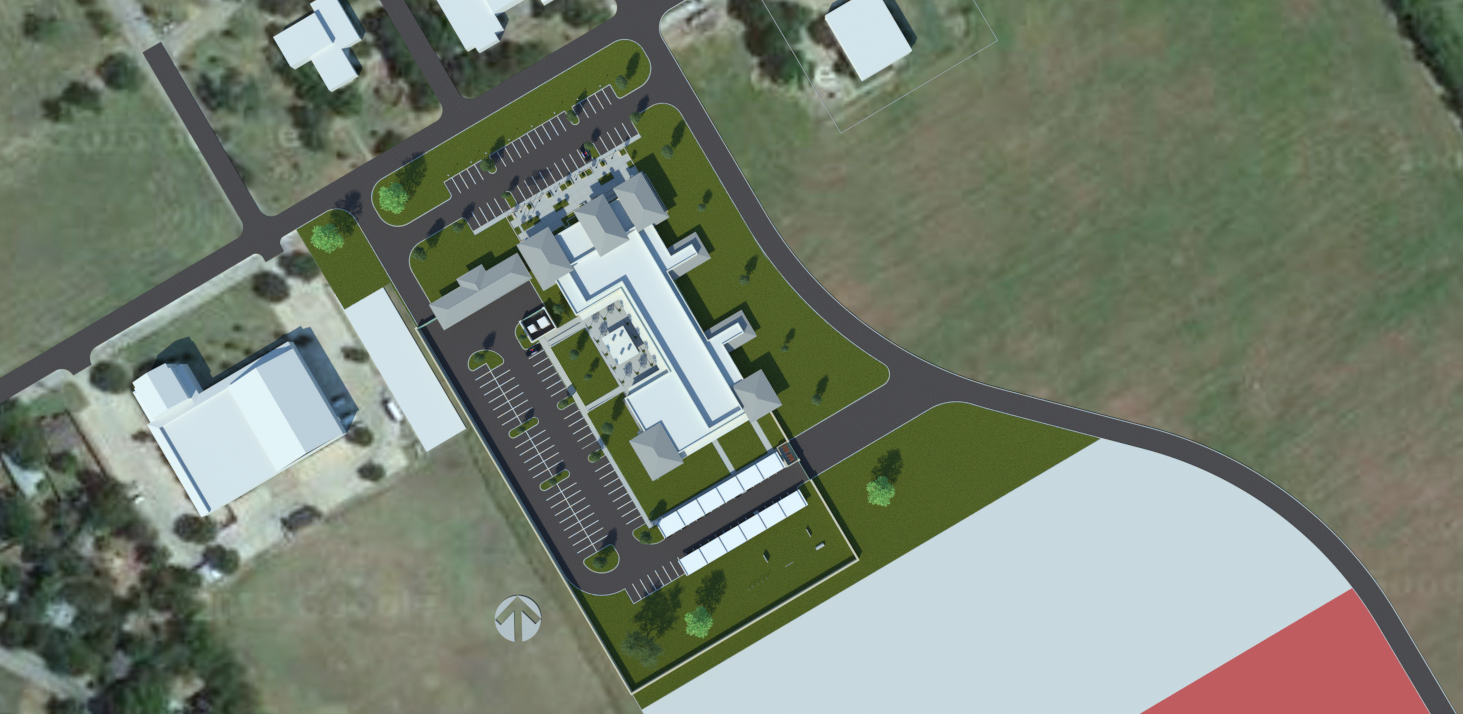
-
I am not an expert, but this looks like data transfer problem, which means it is connected with HDD, RAM and maybe GPU memory. So, I would check difference between two systems. It would be best to post your hardware profiles here. This is a good tool for that http://www.hwinfo.com/
-
@srx said:
I am not an expert, but this looks like data transfer problem, which means it is connected with HDD, RAM and maybe GPU memory. So, I would check difference between two systems. It would be best to post your hardware profiles here. This is a good tool for that http://www.hwinfo.com/
Running it now.
-
I finally got it open again and purged then "Fix Problems" and got this...
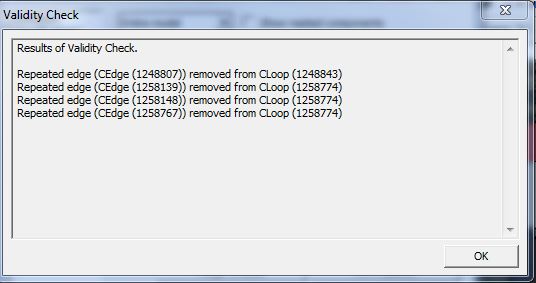
-
Unsure what all would be useful, here is the short report...
Computer: DELL Precision WorkStation T5500
CPU: Intel Xeon E5520 (Nehalem-EP, D0)
2266 MHz (17.00x133.3) @ 2449 MHz (19.00x128.9)
CPU: Intel Xeon E5520 (Nehalem-EP, D0)
2266 MHz (17.00x133.3) @ 2490 MHz (19.00x131.1)
Motherboard: DELL 0D883F
Chipset: Intel 5520 (Tylersburg 36D) + ICH10R
Memory: 12286 MBytes @ 515 MHz, 7.0-7-7-20
Graphics: EVGA e-GeForce GTX Titan
NVIDIA GeForce GTX TITAN, 6144 MB GDDR5 SDRAM
Drive: Samsung SSD 850 EVO 250GB, 244.2 GB, Serial ATA 6Gb/s @ 3Gb/s
Drive: WDC WD800HLFS-75G6U1, 78.1 GB, Serial ATA 3Gb/s @ 1.5Gb/s
Drive: WDC WD15EADS-22P8B0, 1465.1 GB, Serial ATA 3Gb/s @ 1.5Gb/s
Drive: PLDS DVD+/-RW DH-16AAS, DVD+R DL
Drive: WDC WD20NMVW-11AV3S2, 1953.5 GB, Serial ATA 3Gb/s @ 3Gb/s <-> USB
Sound: Intel ICH10 - High Definition Audio Controller [A0]
Sound: NVIDIA GK110 - High Definition Audio Controller
Network: Broadcom BCM5761 NetXtreme Gigabit Ethernet PCIe
OS: Microsoft Windows 7 Professional (x64) Build 7601 -
And...it crashed again...damnit!
Will see if I can get an old version to work while trying to bring that one back up.
I had purged out all the unused Skatter setups and purged and fixed the file...still bugsplatted. -
Check my answer : http://getskatter.com/support/topic/deleting-a-skatter-setup/#post-782
-
@jiminy-billy-bob said:
Check my answer : http://getskatter.com/support/topic/deleting-a-skatter-setup/#post-782
Thanks! Was able to rule one plug-in out of the problem that I am having.
-
Wow!
1 The hardware is more than enough...
2 Will have to remove all the plugins, than add them one by one to find the cause..Just to remind you
-
The issue popped up again recently.
Found it to be a Skatter issue after all.
I could pull it up on a machine without Skatter plug in installed with ease...would hang forever on my machines that had Skatter installed.
Went in and purged/deleted the Skatter reference on the non-Skatter machine....saved then opened in my Skatter machine (no problem) - then redefined the Skatter perimeters...and works like a charm.Unsure what the hang up is and once redefined the problem hasn't occurred again.




Hello! It looks like you're interested in this conversation, but you don't have an account yet.
Getting fed up of having to scroll through the same posts each visit? When you register for an account, you'll always come back to exactly where you were before, and choose to be notified of new replies (either via email, or push notification). You'll also be able to save bookmarks and upvote posts to show your appreciation to other community members.
With your input, this post could be even better 💗
Register Login


Advertisement