sketchucation logo sketchucation
    • Login
    Oops, your profile's looking a bit empty! To help us tailor your experience, please fill in key details like your SketchUp version, skill level, operating system, and more. Update and save your info on your profile page today!
    โš ๏ธ Update | Sketchucation Tools 5.0.8 released with licensing improvements and bugfixes Download

    MSPhysics 1.0.3 (16 October 2017)

    Scheduled Pinned Locked Moved Plugins
    930 Posts 173 Posters 1.4m Views 174 Watching
    Loading More Posts
    • Oldest to Newest
    • Newest to Oldest
    • Most Votes
    Reply
    • Reply as topic
    Log in to reply
    This topic has been deleted. Only users with topic management privileges can see it.
    • BillMackB
      BillMack
      last edited by

      Thank you for your help.

      If I find a solution, I'll post here with the details.

      1 Reply Last reply
      Reply Quote 0
      • F
        faust07
        last edited by

        Wonderful to read that you continue to work at the Physics plugins.
        I have not had the courage to play with MS-Physics until now.
        Does it make sense to install MS-Physics and SketchyPhysics in SketchUp 2015 32bit simultaneously? And to test both plugins with the same (simple) model?

        1 Reply Last reply
        Reply Quote 0
        • A
          Anton_S
          last edited by

          Yes, MSPhysics and SketchyPhysics can be placed in same plugins folder. But, both plugins won't interact with each other; properties assigned by SketchyPhysics will not affect properties assigned by MSPhysics. To get the model to work the same way on both MSPhysics and SketchyPhysics, you'll need to assign similar properties with SketchyPhysics UI and MSPhysics UI.

          1 Reply Last reply
          Reply Quote 0
          • F
            faust07
            last edited by

            Ah, good - Thank you. Will try it.

            1 Reply Last reply
            Reply Quote 0
            • romboutR
              rombout
              last edited by

              THis is probably windwos only, correct?

              1 Reply Last reply
              Reply Quote 0
              • A
                Anton_S
                last edited by

                Yes rombout, its windows only. Furthermore, it's unstable and incomplete. Try out SketchyPhysics 3.6.0, while MSPhysics is still under development.

                1 Reply Last reply
                Reply Quote 0
                • T
                  tomasz
                  last edited by

                  @anton_s said:

                  Yes rombout, its windows only. Furthermore, it's unstable and incomplete.

                  I wish you developed it further or at least made it stable.
                  Here is my quick try with Thea. Maybe it will motivate you slightly ๐Ÿ˜„


                  Thea Render - Shadow Catcher + IBL

                  Author of Thea Render for SketchUp

                  1 Reply Last reply
                  Reply Quote 0
                  • soloS
                    solo
                    last edited by

                    ๐Ÿ˜„

                    Tomasz!! you tease.

                    http://www.solos-art.com

                    If you see a toilet in your dreams do not use it.

                    1 Reply Last reply
                    Reply Quote 0
                    • pilouP
                      pilou
                      last edited by

                      Another brick on the wall! ๐Ÿ˜„

                      Frenchy Pilou
                      Is beautiful that please without concept!
                      My Little site :)

                      1 Reply Last reply
                      Reply Quote 0
                      • R
                        RobiBue
                        last edited by

                        Hi, I'm using SU2015 and with
                        ams_Lib 3.1.2 and
                        MSPhysics 0.2.1
                        I get the following errors:

                        [pre:16r2j6vf]Error Loading File C:/Users/[User Name]/AppData/Roaming/SketchUp/SketchUp 2015/SketchUp/Plugins/MSPhysics/main.rb
                        Error: #<NameError: uninitialized constant AMS::FFI>
                        C:/Users/[User Name]/AppData/Roaming/SketchUp/SketchUp 2015/SketchUp/Plugins/MSPhysics/sdl.rb:10:in <module:SDL>' C:/Users/*[User Name]*/AppData/Roaming/SketchUp/SketchUp 2015/SketchUp/Plugins/MSPhysics/sdl.rb:4:in <top (required)>'
                        C:/Program Files/SketchUp/SketchUp 2015/Tools/RubyStdLib/rubygems/core_ext/kernel_require.rb:45:in require' C:/Program Files/SketchUp/SketchUp 2015/Tools/RubyStdLib/rubygems/core_ext/kernel_require.rb:45:in require'
                        C:/Users/[User Name]/AppData/Roaming/SketchUp/SketchUp 2015/SketchUp/Plugins/MSPhysics/main.rb:39:in <top (required)>' C:/Program Files/SketchUp/SketchUp 2015/Tools/extensions.rb:197:in require'
                        C:/Program Files/SketchUp/SketchUp 2015/Tools/extensions.rb:197:in load' C:/Users/*[User Name]*/AppData/Roaming/SketchUp/SketchUp 2015/SketchUp/Plugins/MSPhysics.rb:106:in register_extension'
                        C:/Users/[User Name]/AppData/Roaming/SketchUp/SketchUp 2015/SketchUp/Plugins/MSPhysics.rb:106:in <module:MSPhysics>' C:/Users/*[User Name]*/AppData/Roaming/SketchUp/SketchUp 2015/SketchUp/Plugins/MSPhysics.rb:88:in <top (required)>'[/pre:16r2j6vf]

                        Please help

                        thanks

                        1 Reply Last reply
                        Reply Quote 0
                        • luckyvacL
                          luckyvac
                          last edited by

                          hello, I can not seem to find a tutorial to create joint . I use SketchyPhysics . I've the table IU but not the icons .
                          Where are the joints ???
                          Thanks for your help.
                          i've 0.2.0 it's worry ?
                          jean-luc
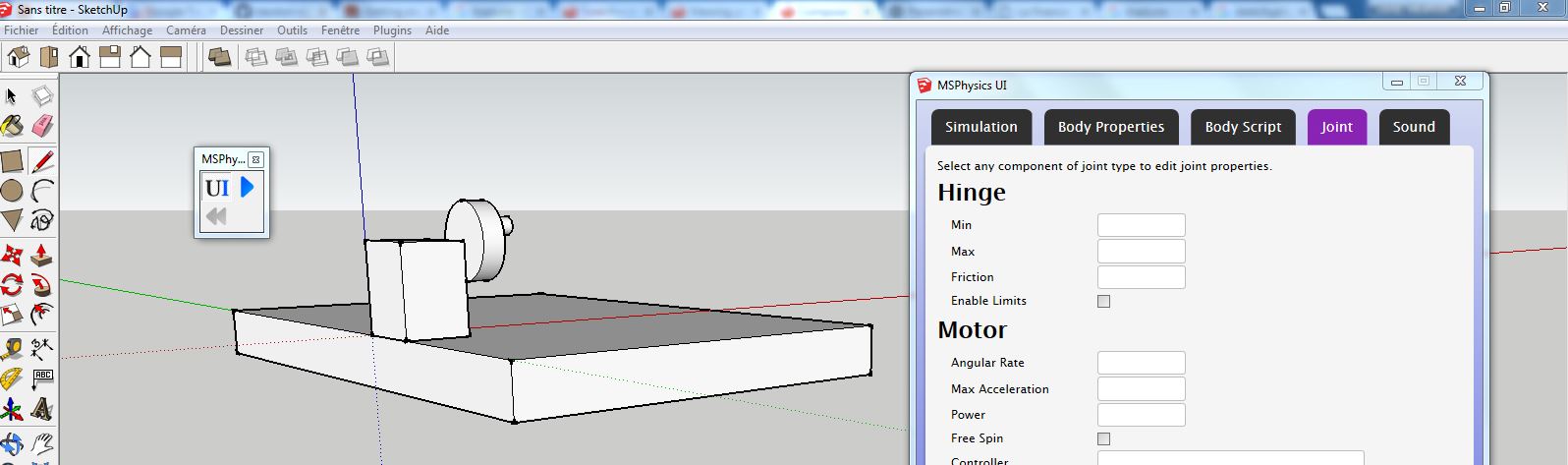

                          ou sont les joints.JPG

                          1 Reply Last reply
                          Reply Quote 0
                          • A
                            Anton_S
                            last edited by

                            MSPhysics will be up and running soon. Have a great holiday!

                            1 Reply Last reply
                            Reply Quote 0
                            • A
                              Anton_S
                              last edited by

                              Hi, 0.3.0 Alpha has been released! Go to first post for download.
                              Changelog:

                              • Reverted to SDL1 and SDL_Mixer1, which fixed the crash that occurred after using SketchUp for a few minutes.
                              • Optimized the C++ extension.
                              • Upgraded to Newton 3.14.
                              • Added joints. Still more work to go.
                              • Added replay animation tool. It can record materials and emitters.

                              I might post videos regarding the features soon. Meanwhile, try out the chains.


                              chains.skp

                              1 Reply Last reply
                              Reply Quote 0
                              • cottyC
                                cotty
                                last edited by

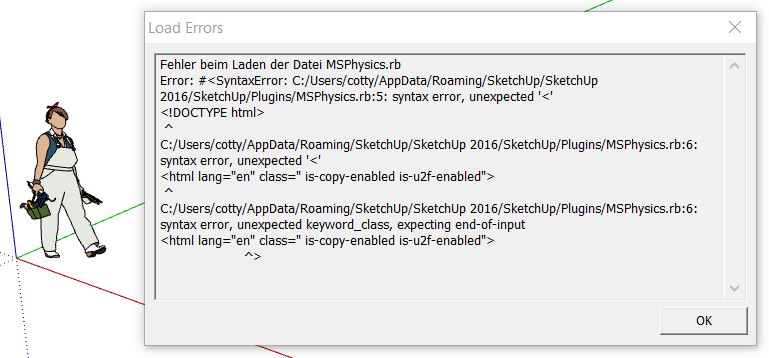
                                Tried with SU16-64 Win8.1-64:

                                msphysics030.JPG

                                my SketchUp gallery

                                1 Reply Last reply
                                Reply Quote 0
                                • A
                                  Anton_S
                                  last edited by

                                  Try deleting the old version and download the new one. It might be bragging about localization, but in theory it shouldn't.

                                  1 Reply Last reply
                                  Reply Quote 0
                                  • cottyC
                                    cotty
                                    last edited by

                                    I've compared my installed files with the zip and there were some files missing in my installation. Now it's working perfect, thank you!
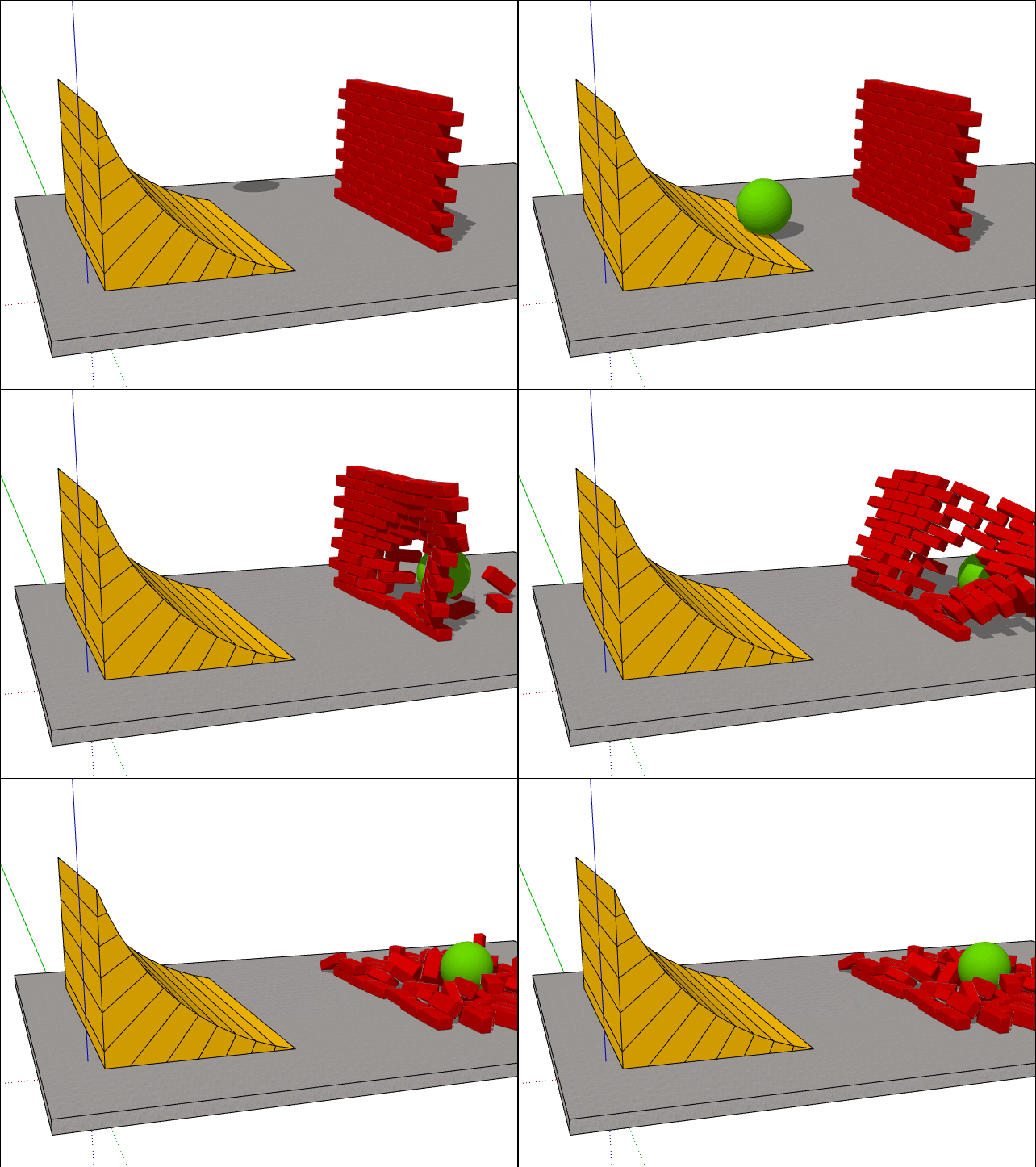
                                    click to animate

                                    my SketchUp gallery

                                    1 Reply Last reply
                                    Reply Quote 0
                                    • cottyC
                                      cotty
                                      last edited by

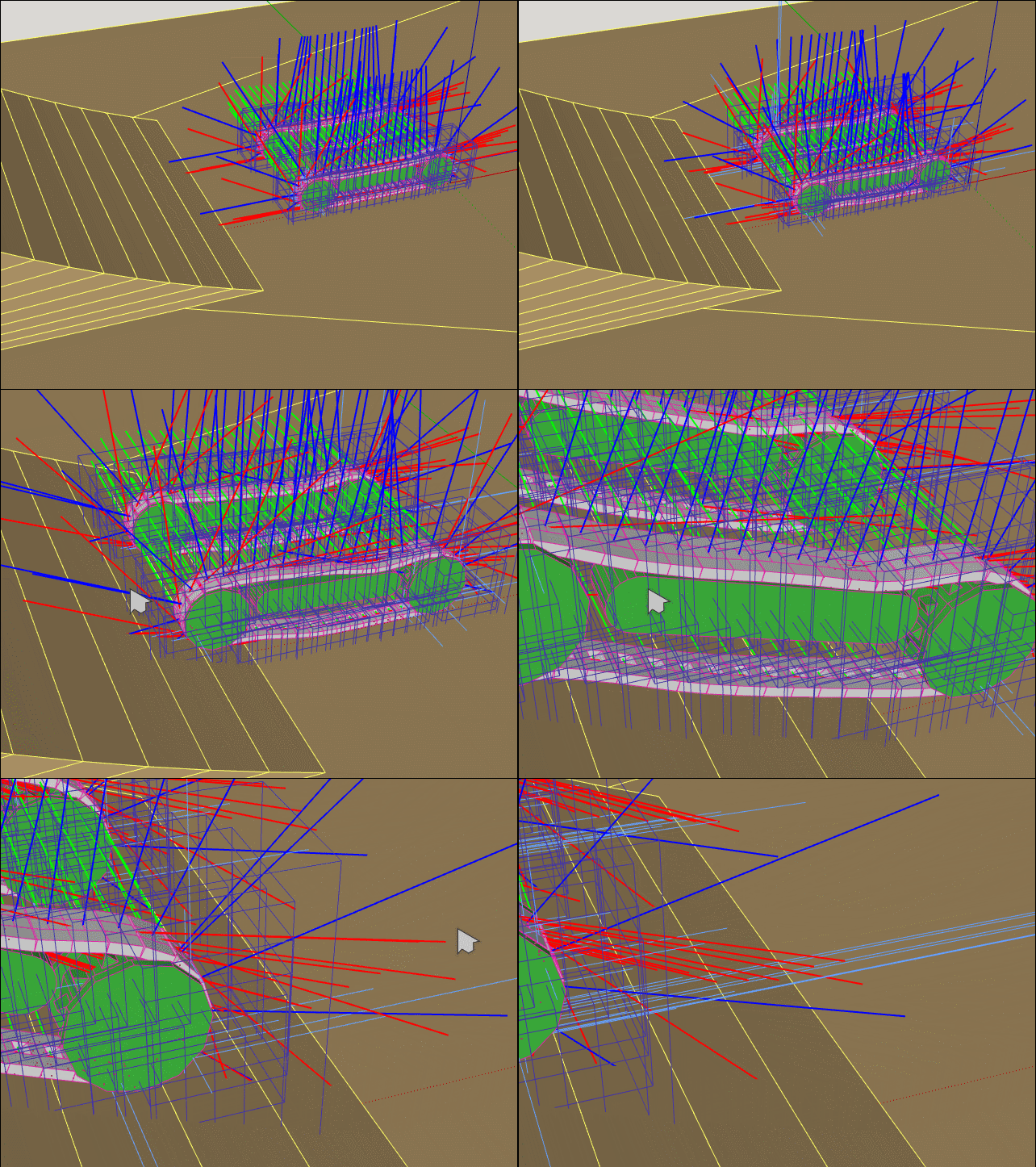
                                      I like the debug modus of your chain model ๐Ÿ˜‰

                                      click to animate

                                      my SketchUp gallery

                                      1 Reply Last reply
                                      Reply Quote 0
                                      • cottyC
                                        cotty
                                        last edited by

                                        How can these (groups of) bodies collide? If the lower group is exploded, the individual parts collide but not as a group/component.
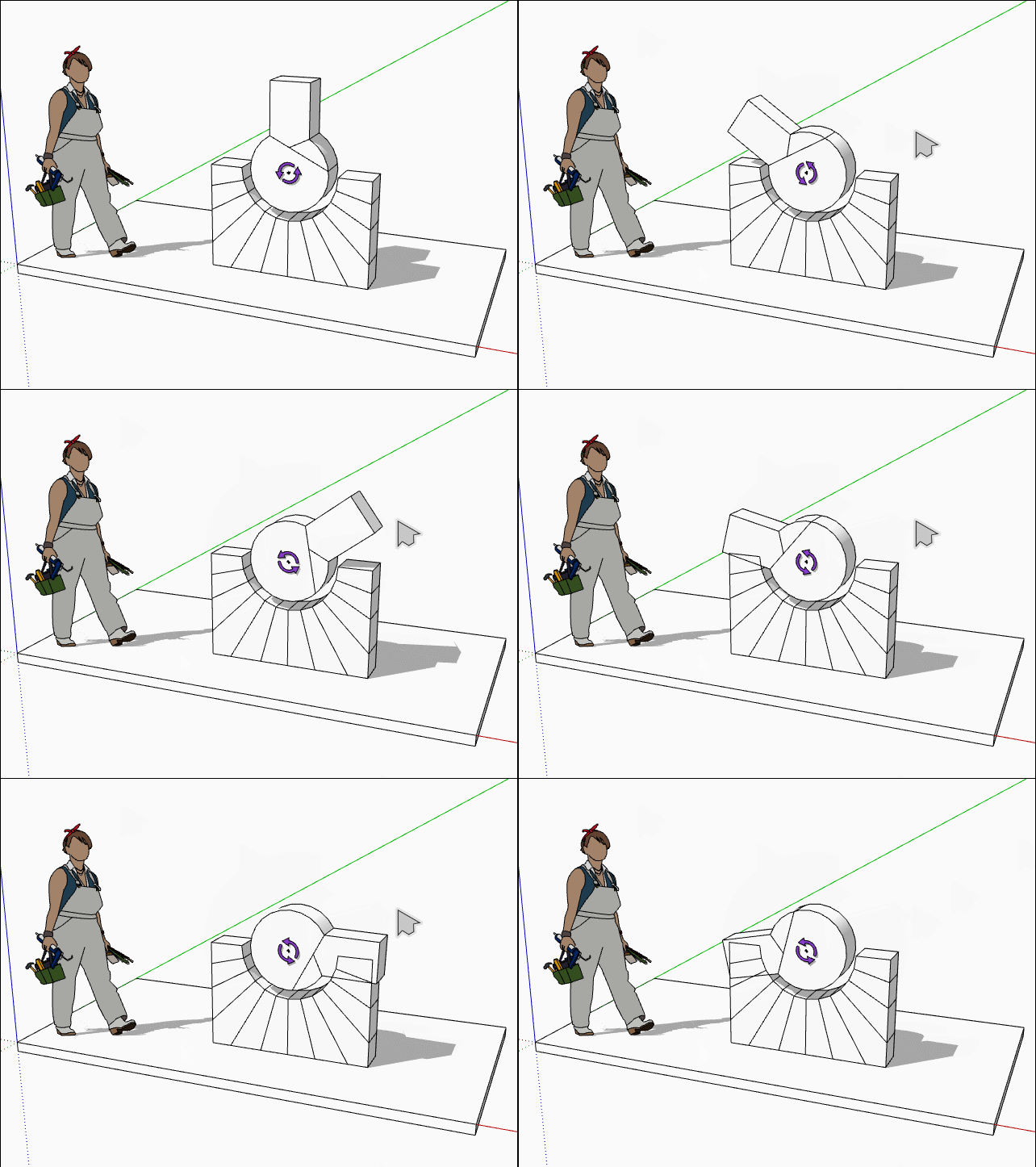
                                        click to animate


                                        coll_example.skp

                                        my SketchUp gallery

                                        1 Reply Last reply
                                        Reply Quote 0
                                        • cottyC
                                          cotty
                                          last edited by

                                          If I assign the hinge to the ground instead of the group of objects, the collision works, but I need the assignment to that group for this case:
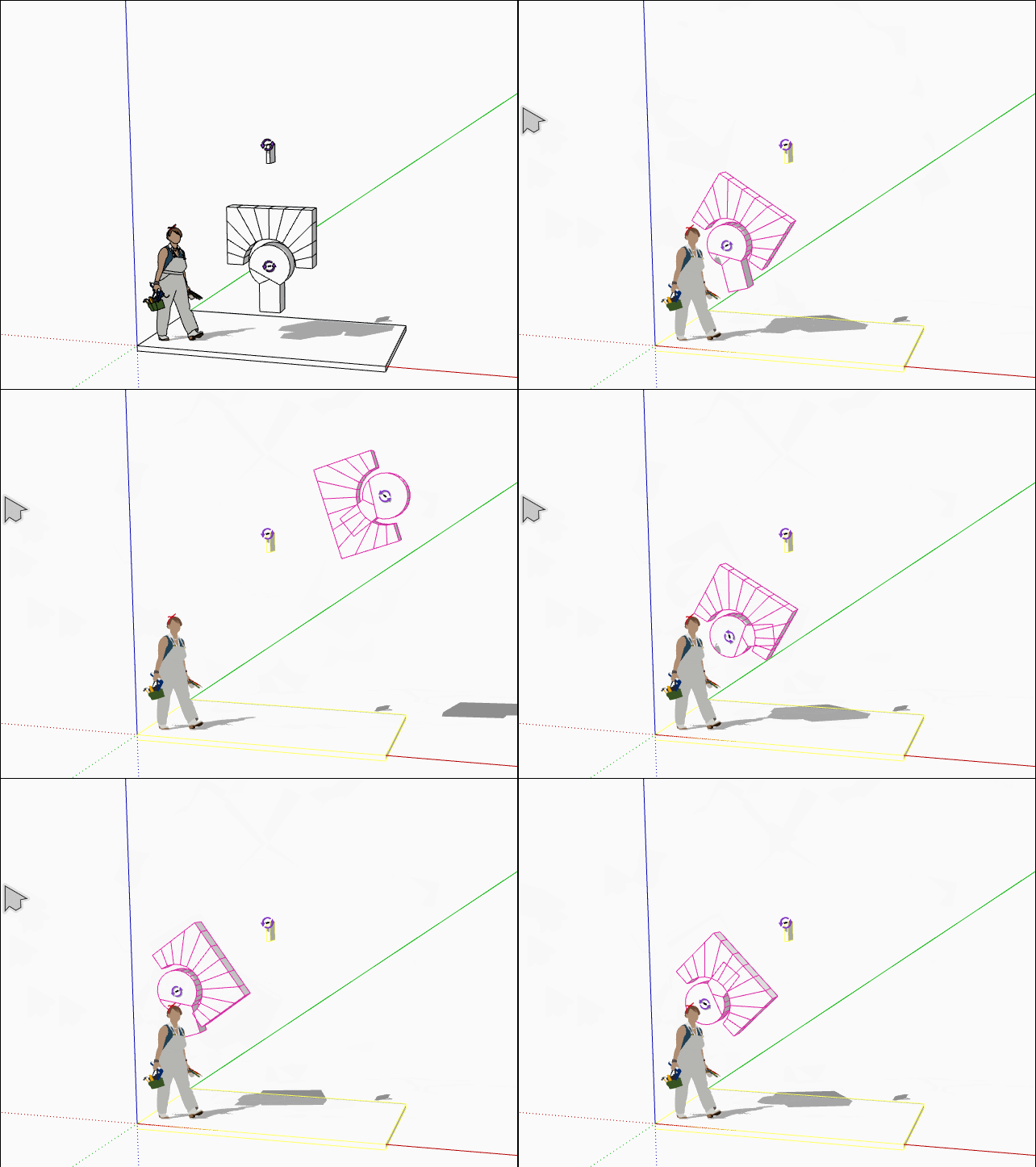
                                          MSP_collide2.gif


                                          coll_example2.skp

                                          my SketchUp gallery

                                          1 Reply Last reply
                                          Reply Quote 0
                                          • A
                                            Anton_S
                                            last edited by

                                            Cotty, joint properties can be editted. Select the desired joint, open MSPhysics UI, and enable 'connected collide' option.
                                            1 Reply Last reply
                                            Reply Quote 0

                                            Hello! It looks like you're interested in this conversation, but you don't have an account yet.

                                            Getting fed up of having to scroll through the same posts each visit? When you register for an account, you'll always come back to exactly where you were before, and choose to be notified of new replies (either via email, or push notification). You'll also be able to save bookmarks and upvote posts to show your appreciation to other community members.

                                            With your input, this post could be even better ๐Ÿ’—

                                            Register Login
                                            • 1
                                            • 2
                                            • 7
                                            • 8
                                            • 9
                                            • 10
                                            • 11
                                            • 46
                                            • 47
                                            • 9 / 47
                                            • First post
                                              Last post
                                            Buy SketchPlus
                                            Buy SUbD
                                            Buy WrapR
                                            Buy eBook
                                            Buy Modelur
                                            Buy Vertex Tools
                                            Buy SketchCuisine
                                            Buy FormFonts

                                            Advertisement