[Plugin Library] LibFredo6 - v16.2b - 22 Sep 26



-
@maxosmedia said:
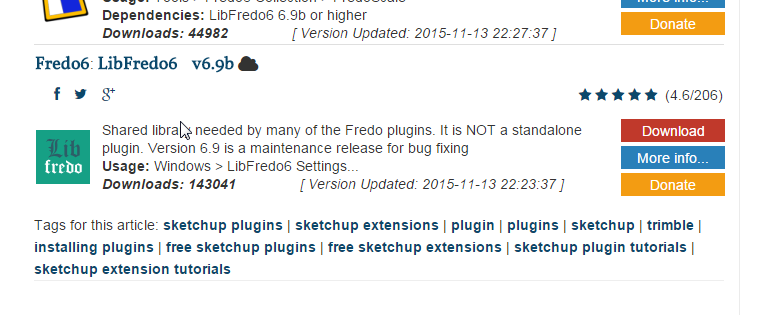
Hm... where is "download" button?
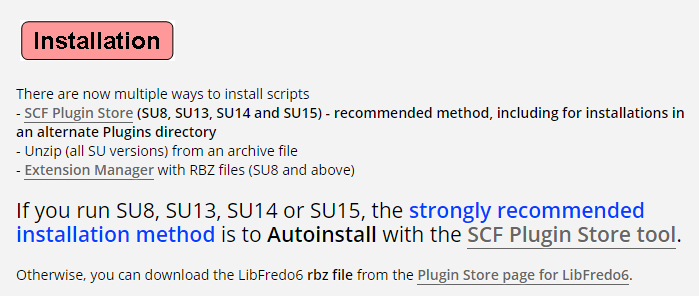
Hm...It helps to look at the first post of the thread to which Fredo linked. -
Thanks Dave R! But, you links is for LibFredo6_v6.8
-
The current version is available in the SCF Plugin Store as described in the first post of this thread. Use the SCF Plugin Store to automatically install it.
-
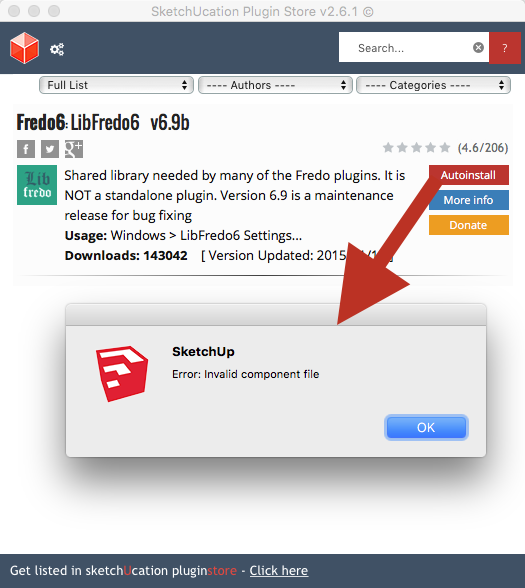
What am I doing wrong?
-
Not sure. I just tried it and it worked fine for me. Is it a file association problem? Maybe try clearing the IE caches/temporary internet files and give it another try.
-
IE? MacOSX. No file associations problem on OS level
-
@maxosmedia said:
IE? MacOSX. No file associations problem on OS level
Sorry. Clear the Safari caches.
-
Safari caches? This screenshot is from SU plugin "Sketcucation plugin store"
-
On a PC all of SketchUp's dialogs use Internet-Explorer.
On a MAC all of SketchUp's dialogs use Safari.
This usage is quite separate from whatever you use for your day-to-day browsing.Like everything else... the SketchUcation PluginStore uses those 'helper' applications for its dialogs...
So if you are on a MAC open Safari, then empty its cache...
Then restart SketchUp and see if that helps... -
Thanks TIG! Cleaned. No effect, the same bug
-
when that fails to make a difference you can trash the SU WebKit cache, because it not really Safari...
Drag this to Trash...
~/Library/Caches/com.sketchup.SketchUp.2015or whatever version of SU your running [your profile says v8???]
-
Thanks driven!
SU cache is trashed, SU is restarted, No effect! -
well unless your really still on v8, WebDialog seems to not be the issue...
I'll try and instal it...
john -
works with v15, but it's sooo long since I fired up SU v8, SketchUcation Plugin Store shows a 404...
maybe later...
-
works with v15, but it's sooo long since I fired up SU v8, SketchUcation Plugin Store shows a 404...
but it did instal using Preferences >> Instal Extension...
-
I installed the joint push pull by rubyscript. And i'm trying to install the lib fredo..... by plugin store.
What am i doing wrong here? I push install in the plugin store then this comes out.
When i restart sketchup he says this?
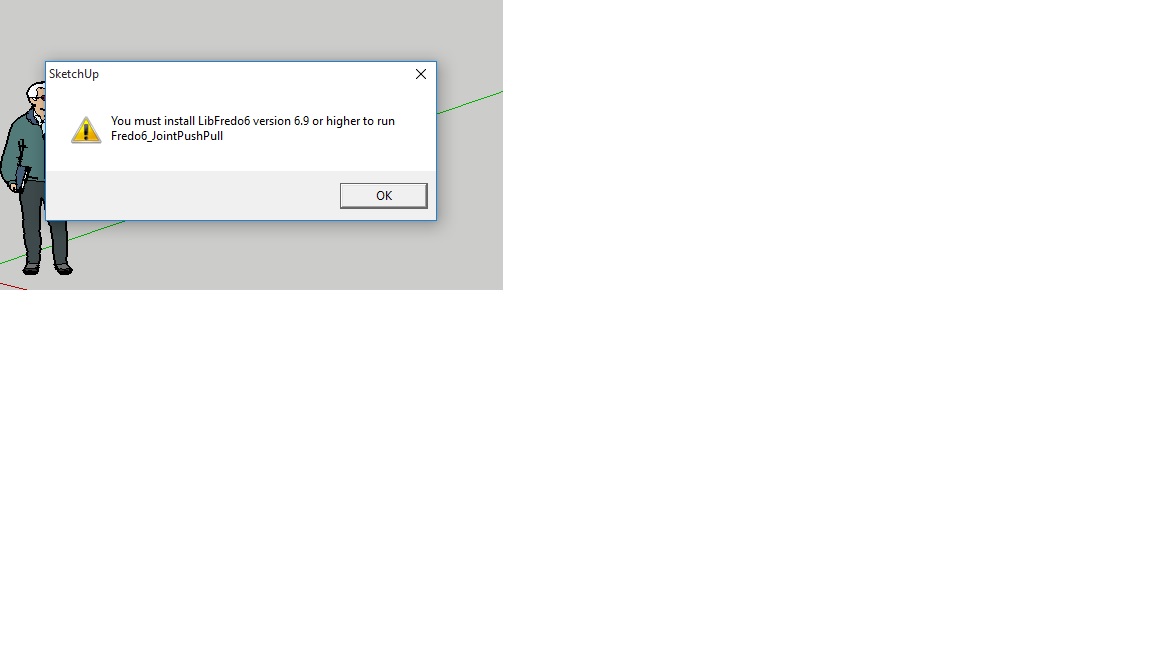
-
A priori, you need to install LibFredo6 6.9. Did you do it (if so, you should see a submenu "LibFredo6 Settings..." in the Window menu of Sketchup.
Fredo
-
The clue is in the message.
First load the latest LibFredo, then whatever Fredo's tools you use.
[Because the Lib has changed you need the latest tools too]
Finally restart SketchUp to complete the installations... -
Hi guys,
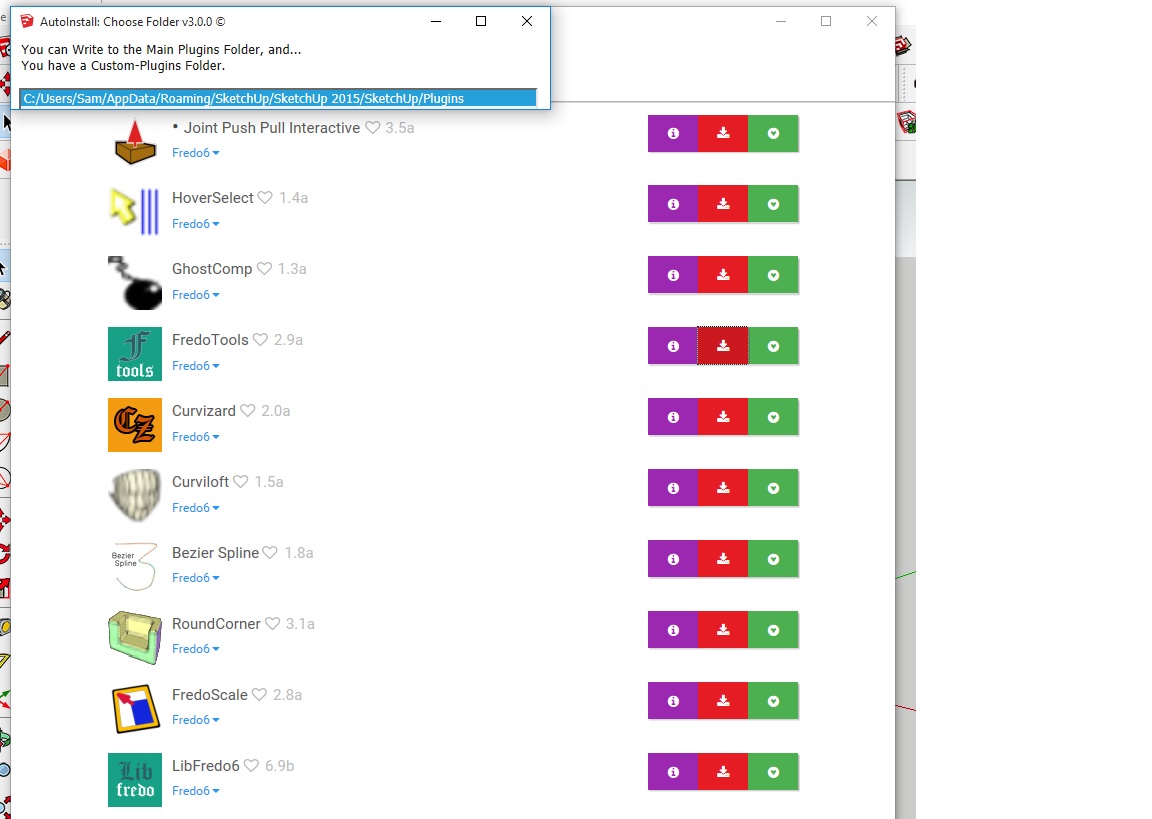
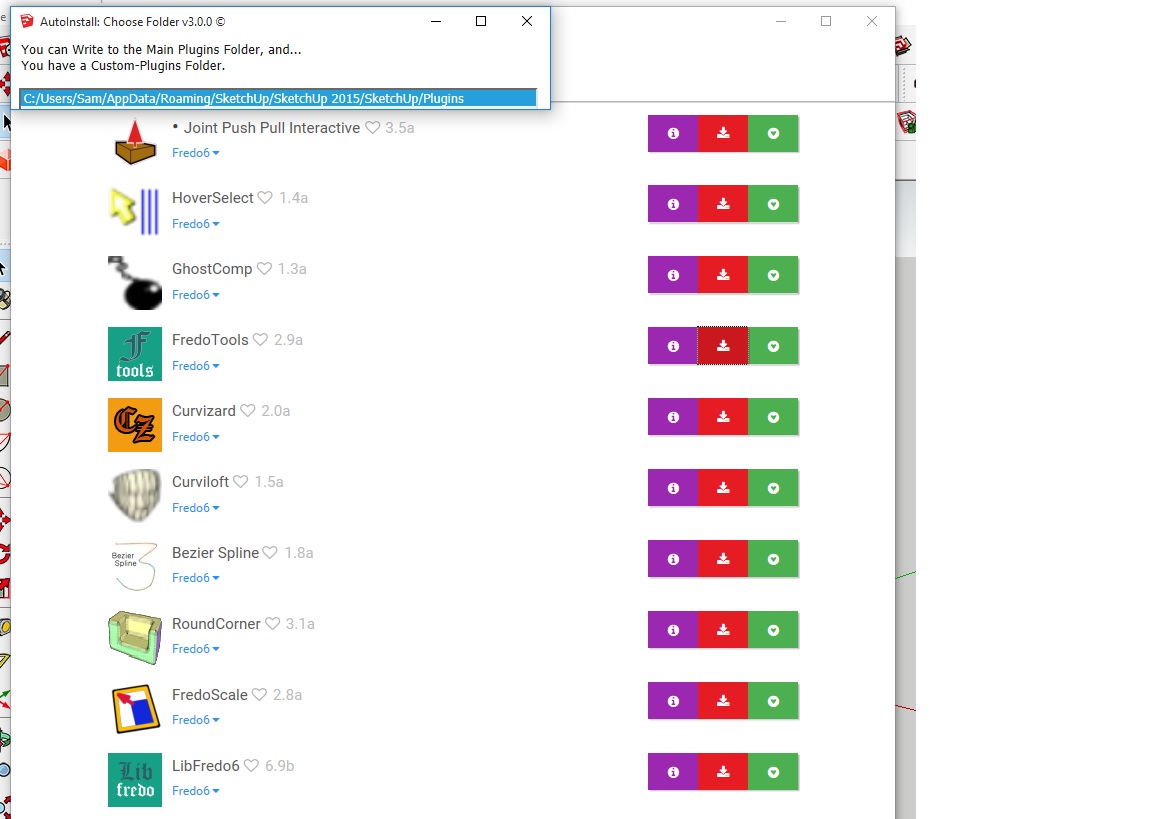
Thanks for the fast reply's but i think that it's going wrong on the first pic.
Pc says as you see on the pic:
You can write to main plugins folder, and...
You have a costum plugins folder.
then he give's the two folders but i can not pick one,
I have pressed enter and every button on my keyboard so i don't undestand how i properly can instal the fredo 6.3 tools. Ore choose the correct folder what is going wrong here?Thanks in advance,
Sam
-
Hi,
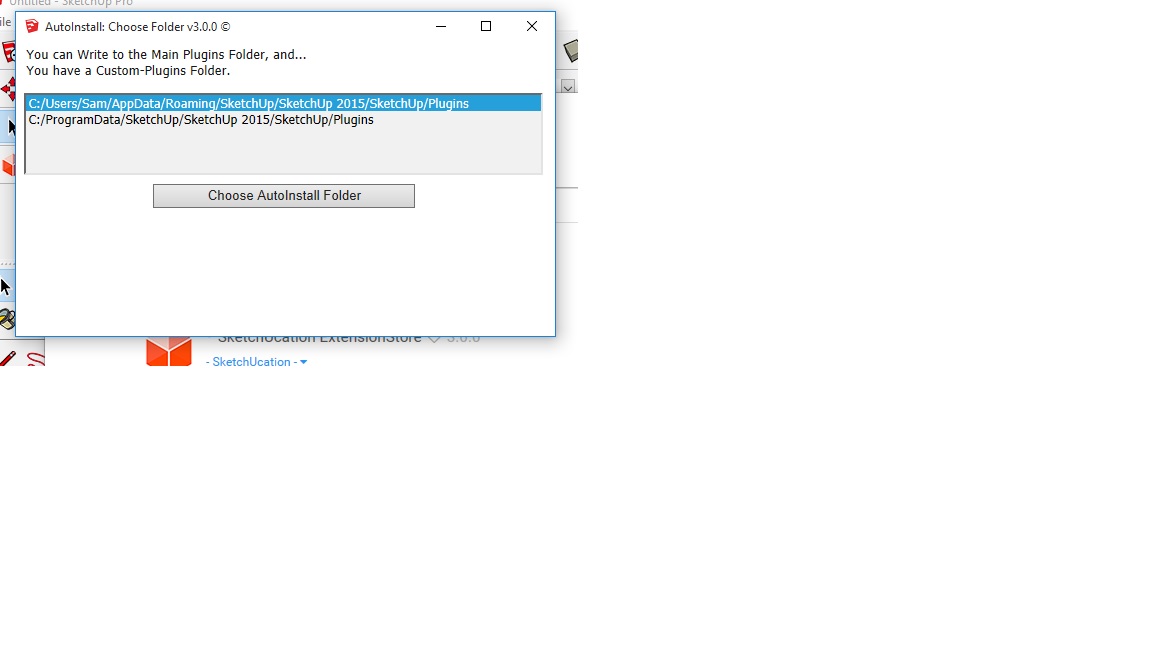
Fixed it, i made the most obvious mistake ever. (schame shame shame
 )
)I just needed to make the window bigger and choose the correct map.
Thanks again guys!!



Hello! It looks like you're interested in this conversation, but you don't have an account yet.
Getting fed up of having to scroll through the same posts each visit? When you register for an account, you'll always come back to exactly where you were before, and choose to be notified of new replies (either via email, or push notification). You'll also be able to save bookmarks and upvote posts to show your appreciation to other community members.
With your input, this post could be even better 💗
Register Login


Advertisement