Live Edge Slab
-
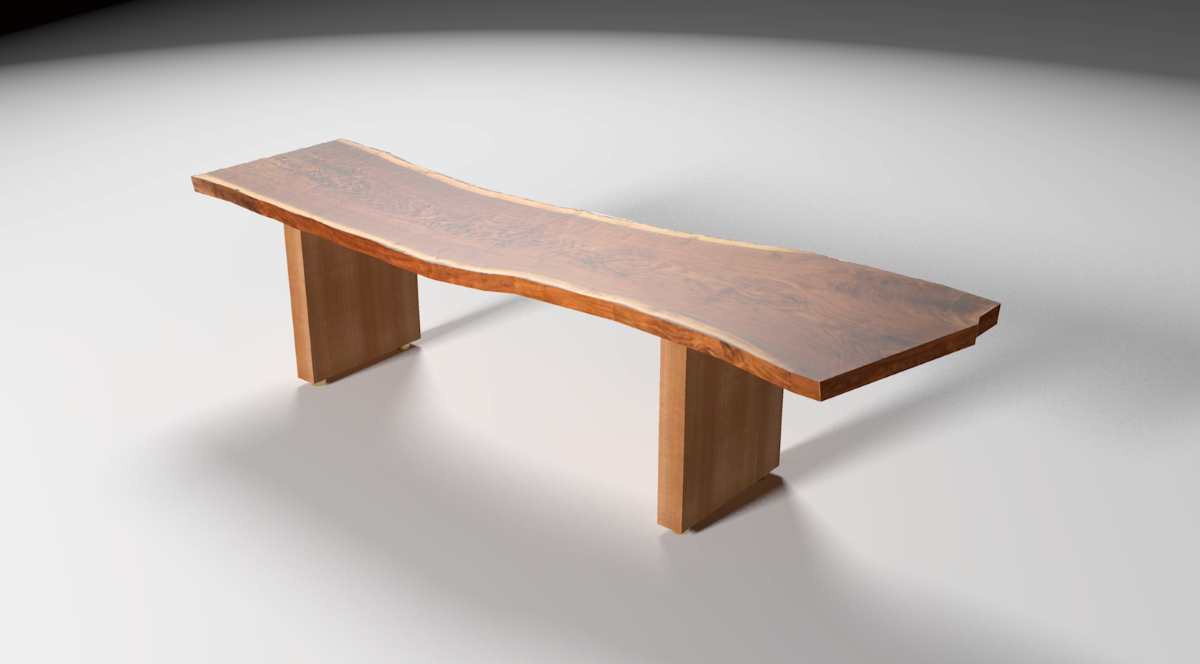
This is a bench with a claro walnut live edge slab for the seat. I drew the slab at the request of a woodworker who wanted to know if it could be done. I guess it can be. Actually, thanks to TIG's Image Trimmer, it's a walk in the park.
-
Very nice.
-
And a good tutorial about using the plug-in on the "Design.Click.Build" blog on finewoodworking.com.
Best,
dh -
@davidheim1 said:
And a good tutorial about using the plug-in on the "Design.Click.Build" blog on finewoodworking.com.
Best,
dhYes, it's certainly worth a link:
http://www.finewoodworking.com/item/120817/drawing-a-live-edge-slab

-
Dave - a great "walk in the park"!
Thanks Cotty for this Explanation link.
Thanks Tig, again for this very useful tool.
(I did not recognize this great "Image Trimmer" feature so far) -
Thank you all.
-
Masterful as usual Dave. Can't tell you all I have learned from you.
Thanks -
beautiful!
-
So realistic! And pretty too. How did you render it?
-
Thank you, gentlemen.
Dale, surely you can tell. It isn't a secret.

Peter, the rendering was done in Kerkythea. The "set" is just a large rectangle. No walls or ceiling. Two lights inserted via SU2KT. I used a plastic material preset to get the glossiness of the wood and I used the texture for the slab as a bump map and set the strength to 0.25. It's probably wrong but whenever I want to add a little bump, I just use the texture image for the map. Seems to work fine. Rendered at preset 7 or 8. I forget which. Easy setup and quick render.







Hello! It looks like you're interested in this conversation, but you don't have an account yet.
Getting fed up of having to scroll through the same posts each visit? When you register for an account, you'll always come back to exactly where you were before, and choose to be notified of new replies (either via email, or push notification). You'll also be able to save bookmarks and upvote posts to show your appreciation to other community members.
With your input, this post could be even better 💗
Register Login


Advertisement