sketchucation logo sketchucation
    • Login
    Oops, your profile's looking a bit empty! To help us tailor your experience, please fill in key details like your SketchUp version, skill level, operating system, and more. Update and save your info on your profile page today!
    Mac User? | Join the Rayscaper Beta for Mac Learn More

    Another Shape Bender Problem

    Scheduled Pinned Locked Moved Newbie Forum
    sketchup
    20 Posts 9 Posters 2.3k Views 9 Watching
    Loading More Posts
    • Oldest to Newest
    • Newest to Oldest
    • Most Votes
    Reply
    • Reply as topic
    Log in to reply
    This topic has been deleted. Only users with topic management privileges can see it.
    • Dave RD
      Dave R
      last edited by

      I didn't know that the Chinese had latin accents. Golly, you learn something new every day. πŸ˜†

      Etaoin Shrdlu

      %

      (THERE'S NO PLACE LIKE)

      G28 X0.0 Y0.0 Z0.0

      M30

      %

      1 Reply Last reply
      Reply Quote 0
      • GaieusG
        Gaieus
        last edited by

        πŸ˜’ I even used to teach Latin at university. To me, each Chinese has a Latin accent. πŸ˜‰

        Gai...

        1 Reply Last reply
        Reply Quote 0
        • TIGT
          TIG Moderator
          last edited by

          "Don't let the bastards grind you down..."
          Perhaps...
          Id imperfectum manet dum confectum ...
          or more colloquially
          Nolite te bastardes carborundorum ...
          or more obviously...
          Nolite bastardes te carborundorum ...
          or in mock-latin...
          Illegitimi non carborundum ...
          😲

          TIG

          1 Reply Last reply
          Reply Quote 0
          • pbacotP
            pbacot
            last edited by

            I dunno about newbies. I usually take something away, or get reminded, that's why I check in so often. (the other reason is boredom I guess πŸ˜’ 😳 )

            MacOSX MojaveSketchUp Pro v19 Twilight v2 Thea v3 PowerCADD

            1 Reply Last reply
            Reply Quote 0
            • O
              Openspaces
              last edited by

              @unknownuser said:

              I dunno about newbies. I usually take something away, or get reminded, that's why I check in so often
              +1 πŸ‘

              1 Reply Last reply
              Reply Quote 0
              • L
                LJPlace
                last edited by

                Hi,

                You all seem to know your stuff so hopefully have some advice for me. I have watched several tutorials and read several problem forums, but I must be missing a key part of the process.

                I want to bend a flat plane to a curve. I have made the plan a component, both that and the curve it on the red axis, they are both the same length. However, once I activate shape bender, it wont even let me select a line, let a lone a second. Any thoughts?

                Thanks,
                LJ
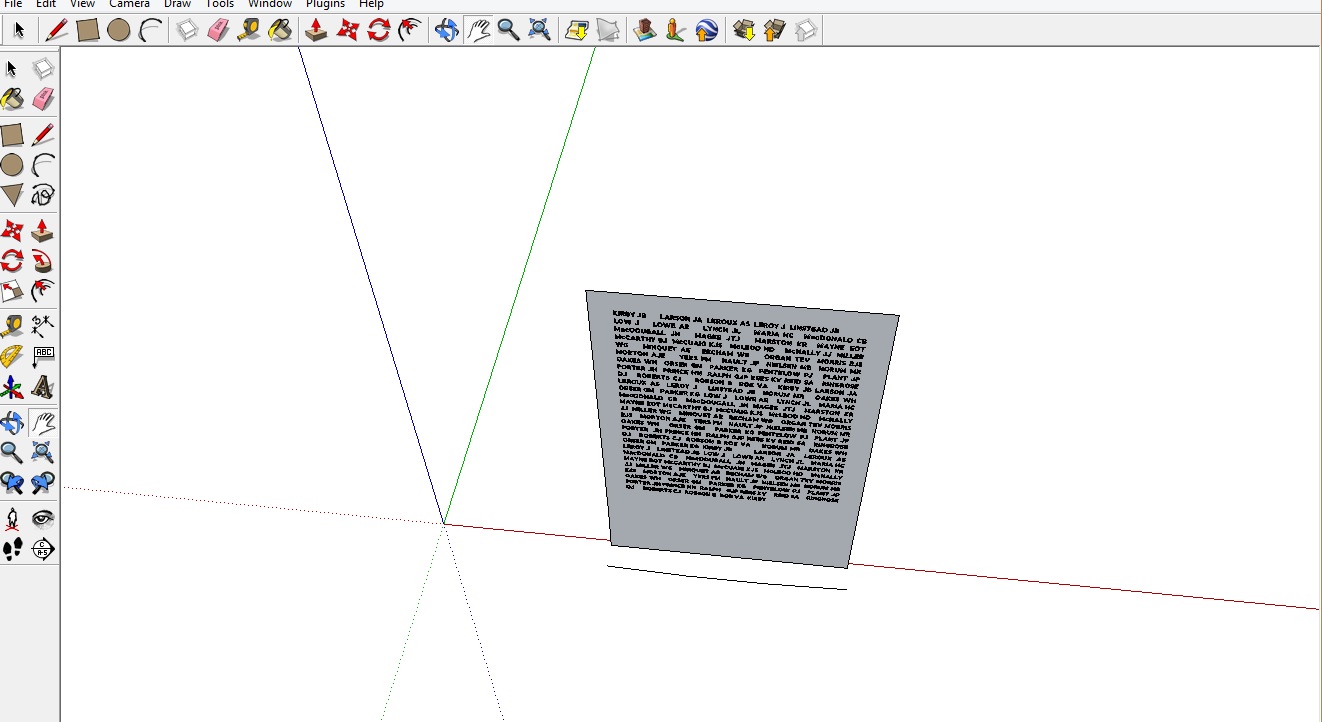

                Here's the plane and curve...

                1 Reply Last reply
                Reply Quote 0
                • ely862meE
                  ely862me
                  last edited by

                  Can you upload the file ?

                  Elisei (sketchupper)


                  Before no life was done on Earth it was THE LIFE ITSELF...GOD
                  Come and See EliseiDesign

                  1 Reply Last reply
                  Reply Quote 0
                  • Dave RD
                    Dave R
                    last edited by

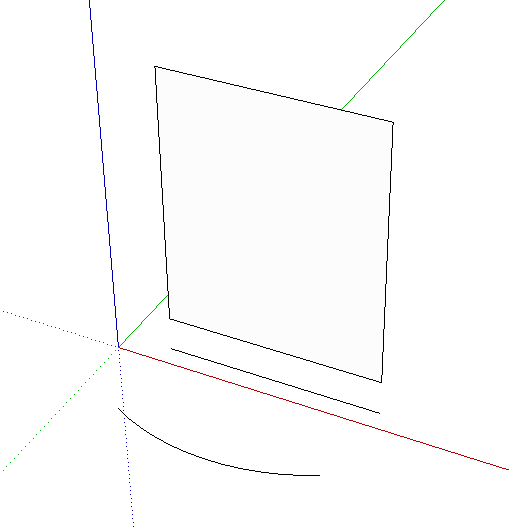
                    Where's the line you're trying to select? It cannot be inside the component.
                    2014-08-22_10-41-37.png

                    2014-08-22_10-43-06.png

                    Note in my example that the component to be bent is located directly above the straight line. After the plugin runs, the bent version of the component is located directly above the curve. If there is any horizontal displacement between the straight line and the original component, there'll be a horizontal displacement between the curve and the bent component.

                    Etaoin Shrdlu

                    %

                    (THERE'S NO PLACE LIKE)

                    G28 X0.0 Y0.0 Z0.0

                    M30

                    %

                    1 Reply Last reply
                    Reply Quote 0
                    • L
                      LJPlace
                      last edited by

                      Good Morning,
                      The line was parallel with the base of the rectangle, as shown in Chris's tutorial. Even if I separate it out I still cannot select a line. Nothing highlights in blue. I almost think I've downloaded the program wrong!
                      Unfortunately I can't upload the file as it is too big. This is a nightmare =/

                      1 Reply Last reply
                      Reply Quote 0
                      • L
                        LJPlace
                        last edited by

                        I knew it was a straight forward piece of software, just reloaded it and it works fine! Thanks for your help.
                        LJ

                        1 Reply Last reply
                        Reply Quote 0
                        • Dave RD
                          Dave R
                          last edited by

                          πŸ‘ πŸ‘

                          Etaoin Shrdlu

                          %

                          (THERE'S NO PLACE LIKE)

                          G28 X0.0 Y0.0 Z0.0

                          M30

                          %

                          1 Reply Last reply
                          Reply Quote 0

                          Hello! It looks like you're interested in this conversation, but you don't have an account yet.

                          Getting fed up of having to scroll through the same posts each visit? When you register for an account, you'll always come back to exactly where you were before, and choose to be notified of new replies (either via email, or push notification). You'll also be able to save bookmarks and upvote posts to show your appreciation to other community members.

                          With your input, this post could be even better πŸ’—

                          Register Login
                          • 1 / 1
                          • First post
                            Last post
                          Buy SketchPlus
                          Buy SUbD
                          Buy WrapR
                          Buy eBook
                          Buy Modelur
                          Buy Vertex Tools
                          Buy SketchCuisine
                          Buy FormFonts

                          Advertisement