[Plugin] Extrude Edges by Face
-
See here http://forums.sketchucation.com/viewtopic.php?p=226249#p226249 for Extrude Edges by Faces...
-
Tool has been updated
1.4 20100220 Glitch on some text in db fixed.
1.5 20100220 Glitch with number of Rail-Ribs fixed.
Color coding of picked curves added.
Profile=Cyan
Rail1=Magenta
Rail2=DarkVioletRed
MeldingProfile=DarkCyan
FaceEdges=Orange
See here for download link http://forums.sketchucation.com/viewtopic.php?p=224218#p224218 -
TIG, there now seems to be a problem with your latest EEBRF:-

so far so good..

It just stops working here after clicking OK.
-
Are you sure?
Just wait end calculation ?
Do you see something bottom screen left corner screen line help? -
Frenchy,
I am sure. I replaced the latest version with a version from 18 Feb and that works fine. Changing the older one out for the newer again and it still hangs at the same point.
I am on a Mac - maybe there's a difference?
-
There are two tools EEbyFace and EEbyRailsByFace - you are jumbling the threads.

EEbyFace - you pre-pick a Face and a path of Edges and run the tool there are no prompts to pick curves etc
EEbyRailsbyFaces
Pre-pick the ProfileFace- you run the tool
Pick the profiles as with EEbyRails...
BUT it shouldn't dump out like that.
I have tried to replicate this and got it too...I have a fix - publishing it soonest...

- you run the tool
-
TIG,
True, I was jumbling the threads, I got confused here :-

Face - Faces..
and went on to see which of the plugins was actually giving me colours and got hung up on EEBRF. A different naming scheme would make it easier for us mortals! After all, EEBRBF extrudes a selected face along chosen edges, so something like "ExtrudeaFacebyRails" could help differentiate it better.
-
I puzzled long about the names
I have a fix for that glitch but it's made another - offsetting the colored lines !
I'll fix it tomorrow...

-
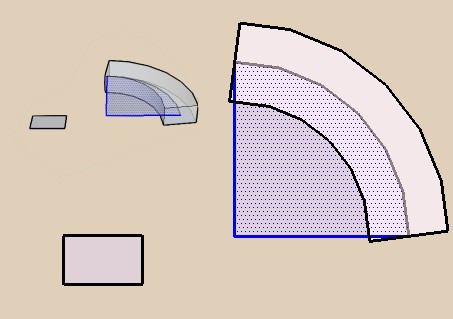
about a quarter circle
there is a divergence: I understant that is perpendicular to the last segment,
but it is annoying for make a perfect quarter volume!
-
EEbyFace is a kind of 'FollowMe' and you will get un-square ends - use EEbyLathe to be perfect solid by revolution - simply select the face+edges and an axis centered on the arcs cpt...
-
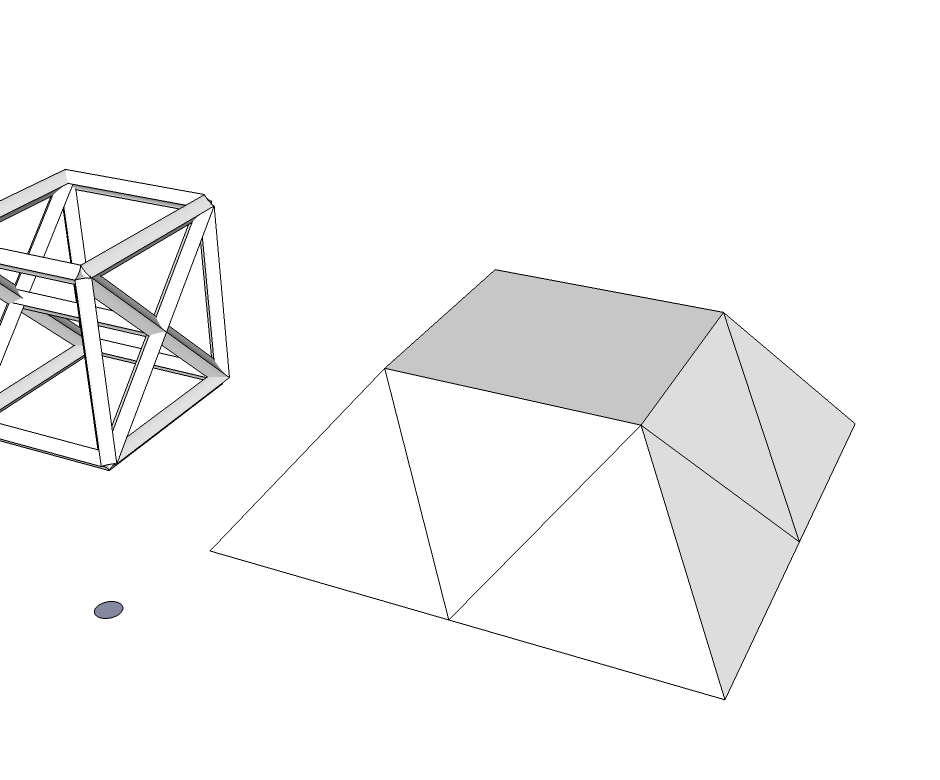
Is there a plugin that can delete all the faces in a structure, leaving it with only the edges? I would like to use the nice Extrude Edges by Face plugin to create a typical steel-like structure.
Magnar
-
To add/remove things to/from a selection there are several tools [e.g. see thomthom's selection_toys script]...
Here's a one liner that takes a selection [it assumes faces and edges are selected, and leaves only faces in the selection - hit delete key to erase faces...]m=Sketchup.active_model;s=m.selection;sa=s.to_a;s.clear;sa.each{|e|s.add(e)if e.class==Sketchup;;Face}Paste it into the Ruby Console and hit return...
To make a function wrap it in a 'def' thus:def isolatefaces() m = Sketchup.active_model s = m.selection sa = s.to_a s.clear sa.each{|e| s.add(e) if e.class == Sketchup;;Face } end#defans save it in a plain text file called
isolatefaces.rbin the ../Plugins/ folder.
To run it first select somethings, including faces, and typeisolatefacesin the Ruby Console - out of the original selection just the faces are now selected - to erase them press the delete key...

-
It worked! Very Cool!
I have find a symbol for this so I remember it when I need this function again !Magnar
-
Hi, i've been searching the link to download these extrude plugin(each of the features, faces, edges) but I can't find any.
Can you guys give the link beside this link
http://sketchucation.com/pluginstore?pln=ExtrudeToolsThanks guys

-
What's wrong with this link?
-
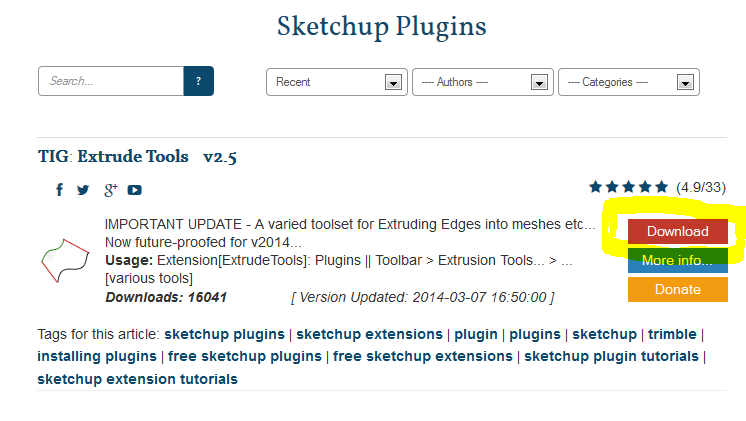
That link [ http://sketchucation.com/pluginstore?pln=ExtrudeTools ] lets you Download the RBZ of all of the tools - click the RED button.
If you have the latest available update for v8 [>=M2] then you can AutoInstall the RBZ contents from the Preferences > Extensions > Install... button [provided you have FULL permissions to the Plugins folder - see this for advice too http://sketchucation.com/resources/tutorials/36-intermediate/811-setting-security-permissions-in-sketchup ]
-
Hi TIG,I like this plugin so much.But it can not work in SU2017 when i use Extrude Edges by Face
-
Several of the my "EEby" tools were unexpectedly broken by the way v2017 handles its entities' IDs when exploding a temporary group etc.
I have managed to fix almost all of the wayward code [keeping backward compatibility], however there are a few minor issues outstanding and the beta-testing to complete - I have been out of the loop for a week or two with family matters, but I hope to get back onto fixing these tools asap...



Hello! It looks like you're interested in this conversation, but you don't have an account yet.
Getting fed up of having to scroll through the same posts each visit? When you register for an account, you'll always come back to exactly where you were before, and choose to be notified of new replies (either via email, or push notification). You'll also be able to save bookmarks and upvote posts to show your appreciation to other community members.
With your input, this post could be even better 💗
Register Login


Advertisement