Paint DWG to a face?
-
Greetings all,
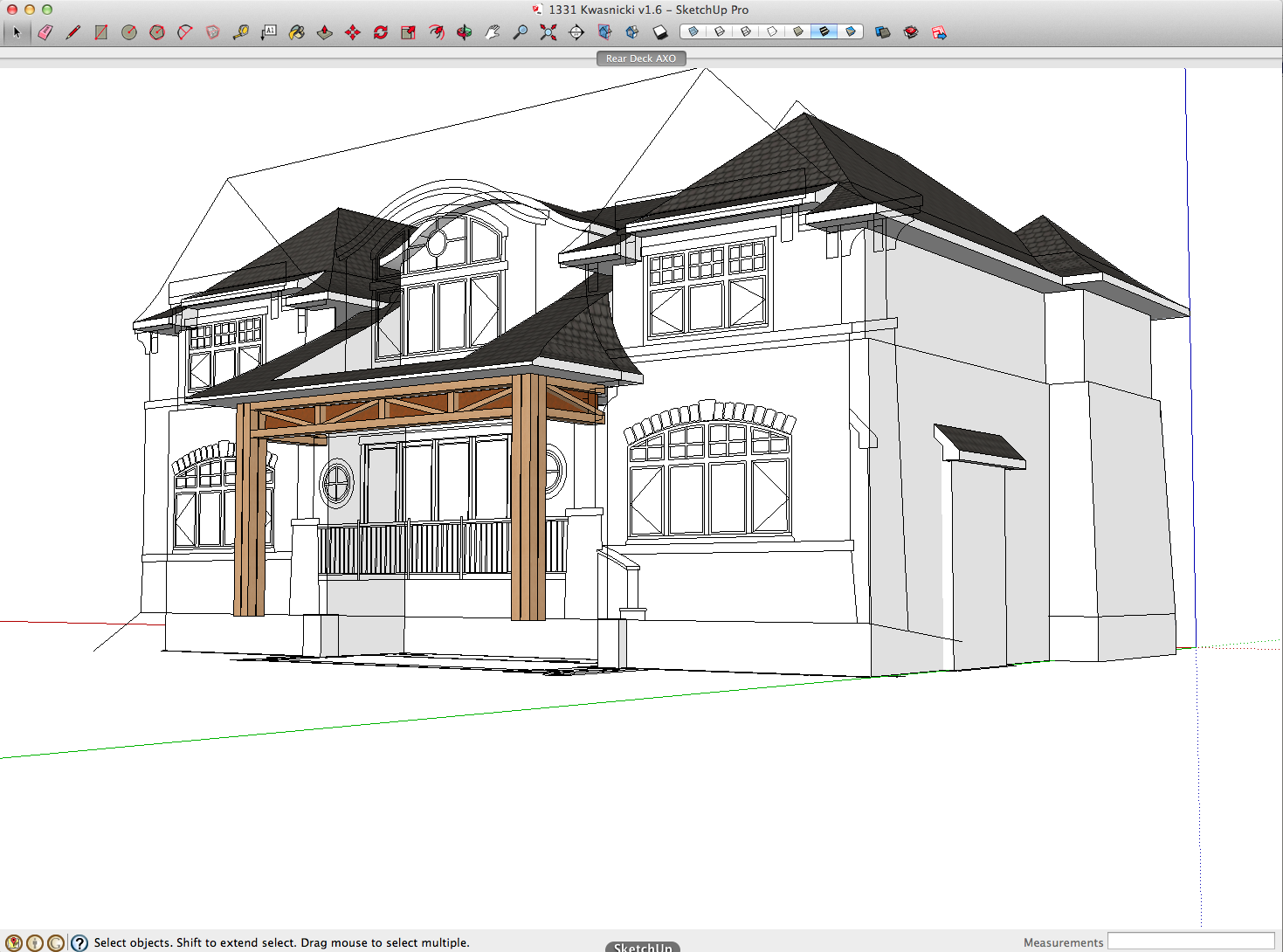
I work alot with DWGs from which I create my Sketchup model. One of the things I would like to do is paint a surface with the DWG.Below is an example of in which I would like the DWG painted onto the faces.
Any ideas or plugins which are available?
Regards
-
So you just want to "paint" the lines on as a texture? You could create a JPG or PNG image of the lines and then apply the image as a texture to the face(s) in your model.
-
Yes, a possible solution, but I find I lose the crispness of the DWG lines.
Any other thoughts?
-
Why can't you just add a face on the wall line etc and use the appropriate lines [perhaps copied] from the imported file as lines on that.
You won't lose crispness and you already have them imported - obviously there are several parts of the '2d elevation' you'll want to discard - like the roof outline...
-
Import the dwg file into SketchUp and put the lines on the face.
-
@dave r said:
Import the dwg file into SketchUp and put the lines on the face.
+1. This is what I do. Easy enough.
-
Thanks for all the replies. Yes, all are workable, I was just hoping that there was a way/plugin to drape the DWG.


Hello! It looks like you're interested in this conversation, but you don't have an account yet.
Getting fed up of having to scroll through the same posts each visit? When you register for an account, you'll always come back to exactly where you were before, and choose to be notified of new replies (either via email, or push notification). You'll also be able to save bookmarks and upvote posts to show your appreciation to other community members.
With your input, this post could be even better 💗
Register Login


Advertisement