2013 Sketchup Pro Problems
-
I find that lines are missing when I create a Group Solid Section by context clicking on a section plane. What do I need to do to stop this from occuring?
The model looks ok to me.
Walter
-
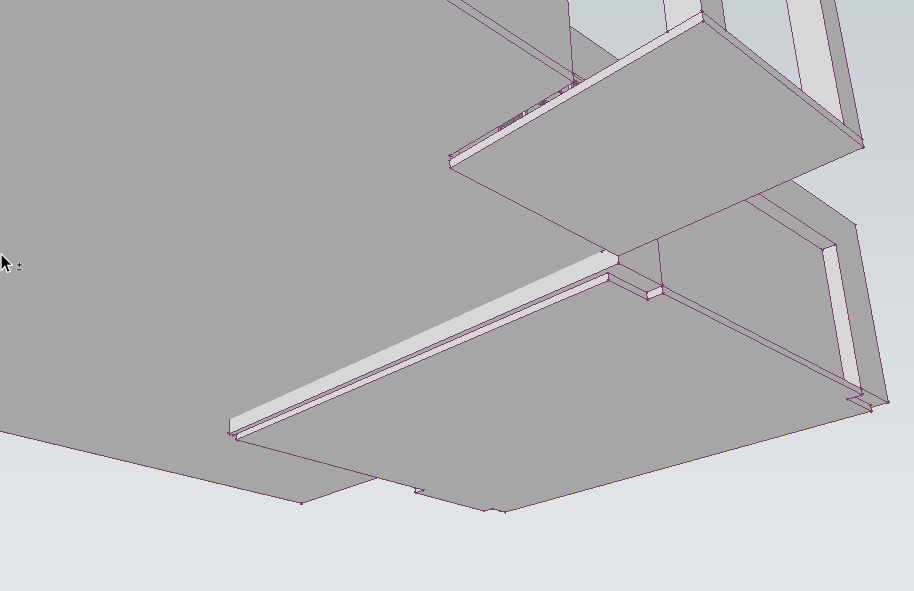
You don't suppose it could be due to the fact there's no intersection between the wall and the floor?
-
Thanks Dave. I dont think so because all of the walls are capped at the top and bottom.
-
The caps at the top and bottom haven't got anything to do with the section plane, though.
-
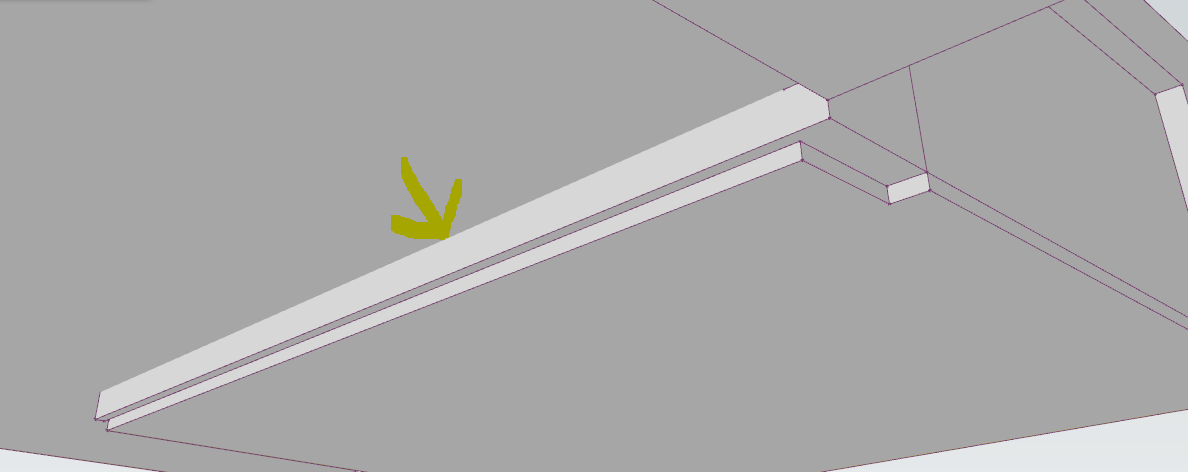
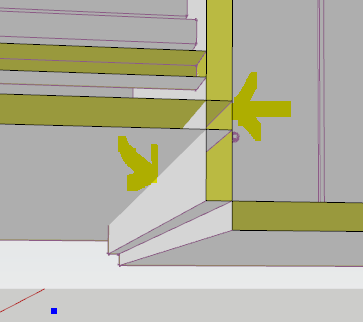
But as Dave says... some of the slabs/walls intersect, some pass through each other and some are not intersected so there is no line where there faces cross one another ?
-
Thanks Dave & TIG. Looks like I will need to go through the model with a fine toot comb.
I will report back. It would be nice if there was a quick fix. -
I don't mean any disrespect but I think the best fix is to draw the thing better in the first place.

-
@dave r said:
I don't mean any disrespect but I think the best fix is to draw the thing better in the first place.
Your right. However I started drawing it in 3D cad then imported it into SU. It would have been quicker to start from scratch again.
-
I understand that. It's a shame but it often seems like it's easier and better to start from scratch in SketchUp than to try using an imported file.
-
Selecting problem areas and intersecting faces with models might get you part way there.



Hello! It looks like you're interested in this conversation, but you don't have an account yet.
Getting fed up of having to scroll through the same posts each visit? When you register for an account, you'll always come back to exactly where you were before, and choose to be notified of new replies (either via email, or push notification). You'll also be able to save bookmarks and upvote posts to show your appreciation to other community members.
With your input, this post could be even better 💗
Register Login


Advertisement