Irregular Surface to Solid Group
-
I've been trying for some time to find a way to create a solid group with vertical sides, a horizontal bottom, and an irregular triangulated top.
I import a series of XYZ points and then triangulate the surface. I'd like to turn that into a solid so that I can then use the SU Pro solid tools to manipulate it.
In the past, I've drawn vertical lines down from each vertex on the perimeter, and then manually connected each one, taking the time to go "inside" the solid and erase any internal faces that were generated. This was reasonable for small models, but now the number of perimeter vertices is high (>500) and this seems like a unnecessary effort.
I've tried the "projection extension" toolbar using "extrude multiple faces along Z", but that created many internal faces that would have to be removed. What I'm looking for is similar to adding a skirt to GE terrain, but doesn't work with just a collection of faces.
Any suggestions?
-
I think sdmitch already did this... http://sketchucation.com/forums/viewtopic.php?p=359903#p359903
Please learn to use the SCF-forum/your-browser search/find functions thoroughly...
More often that not it's been done before... or something pretty much like it...

-
Fredo is cooking a plug about Terrain don't know if that can help you!
-
Thanks TIG.
I have been searching the SCF, other forums, and plugin libraries fairly extensively, and sdmitch's solution is what I refer to the in the last paragraph on adding the skirt. Since my surface is not Google Earth terrain, his plugin would not handle the surface.
I've been using search terms like this post subject or "push pull multiple faces" or "extrude multiple surfaces". I've found answers for multiple faces that are separate, but not if they are joined in a triangulation like mine. If you have any suggestions for SketchUp lingo I'm missing, I would be grateful.
-
Keep your eyes open for fredo's Topo Shaper. Looks like part of its functionality will do what you're looking for.
Chris
-
-
d'oh, I see you already posted a link to fredo's script Frenchy, sorry for the double post!
-
Thank you both. I'll be watching for that one.
-
Tom, I have sent you a version, by PM, that should work with any grouped terrain mesh.
-
.
TIG's extrude_edges_by_vector_to_object
recurve the perimeter edges for easy selection then go...
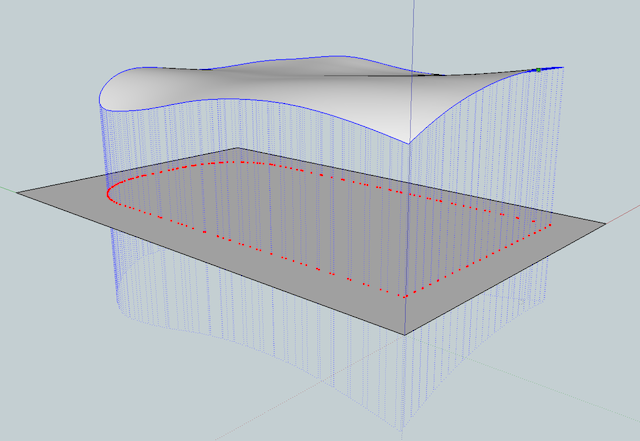
cleanup coplanar edges if desired..
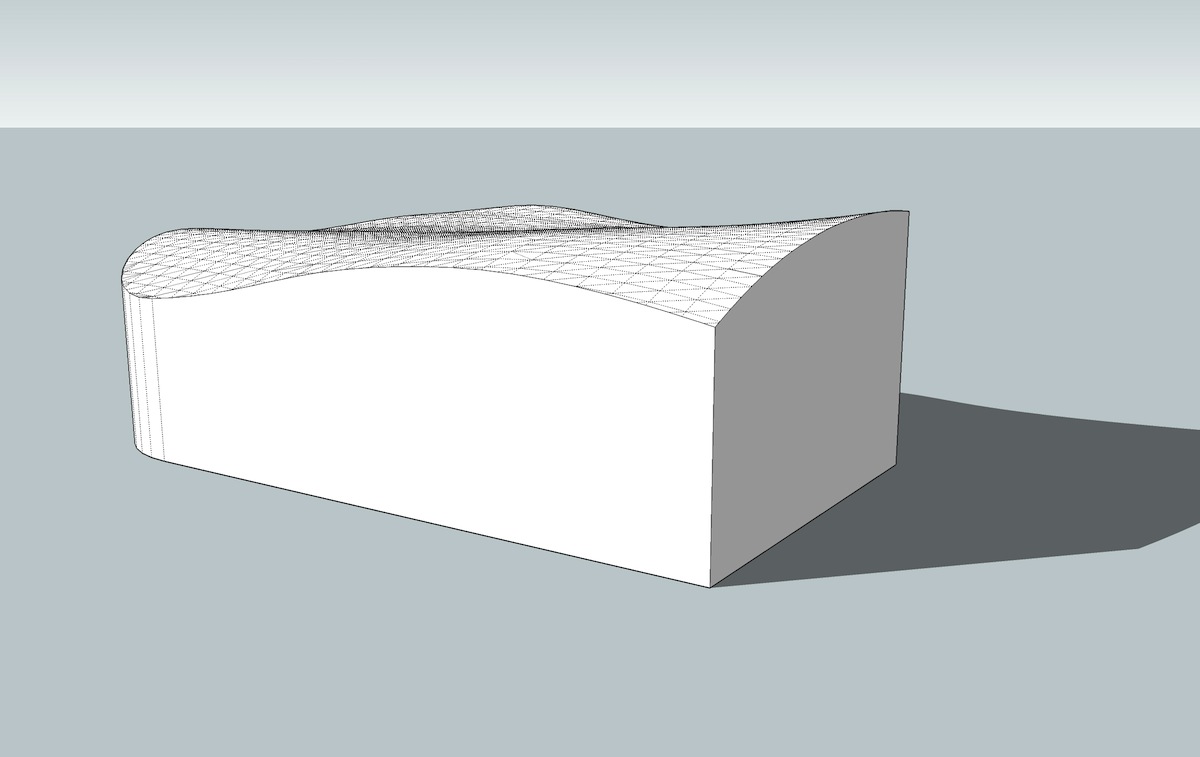
-
.
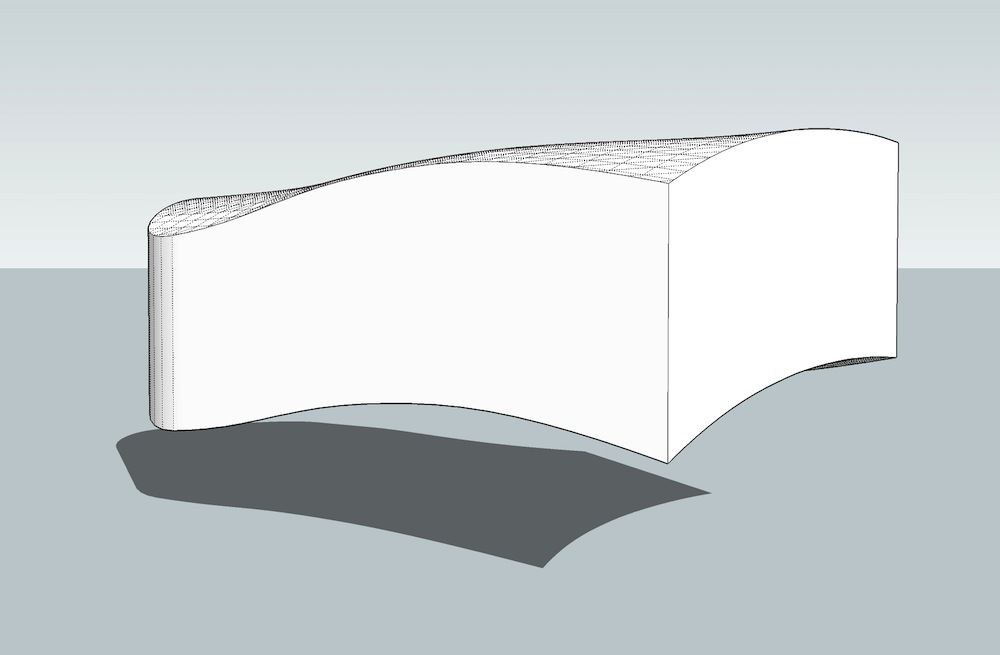
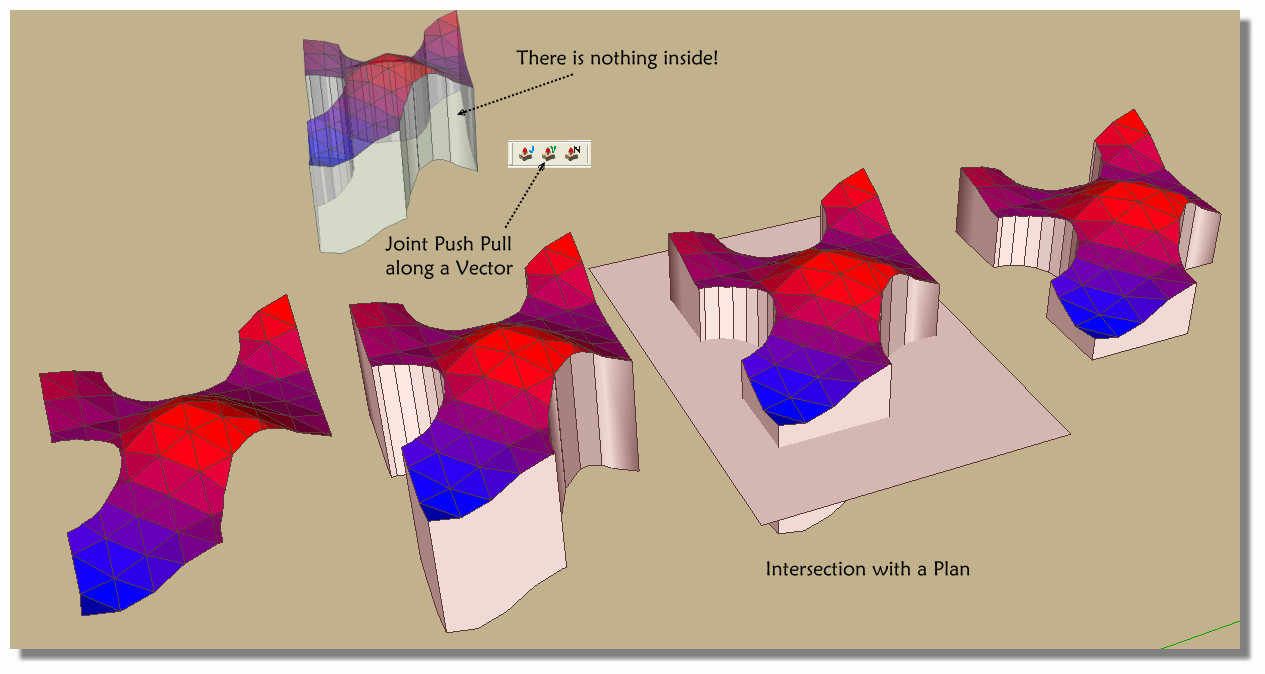
also, vector push pull
(part of joint push pull: http://sketchucation.com/forums/viewtopic.php?t=6708)you can do it with selecting the surface.. use <tab> for options then change to thickening..
intersect with plane for flat bottom..
-
You can also use drape and Fredo's Curviloft to create that skirt.
First drape the perimeters of your terrain onto a flat plane:
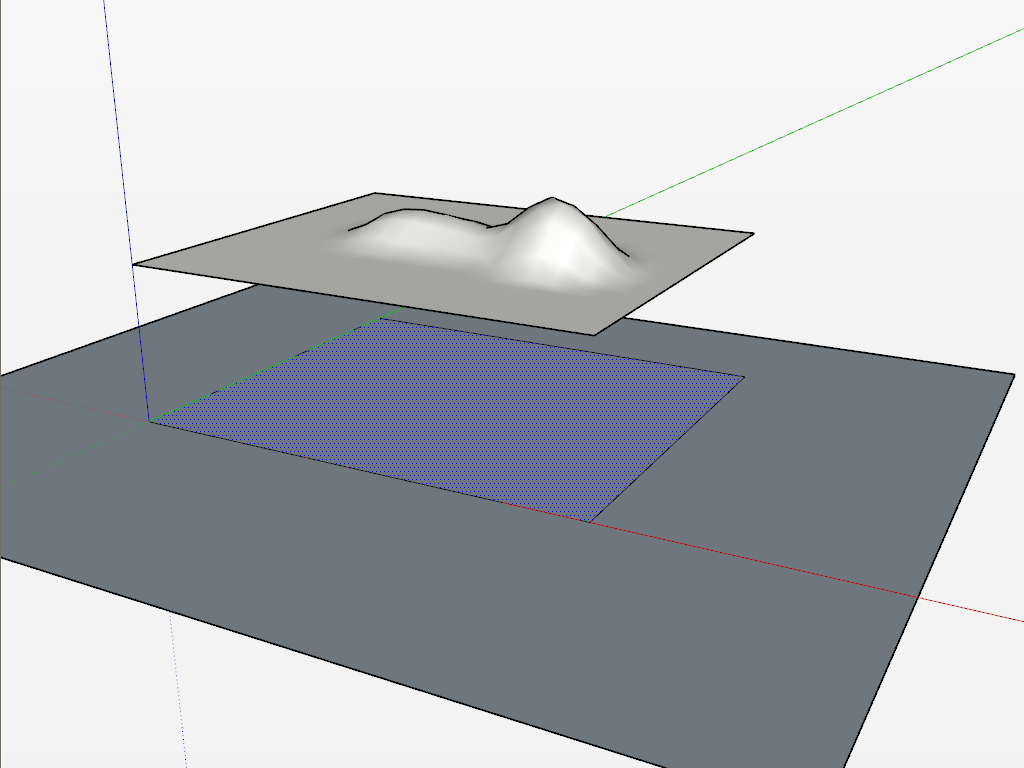
Next select the topo above and the draped shape below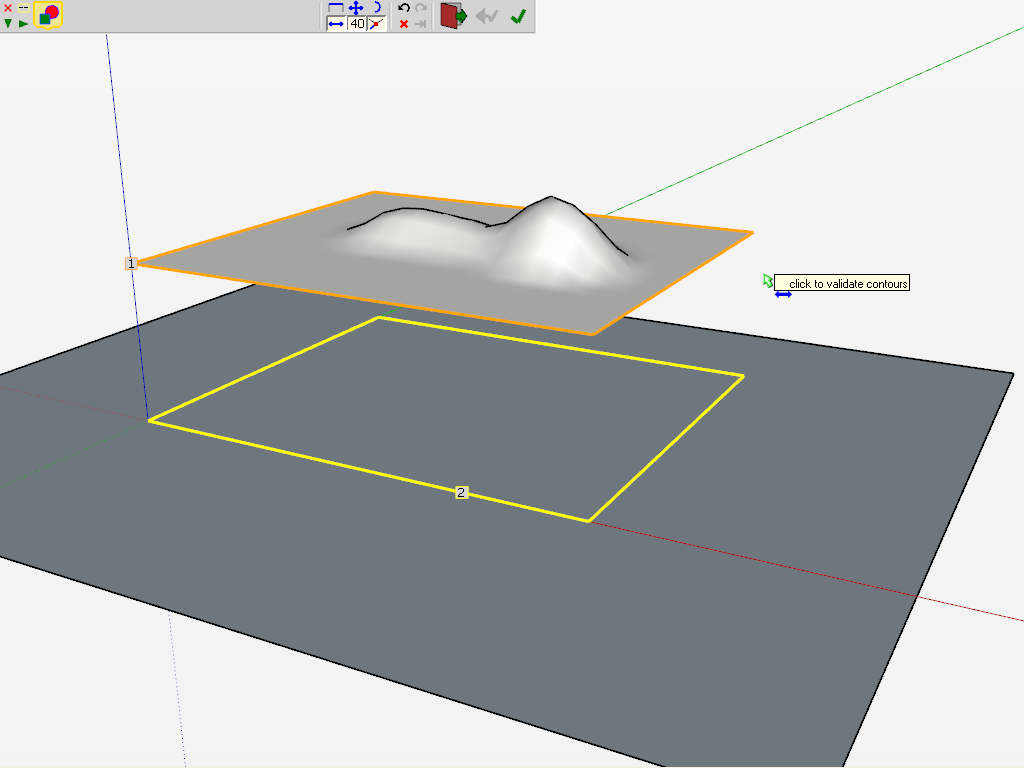
Set the curviloft settings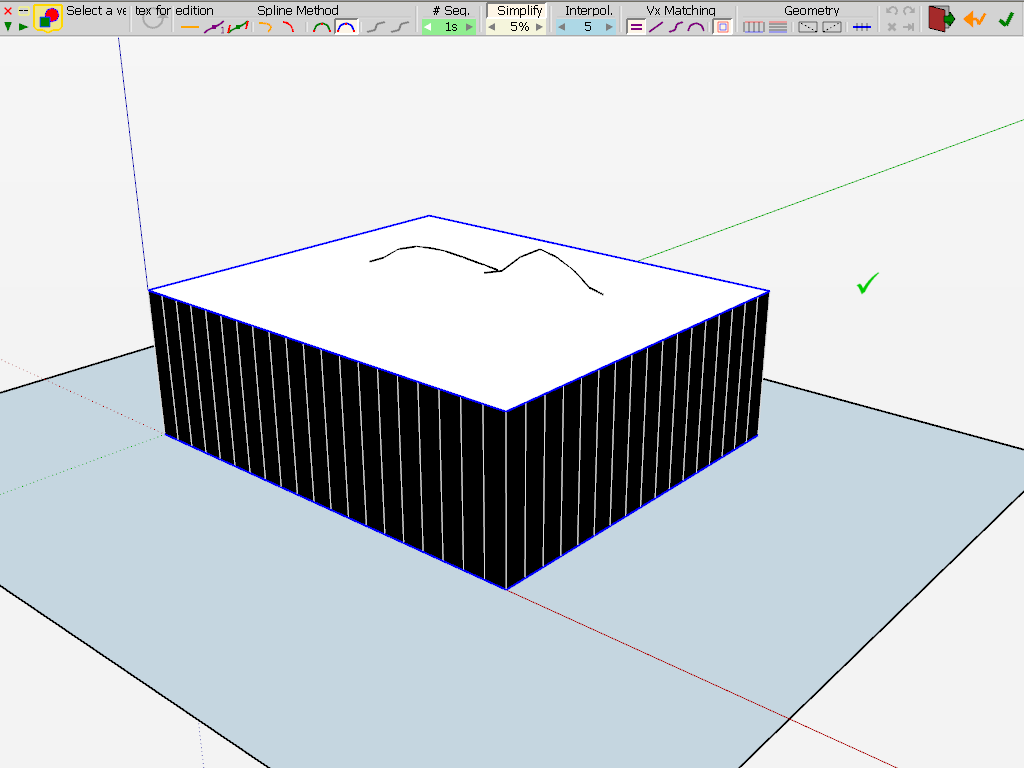
After some clean-up (and moving the ungrouped top and bottom surfaces inside the curvilofted group) you get a nice solid.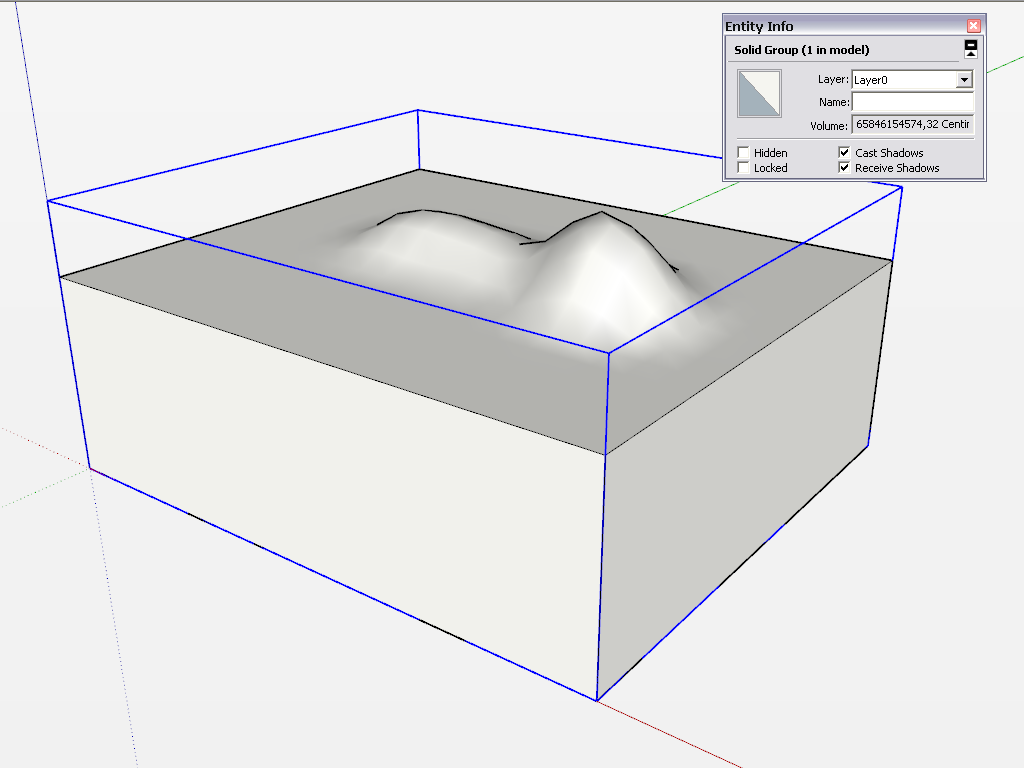
True that my topo has a rectangular outline here but it should work with any shape... -
Another cool solution!

The Joint Push Pull by Fredo 6Color by the fabulous Color by Z by Chris Fullmer!
-
Using solid tools for terrain modification. Never thought of that.... Interesting idea.
-
Thank you all for the creative solutions! sdmitch's solution for any mesh worked great. These others have me loading up on additional plugins.
-
Can you share the Sdmitch solution ?
-
Hi folks.
I did that a while ago for someone who asked the same question. See this SU file for ideas.
-
@unknownuser said:
Can you share the Sdmitch solution ?
The version on my blog does not require a GE terrain patch.
-
Alas the Drape method (Thx Jean for the V6
don't work at any time without very big cleaning! 
JPP vector yes!
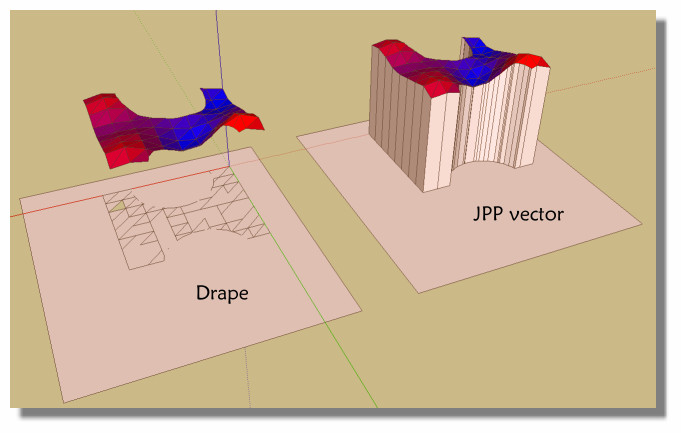
-
Hi Pilou, hi folks.
Try smoothing all the surface before draping to get only the contour instead of zillions of edges and faces.
Just ideas.







Hello! It looks like you're interested in this conversation, but you don't have an account yet.
Getting fed up of having to scroll through the same posts each visit? When you register for an account, you'll always come back to exactly where you were before, and choose to be notified of new replies (either via email, or push notification). You'll also be able to save bookmarks and upvote posts to show your appreciation to other community members.
With your input, this post could be even better 💗
Register Login


Advertisement