[Plugin][$] Vertex Tools
-
Can you get fur-ball models at the Warehouse?
-
Probably. Look in the feline section.
-
-
@thomthom said:
Made a quick little test.
I turned the bump map intensity way down - using a Noise map with a very small size.
For reflection I used a very glossy fresnel map, with very low Perpendicular value (15).
Played a little with anistrophy - but didn't seem to do a whole lots.Bumps are still too strong and the reflection is still not right. Needs something in the environment to reflect.
this is better than mine already, but i feel the gold paint still looks a bit metallic, however i 100% agree, enviroment is needed. I didn't use noise because i don't use it from ages and i don't remember how to control the dimension of the noise itself..

I think you are close there with the velvet.. mine looks more like a "loden.vismat"
i think when i rework this i can start a specific topic in vray section (or maybe wip?) -
Yea, the paint should be somewhat more matt.
The Noise size is set by:
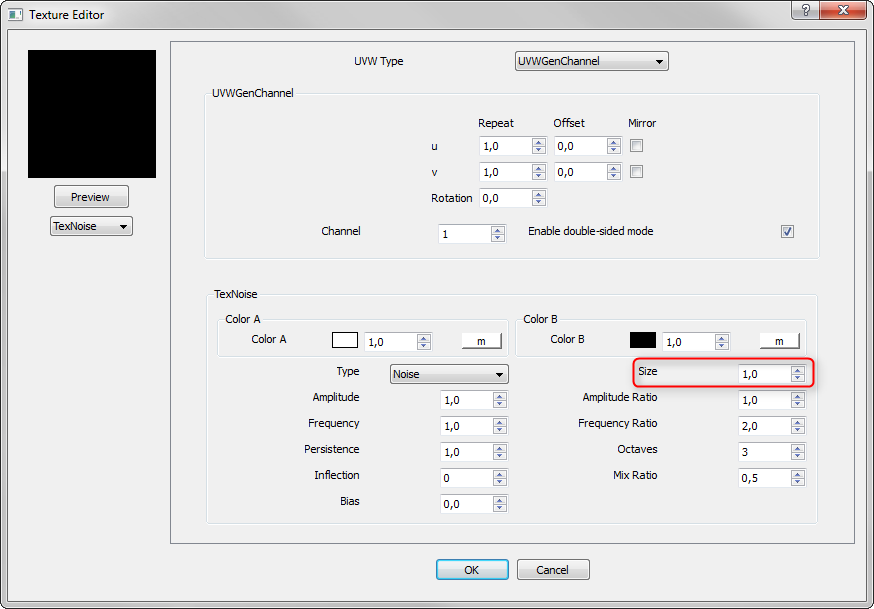
It'd be nice with a thread for experimenting with these materials. Give me a nudge when you've done the model.
-
-
Finally got me a copy of Vertex Tools and I am quite impressed.
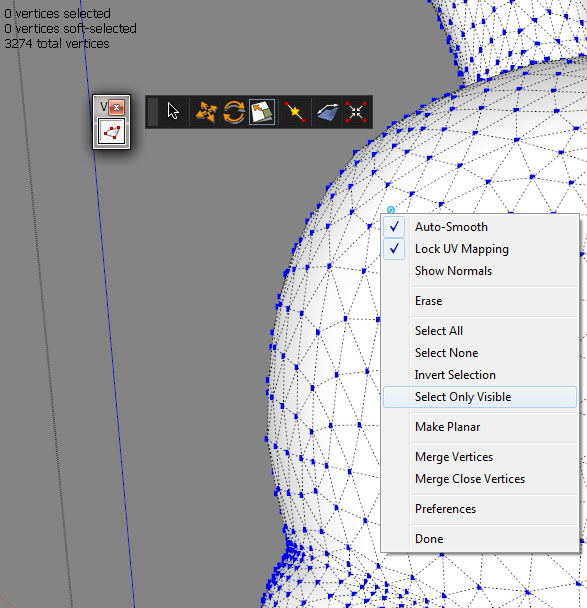
One question. I am trying to turn on the "Select Only Visible" option and am not having luck. I click on it in the context menu or in the tools menu and it won't "turn on". I can click on the example image multiple times and each time I open the context menu I get what you see, not checked.
Thanks.
-
Make a selection then choose Select Only Visible it should remove those that are not visible from them selection
-
It's a selection modifying command - not a selection mode. It simply filters your existing selection. This is because the function is very slow.
Ignore Backfaces on the other hand is a selection mode you can activate with any of the selection tools. It's fast but relates to the direction, normal, of the connected faces - so it's not the same as what's actually visible.
-
Btw, what are you creating there?
-
@thomthom said:
Btw, what are you creating there?
I'm guessing a snowman. Like an Alabamian has any idea of snow.

-
Well before I could retract I figured out that I should have checked "Ignore Backfaces" like you say.
I have the blank Dunny open just to play with Vertex Tools.
-
-
@thomthom said:
Give me a nudge when you've done the model.
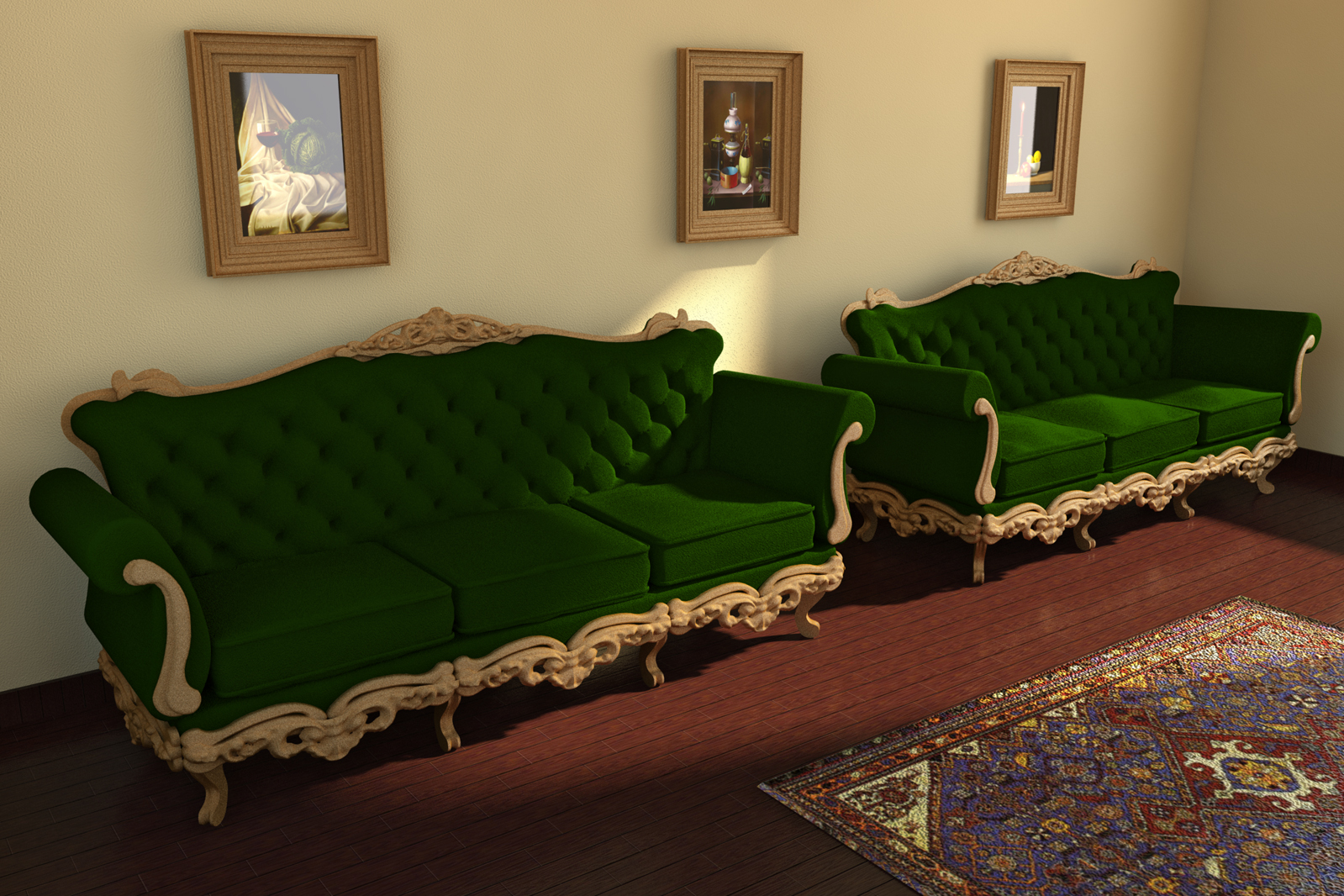
ok, i had a second run at it and now is almost fine for my purposes.. not perfect, but good, i also did a quick test in vray and it renders within a decent amount of ram.. i took some screenshot this time, i'll try to upload/arrange them as soon as possible..
-
How did you do the velvet?
-
did some minor changes to the previuous version. i think 95% of the difference depends on the fact it was taken away from Venus' atmosphere and placed into the actual granny's living room..

-
-
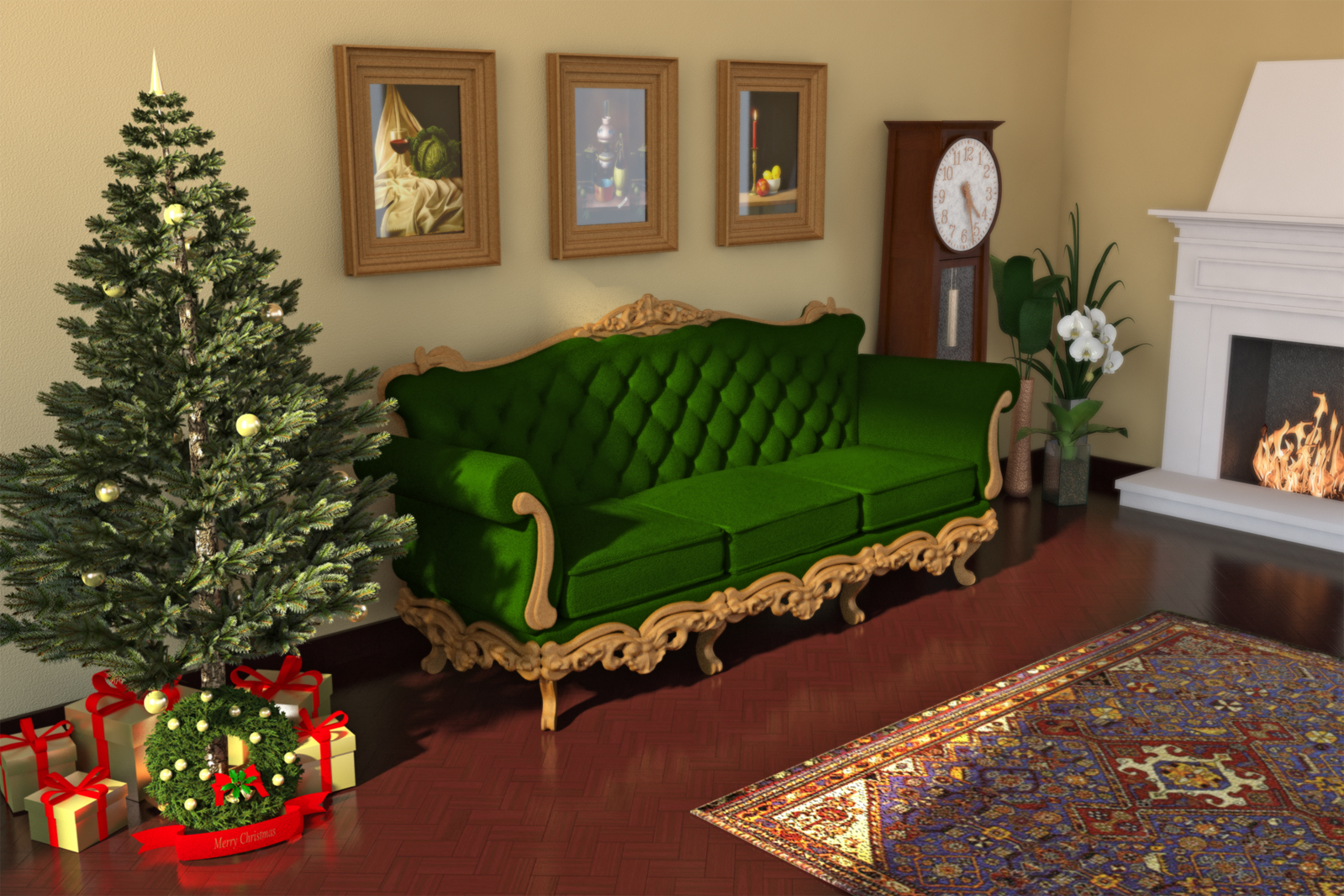
X-mas at granny's

-
Nice!
X-Frog X-Mas tree?
-
no. i downloaded one from whareouse at first
but was looking very poor in the render test so i replaced the components/materials one by one to achieve a decent result..
actually i think this is the easier tree ever modeling wise.. even if you want to draw it from scratch..





Hello! It looks like you're interested in this conversation, but you don't have an account yet.
Getting fed up of having to scroll through the same posts each visit? When you register for an account, you'll always come back to exactly where you were before, and choose to be notified of new replies (either via email, or push notification). You'll also be able to save bookmarks and upvote posts to show your appreciation to other community members.
With your input, this post could be even better 💗
Register Login


Advertisement