Diameter instead of radius
-
Hi
There are no silly questions:)
These tease me all the time. When I draw circle with standard SU circle tool I must write radius, but I would like to write in diameter. Is it possible?
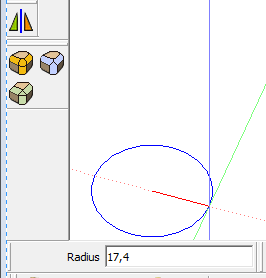
-
No, but the radius is always half the diameter

However there are 'alternative' ways to draw circles [and arcs etc] - see 2dTools - here you get the circle-through-3-points, circle-by-center-radius and circle-by-start-diameter etc -
Take a look to this post
-
@tig said:
No, but the radius is always half the diameter
So you can always enter
diameter/2into the Measurement box...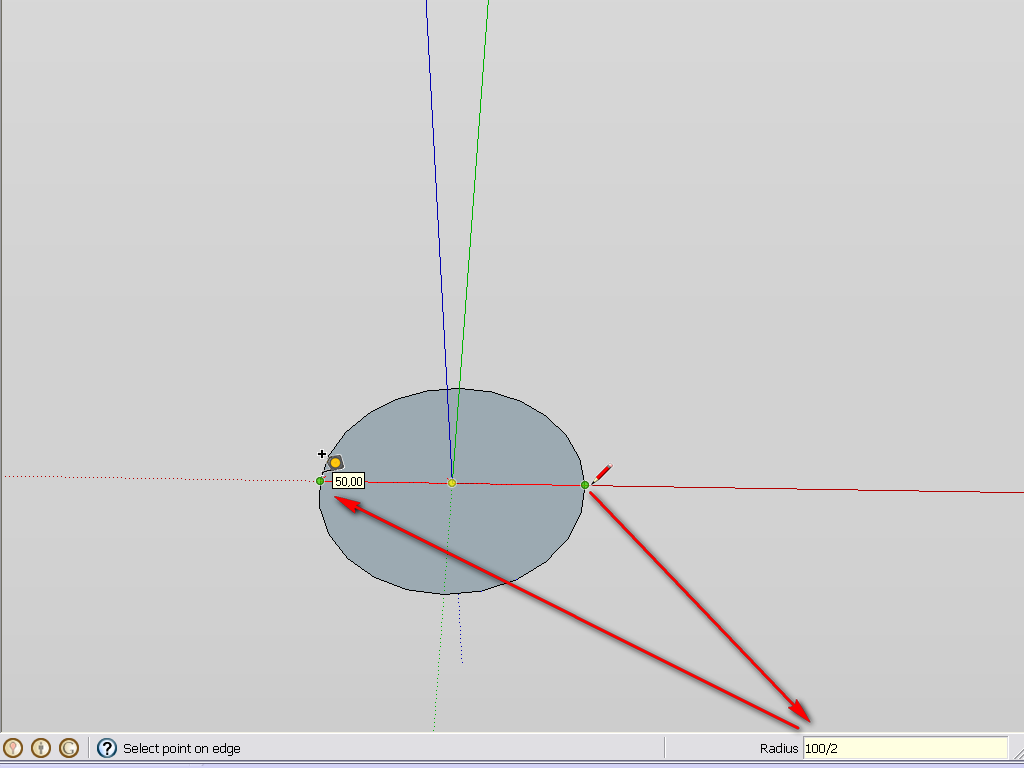
@unknownuser said:
Take a look to this post
Therefore no need for any plugin at all...
-
@gaieus said:
So you can always enter
diameter/2into the Measurement box...
Therefore no need for any plugin at all...Thought I was having a Doh moment but this only seems to work with the division operator. I was beginning to think we had a discrete calculator available

-
Yes, Pilou, but that was not the question on one hand and again, we are in the Newbie forum on the other so let's keep it simple at the beginning...
-
@unknownuser said:
Therefore no need for any plugin at all
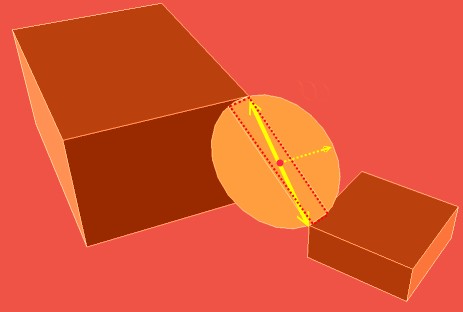
Yes but how you draw a circle between 2 objects ? (in the easy case horizontal or vertical)
You must first draw a line for have the middle of them and then the center!And the best will be a plug for that!
Because even the Circle by Diameter don't work in this case!
Just 2 points to clickelse you must without plug make some tricky align views/ axes etc...

The more easy seams to draw a line between the corners, then a rectangle
then the circle
Then kill line, rectangle
-
What's no more simple to draw a circle ?
It's like that i have understood the question of the first post! -
Hi Pilou, hi folks.
There is an infinite number of circles between two points since there is an infinite number of planes around a line (the diameter).
Just ideas.
-
In the case of the inclined circle above
@unknownuser said:
an infinite number of planes around a line
But only one with a diameter // to the ground !
(i believe that will be a tricky plug
(in fact 2 if your circle has a color different recto verso -
Cool, I like that 100/2 option. Exactly what I am looking for when I am too lazy to divide D to get R
Thanks!
-
Silly question: Why does Layout let you set a circle by diameter... namely typing for exampe: 5" d in the toolbar to get a 5" diameter circle and Sketchup itself does not?
-
@namuh1 said:
Silly question: Why does Layout let you set a circle by diameter... namely typing for exampe: 5" d in the toolbar to get a 5" diameter circle and Sketchup itself does not?
Two different programs.
-
It does allow - with a bit of basic calculation input - except when you also want to use the unit (it seems). I use a (centi)metric template and I can enter (say)
100/2and it will draw a circle with an 50cm radius (i.e. 100cm dia).I guess this does not help much with architectural imperial template for instance...
-
I too would like this. It takes too much time to switch to a separate calculator to figure out a complex circle's radius. I thought the /2 idea would work but it doesn't I have a Sketchup model that is set to decimal inches. I keep trying to draw a circle with a 1.25" diameter. If I type 1.25/2 in the box I get a circle with a radius of 1.25. I've tried a number of different ways of typing this to no avail.
-
I use the scale tool. I draw the circle, use the scale tool by clicking on corner holding cntl key. Start the move and type in 2 or .5 to double or halve the circle
-
I've just practiced doing the math in my head. I must say I've gotten faster at it with practice. It really isn't a big problem for me.
I would find scaling a circle after I've drawn it kind of a pain especially if it is drawn on something else in a location where the larger circle would have to cross other geometry.
-
@chmedly said:
If I type 1.25/2 in the box I get a circle with a radius of 1.25. I've tried a number of different ways of typing this to no avail.
So try 125/200 instead of 1.25/2 .

See https://www.youtube.com/watch?v=crY8SVypzMQ -
The technique of entering n/m works only because SketchUp's measurements box accepts fractions, not because it implements a divide operator as such. In a fraction both n and m must be integers. Any other type does not get treated as a numerator or denominator of a fraction.





Hello! It looks like you're interested in this conversation, but you don't have an account yet.
Getting fed up of having to scroll through the same posts each visit? When you register for an account, you'll always come back to exactly where you were before, and choose to be notified of new replies (either via email, or push notification). You'll also be able to save bookmarks and upvote posts to show your appreciation to other community members.
With your input, this post could be even better 💗
Register Login


Advertisement