Paste Material on Multiple Faces in Groups
-
Hello All,
I am looking to apply a material to multiple selected faces that are within a group. I would hope to be able to choose one material and be able to apply it to the selected faces only. Currently, I have to use the paint bucket to apply one-by-one and it applies to all the faces. Am I dreaming here?
Thanks...
-
Edit the group.
Select all faces [treble-click if they are all touching or use edit>select-all].
Use the Paint-bucket tool to paint onto what's selected - the selected faces will all take the painted material 'all-at-once'...
If you simply want to 'color' the group [or component-instance] then you can apply the material directly onto the group itself from 'outside', and all faces inside the group using the default material will display as if they have that material: it's really limited to colored-materials only, because textured-materials can't be individually 'mapped' onto faces that way...
Read the Help files... -
Yes I am aware of this way, it does work. My issues is that I have hundreds of groups within in file (ie: buildings in a scene). I am selecting many specific face that I want to have each of the selected faces to have the same texture (so one swoop to all faces). Editing the groups individually is not productive. This is where I think I may be dreaming.
-
Use ThruPaint. It digs into groups so you can paint without opening to edit. Still lots of click but 300% faster.
-
Thanks, I will give it a try, but will it only paint on a selected face in the group? Or will it do all the faces in the group?
-
Why don't you try it?
You can either paint individual faces by clicking on them with the paint bucket tool or you can select the faces you wish to paint with the same material and then click on one of them with the paint bucket or you can hold Shift and click with the paint bucket on one face. Any other faces with the same material in the context will get painted with the new material. (the default face color counts as a material in this case.)
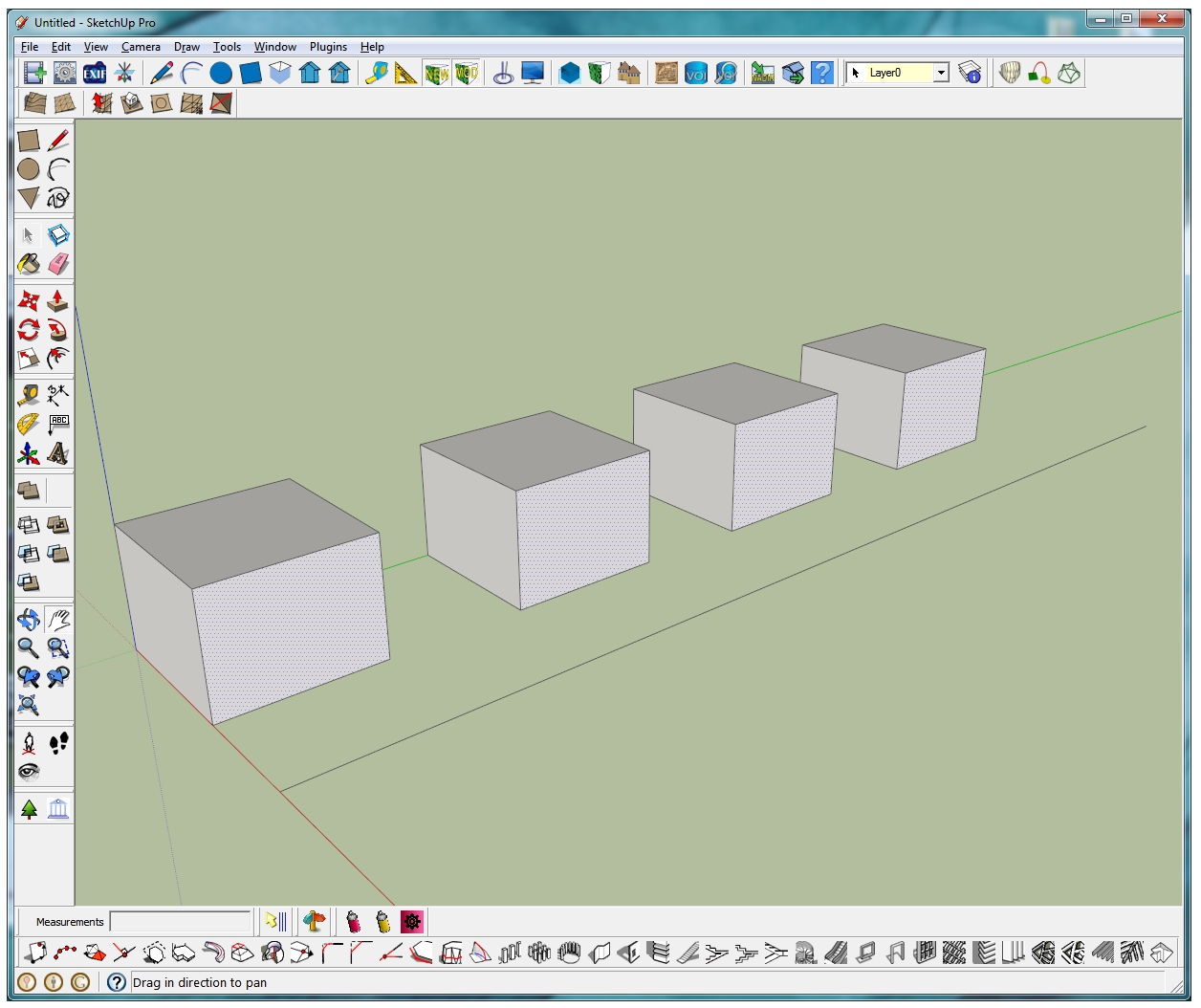
Here's an example of three different wood grain materials applied to a component.

-
Hi Dave, thanks for the response, but that isn't working how I need it either. Let me explain my situation in more detail, this may help with the problem.
I have 100 buildings all in a row (each buildings in a group). The row of buildings are facing a street. The buildings start untextured. My goal is to have one texture for all non street facing faces (ie: bricks) and the street facing faces to have a different texture (ie: store front). The Shift+Paint Bucket is good, but because all the faces have no texture (same texture) everything will be painted with the same material. I have selected just the front faces, but the same issue still happens. This is what I want to know, how can I apply one texture to JUST the selected face of a group to MANY groups at once. Unless I have read all the previous posts wrong, I can't seem to get this to work.
Thanks again for all your help...
-
So each of your 100 buildings is a group? To paint the individual faces you'll have to open each group for editing and apply the materials. It doesn't sound like you're doing that. Then apply the materials as needed. Keep in mind that you'll be doing this for each of your 100 groups.
Do you have a number of buildings that while unpainted are identical? Or is each one different?
-
Hi Dave, I have opened the group for editing, this produces what I want, but I want to know if there is another way to do this, without needed to open each grouped building. For the most part, each building will visually look the same (may have different dimensions, but will be represented with the same textures). They can not be copy and pasted, as they need to be represented geographically. I have attached a PDF that visually outlines the situation. I am thinking the only way is to edit the groups, I was hoping I didn't need to.
Thanks...
-
I'm afraid you'll need to open each group for editing to do this because the materials must be on the faces. Probably too late now but you'd have saved yourself some time by applying the materials prior to making the groups. Then you wouldn't need to open each one again and edit it.
-
No that won't work at all, so it will remove the building ID that is associated to each group, which is a major requirement. If I explode them, there will be no way to re-associate the building ID, short of selecting, grouping and renaming.
-
Looks like its either manually or ThruPaint.
Sometimes laborious models require laborious tasks.
I can't see any speedier method that wouldn't involve some type of destructive process.
-
Thats what I was thinking and worried about. I couldn't find a better way, but I wanted to ask the community to see if I was missing or over looking something.
Thanks..
-
Explode all to the level of the frontages and use Select by Aera by Sdmitch

That will maybe win some clicksAnd never use groups for this sort of project!
-
Do any of the selection plugins offer face orientation as a filter? OpenStudio does this but you would spend more work converting this to OpenStuido than repainting with thru paint.
-
@davidboulder said:
Do any of the selection plugins offer face orientation as a filter? OpenStudio does this but you would spend more work converting this to OpenStuido than repainting with thru paint.
Selection Toys has some basic functions to select all parallel or perpendicular.
-
@unknownuser said:
Selection Toys has some basic functions to select all parallel or perpendicular.
If it doesn't already, it would be cool to have checkbox to only select parallel with same face normal direction, vs. opposite.
Kind of related to this one tool I always thought would be really cool is one that lets you draw a window or crossing box drill down through groups. If you are familar with Adobe Illustrator, they have a selection tool and then a direct selection tool. It acts very much like this. One issue with this in SketchUp is that if you had rotated one of the groups and then try and move a surface within that group, it will move in the wrong direction. Actually I have an old video showing that.
http://www.youtube.com/watch?v=Tsx3dlSb0uI -
@davidboulder said:
@unknownuser said:
Selection Toys has some basic functions to select all parallel or perpendicular.
If it doesn't already, it would be cool to have checkbox to only select parallel with same face normal direction, vs. opposite.
There is a "Select Coplanar" - which is misnamed as it's actually "Same Direction" instead of being coplanar.






Hello! It looks like you're interested in this conversation, but you don't have an account yet.
Getting fed up of having to scroll through the same posts each visit? When you register for an account, you'll always come back to exactly where you were before, and choose to be notified of new replies (either via email, or push notification). You'll also be able to save bookmarks and upvote posts to show your appreciation to other community members.
With your input, this post could be even better 💗
Register Login


Advertisement