sketchucation logo sketchucation
    • Login
    Oops, your profile's looking a bit empty! To help us tailor your experience, please fill in key details like your SketchUp version, skill level, operating system, and more. Update and save your info on your profile page today!
    โš ๏ธ Important | Libfredo 15.6b introduces important bugfixes for Fredo's Extensions Update

    [Plugins]$ Create image(rotate)

    Scheduled Pinned Locked Moved Plugins
    32 Posts 16 Posters 28.7k Views 16 Watching
    Loading More Posts
    • Oldest to Newest
    • Newest to Oldest
    • Most Votes
    Reply
    • Reply as topic
    Log in to reply
    This topic has been deleted. Only users with topic management privileges can see it.
    • A Offline
      adrihal
      last edited by

      http://stroyka.in/images/smilies/an129.gif

      http://stroyka.in/images/smilies/an129.gif

      http://stroyka.in/images/smilies/an129.gif

      1 Reply Last reply Reply Quote 0
      • shuraS Offline
        shura
        last edited by

        Wicked!!! Thank you so much ๐Ÿ˜

        1 Reply Last reply Reply Quote 0
        • S Offline
          sahi
          last edited by

          Modified script, added the ability to select each group the direction of rotation
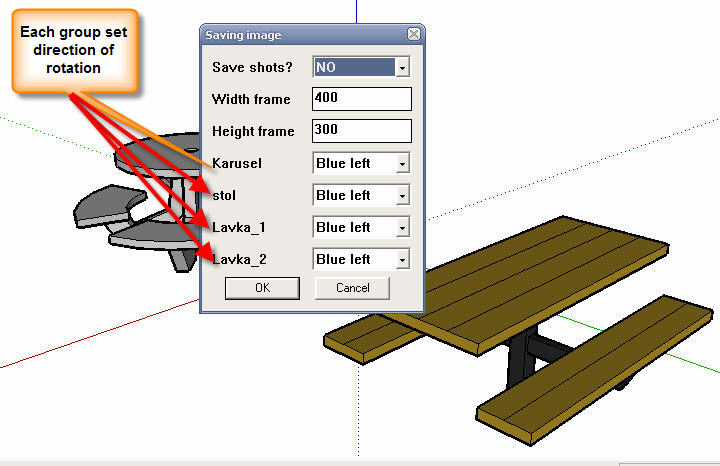
          menu.jpg
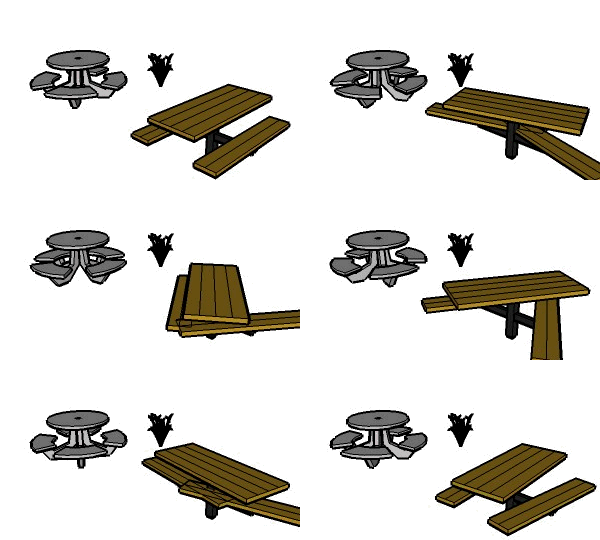
          karus_2.gif
          In the first message

          1 Reply Last reply Reply Quote 0
          • S Offline
            sahi
            last edited by

            Modified script, added the rotation of the whole scene, as well as selecting the folder to save the
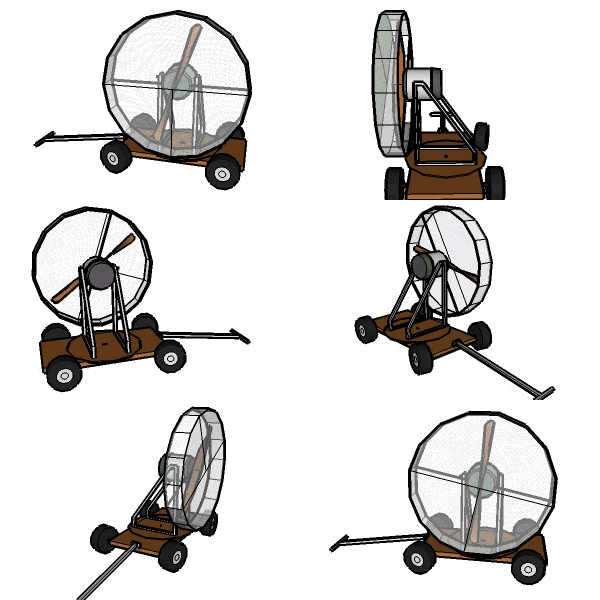
            karusel_1.gif
            In the first message

            1 Reply Last reply Reply Quote 0
            • D Offline
              d12dozr
              last edited by

              @sahi said:

              For the test added to the script to choose the speed of rotation for each group (component)
              It is necessary?

              Useful for gears ๐Ÿ˜‰ ...so yes! ๐Ÿ˜„

              3D Printing with SketchUp Book
              http://goo.gl/f7ooYh

              1 Reply Last reply Reply Quote 0
              • H Offline
                hebeijianke
                last edited by

                Your work is so great
                Can you provide a multi-language version
                Thank you

                1 Reply Last reply Reply Quote 0
                • J Offline
                  Jim
                  last edited by

                  This works really well, thanks. But is seems to take a long time to export the images, and why encrypt it?
                  anim.gif

                  Hi

                  1 Reply Last reply Reply Quote 0
                  • S Offline
                    sahi
                    last edited by

                    @jim said:

                    But is seems to take a long time to export the images, and why encrypt it?

                    In the first message is the source file (animaciya_create.rb>> not encrypted)

                    animaciya_create_7.zip - Trial until 12/01/2010 - so it is encrypted

                    Cost $ 8

                    1 Reply Last reply Reply Quote 0
                    • S Offline
                      sahi
                      last edited by

                      For the test added to the script to choose the speed of rotation for each group (component)
                      It is necessary?
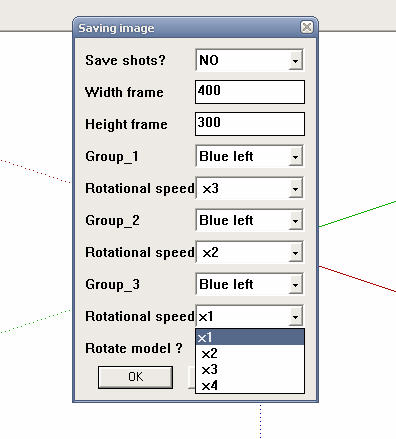
                      speed.jpg
                      In the first message

                      1 Reply Last reply Reply Quote 0
                      • 3 Offline
                        3eighty
                        last edited by

                        I love this...I have a rookie question...Can this be expoted and then impoted into a program such as Bryce and still rotate or only run in SketchUp...

                        1 Reply Last reply Reply Quote 0
                        • S Offline
                          sahi
                          last edited by

                          only run in SketchUp.

                          1 Reply Last reply Reply Quote 0
                          • jeff hammondJ Offline
                            jeff hammond
                            last edited by

                            fwiw, i'm getting a consistent bug splat with OS X.

                            all seems to go well until i click 'start' then splat.. everytime.

                            dotdotdot

                            1 Reply Last reply Reply Quote 0
                            • S Offline
                              sahi
                              last edited by

                              There are mistakes, I'll work on them.

                              Use the button "Undo" and not "Pause"

                              1 Reply Last reply Reply Quote 0
                              • S Offline
                                stonebreaker
                                last edited by

                                is it possible to "animate" something like a drawer comes out of a cabinet or a door opens?

                                1 Reply Last reply Reply Quote 0
                                • S Offline
                                  sahi
                                  last edited by

                                  @stonebreaker said:

                                  is it possible to "animate" something like a drawer comes out of a cabinet or a door opens?

                                  You can open the box, (like open, click on the "Pause") then close the box, click on the "Start" as it will click on the "Pause"

                                  1 Reply Last reply Reply Quote 0
                                  • H Offline
                                    hebeijianke
                                    last edited by

                                    Thank you for your work
                                    When the plugin running I used the orbit tool of the Skethup
                                    Then it stopped running
                                    Why?

                                    1 Reply Last reply Reply Quote 0
                                    • jeff hammondJ Offline
                                      jeff hammond
                                      last edited by

                                      @sahi said:

                                      There are mistakes, I'll work on them.

                                      Use the button "Undo" and not "Pause"

                                      i'm not sure if that was a reply to me or not but undo and pause make no difference whatsoever..

                                      to rephrase my previous post-- this plugin does not work on macs

                                      dotdotdot

                                      1 Reply Last reply Reply Quote 0
                                      • S Offline
                                        sahi
                                        last edited by

                                        @hebeijianke said:

                                        When the plugin running I used the orbit tool of the Skethup
                                        Then it stopped running
                                        Why?

                                        So it should be.
                                        You can not work in SketchUp two instruments simultaneously

                                        @unknownuser said:

                                        this plugin does not work on macs

                                        I do not have macs
                                        So I could not set it up under the macs
                                        I'll try to fix it ..

                                        1 Reply Last reply Reply Quote 0
                                        • S Offline
                                          sahi
                                          last edited by

                                          Updated plug-in in the first message. http://forums.sketchucation.com/viewtopic.php?f=323&t=30131
                                          Fixed bugs

                                          1 Reply Last reply Reply Quote 0
                                          • K Offline
                                            kevinski
                                            last edited by

                                            sorry but i still dont understand how to use it.

                                            I want to rotate my model on Blue Axis and i dont know what to do next.
                                            I klick on start an then on stop and nothing happens. Same problem with "Save" i click on it and the window opens but after that there is no saved fiel


                                            1 Reply Last reply Reply Quote 0
                                            • 1
                                            • 2
                                            • 1 / 2
                                            • First post
                                              Last post
                                            Buy SketchPlus
                                            Buy SUbD
                                            Buy WrapR
                                            Buy eBook
                                            Buy Modelur
                                            Buy Vertex Tools
                                            Buy SketchCuisine
                                            Buy FormFonts

                                            Advertisement