Ghost Files
-
Good to see you found a solution. Don't know vista, but on a WinXP, if you right click any file or folder and select properties, you are given the option to change its attribute by "Read-only and Hidden" check boxes.
-
Vista has this weird thing where it looks like you moved some files into a folder, BUT then because of permissions etc it puts them into a parallel 'compatibility files' folder - maybe that's where they went ?
When you go back they are not there - they exist but in this other folder - there should be an indication of this on you window top-bar. -
Did they keep this nutty thing for Windows 7 ??
Sometimes a solution is to put files in the Shared Documents folder (sometimes called "All Users".)
-
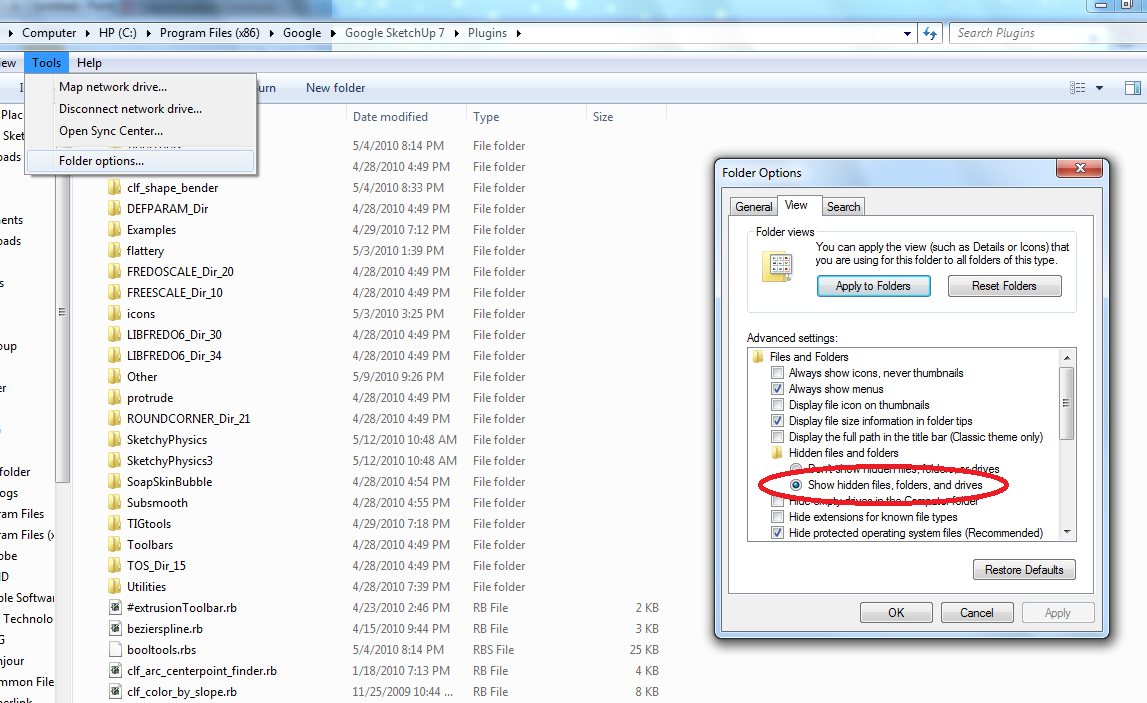
I know this picture is in Windows 7, but does it help?
-
@dan rathbun said:
Did they keep this nutty thing for Windows 7 ??
Sometimes a solution is to put files in the Shared Documents folder (sometimes called "All Users".)
I belive so. But I've never experienced it myself. Maybe because I run as an administrator with UAC off.
-
Compatibility files is something that made so many tech-geeks so happy, about finally having a safe place for windows to put files it did not authorize. I believe it is similar to a system that Mac employs.
Everything I've ever seen of it just sucks. It has caused me much pain with my script writing (until I finally figured out how to force it to not make a Compatibility folder for my SketchUp installtion folder). But it still creeps up and causes compatibilty problems for people who try to install a script, not realizing they already had an odler version installed, "safely" tucked away in the compatibilty folder, where its completely out of sight. And yes, the two files can co-exist with the same name even though the system sort of considers them to be in the same location.
Anyhow, I dis-like the silly thing.
Chris
-
@chris fullmer said:
Compatibility files is something that made so many tech-geeks so happy, about finally having a safe place for windows to put files it did not authorize. I believe it is similar to a system that Mac employs.
I consider myself a tech-geek, and it sounds like a nightmare!
I hate having 2 files of different versions around.
-
Here is an explanation, and "partial" solution.
Thomas, When UAC off and as administrator, have you ever experienced a program having problems saving files?
-
Reading about this, it makes me want (when I do get Win7,) to install Sketchup in C:\Google instead of the Programs folder. I wonder if that would work?
-
@honoluludesktop said:
Here is an explanation, and "partial" solution.
Thomas, When UAC off and as administrator, have you ever experienced a program having problems saving files?
Nope.





Hello! It looks like you're interested in this conversation, but you don't have an account yet.
Getting fed up of having to scroll through the same posts each visit? When you register for an account, you'll always come back to exactly where you were before, and choose to be notified of new replies (either via email, or push notification). You'll also be able to save bookmarks and upvote posts to show your appreciation to other community members.
With your input, this post could be even better 💗
Register Login


Advertisement