[Plugin] Make Fur v.2.1.0(20140323)
-
Hello ,All.
This Plugin is Fur Maker.
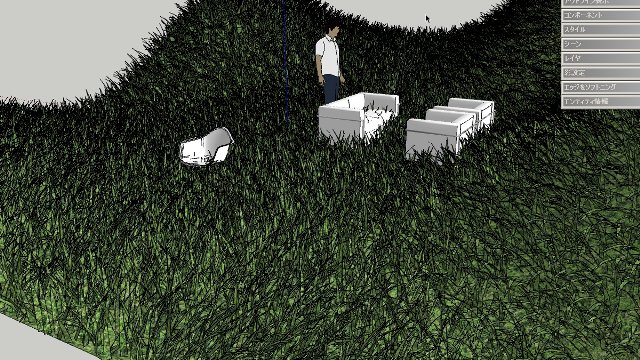
It is convenient to glowing grass etc.
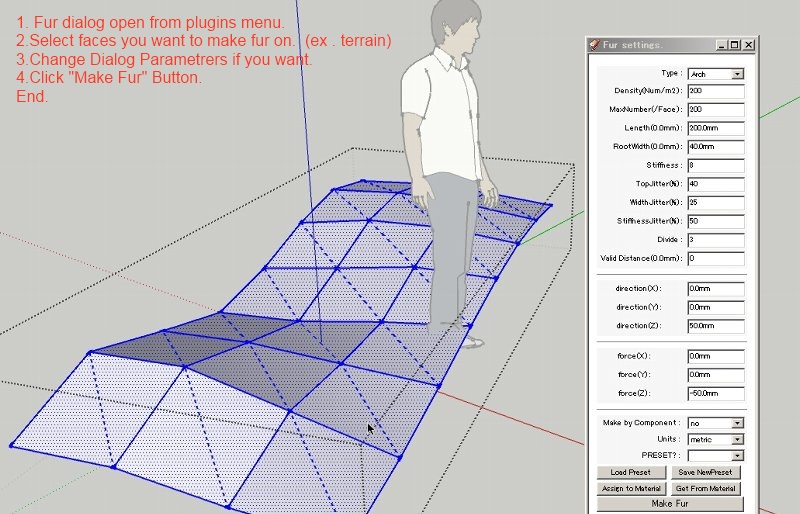
How To Use: Select Menu From "PLUGINS"-"Fur_EN"
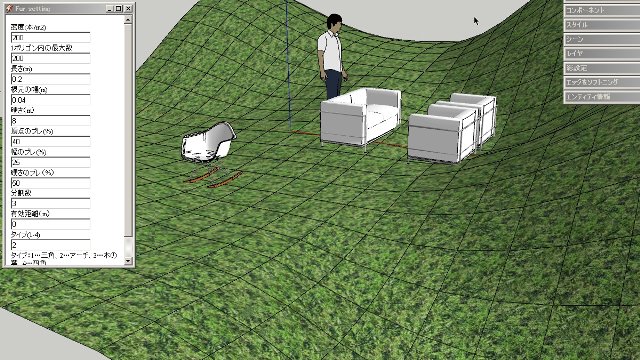
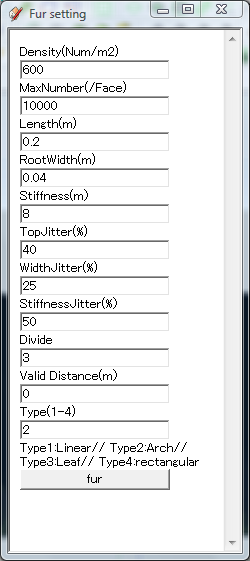
I am not good at English.So Please look at the appended image.
ThanksNOTICE::This plugin make too much polygons so model will be large size.(Worst case It can not open.)Please use carefully.
General disclaimer
I MAKES NO GUARANTEE OF VALIDITY about this script.
Please use this script at your own risk.
DOWNLOAD HERE
Get the latest version from the PluginStore: http://sketchucation.com/resources/pluginstore?pln=fur_en
or AutoInstall from within SketchUp using the SketchUcation ToolsVersions:
Since : 2010-04-21--- v0.0
....many revisions...
Rev : 2010-0624 -- v1.4c(test webdialog for mac)fixing webdialog problem on mac os.
(referred to forum "[Web dialog] switch snippet for pc / mac" and jim's "protrude.rb")
Russian translation by blajnov(Thanks)
Rev : 2010-0625 -- v1.4d(Test2 webdialog for mac)
I wish this work on mac.Thanks Oxer and Mario.
Rev : 2010-0625 -- v1.4eRemove from context menu.
"Crowd" Problem on mac do not fix yet.
Rev : 2010-1028 -- v1.5aAdd preview button.(preview only points of density.)
in the case of using Inputbox,
first ,preview points,Press Enter or select "make fur" from context menu.
Width of some buttons in webdialog increased.
"Preview Fur"and"Back to Dialog" added to translation word
"Crowd" Problem on mac do not fix yet.
I change filename to "fur_en.rb".
remove older fur rubys from plugins folder.
fur_lang_**.txt is parameter name translate.
the usage like this.
Density|DENSITY
Length|LENGTH
....
This converts "Density" to "DENSITY".
language translate file copy to sketchup plugins directory.
If language file is not exist in plugins dir,then parameter name do not rewrite.
and select it from menu.Rev : 2013-06-02-- v2.0.1
Rev : 2014-03-23-- v2.1.0 : Bugfix.Slider did not work when units are "inch" or "feet".Fit to Extension class.
Improve UI.
Add function "edit preset list"
Add function "select language file"
Including language files.Rev :2013-0602-- v2.0.2
include language file for persian by majid.Thanks!
Rev :2013-0602-- v2.0.3include language file for czech by pepa.Thanks!
Rev :2013-0602-- v2.0.4UI Slider value optimized when units is not "mm".
Rev :2013-0608-- v2.0.5include language file for Spanish by Oxer.Thanks!
include new language file for Chinese by hebeijianke.Thanks!
Rev :2013-0612-- v2.0.6include language file for Serbian by srx.Thanks!
Tutorial Video
Spanish translation by Oxer.http://forums.sketchucation.com/viewtopic.php?f=323%26amp;t=28092%26amp;start=210#p247640
Franch translation by Daredevilhttp://forums.sketchucation.com/viewtopic.php?f=323%26amp;t=28092%26amp;start=195#p247400
Persian translation by Majidhttp://forums.sketchucation.com/viewtopic.php?f=320%26amp;t=28179
Viet nam translation by ktslambieng(100608updated)http://forums.sketchucation.com/viewtopic.php?f=323%26amp;t=28092%26amp;start=300#p250660
Portuguese-BR (Brazil) translation by Paulower.http://forums.sketchucation.com/viewtopic.php?f=323%26amp;t=28092%26amp;start=285#p249923
Chinese translation by hebeijianke.http://forums.sketchucation.com/viewtopic.php?f=323%26amp;t=28092%26amp;start=300#p250314
Russian translation by blajnov.http://forums.sketchucation.com/viewtopic.php?f=323%26amp;t=28092%26amp;start=315#p253618
German translation:Thanks Burkhard.http://forums.sketchucation.com/viewtopic.php?f=323%26amp;t=28092%26amp;start=330#p255389
Czech translation:Thanks Pepa.http://sketchucation.com/forums/viewtopic.php?f=323%26amp;t=28092%26amp;start=480#p478540
Serbian translation:Thanks Srx.http://sketchucation.com/forums/viewtopic.php?f=323%26amp;t=28092%26amp;start=480#p480168
Zieios makes New ICON for fur.Thank you very much!
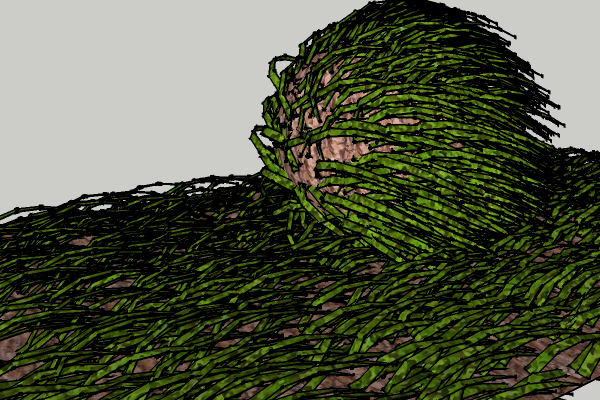
Fur grown Very Thick!
http://sketchucation.com/forums/viewtopic.php?f=323%26amp;t=28092%26amp;p=478541#p473352How to Use.
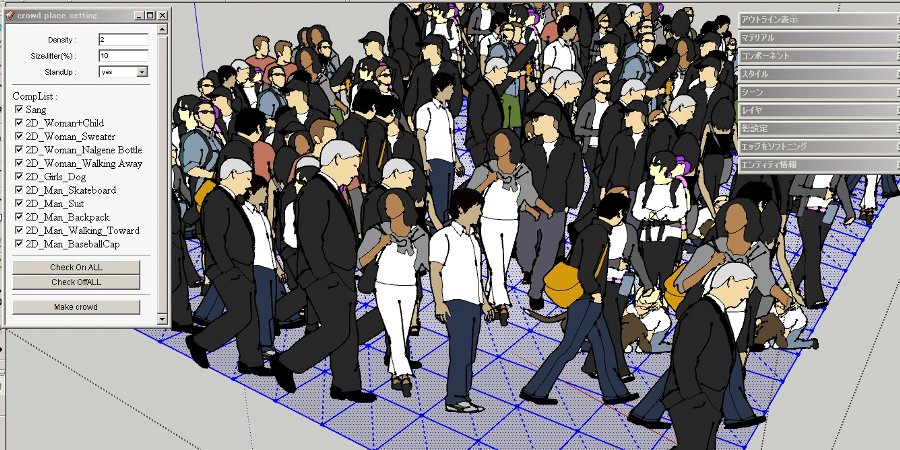
add crowd mode.
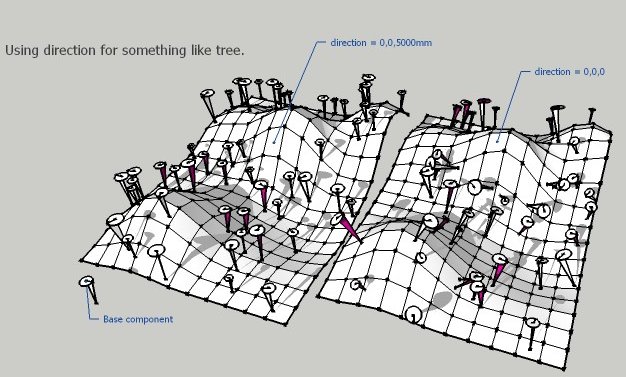
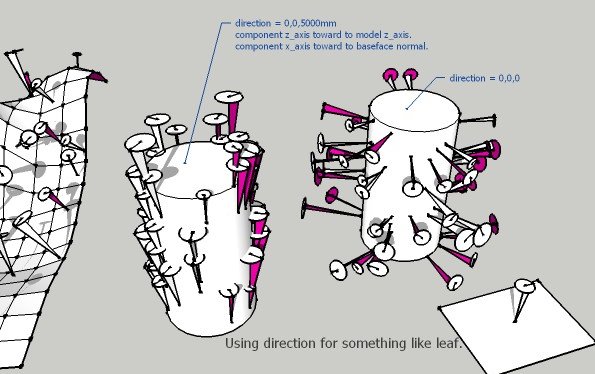

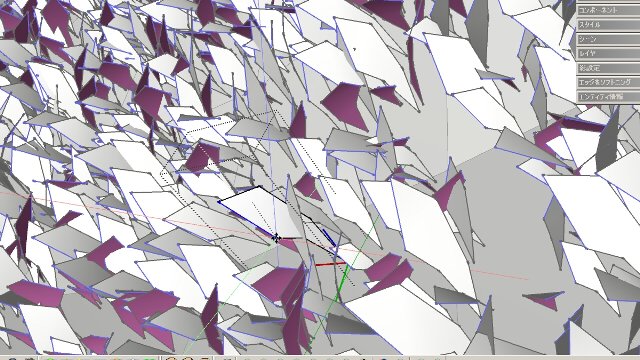
-
Seems very cool!

-
Hey! Welcome to SCF.
Very nice plugin.
Got a couple of comments:
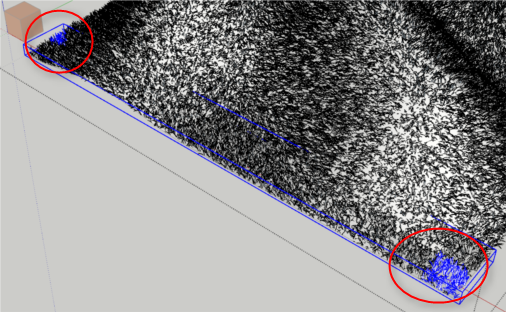
It does not create the grass in the active context. If I open a group or component and select faces it does not add the grass to that group. By design?Why are there so many Groups generated? To cut down generation time? Just find it a bit odd that a patch will have grass in multiple locations:
As for the grass - would it be an idea to make each grass straw a component, and then use scaled and skewed instances of that strand?
-
Hi,
Thank you for using this plugin.@unknownuser said:
It does not create the grass in the active context. If I open a group or component and select faces it does not add the grass to that group. By design?
Sorry, I will change to create in the active context
@unknownuser said:
Why are there so many Groups generated? To cut down generation time? Just find it a bit odd that a patch will have grass in multiple locations:
Yes.
Creating Too Much Polygon is very slow.
And to use code "entities.fill_from_mesh" must need blank Group.
This Plugin executes each selected faces.
Creating Group each new 800 polygons.
so it parts. -
Yea - creating geometry slows down as more entities are in the context you add to - I've noticed that myself.
But would it be faster to make each grass strand to be a ComponentInstance of a single ComponentDefinition? That way one can easily edit the grass afterwards as well. -
It is nice idea !
I will examine it.
I think that time hangs for a moment to change this plugin.
thanks. -

cool plugin
thanks, thanks,thanks.
+1 componentinstance!
-
Nice! Autograss for sketchup!
Thomthom, is there is a simple code fix that we could implement to have the blades made as component instances, or does that involve some rewriting?
-
Dunno - haven't looked at the code.
-
thats pretty sweet! thank you.
-
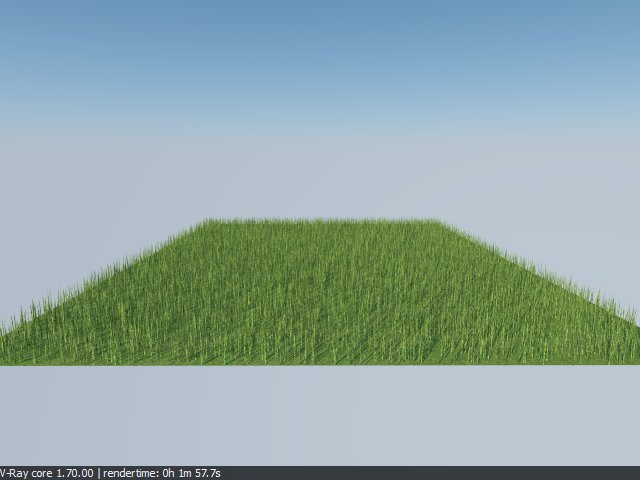
Nice render results...great job with the UI!
I guess one could also just use the plugin to create a small patch of grass, convert it to a component and then spray it into the areas needed.
-
Suggestions:
Make the type box and Option box.
I like that it inherits the colour of the face it sits on. An nice option would be if it could generate a given set of material variants (0 to n) and use that. -
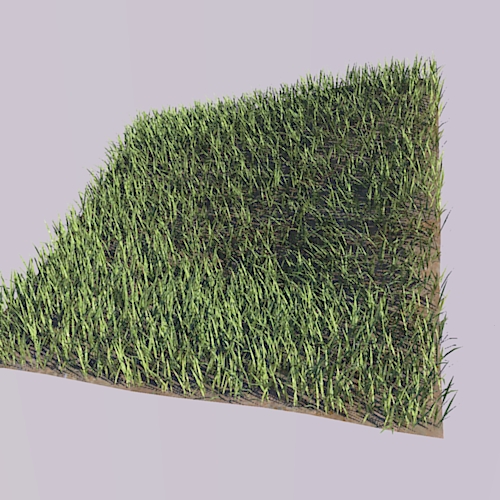
 this is greaaaat!
-
-

This looks interesting....
Thanks mate.
-
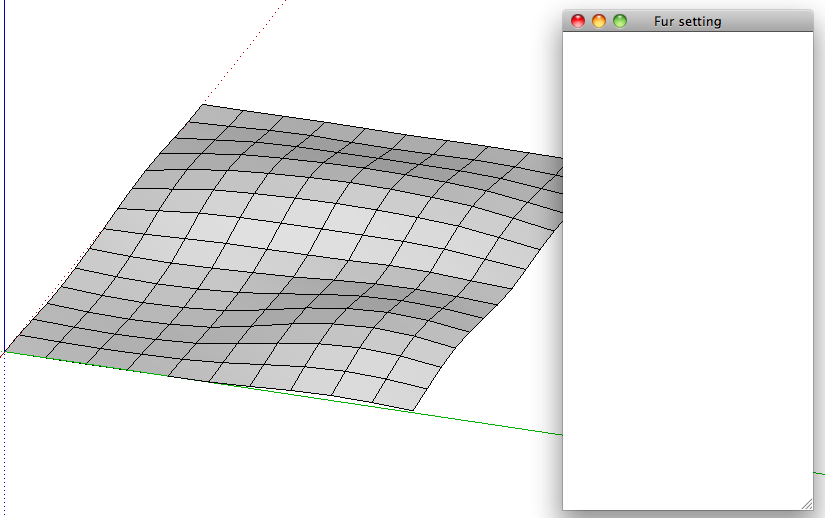
Umm my dialog box for furmaker is blank.

Rick
-
-
-
@rickgraham said:
Umm my dialog box for furmaker is blank.
Rick
[attachment=0:2bp3pg40]<!-- ia0 -->2010-05-05_11.10.52.png<!-- ia0 -->[/attachment:2bp3pg40]
same here..
no fur for osx
-
Quite fun to play around with. Thank you so much.
Could you provide a brief description of each setting. Some are painfully obvious, others not so much, for me at least.
Ben





Hello! It looks like you're interested in this conversation, but you don't have an account yet.
Getting fed up of having to scroll through the same posts each visit? When you register for an account, you'll always come back to exactly where you were before, and choose to be notified of new replies (either via email, or push notification). You'll also be able to save bookmarks and upvote posts to show your appreciation to other community members.
With your input, this post could be even better 💗
Register Login


Advertisement