[Plugin] Extrude Edges by Rails
-
@carrozza said:
Hi TIG, thanks for your help. There's a problem with the fillet created this way, though: it doesn't revolve correctly around the "arm". See picture, taken from your kind example: on one side the arc points inward, on the other side points outward.

You are right !
If you make it in 90 degree bits it's better...
BUT it should be like that - I'll look at the cause...
Perhaps the Fredo Rounded Option is the best ... see below ...
Blajnov - exactly did you do that I can't reproduce it ???
-
@tig said:
exactly did you do that I can't reproduce it ???
Top segment of horizontal pipe has to line up with a segment on the vertical pipe...look closely at his hidden geometry

-
Mamma mia, this is a great learning experience!
Thank you very much Blajinov and TIG for your help, is much appreciated!
-
@tig said:
Blajnov - exactly did you do that I can't reproduce it ???
I enclose a file with scenes of action
-
I see now...
So to recap: DON'T use EEbyRails for making Fillets between Rounded Legs and Arms etc - instead USE Fredo's 'Round Corners' - it's quicker and produces better results !
Blajnov - it might be best if you edit / retitled your SKP without reference to EEbyR, to avoid confusion
-
Here's a way to make a Multi-Railed Mesh with EEbyRails by making sub-meshes and combining them...
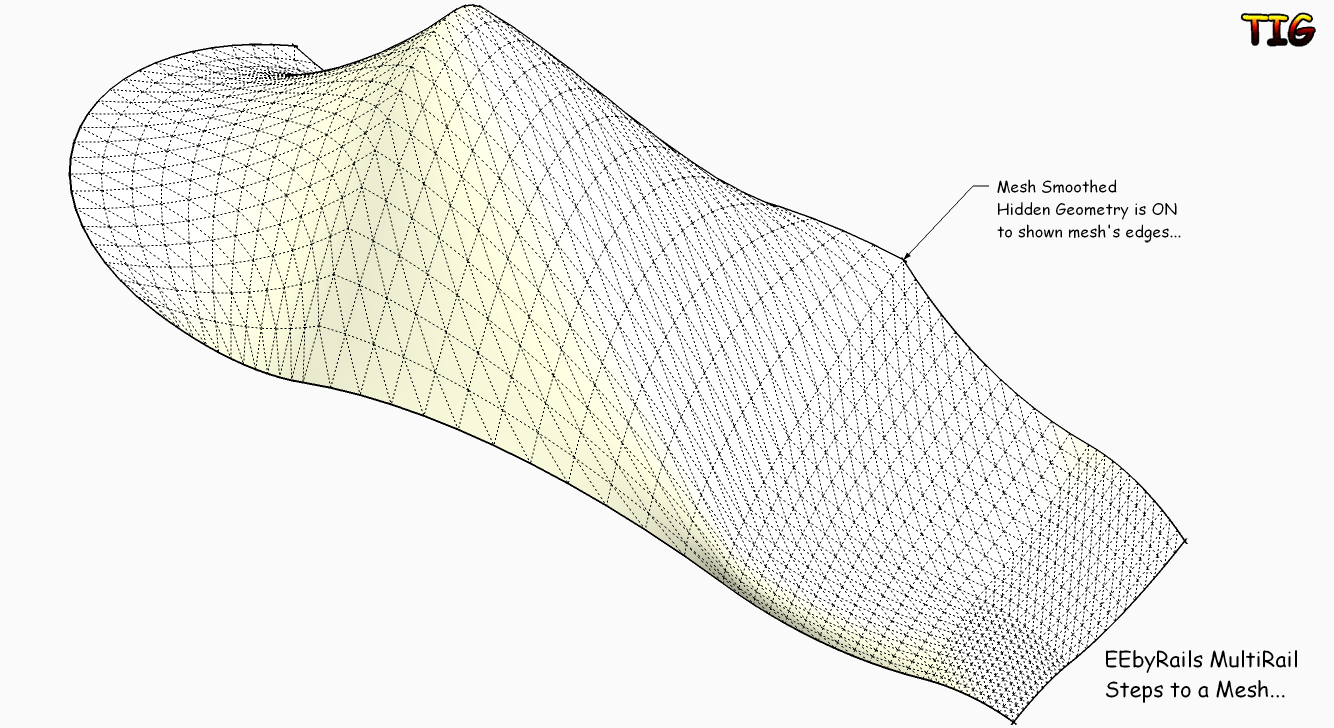 EEbyRailsMultiRailSteps.skp
 -
Awesome plugin! Thanks!
-
I don't understand you diagram.
You can already do this ?
Are you wanting some sort of 2-face FollowMe ? Just use the faces edges [welded into a curve] as your Rails ?
With EEbyRv2 [that is about to be launched] you will be able to choose the Profile, Rail1 and Rail2 and then a 'Melding-Profile' that fixes the end form too - is that what you want ? It will allow a definite start and end profile location form to be predefined...

-
Hi,TIG,I have a idea that <extrude edges by rails> adds a path like this,thanks
next:I wish it could be add rotate and scale function
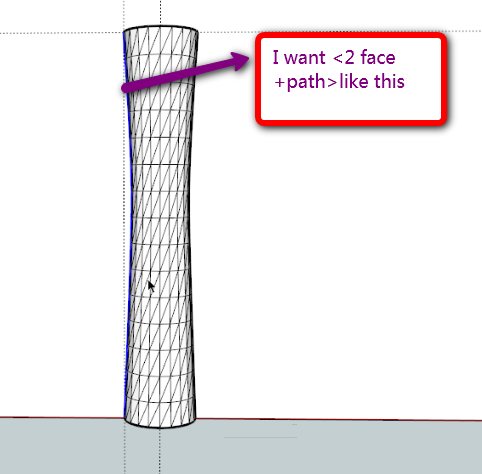
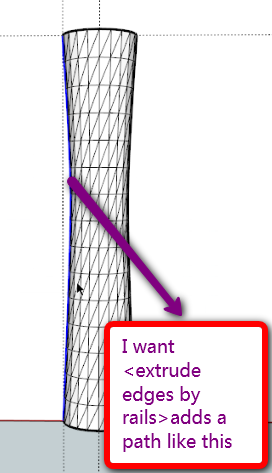
-
@tig said:
I don't understand you diagram.
You can already do this ?
Are you wanting some sort of 2-face FollowMe ? Just use the faces edges [welded into a curve] as your Rails ?
With EEbyRv2 [that is about to be launched] you will be able to choose the Profile, Rail1 and Rail2 and then a 'Melding-Profile' that fixes the end form too - is that what you want ? It will allow a definite start and end profile location form to be predefined...
Yes,it could be "2-face +2-path+FollowMe"

I also do not have this plug-in, I use the LATHE. RB command generates images shown, as you said, the first path to the same, choose the second Rails as a control Rails
"lathe" you can see it http://www.sketchupbbs.com/thread-40382-1-1.html -
Hi,

-
@hsjzyangbin said:
@tig said:
I don't understand you diagram.
You can already do this ?
Are you wanting some sort of 2-face FollowMe ? Just use the faces edges [welded into a curve] as your Rails ?
With EEbyRv2 [that is about to be launched] you will be able to choose the Profile, Rail1 and Rail2 and then a 'Melding-Profile' that fixes the end form too - is that what you want ? It will allow a definite start and end profile location form to be predefined...
Yes,it could be "2-face +2-path+FollowMe"
I also do not have this plug-in, I use the LATHE. RB command generates images shown, as you said, the first path to the same, choose the second Rails as a control Rails
"lathe" you can see it http://www.sketchupbbs.com/thread-40382-1-1.htmlI too have a
lathe.rbthat is somewhat similar... -
-
@hsjzyangbin said:
@tig said:
I too have a
lathe.rbthat is somewhat similar...希望我的提议对你的插件有用,谢谢!
Your proposal for my plug-in very useful, thank you!
-
very fun indeed. Is there a toolbar? I get the command in my Plugins Tab, but Is there an onscreen toolbar as well?
-
No Toolbar yet OR webdialog BUT it's on the list - trying to get v2 and segmentation right first...
-
http://forums.sketchucation.com/viewtopic.php?p=201286#p201286
Here's v2 - now allows a final 'melding-profile' if desired and facets minimized... -
Here's some examples of EEbyRails v2
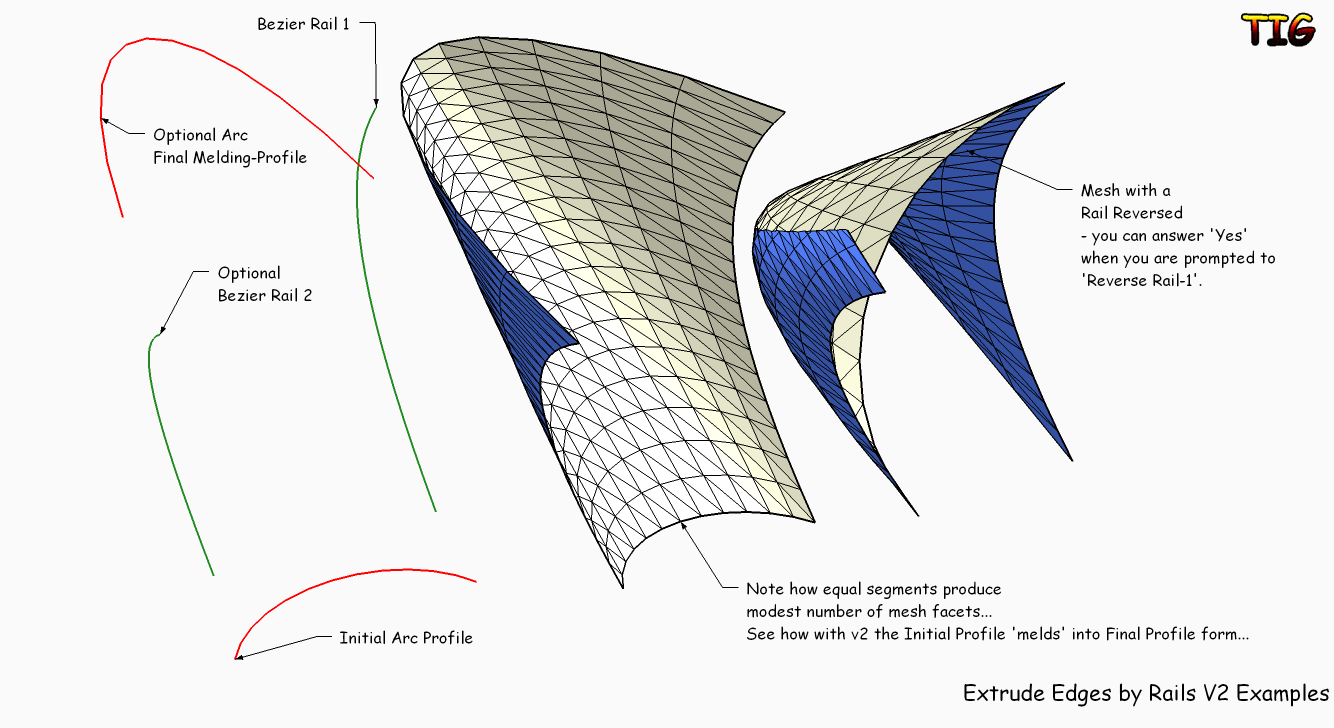 ExtrudeEdgesByRailsV2Examples.skp
 -
Amazing work on the new version. You've created almost a patch method with really clean mesh results. THis is going to make a lot of people happy!
-
Thank you TIG!! Amazing!!!
This plugin deserves its own toolbar... what about adding one?

Daniel S





Hello! It looks like you're interested in this conversation, but you don't have an account yet.
Getting fed up of having to scroll through the same posts each visit? When you register for an account, you'll always come back to exactly where you were before, and choose to be notified of new replies (either via email, or push notification). You'll also be able to save bookmarks and upvote posts to show your appreciation to other community members.
With your input, this post could be even better 💗
Register Login


Advertisement