Creating curves on an extruded shape that is curved...
-
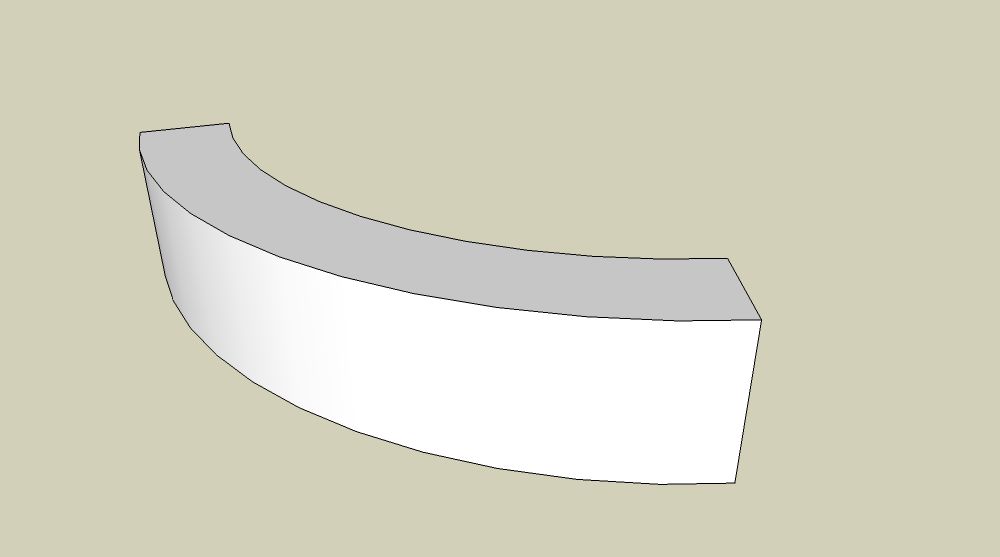
Hard to explain, but how do I create a curve or "wave" look on a shape that is already curved? It would be easy if it was just a rectangle, but with a curved shape I cannot run lines along the shape to extrude out the curves.
I attached a picture of the shape I would like to create curves into to better illustrate...
Thanks!!

-
Do you mean a wave or ripple on the curved vertical face, or a wave along the top face?
Suggestion:
Fredo6 Tools on Surface, and possibly, Joint/Vector/Normal Push Pull also by Fredo6.Suggestion:
Somehow re-orient the model so that Sandbox tools can be employed, using smoove tool to create contours.-BTM's sculpt tool is still in development, but this may help.
maybe none of the above
-
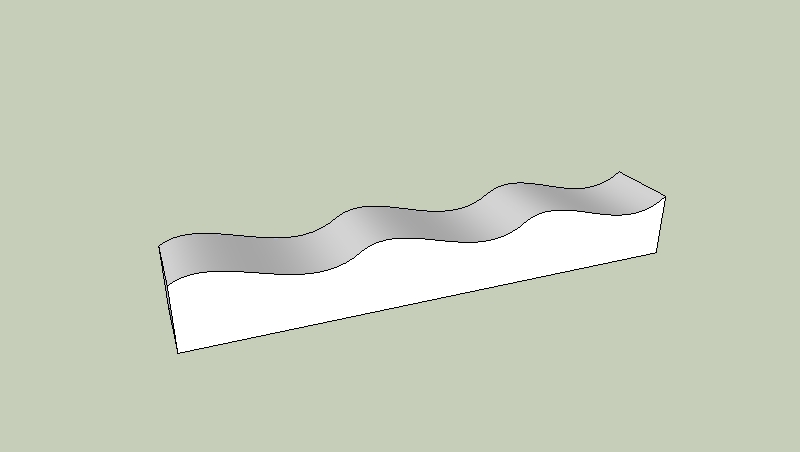
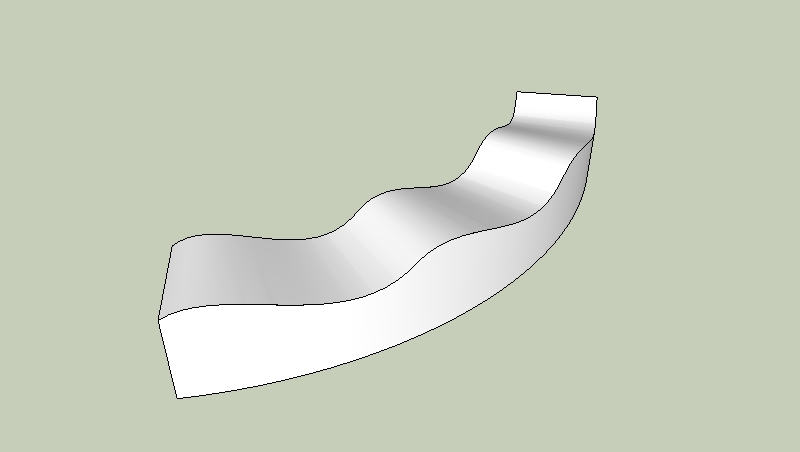
Heres a quick go using the bend tool in fred06's fredoscale plugin.
-
Make wave
-
Use bend
-
-
-
Thanks folks! That is what I'm looking to do, with the ripple on the top like that.

Stupid noob question. What is fred06's fredoscale plugin?
-
-
@jean lemire said:
Hi Land234, hi folks.
See this SU file for ideas.
wow, thanks for putting that together...! I just downloaded version 7 and was able to look at it, thanks!
-
@remus said:
Heres a quick go using the bend tool in fred06's fredoscale plugin.
-
Make wave
[attachment=1:8kpf8z01]<!-- ia1 -->wave1.jpg<!-- ia1 -->[/attachment:8kpf8z01] -
Use bend
[attachment=0:8kpf8z01]<!-- ia0 -->wave2.jpg<!-- ia0 -->[/attachment:8kpf8z01]
Hi Remus,
how do you do that? I downloaded fredos scale plugin and there is an option "Radial Bending (free). What must I select to get this nice curve?
Cheers
monk77 -
-
No, thet's (I guess) "Shape Bender" by Chris Fullmer.
-
It was radial bend, and i just grouped the whole thing->selected the group->bend around one of the corners. The plugin does the rest for you.
-
My bad - sorry for the misleading info

-
@gaieus said:
My bad - sorry for the misleading info
No problem Gaieus.

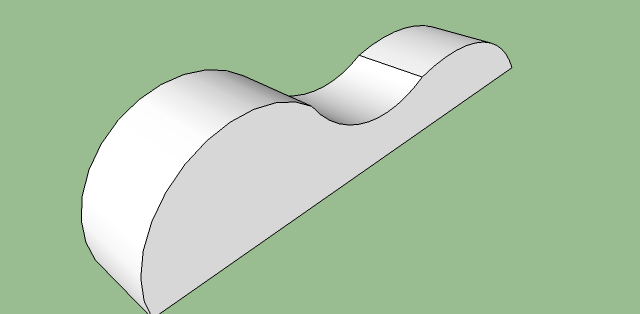
@Remus I have made a group, selected this and then I use the radial blend tool at the top of my mesh (in the middle of the top-surface), but it doesn't work. It is totally deformed. If I use the tool around one of the corners, it does nothing.
Can you mark the point in my attachment, where I must use the radial blend tool?
Cheers
monk77
-
Have you pressed "F4" before you used the bend tool on your shape? This will let you to obtain a smooth curved bend.
-
@massimo said:
Have you pressed "F4" before you used the bend tool on your shape? This will let you to obtain a smooth curved bend.
Thank you Massimo. I got it. F4-key was the right way.
Cheers
monk77 -
You're welcome.




Hello! It looks like you're interested in this conversation, but you don't have an account yet.
Getting fed up of having to scroll through the same posts each visit? When you register for an account, you'll always come back to exactly where you were before, and choose to be notified of new replies (either via email, or push notification). You'll also be able to save bookmarks and upvote posts to show your appreciation to other community members.
With your input, this post could be even better 💗
Register Login


Advertisement