sketchucation logo sketchucation
    • Login
    Oops, your profile's looking a bit empty! To help us tailor your experience, please fill in key details like your SketchUp version, skill level, operating system, and more. Update and save your info on your profile page today!
    โš ๏ธ Update | Sketchucation Tools 5.0.8 released with licensing improvements and bugfixes Download

    Filetting and Bullnosing Edges

    Scheduled Pinned Locked Moved SketchUp Discussions
    sketchup
    25 Posts 8 Posters 5.0k Views 8 Watching
    Loading More Posts
    • Oldest to Newest
    • Newest to Oldest
    • Most Votes
    Reply
    • Reply as topic
    Log in to reply
    This topic has been deleted. Only users with topic management privileges can see it.
    • G
      gaganraj
      last edited by

      you can also use subdivide and smooth. run bevels along all the faces very close to the edge. then subdivide.

      1 Reply Last reply
      Reply Quote 0
      • T
        TeamSDA
        last edited by

        Looks great ๐Ÿ‘ xrok1. Could you describe how you used the bezier tool to smooth the edges. Does this require a specific bezier plugin. If so could you please provide a link.

        Thank you
        TeamSDA

        1 Reply Last reply
        Reply Quote 0
        • X
          xrok1
          last edited by

          here is a link to the round edge plugin: http://www.sketchucation.com/forums/scf/viewtopic.php?f=180&t=10370&st=0&sk=t&sd=a&hilit=roundedge
          you will need to explode your groups then dblclick the top face and run the plugin. i used 1/4" and 3 segments but it would probably look nicer with about 5.
          please post your results for us!

          โ€œThere are three classes of people: those who see. Those who see when they are shown. Those who do not see.โ€

          http://www.Twilightrender.com try it!

          1 Reply Last reply
          Reply Quote 0
          • ely862meE
            ely862me
            last edited by

            My option would be sds ..but depends of each one and depends of size


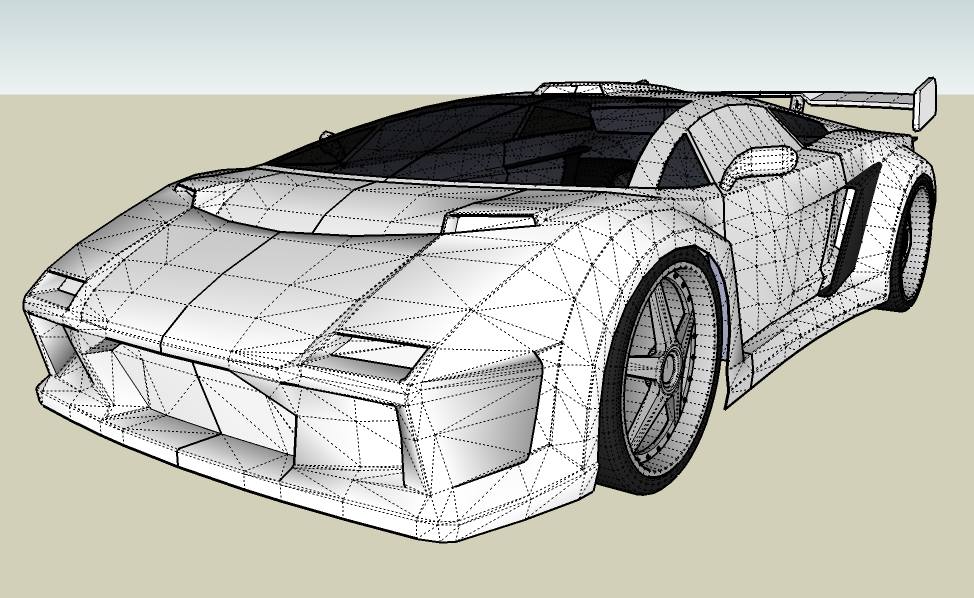
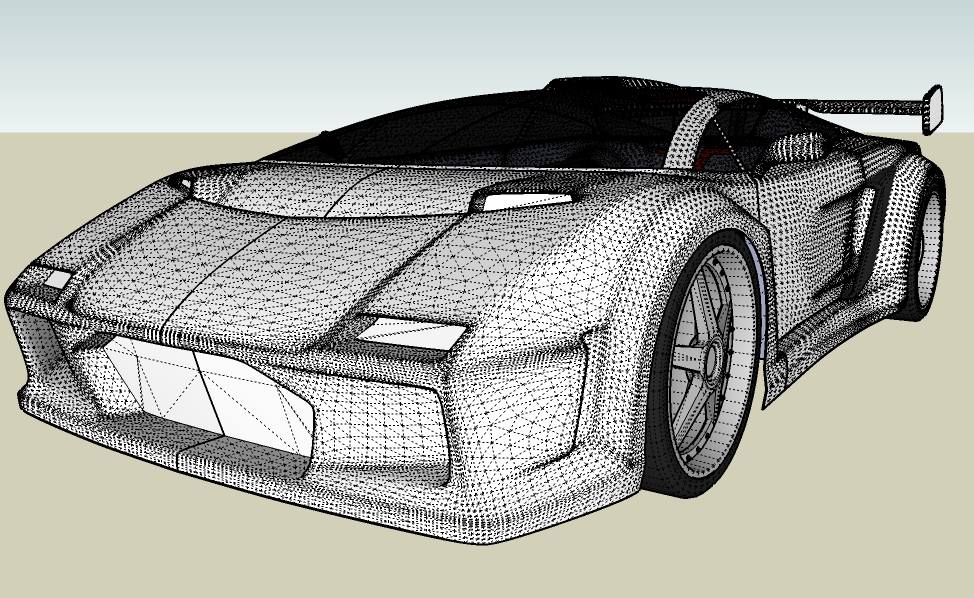
            Pod SDS.jpg


            Pod SDS.skp

            Elisei (sketchupper)


            Before no life was done on Earth it was THE LIFE ITSELF...GOD
            Come and See EliseiDesign

            1 Reply Last reply
            Reply Quote 0
            • T
              TeamSDA
              last edited by

              Hi ely862me,

              Could you expand on "sds" as we are not sure as to what this acronym is? Also went to you website and you have done some amazing work. Are you achieving all the organic shapes via SketchUp or are you using another program such as Cinema 4D. We use this program in house and have considered round tripping to accomplish complex geometry and texture mapping. Would prefer staying with SketchUp as our modeler and C4D for all animations and final visualization.

              Value your input,
              TeamSDA

              1 Reply Last reply
              Reply Quote 0
              • D
                dylan
                last edited by

                SDS is Sub Divide and Smooth
                A commercial script available here with videos
                SDS - Smustard

                http://dmdarchitecture.co.uk/

                1 Reply Last reply
                Reply Quote 0
                • X
                  xrok1
                  last edited by

                  subdivision surfaces ๐Ÿ˜‰

                  check it out here: http://www.sketchucation.com/forums/scf/viewtopic.php?f=80&t=17253&st=0&sk=t&sd=a&hilit=subdivide

                  and it does say on ely862me's website that all the cars are made with sketchup.

                  โ€œThere are three classes of people: those who see. Those who see when they are shown. Those who do not see.โ€

                  http://www.Twilightrender.com try it!

                  1 Reply Last reply
                  Reply Quote 0
                  • T
                    TeamSDA
                    last edited by

                    Thank You SketchUcation Community,

                    Not sure how we missed this one on the Smustard site as we went their first. Appreciate all your input. We are going to try the Smustard plugin as it looks to be just what we are looking for.

                    Have a good one,
                    TeamSDA

                    1 Reply Last reply
                    Reply Quote 0
                    • T
                      TeamSDA
                      last edited by

                      Hey we have looked at the tool and its training. We are still a little vague on how to use the tool. For example we would like to know if we could use this tool to smooth certain edges of the pod and leave others unsmoothed. Any additional info/resources would be appreciated.

                      Thank you,
                      TeamSDA

                      1 Reply Last reply
                      Reply Quote 0
                      • D
                        dylan
                        last edited by

                        You can use the Crease tool in SDS to keep some edges from being completely smoothed. It may help a little.

                        http://dmdarchitecture.co.uk/

                        1 Reply Last reply
                        Reply Quote 0
                        • ely862meE
                          ely862me
                          last edited by

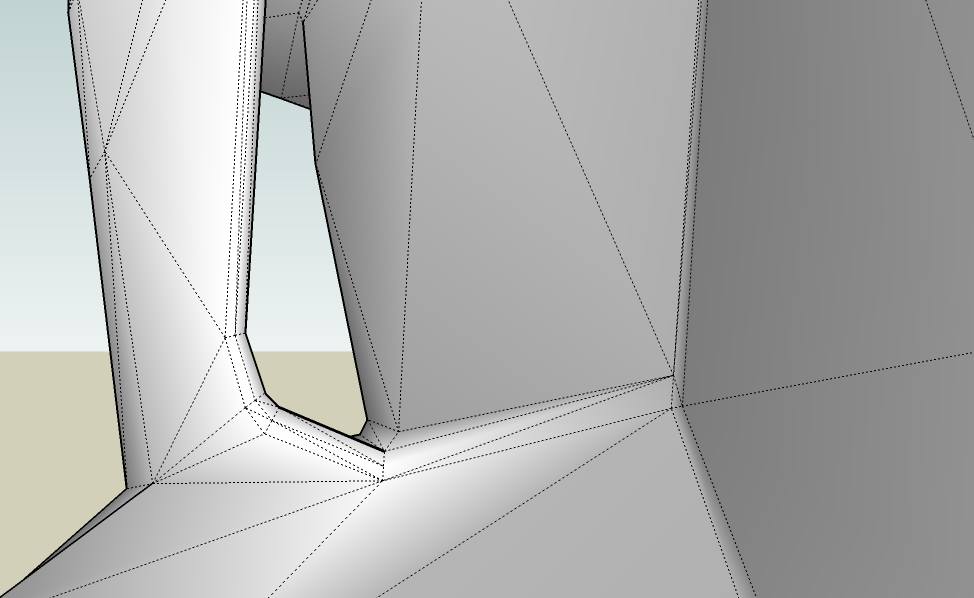
                          is quite simple..
                          u first have to make the normal mesh but low poly
                          then the lines u want to be sharpen add another round of lines near them

                          E058i.jpg


                          E058j.jpg


                          E058o.jpg


                          E058l.jpg

                          Elisei (sketchupper)


                          Before no life was done on Earth it was THE LIFE ITSELF...GOD
                          Come and See EliseiDesign

                          1 Reply Last reply
                          Reply Quote 0
                          • X
                            xrok1
                            last edited by

                            very nice, that post should be copied to the sds thread. very helpful tip for using sds. thank you.

                            โ€œThere are three classes of people: those who see. Those who see when they are shown. Those who do not see.โ€

                            http://www.Twilightrender.com try it!

                            1 Reply Last reply
                            Reply Quote 0
                            • ely862meE
                              ely862me
                              last edited by

                              My pleasure ...

                              Elisei

                              Elisei (sketchupper)


                              Before no life was done on Earth it was THE LIFE ITSELF...GOD
                              Come and See EliseiDesign

                              1 Reply Last reply
                              Reply Quote 0
                              • ely862meE
                                ely862me
                                last edited by

                                I ll try to compose a simple tutorial
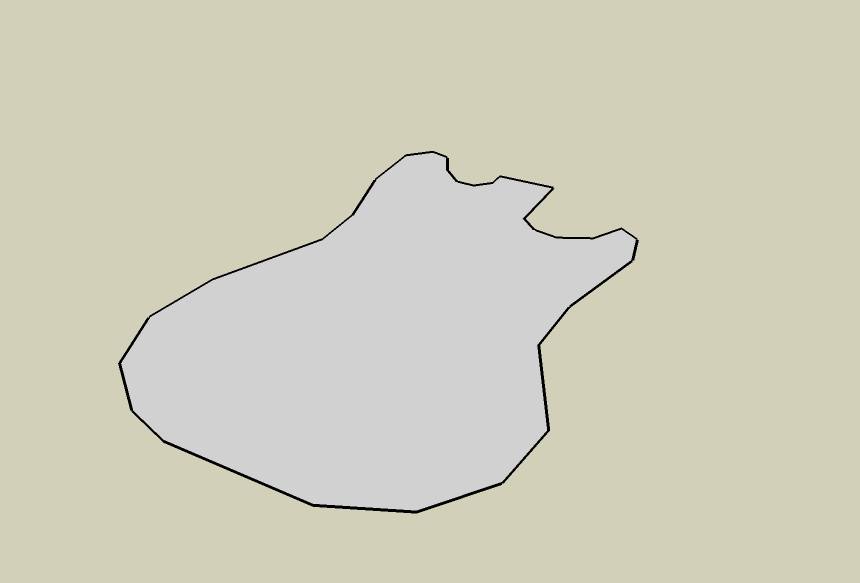
                                lets make the main body of an electric guitar :
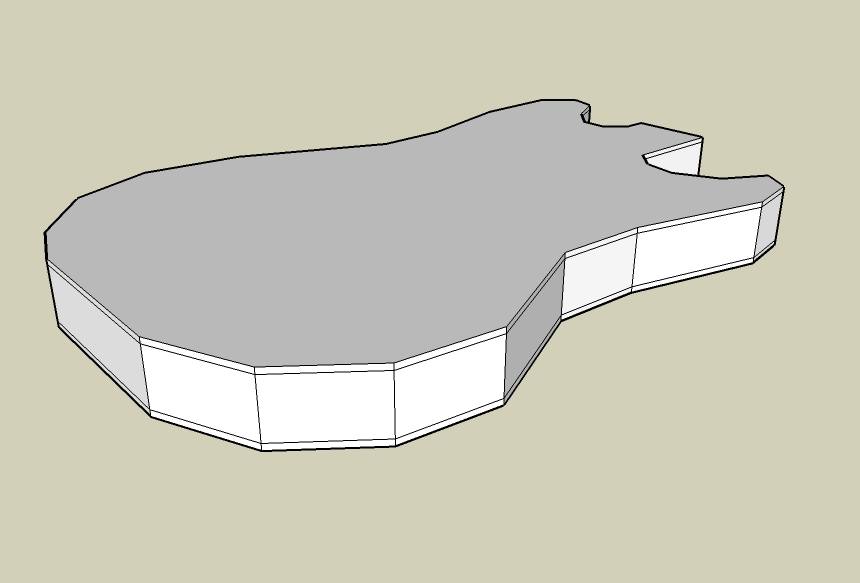
                                1:draw the main shape
                                1.jpg
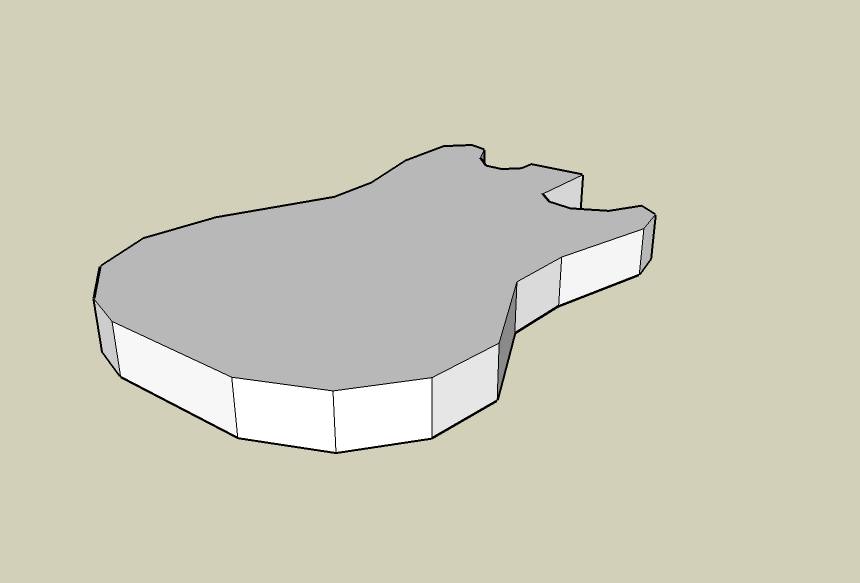
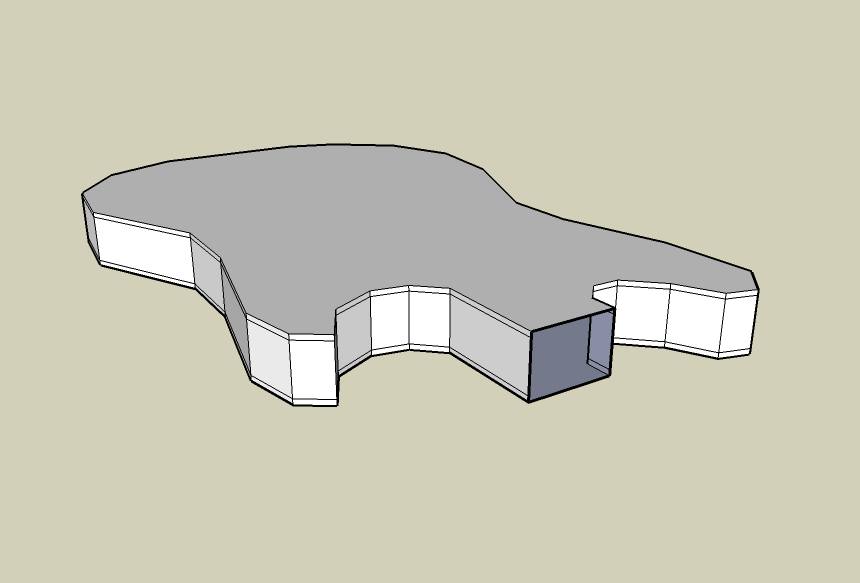
                                2:pull it up to achieve the body
                                2.jpg
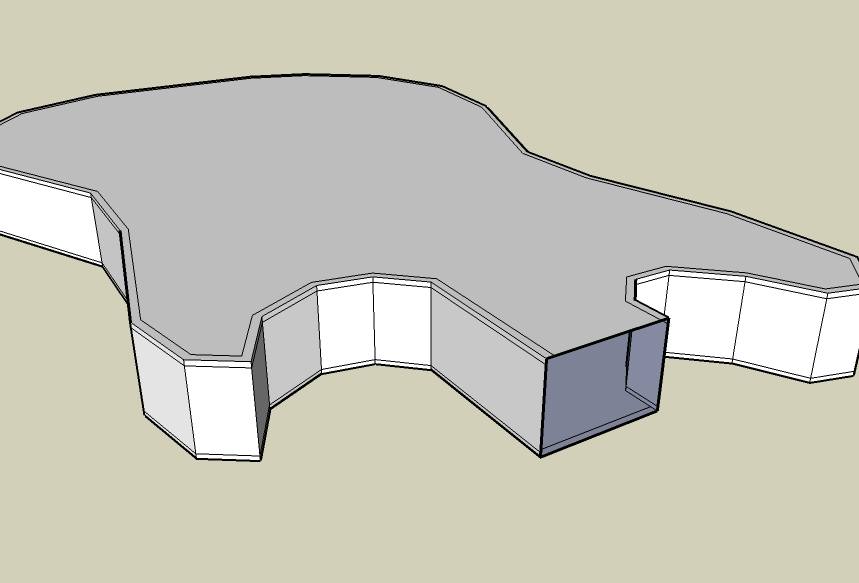
                                3:ad the extra lines (i selected the perimeter and copy paste it on blue axis nearby the up and down perimeter )
                                3.jpg
                                4:remove the extra faces for a proper result
                                4.jpg
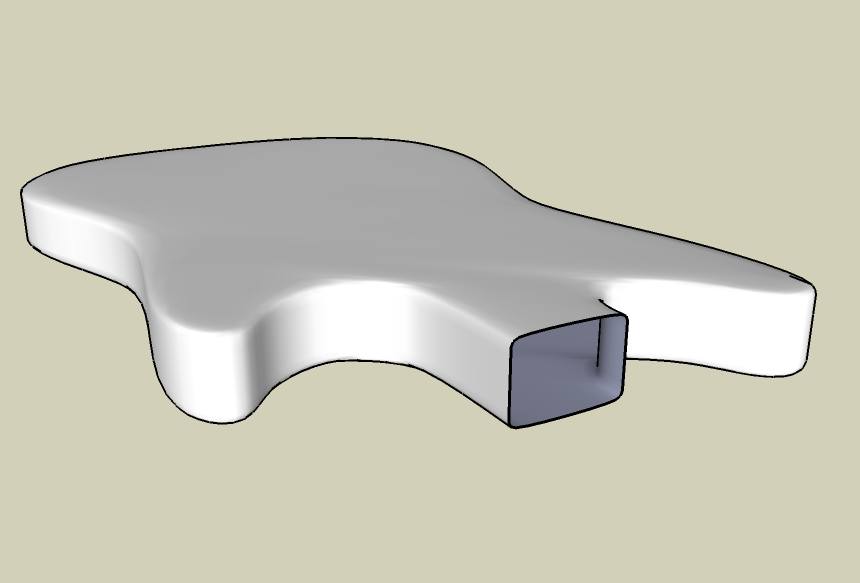
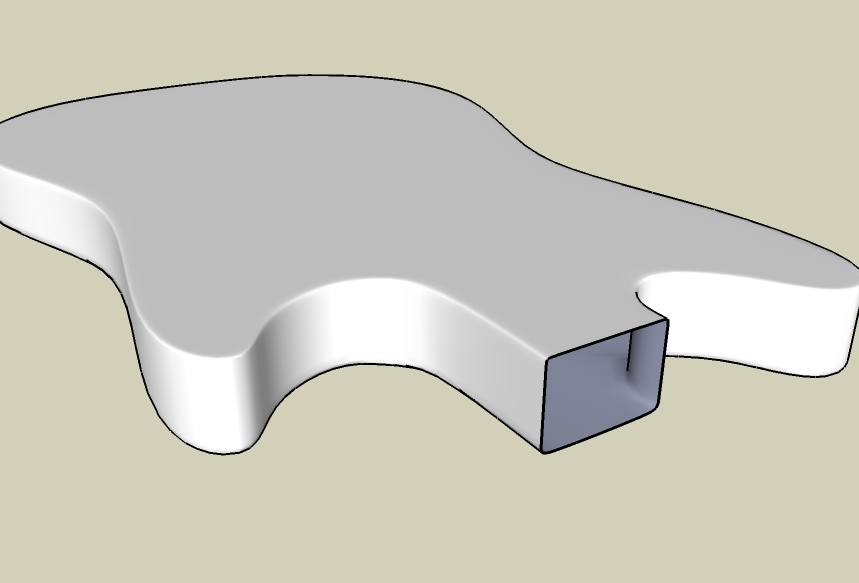
                                5:run sds
                                5.jpg
                                6:this is what sds made without those extra lines
                                6.jpg
                                7:if u do need more sharpen corners add another round of extra lines(this time i just made an offset)
                                7.jpg
                                8:this is the result for 7 after running the sds
                                8.jpg

                                Pretty cool ha?!!(and i figured it all by myself) ๐Ÿ˜†

                                cheers!!
                                hope it helps

                                Elisei


                                electric quitar.skp

                                Elisei (sketchupper)


                                Before no life was done on Earth it was THE LIFE ITSELF...GOD
                                Come and See EliseiDesign

                                1 Reply Last reply
                                Reply Quote 0
                                • X
                                  xrok1
                                  last edited by

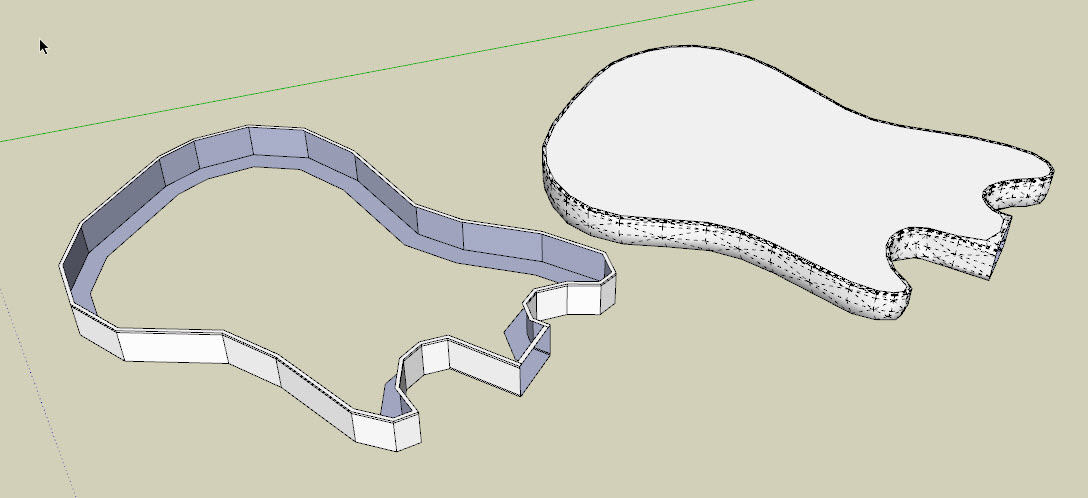
                                  hey! you can also do it this way and save about a third of the polys. plus you are sure that the front and back are flat. ๐Ÿ˜„cap.jpg

                                  โ€œThere are three classes of people: those who see. Those who see when they are shown. Those who do not see.โ€

                                  http://www.Twilightrender.com try it!

                                  1 Reply Last reply
                                  Reply Quote 0
                                  • ely862meE
                                    ely862me
                                    last edited by

                                    yeah u can...just on flat areas

                                    Elisei (sketchupper)


                                    Before no life was done on Earth it was THE LIFE ITSELF...GOD
                                    Come and See EliseiDesign

                                    1 Reply Last reply
                                    Reply Quote 0
                                    • T
                                      Tekkybot
                                      last edited by

                                      @ely862me said:

                                      is quite simple..
                                      u first have to make the normal mesh but low poly
                                      then the lines u want to be sharpen add another round of lines near them
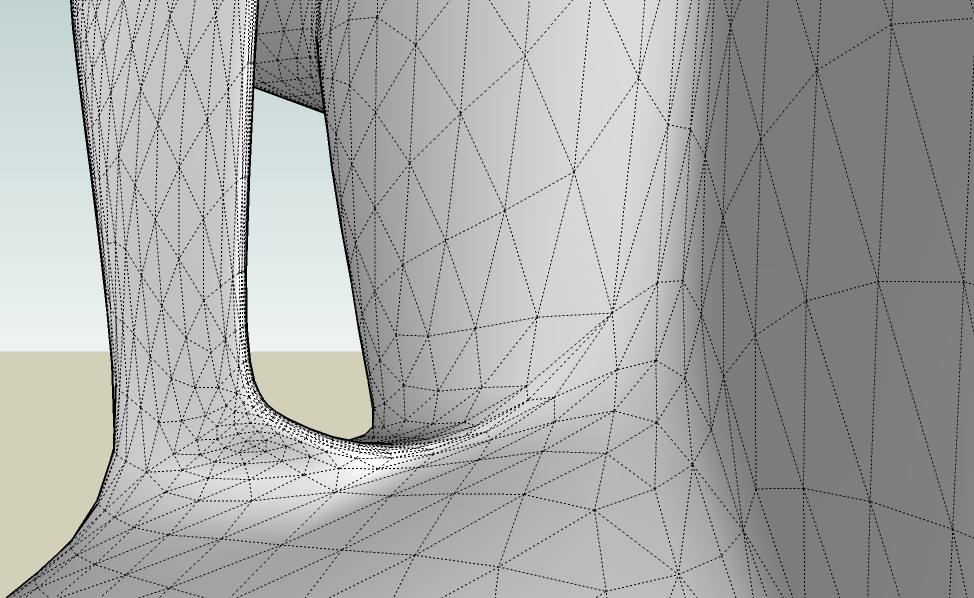
                                      man! i own this plugin! i thought subdivide and smooth was just a cool gimic that nobody actauly used how wrong i was. installing now โ˜€

                                      1 Reply Last reply
                                      Reply Quote 0
                                      • T
                                        TeamSDA
                                        last edited by

                                        Hi Elisei

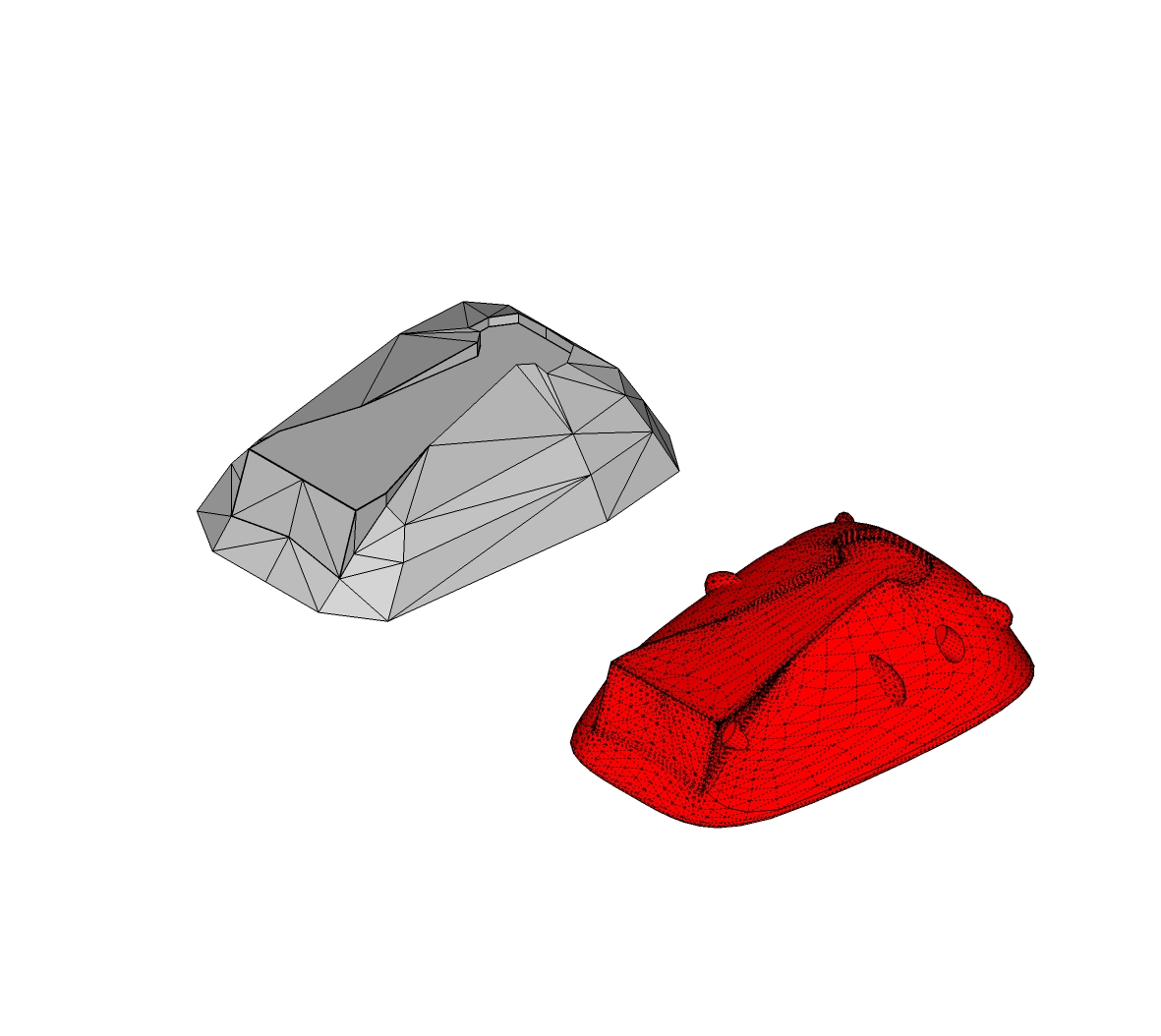
                                        Your input has been quite liberating. We took your advice and built a low poly mesh from scratch then used the sds to smooth it out. We are not as quick as you appear to be, but your advice looks like it will open the door to a lot more creative freedom in sketch up. Below is the new Pod we built using your technique.

                                        Thanks
                                        TeamSDA

                                        p.s. Your technique of adding more lines to reduce the amount of smoothing on edges works great. ๐Ÿ‘

                                        p.p.s. We know that turning off hidden geometry in the view menu gets rid of all the mesh lines but there are still artifact lines showing up that we would like to get rid of, have you ever had this problem and if so do you have any ideas about how to fix it.

                                        JVC Pod.jpg


                                        JVC Pod.skp

                                        1 Reply Last reply
                                        Reply Quote 0
                                        • ely862meE
                                          ely862me
                                          last edited by

                                          select the geometry right click and click on soften/smooth edges (check the soften coplanar too)

                                          Elisei (sketchupper)


                                          Before no life was done on Earth it was THE LIFE ITSELF...GOD
                                          Come and See EliseiDesign

                                          1 Reply Last reply
                                          Reply Quote 0
                                          • bazB
                                            baz
                                            last edited by

                                            Hi eliesi,
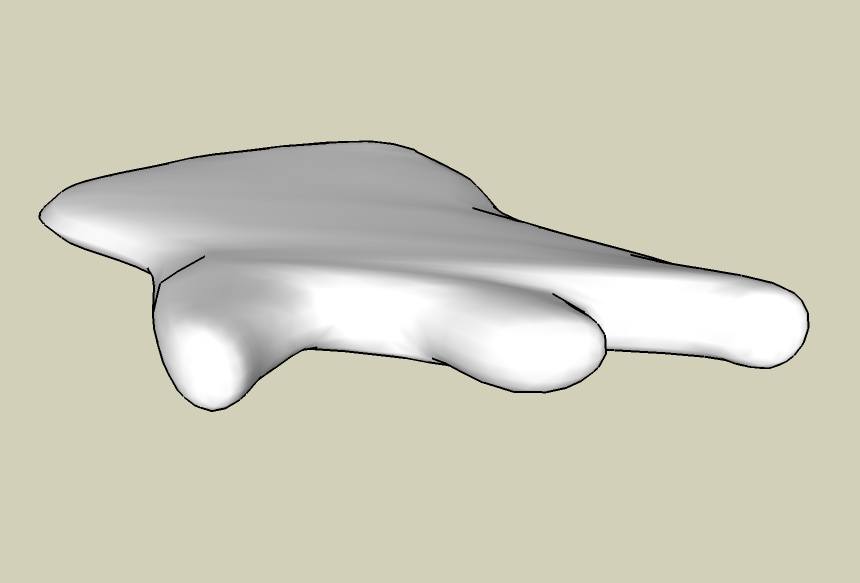
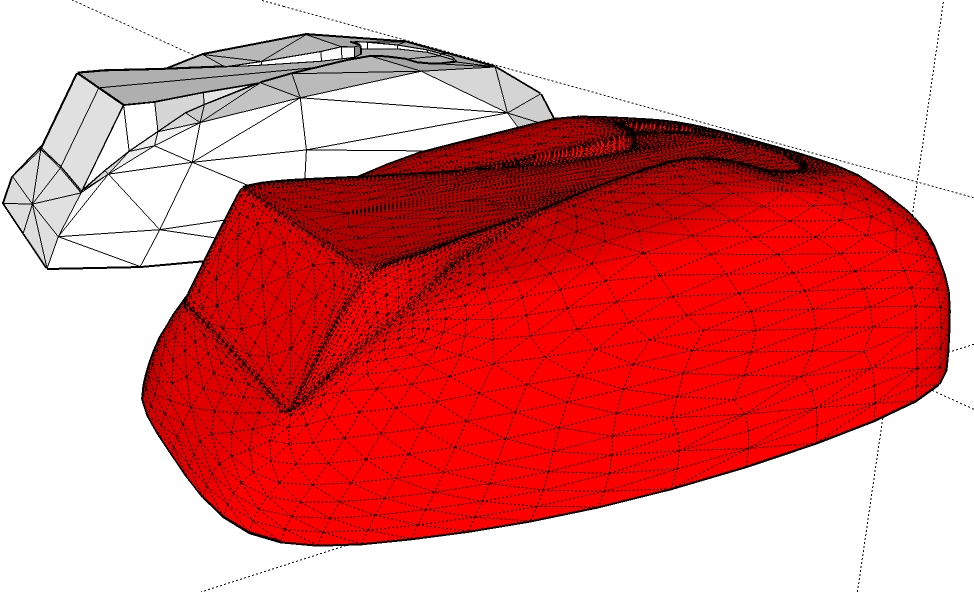
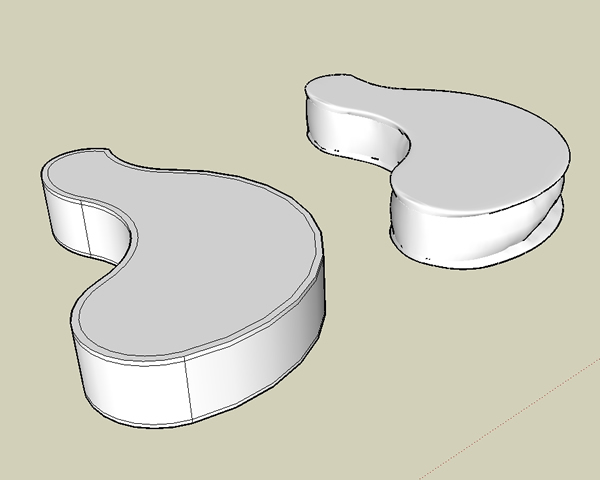
                                            I downloaded your guitar skp to try this out and it worked perfectly with your model but when I tried it with a different shape I got this...
                                            Any idea what I'm doing wrong?
                                            Bazsds.jpg
                                            1 Reply Last reply
                                            Reply Quote 0

                                            Hello! It looks like you're interested in this conversation, but you don't have an account yet.

                                            Getting fed up of having to scroll through the same posts each visit? When you register for an account, you'll always come back to exactly where you were before, and choose to be notified of new replies (either via email, or push notification). You'll also be able to save bookmarks and upvote posts to show your appreciation to other community members.

                                            With your input, this post could be even better ๐Ÿ’—

                                            Register Login
                                            • 1
                                            • 2
                                            • 1 / 2
                                            • First post
                                              Last post
                                            Buy SketchPlus
                                            Buy SUbD
                                            Buy WrapR
                                            Buy eBook
                                            Buy Modelur
                                            Buy Vertex Tools
                                            Buy SketchCuisine
                                            Buy FormFonts

                                            Advertisement