sketchucation logo sketchucation
    • Login
    1. Home
    2. thomthom
    3. Posts
    Oops, your profile's looking a bit empty! To help us tailor your experience, please fill in key details like your SketchUp version, skill level, operating system, and more. Update and save your info on your profile page today!
    πŸ”Œ Smart Spline | Fluid way to handle splines for furniture design and complex structures. Download
    Offline
    • Profile
    • Following 0
    • Followers 8
    • Topics 628
    • Posts 16,952
    • Groups 4

    Posts

    Recent Best Controversial
    • RE: SubD shrinks the object

      SUbD is using OpenSubdiv: http://graphics.pixar.com/opensubdiv/docs/intro.html
      So I don't control the subdivision features of that.

      As for "CatMull-Interpolation", is there an formula that works in 3D? What you describe you did manually sounds like running two 2D interpolation operations on the top and bottom ends of your shape. But I don't see how one could apply this generically to any arbitrary mesh... You got some references for that?

      posted in SUbD
      thomthomT
      thomthom
    • RE: Ghost outline of proxy mesh

      @box said:

      If you make the 'cage' thing, please make it possible to remove or make invisible, I for one definitely don't want it.

      Yes, if this manifests it would be an option. Right now I'm toying with the feasibility of creating the subdivided mesh as a separate sub-group when in this mode. The control mesh would then be set with a transparent material.

      posted in SUbD
      thomthomT
      thomthom
    • RE: Ghost outline of proxy mesh

      @numerobis said:

      I think it's not so easy to reproduce in most cases. It could be related to "bad" geometry and bigger models but they are not crashing every time. In some cases maybe only every third or fourth switch (to the subdivided version), so maybe there is something that builds up in the memory over time.
      I can try to isolate the model if it appears the next time and send it to you, but i think it's more diffuse and seems to happen with almost every model sooner or later.
      (SketchUp 2015, Win 7)

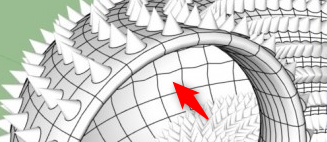
      It could be other extensions with observers interfering in some way. It could also be due to some bug in the Ruby object manager that was fixed in SU2016 (I see you are using SU2015.) For SU2016 I was fixing a nasty set of bugs that was difficult to detect - they would manifest at a later time. Essentially the side effect of the bug was that an API user would have a references to what Ruby claimed to be an Edge, but in reality be a different entity all together. That could lead to what you describe.

      posted in SUbD
      thomthomT
      thomthom
    • RE: SubD shrinks the object

      The Catmull-Clark based subdivision that OpenSubdiv uses does cause shrinking. There are no options to have it lie on the surface of the control mesh. That would also be somewhat ambiguous because the coarse mesh is very different from the smooth one. If you where to scale it up you'd probably find that some points would end up too large.

      Do you have some screenshots of what kind of meshes you deal with? I'm curious if there's some auxiliary tools that could help.

      posted in SUbD
      thomthomT
      thomthom
    • RE: Ghost outline of proxy mesh

      @numerobis said:

      many geometry problems and SU is crashing a lot.

      If you experience what appear to be bug and crashes, then please report them along with test model, SketchUp version, OS platform and steps to reproduce.

      I've actually not heard much about crashes.

      posted in SUbD
      thomthomT
      thomthom
    • RE: Trial Runtime extensible?

      I'm afraid that I don't have that capability right now. It's been on my list to do - but I've prioritised adding improvements to fixes so far. It's quite a bit of infrastructure work.

      posted in SUbD
      thomthomT
      thomthom
    • RE: SubD crashing sketchup 2018

      Do you still have these errors occurring?

      posted in SUbD
      thomthomT
      thomthom
    • RE: Dedicated push/pull button

      Hmm... can you post a screen recording of this happening? I'm also not able to reproduce.

      posted in SUbD
      thomthomT
      thomthom
    • RE: Probably a silly question, but...

      Hi, I realise this is nearly two months old. Did you get it worked out?

      For the record this can happen if a firewall is blocking SketchUp. I've also heard from some users in Russia and other countries where there has been big ranged of IPs blocked that impacted the license activation. In these cases the users worked around it by using VPN.

      posted in SUbD
      thomthomT
      thomthom
    • RE: Ghost outline of proxy mesh

      I recently noticed Blender had similar mode when I was playing around. I felt it was nice to work with this mode. I logged a feature request for this.

      posted in SUbD
      thomthomT
      thomthom
    • RE: Strange creased vertices

      If you can save the model next time you observe this I can have a look.

      It might be that you had a non-planar quad where the diagonal wasn't properly tagged to be compatible with QFT quads. Then the subdivision would subdivide each triangle and you will see that your loops becomes irregular after subdividing.

      posted in SUbD
      thomthomT
      thomthom
    • RE: SubD examples and models

      Do you have the control mesh so I can have a look?

      posted in SUbD
      thomthomT
      thomthom
    • RE: SubD examples and models

      Btw, do you have some quad that are not fully QuadFace quads? I see some unexpected uneven edges in the back there:

      2019-01-19_13h26_35.png

      posted in SUbD
      thomthomT
      thomthom
    • RE: SubD examples and models

      I'm happy to see how quad-based workflows have caught on within SketchUp users. For a while I felt like a raving lunatic back when I first created QuadFace Tools.

      Always great to see your creations Box!

      posted in SUbD
      thomthomT
      thomthom
    • RE: [Plugin][$] Vertex Tools

      @rv1974 said:

      Wow morning full of surprises.

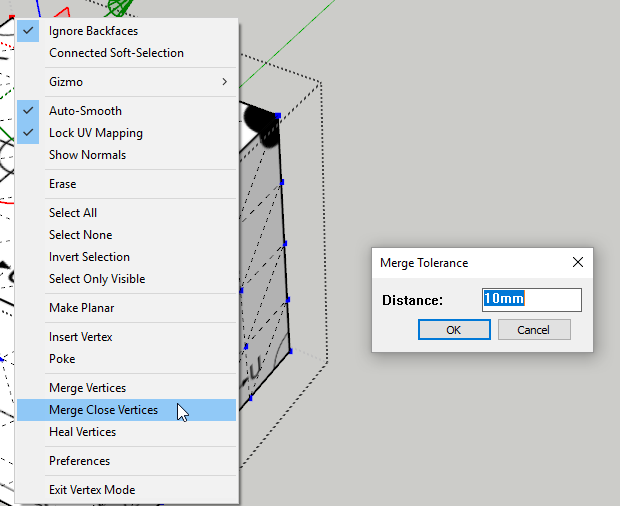
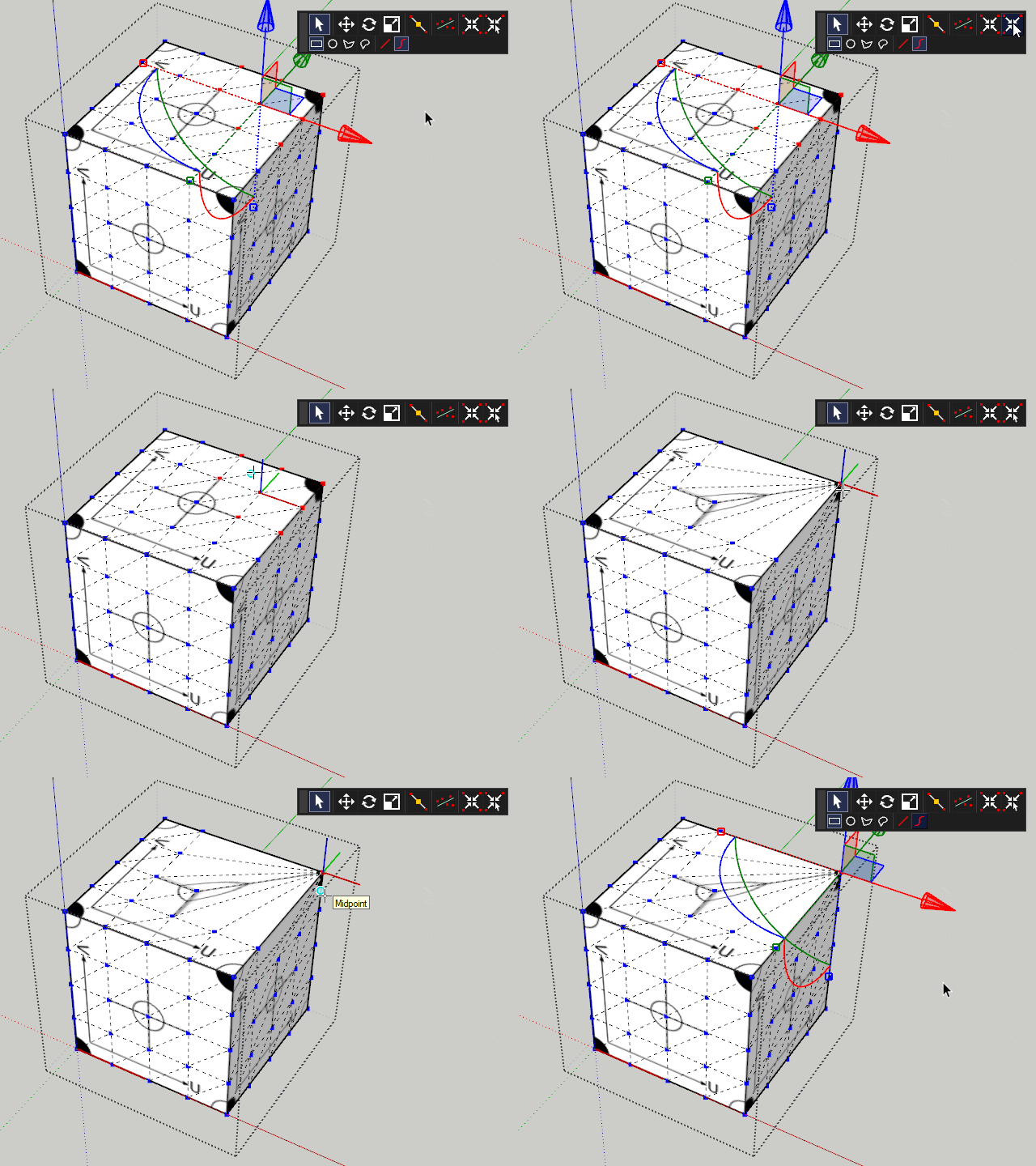
      Btw, Merge Close Vertices is already included in v1: https://evilsoftwareempire.com/vertex-tools/manual/tools#merge_close_vertices

      posted in Plugins
      thomthomT
      thomthom
    • RE: [Plugin][$] Vertex Tools

      @rv1974 said:

      The only thing left to be clarified is when v2019 will be out πŸ˜„

      Good question. I'll make a post when I know myself. πŸ˜‰

      posted in Plugins
      thomthomT
      thomthom
    • RE: [Plugin][$] Vertex Tools

      Like this?

      2019-01-09_21h09_37.png

      posted in Plugins
      thomthomT
      thomthom
    • RE: [Plugin][$] Vertex Tools

      @rv1974 said:

      I hope target weld is in that list as well

      TargetWeld.gif

      This ol' thing? πŸ˜›

      posted in Plugins
      thomthomT
      thomthom
    • RE: [Plugin][$] Vertex Tools

      @einstein said:

      Hi!
      I'd have a suggestion for a small feature development.
      When doing soft selection we have two options of falloff - linear and cosine. What if we had more options, e.g. "pinchy" fallof shape, as illustrated below, on the left?

      I can see such idea was already posted years ago but I dared to bring it anyways, cuz it would be a fantastic improvement of already very good tool!

      Yes, that is also on the list. something like a pinch and bubble parameter like 3dsmax offer.

      posted in Plugins
      thomthomT
      thomthom
    • RE: [Plugin][$] Vertex Tools

      @einstein said:

      Hi!
      Got a question.
      If I select some vertices using soft selection, it will also affect geometry that's not connected to selected vertices (see screenshot). Can I change this behavior so that soft selection will only affect connected vertices?

      You'd say "do grouping your geometry" but that's not the solution in my case.

      Currently soft selection is computed by spatial distance only. I have it on my list to add a "by connected distance" option.

      posted in Plugins
      thomthomT
      thomthom
    • 1
    • 2
    • 3
    • 4
    • 5
    • 6
    • 7
    • 8
    • 847
    • 848
    • 6 / 848